Notifications
The platform tells people when something needs their attention. Most of what follows is email; the last surface, notification channels, is the same pipeline delivering to a Mattermost channel, an incoming webhook, or an operator-named mailing list.
The platform emails users when something needs their attention: a teammate shares an asset, collection, or prompt with them, comments on something they own or that is shared with them, or names them in a comment with an @-mention. It also alerts operators when the knowledge review queue goes unworked, and tells whoever authorized a connection when its credential is discarded. Delivery is durable (a database-backed queue with retries), never blocks the originating request, and respects per-user preferences including a daily digest mode.
Email is one of three ways the platform tells someone that something needs them. The portal activity feed shows it to anyone who opens the portal, and session-start notices put it in front of a person working through an agent, who may open neither.
Email notifications require a database-backed deployment running the HTTP
transport: the queue, the send worker, and SMTP are owned by the HTTP server,
which is the long-lived process they belong in. With no database, or under
stdio, the feature is absent and everything else works unchanged - including
feedback replies written through manage_feedback, which are stored either
way.
How it works
graph LR
    subgraph Triggers
        Share[Share created]
        Comment[Thread comment / feedback]
        Mention["@-mention in a comment"]
        Review[Review queue over threshold]
    end
    subgraph Queue
        Prefs[(user preferences)]
        Rows[(notifications queue)]
    end
    subgraph Delivery
        Worker[Send worker]
        SMTP[SMTP server]
    end
    Share --> Prefs
    Comment --> Prefs
    Mention --> Prefs
    Review --> Prefs
    Prefs -->|off| Drop[Dropped]
    Prefs -->|immediate or daily| Rows
Rows --> Worker --> SMTP- When a direct share is created or a feedback thread event is written, the
platform consults the recipient's preferences and queues a notification
row. The queue insert is cheap and failures are logged, never surfaced:
a share or comment always succeeds regardless of notification state.
A thread event reaches the target's owner, the thread's author, and the
people it is shared with. Anyone the comment @-mentioned is notified in the
mention category instead, so one comment never sends the same person two
emails, and mentions are queued first: enqueueing is rate-limited per
author, so on a widely-shared item the people addressed by name are the ones
that get through. The person who wrote the event is never a recipient of
it: the actor is excluded at the enqueue seam every trigger passes through,
comparing normalized addresses so an owner or grantee recorded as
Display Name <addr>is still recognized as the author. A thread event whose author cannot be resolved queues no general fan-out at all -- it cannot be shown not to be a self-notification -- though addresses the body named explicitly still get their mention. One recipient is dropped for a reason that is not a preference: an API key that configured noemailauthenticates as a synthetic[email protected]address. That is an identity, not a mailbox, and it becomes the owner of every asset an agent saves under that key, so without the check each comment on an agent-produced asset would queue a message no mail server can accept. The drop happens at the same enqueue seam as the others, so it holds for every category. An API key configured with a real address is a real mailbox and receives mail normally. - A background send worker claims due rows (immediately via Postgres LISTEN/NOTIFY, or on a poll interval), renders a branded HTML email with a plaintext alternative, and delivers it over SMTP. Failed sends retry with exponential backoff before being marked failed; queued rows survive pod restarts and expired delivery leases are reclaimed automatically.
- Daily-digest users get one email per day summarizing that window's events instead of one email per event.
- One trigger has no human behind it: a scheduled check compares the knowledge review queue against the operator's staleness threshold and queues an alert when it crosses. See Review queue alerts below.
Admin SMTP settings
Admins configure the mail server in the portal under Admin, then
Settings, or via the REST API. Settings are stored in the database
(platform_settings), so no config file edit or restart is needed. The
SMTP password is encrypted at rest with the platform's ENCRYPTION_KEY
(the same field encryption used for connection credentials) and is
write-only: no API response ever includes it.
| Field | Description |
|---|---|
enabled |
Master switch for outbound email. |
host, port |
SMTP server address. Port 587 for STARTTLS, 465 for implicit TLS. |
username, password |
SMTP AUTH credentials. The auth mechanism is negotiated automatically from what the server advertises (SCRAM-SHA-1/256, LOGIN, PLAIN, CRAM-MD5, and others). Leave username empty for unauthenticated relays. An empty password on update keeps the stored one. |
from, from_name |
Sender address and optional display name. |
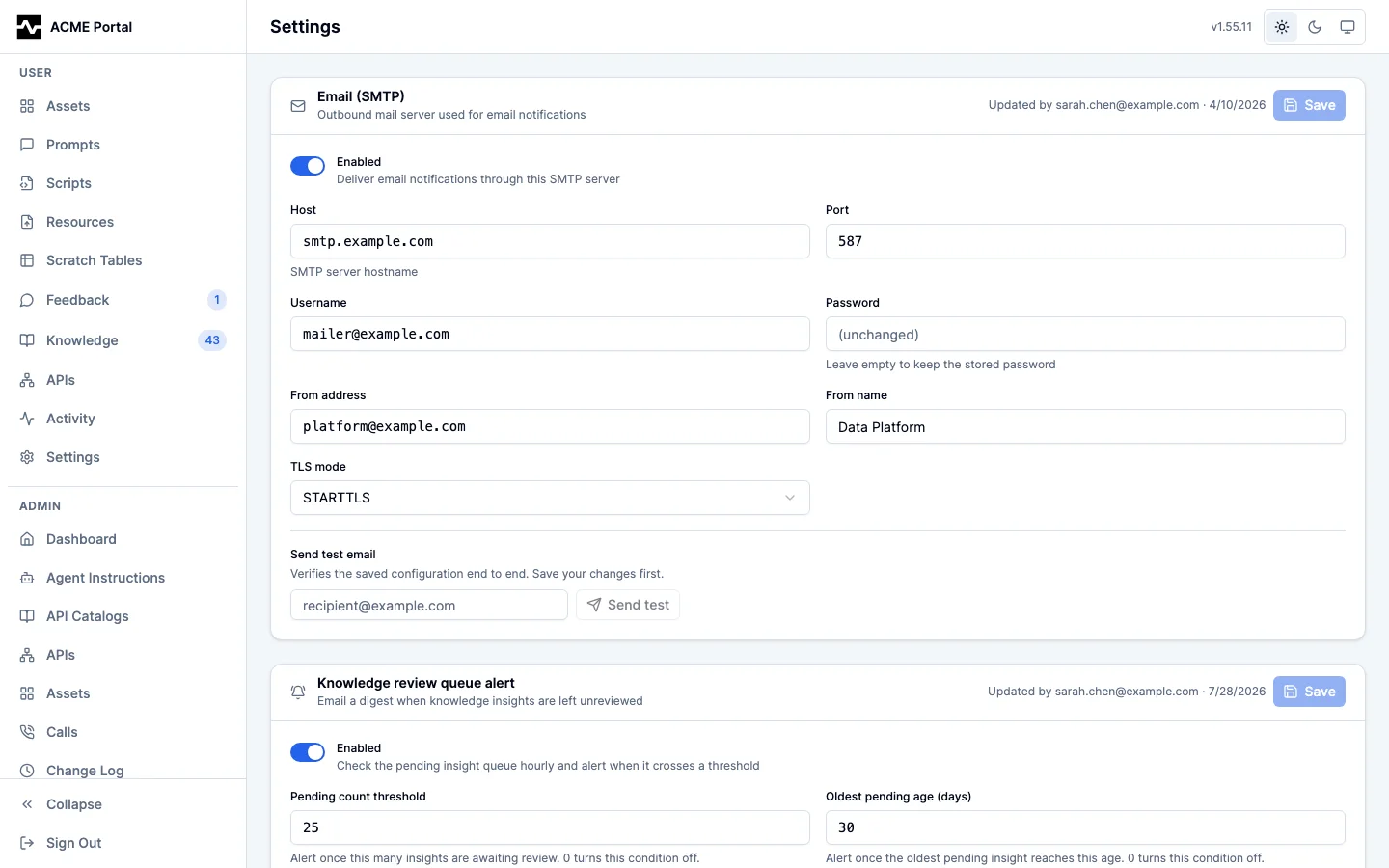
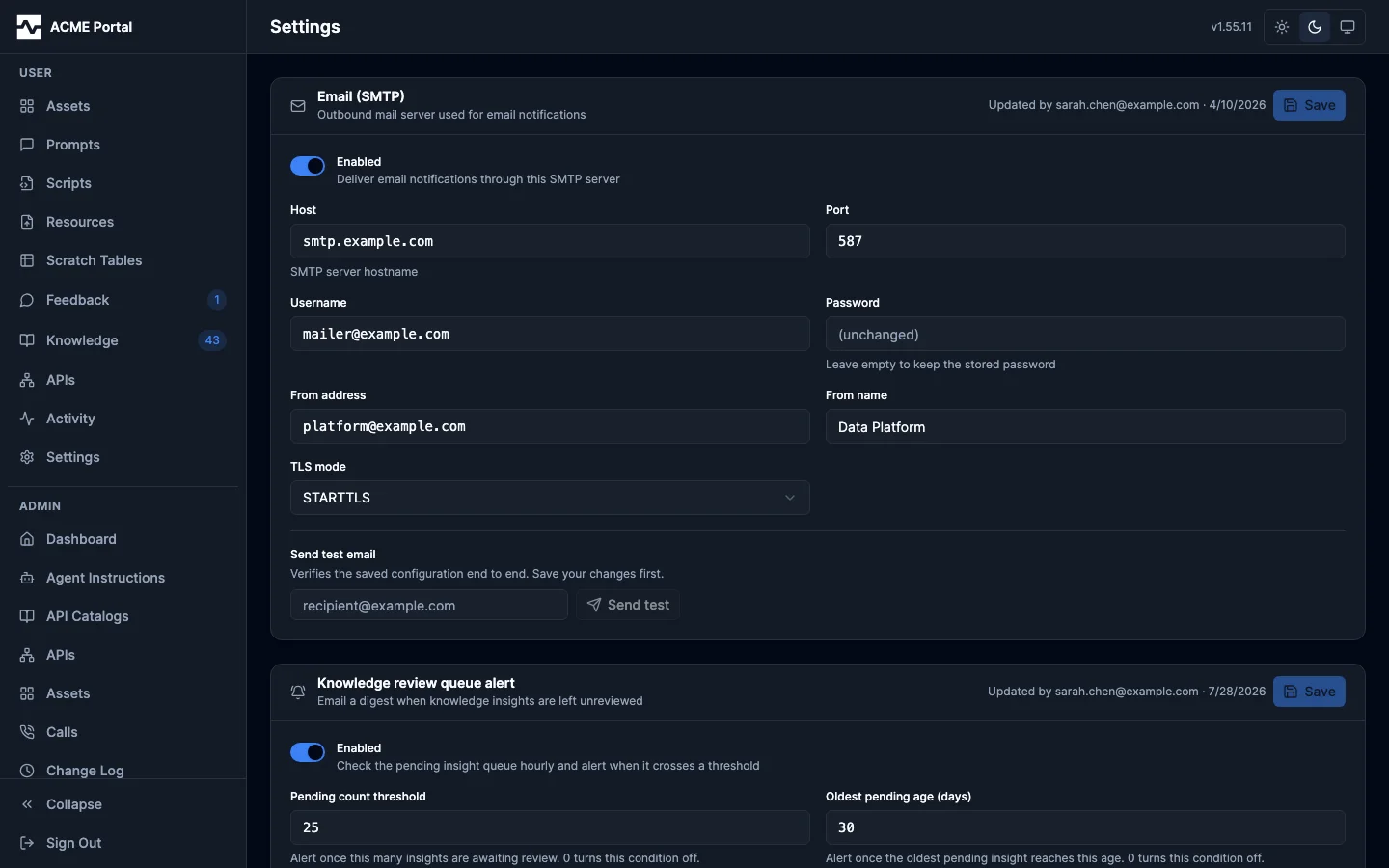
The Settings page carries both cards: the mail server above, and the review
queue alert below it.
| tls_mode | starttls (default), implicit, or none (closed-network relays only). |
The read and update responses carry a warnings array describing accepted
but hazardous combinations in the stored configuration; the admin UI shows
them as a banner above the form. A save is never blocked by one. The only
warning today fires when tls_mode: none is stored alongside a username or
password: SMTP AUTH then runs over an unencrypted connection and the
credential crosses the network in the clear. It is evaluated against the
stored settings rather than the request body, so it still fires when the
write-only password field was left empty and the previously stored
credential was kept.
The Send test action delivers a test email through the stored settings so the configuration can be verified end to end before users depend on it. It requires an enabled, saved configuration; a disabled or unconfigured setup gets a 409 rather than sending around the master switch. A test send deliberately bypasses per-user preference gating (a delivery test should deliver); when the target address has opted out of notification emails, the admin UI shows an informational notice next to the send action so "receives test mail but never notifications" is self-explaining rather than a troubleshooting mystery.
A failed send answers 503 with fixed text that does not vary with the failure mode. The host and port are admin-chosen and deliberately unrestricted, so a reflected dial error would distinguish refused from timed out from TLS handshake failure for any address the server can reach. The underlying error is written to the server log instead, together with the host and port that produced it:
level=ERROR msg="notification: test send failed" [email protected] smtp_host=smtp.example.com smtp_port=587 error="..."
GET  /api/v1/admin/settings/smtp                     read settings (password_set only, never the password)
PUT  /api/v1/admin/settings/smtp                     update settings
POST /api/v1/admin/settings/smtp/test                send a test email  {"to": "[email protected]"}
GET  /api/v1/admin/settings/smtp/recipient-status    opt-out state of an address  [email protected]
Like other admin configuration, writes require database config mode; in file mode the endpoints respond 405.
Review queue alerts
An apply_knowledge review queue that nobody works erodes the knowledge
flywheel silently: captures stop becoming shared knowledge and agents keep
re-deriving facts nobody promoted. The pending count and its age are already
visible to anyone who looks (bulk_review, platform_info, and the portal's
Insights tab all report them). This is the push signal for everyone who does
not look.
A scheduled check reads the pending queue once an hour through the same
lightweight rollup platform_info uses -- one aggregate query, never on a
request path -- and queues an alert when the queue crosses the operator's
threshold. The alert is a normal notification: it goes through the same
preference gate, queue, worker, and branded renderer as every other email,
and a daily-mode recipient reads it as one line of their digest.
Admins configure it in the portal under Admin > Settings > Knowledge review
(/portal/admin/settings/knowledge-review), or via the REST API:
| Field | Description |
|---|---|
enabled |
Master switch for the scheduled check. |
pending_threshold |
Alert once this many insights are awaiting review. 0 turns this condition off. |
oldest_pending_days |
Alert once the oldest pending insight reaches this age in days. 0 turns this condition off. Defaults to 30, the same age at which the portal badges an insight stale. |
cooldown_hours |
Minimum gap between two alerts while the queue stays over threshold (1-720, default 24). |
recipients |
The addresses the digest is delivered to (at most 20). |
channels |
The notification channels the alert is also posted to, by name (at most 10). The queue is the post's key, so a queue that crosses again inside a channel's repeat window is counted rather than posted. |
Either threshold alone is enough to cross; an empty queue never crosses. The recipient list is explicit rather than derived from roles: role membership arrives with a request from the identity provider, so there is no set of admins the platform can enumerate at check time.
Like the SMTP section, the read and update responses carry a warnings array
for a configuration that saves cleanly and delivers nothing -- an enabled
alert with no recipients and no channels, or with both thresholds cleared -- and the admin UI
shows them as a banner above the form. Neither blocks a save.
GET /api/v1/admin/settings/review-queue-alert    read the threshold, cooldown, recipients and channels
PUT /api/v1/admin/settings/review-queue-alert    update them
channels on a PUT follows one rule on every alert route: absent keeps the
stored list, so a client that predates channels does not clear them by saving
recipients; [] clears it; a name no channel is stored under is refused with
400. A channel that exists but is disabled is accepted, so enabling it later
does not mean naming it again.
The check runs hourly. MCP_PLATFORM_REVIEW_ALERT_INTERVAL (a duration such
as 30s) overrides that, for a local stack proved against in seconds; the
first check runs one interval after startup.
Re-alert policy. A queue that stays over threshold produces one alert per cooldown window, not one per check. A queue worked back under the threshold clears the marker, so the next crossing alerts immediately rather than serving out a cooldown that belongs to a queue which has since been dealt with. The claim is a single conditional write against a one-row table, so it also makes the alert a cluster-wide singleton: on a multi-replica deployment exactly one replica's check wins a given window.
What the email says. The pending count, the age of the oldest pending
insight, how many are past the staleness threshold, and a deep link to the
review queue itself (<portal>/knowledge#review) -- the queue, not the tab it
lives behind. The figures are the queue as the check saw it, so a digest
delivered hours later still reports what actually tripped the threshold. The
link opens the review queue for anyone holding apply_knowledge; a recipient
without that capability lands on the Insights tab's own-captures view, since
the review queue is not a surface they can act on.
Preferences. This category has no per-user toggle: the operator chose the
recipient list, so removing an address there is how you stop sending it.
A recipient still opts out for themselves with delivery mode off, including
through the unsubscribe link the email carries like any other.
Connection revocation alerts
A connection's OAuth credential is authorized once, in a browser, by one person. Everyone else reaches the upstream through it without ever seeing that sign-in. When the upstream rejects the refresh, the platform discards the credential and every call through that connection fails needing reauthorization -- and until this existed, nobody was told. The revocation was written to the connection's auth-event history and shown on its OAuth status card, both of which answer an operator who already knows to ask.
This is the one auth surface where the person holding the credential is deliberately not the person using the connection day to day, which is exactly why that person is not watching the status card. On a scheduled script there is no person at all: the run comes back with an empty or partial answer that reads like data rather than like an outage.
Who is told, and when. The moment the credential is discarded, the platform emails the identity that authorized the connection. The email names the connection and the upstream, says when the refresh failed and what the upstream returned, and links to the Connections page, where reconnecting it restores access.
One email per revocation, not one per rejected call: the revocation is recorded as an open row, and a connection that already has one is not announced again. Authorizing the connection again deletes that row, so a later revocation is news.
Escalation. The premise of the first email is that its recipient may be unreachable -- the reason proactive refresh exists at all. A connection is a tenant asset, so a revocation nobody has acted on after the operator's window is raised with the addresses the operator named. That email says whose authorization lapsed and how long it has been, so the reader knows why it reached them rather than the person who signed in.
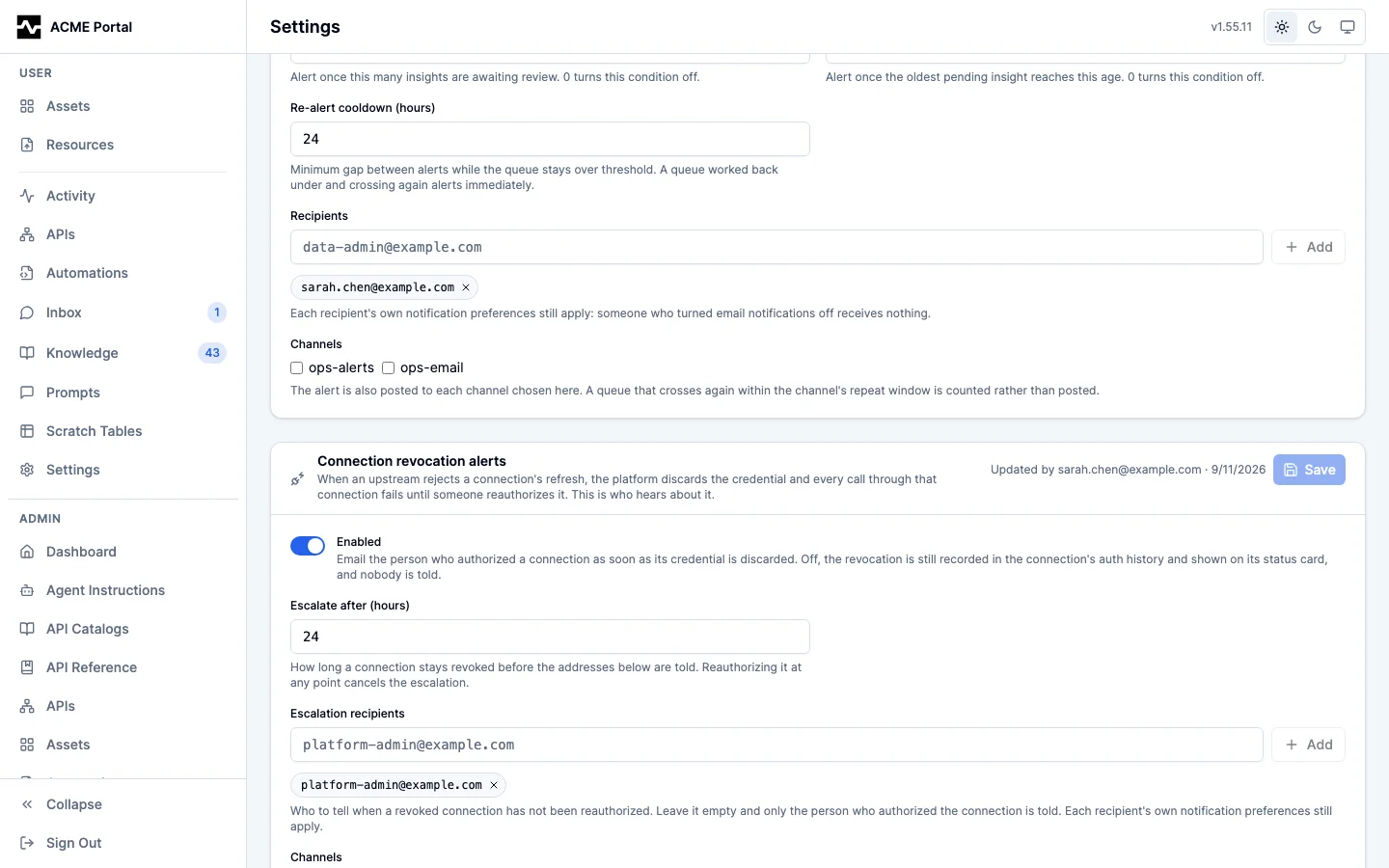
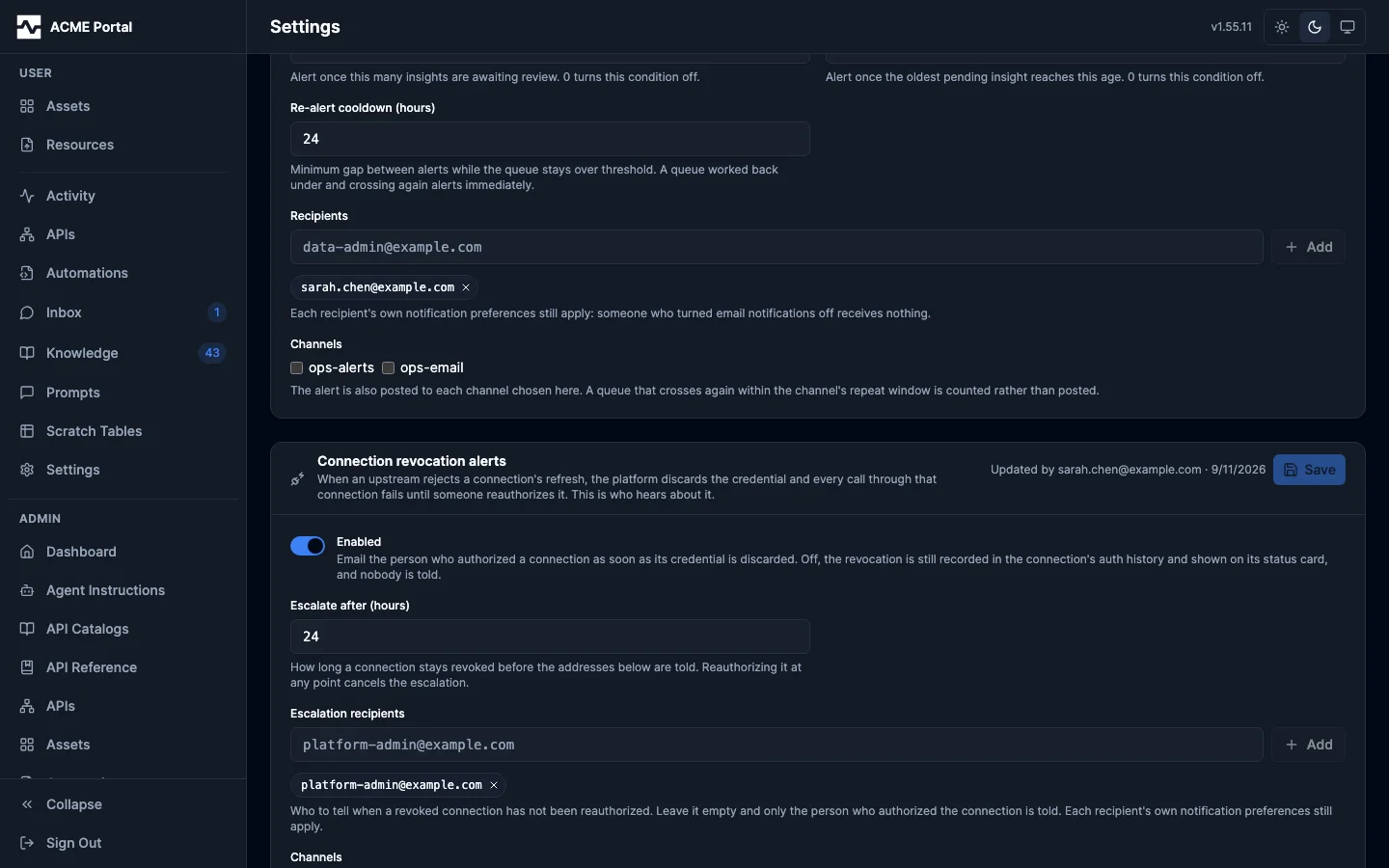
Admins configure it in the portal under Admin > Settings > Connection
revocations (/portal/admin/settings/connection-revocations), or via the REST
API:
| Field | Description |
|---|---|
enabled |
Master switch for both emails. Off, the revocation is still recorded in the auth-event history and shown on the status card, and nobody is told. |
escalate_after_hours |
How long a connection stays revoked before the escalation is raised (1-720, default 24). |
recipients |
The addresses the escalation is delivered to (at most 20). Empty is the default and means no escalation: the person who authorized the connection is still told, and nobody else is. |
channels |
The notification channels a revocation is posted to, by name (at most 10): at once, when the credential is discarded or an assertion is refused, and again when it escalates. The connection is the post's key. With channels named and no recipients, the escalation still goes to the channels. |
The recipient list is explicit rather than derived from roles, for the same reason the review-queue list is: role membership arrives with a request from the identity provider, so there is no set of admins the platform can enumerate when the sweep runs.
GET /api/v1/admin/settings/connection-alert    read the window, recipients and channels
PUT /api/v1/admin/settings/connection-alert    update them
The three ways a credential is discarded. The email says which one it was,
because they ask the reader for different things. The upstream rejected the
refresh (the email carries the RFC 6749 code it returned, such as
invalid_grant for a revoked refresh token or invalid_client for a client
secret that no longer works); the connection held no refresh token to renew
with; or the refresh deadline the upstream had disclosed passed before the
renewal. Only the first is a rejection, and the email never reports one that
did not happen.
Escalation policy. The sweep stamps each revocation as it escalates it, in the same statement that selects it, so exactly one replica raises a given escalation and it is raised once. It also re-checks the credential table before mailing anyone: a connection that holds a credential again is never escalated, whatever the bookkeeping row says.
A refused jwt_bearer assertion. A connection on oauth_grant: jwt_bearer
holds no stored credential: it signs an assertion with a key the upstream
registered and exchanges it at the token endpoint. When the endpoint refuses it
(invalid_grant, invalid_client or unauthorized_client), every call
through the connection fails until the upstream is fixed, which is the same
incident, and it is told through the same row and settings with three
differences. Nobody signed in to authorize the connection, so the alert goes to
the configured recipients at once rather than after the window, and is never
escalated; with no recipients configured nothing is recorded, so the first
refusal after an operator names recipients is announced. The email
says the upstream refused the signed assertion, quotes the upstream's
error_description, and names the causes an operator fixes at the upstream
(an unapproved key or integration user, or clock skew) instead of asking
anyone to reconnect. And the row is cleared by the first exchange the upstream
next accepts, on whichever replica makes it, because there is no callback to
clear it. See OAuth JWT bearer grant.
Preferences. Like the review-queue alert, this category has no per-user
toggle. Its first recipient is addressed by responsibility rather than by
interest, and its second was named by the operator. A recipient still opts out
for themselves with delivery mode off, including through the unsubscribe
link the email carries like any other.
Scheduled run failures
A managed script's scheduled run that fails emails the script's owner: they
are accountable for the automation and can fix it. The email names the
script, why the run failed, the head of its error and the tail of its log, and
links to the run's page. A run somebody started with run_script reports its
failure in the answer they are already reading and sends nothing.
A failing automation is one incident, not one email per run. The failed scheduled run that starts it is the one emailed; the scheduled runs that fail while it continues are counted and send nothing, so a script that fails every five minutes overnight sends one email, not dozens. The next run of the script that succeeds, scheduled or started by hand, ends the incident and sends one recovered email: the run that succeeded, when the failing began and how long it lasted, how many runs failed, and the cause, the error line naming the failure and the link of the run that began it. A single failed run followed by a success therefore sends exactly two emails. A canceled run neither starts nor ends an incident; a run failed because its worker was lost counts as a failure.
"Recovered" says the latest run succeeded. It does not say that what the
failed runs left undone was redone: that happens only if the script redoes it,
and the email says so. The incident is kept in the database
(script_failure_incidents), so it survives a restart and a failure on one
replica pairs with the recovery on another. It agrees with the session-start
notice about which automations are failing (#1934): both end a failure at the
next succeeded run.
An operations team that watches a chat channel rather than each owner's inbox names it here, once for every script:
| Field | Description |
|---|---|
channels |
The notification channels a failing automation is posted to, by name (at most 10), beside the owner's email: the failed run that starts an incident, and the run that recovers it. The script is the failure post's key, and the recovery is posted under its own key, so a failure's repeat window never holds back the recovery that ends it. |
GET /api/v1/admin/settings/script-run-alert    read the channels
PUT /api/v1/admin/settings/script-run-alert    set them
In the portal it is Admin > Settings > Run failures
(/portal/admin/settings/run-failures). The post is authorized as the platform, as the email is:
naming the channel here is the authorization, and no persona is consulted.
Leveled alerts: webhooks and storage
Two alerts judge a condition at a warning and a critical level and post to
channels only: the webhook receiver's conditions (#2149, Admin > Settings >
Webhooks, /api/v1/admin/settings/webhook-alert, see
Inbound Webhooks) and storage filling up (#2148,
Admin > Settings > Storage, /api/v1/admin/settings/storage, see
Storage Capacity). A condition is posted every evaluation
under a key carrying its level and when that level began,
<condition key>:<warning|critical>:<unix time>, so the channel's
repeat window holds back the repeats of one episode,
while a move to critical, or a condition that clears and comes back, posts at
once. A condition that was alerting and has cleared is posted once more under
<condition key>:resolved:<unix time>. A store or replica a pass could not
read keeps the condition it had rather than reading as resolved. What was
alerting is kept in the database (alert_conditions), so a restart, or the
next evaluation running on another replica, still sends the resolution.
Notification channels
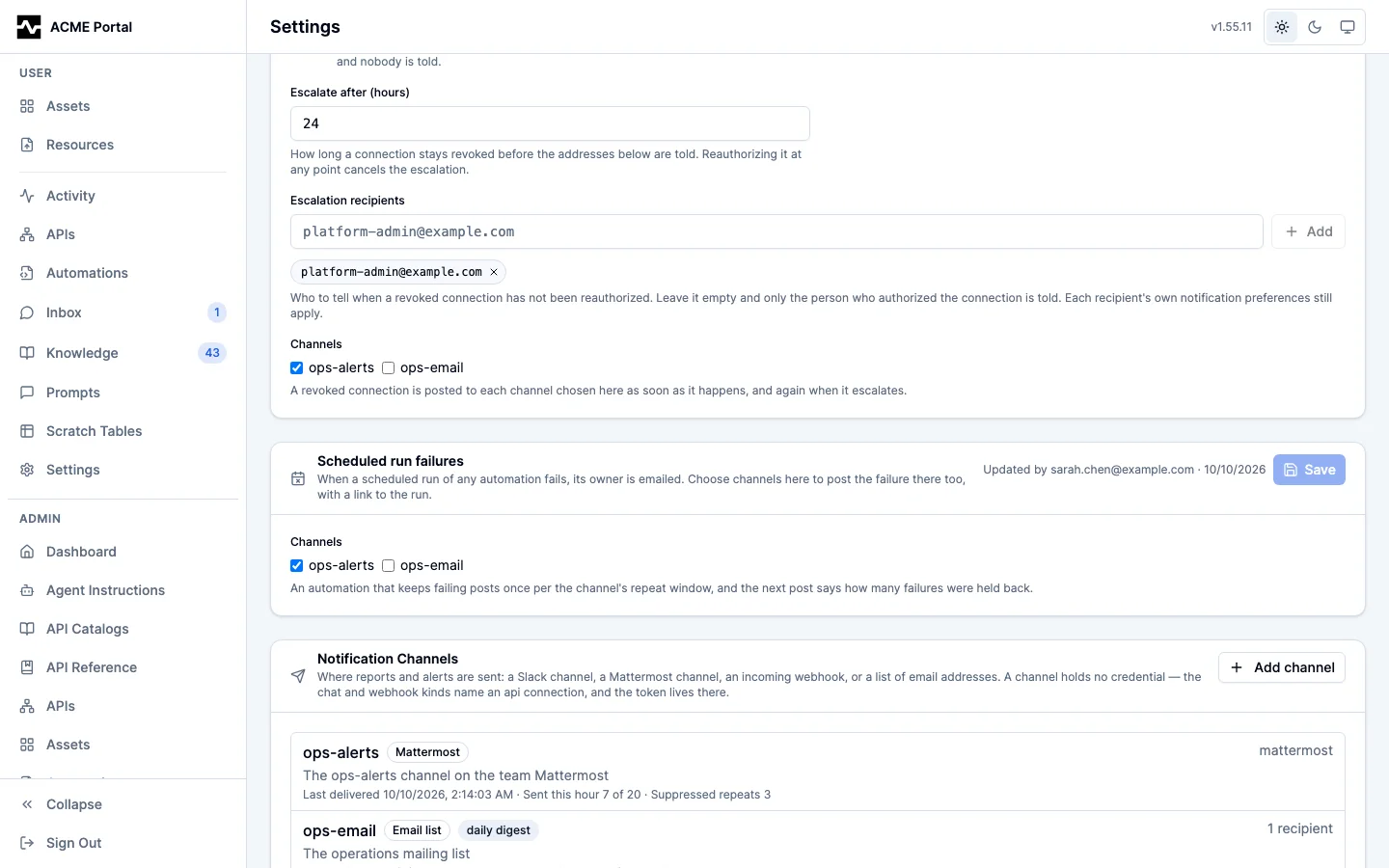
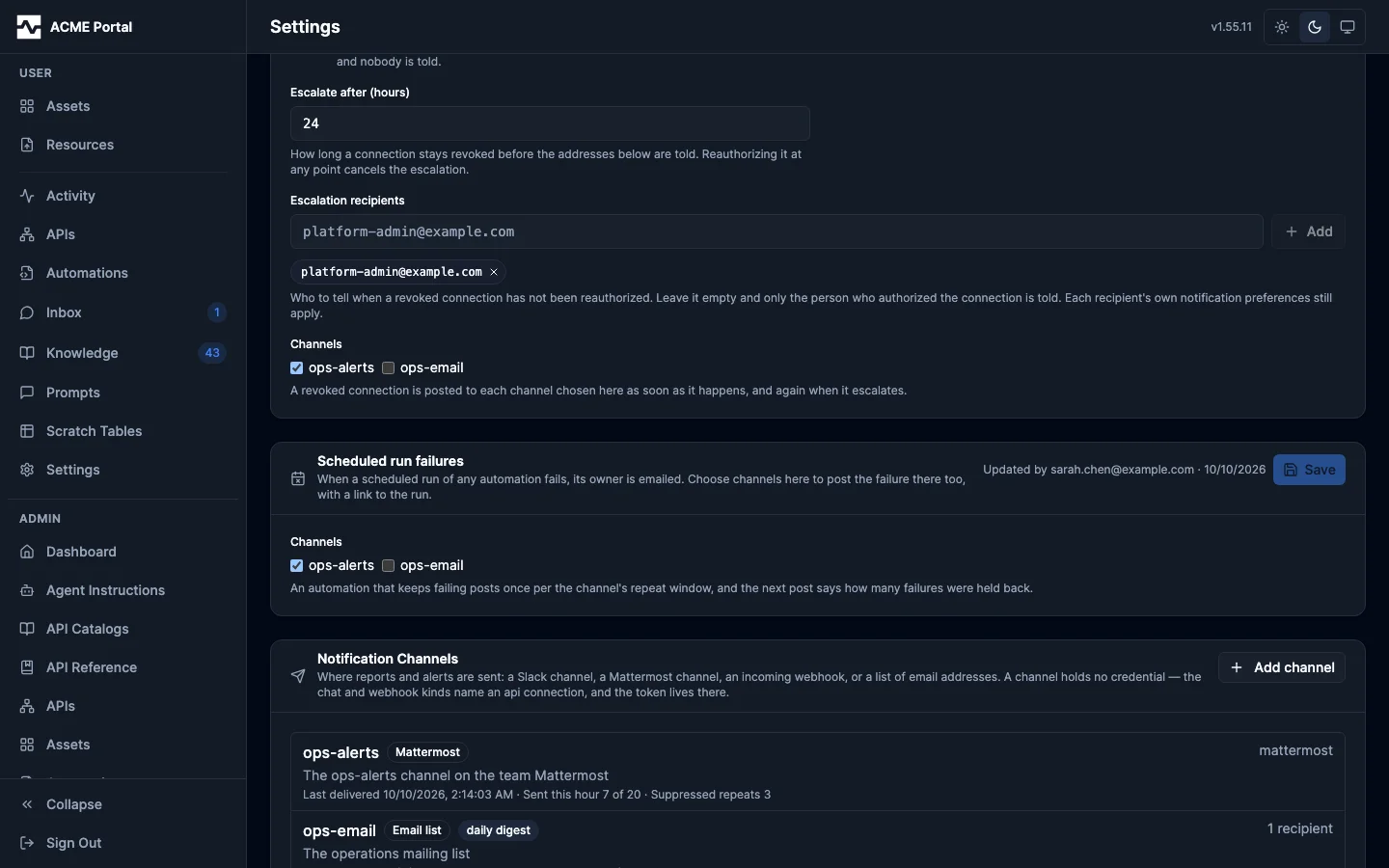
A channel is an operator-configured destination that is not one person: a Slack channel, a Mattermost channel, an incoming webhook, or a named list of email addresses. A managed script posts what it found to one, a person in a session asks the agent to send to one, and the portal offers the same action on an asset.
Channels are configured in the portal under Admin > Settings > Channels
(/portal/admin/settings/channels), or through the REST routes below. Nothing about a channel lives in
YAML.
Kinds
| Kind | Delivers through | Needs | Carries |
|---|---|---|---|
slack |
chat.postMessage, with files through files.getUploadURLExternal and files.completeUploadExternal |
an api connection with base_url: https://slack.com/api, auth_mode: bearer and the bot token as its credential; the target channel id; the bot invited to that channel |
a title, a markdown body Slack renders, up to 5 files in the message's thread, and a link |
mattermost |
POST /api/v4/files, then POST /api/v4/posts |
an api connection holding the bot token, and the target channel id | a title, a markdown body, up to 5 files, and a link |
webhook |
one POST to the connection's base URL: {"text": ...} (format: text, the default), or a JSON envelope (format: json) |
an api connection whose base URL is the webhook URL, with any secret part as its path_secret |
text: a title and a text body, each attachment and the link appended as a line. json: every field, the body whole, the attachments by link, and the sender's data |
email |
the deployment's mail server | one to 20 recipient addresses | a subject, the body rendered from markdown, up to 5 files as attachments, and a link button, in the branded template |
A channel holds no credential
The two HTTP kinds name an api connection rather than storing a token. That is the whole security model of a channel:
- The bot token is the connection's
credential, encrypted at rest by the platform's field encryptor like every other upstream credential, and rotated in one place. - The outbound client is the connection's, with its TLS material, its timeouts and the platform's User-Agent.
- Who may send to a channel is whoever may reach its connection. A persona denied the connection is denied the channel: it is not listed to them and cannot be sent to. Restricting a channel to fewer people means giving it its own connection. No new persona dimension was added.
An email channel names no connection, so there is no upstream authorization
to inherit, and it is reachable by anyone who can send at all - as the
built-in portal destination is reachable by every script.
What is sent
A document: a title, a markdown body, an optional link back to whatever produced it, and up to five attachments. Each kind shows as much of it as it can and falls back to an excerpt plus the link past its own cap, so a long report always arrives as a summary and a pointer rather than as a wall or a truncation.
| Kind | The body | Files | Cap |
|---|---|---|---|
email |
rendered to HTML (headings, tables, lists, code, links, strikethrough) in the branded template; the plain-text part carries the markdown as written | attached as MIME parts | the queue's 256 KiB |
slack |
a header block with the title, a markdown block Slack renders into its own headings, tables, lists and code, and a context block with the link |
uploaded, then shared into the message's thread | 12,000 bytes of markdown; a 150-character header |
mattermost |
the title as a heading, then the markdown, which Mattermost renders | uploaded to the channel and attached to the post | 16,000 bytes |
webhook (text) |
the title and the markdown as text | each named on its own line with its link | 12,000 bytes |
webhook (json) |
the body whole in the envelope | named with their links in attachments |
the queue's 256 KiB |
A cut ends on a paragraph boundary where one is near, and the attachments named by link and the document's own link always survive it: they are added after the cut, not before.
The email body is rendered by goldmark
with its default renderer, which writes no raw HTML from the source (an HTML
tag in a sender's markdown arrives as an omission comment) and drops a
javascript: link, so nothing a sender writes becomes markup of its own.
Attachments
An attachment names a portal asset or a managed resource. A queue row carries the reference and never the bytes; the worker reads the file when it delivers:
- An asset is sent at the version it had when the message was queued, so editing the asset afterwards does not change what a queued message sends.
- A resource is sent as it is when the message is delivered.
- A preview is an asset's light tile image.
notify action=publishattaches it on its own when the asset has one, so a chat reader sees what the report looks like before opening it.
Who may attach a file is decided when the message is queued, against the sender: an asset they can read, a resource they can read. The worker acts for nobody and checks nothing, which is why the check cannot wait for it. A file over 8 MiB, or one that can no longer be read (deleted since it was queued), is sent as its link instead; it does not fail the message.
Repeating alerts: key
A monitor whose condition stays true would post on every schedule tick, which
is what gets a channel muted. A send that names a key is held back when
the same key was posted to the same channel inside the channel's
repeat_after window (default 1 hour): it is counted on the key and not
queued, and the sender is told so (suppressed: true). The next send with the
key after the window goes through, opening with a line that says how many
repeats were not posted and since when:
4 repeats of this alert since 2026-10-10 09:00 UTC were not posted.
A send may pass repeat_after to lengthen the window for its key ("6h");
a value shorter than the channel's own is ignored, so a sender can make an
alert quieter, never louder. The key, the count and the window are decided by
the database in the transaction that writes the message, under a per-channel
lock, so two replicas sending the same alert at once post it once. A key's
record is purged with the queue's retention, once its window has long ended.
A daily channel's posts are not keyed: a day's posts are already one bulletin.
Hourly cap
Every channel has a max_per_hour (default 60), counted in sends across every
replica: an email channel's send is one send however many recipients it fans
out to. A send past the cap is refused, and the refusal names the cap; nothing
is queued and the history records nothing. A send held back by its key does
not count.
Daily channels
A channel with mode: daily delivers once a day, at the deployment's
notifications.digest_hour_utc. A chat or text webhook channel posts the
day's documents as one bulletin: each document's title, its first
paragraph and its link, titled <channel>: <n> updates today. Attachments
are not carried in a bulletin; each item's link is where its files are. A
json webhook still receives each document as its own envelope, because a
system wants each event. An email channel's recipients get the day's documents
in the branded digest, each as its first paragraph and link.
Every send is an ordinary row in the same queue every email uses: claimed by the same worker, retried on the same backoff, purged on the same retention, and visible in the same delivery history. There is no synchronous send path, so an upstream outage is a retry rather than a failed script.
An email channel fans out at enqueue to one row per recipient, so a
person on an operator's list keeps everything a person has: their own delivery
mode, their own digest window, and the unsubscribe link in the footer. One
person opting out silences nothing for anybody else.
A failure that retrying cannot fix - a deleted channel, a revoked bot token, a chat channel the bot was never invited to - fails the row at once rather than five times, and the upstream's own words are recorded on it.
A webhook for a system: format: json
A webhook channel with format: json posts one envelope per notification,
for a system that routes on fields rather than a person reading a chat client:
{
  "id": "ntf_48213",
  "type": "script.finding",
  "occurred_at": "2026-09-30T14:02:11Z",
  "deployment": "ACME Data Platform",
  "channel": "ops-events",
  "title": "Restock delayed for 12 stores at reorder point",
  "body": "markdown body as sent",
  "link": "https://platform.example.com/portal/automations/.../runs/...",
  "source": {"kind": "script", "script": "mcp:script:...", "run_id": "..."},
  "data": {"stores": [3, 7, 12]}
}
idis the queue row's, the same on every retry of that row, so a receiver deduplicates on it. A test send has an id of its own each time.typeis what produced it:script.finding(a script'splatform.notify),script.published(platform.publish),notify.sentandnotify.published(a person'snotifycall), ortest(Send test). A receiver routes on it.sourceis a script's reference and run, or{"kind": "user"}.datais the sender's structured payload, verbatim:notify action=send data=...orplatform.notify(..., data=...), JSON of at most 64 KiB. Atextchannel, a Mattermost channel and an email channel ignore it.deploymentis the portal's brand name.
Signing comes from the connection. The channel holds no secret: with
auth_mode: hmac on its connection, every
delivery is signed, and with hmac_id_header set the envelope's id is sent
in that header too, covered by the signature. Send test delivers a test
envelope through the same path, so a receiver's signature check is proved from
the editor.
A receiver verifies the signature over the raw body, drops an id it has seen,
and routes on type. For a connection with hmac_preset: platform:
import hashlib, hmac, json, time

def receive(headers, raw_body, secret, seen):
    ts = headers["X-Timestamp"]
    if abs(time.time() - int(ts)) > 300:
        return 401
    want = "sha256=" + hmac.new(secret.encode(), f"{ts}.".encode() + raw_body, hashlib.sha256).hexdigest()
    if not hmac.compare_digest(want, headers["X-Signature"]):
        return 401
    event = json.loads(raw_body)
    if event["id"] in seen:
        return 200
    seen.add(event["id"])
    if event["type"] == "script.finding":
        open_ticket(event["title"], event["data"])
    return 202
Another deployment's inbound webhook source receives the
envelope as a table when it is configured with event_id_path: $.id and
event_type_path: $.type: a retried delivery is one event after compaction.
What the upstream answers. Any 2xx is delivered. A 429 or a 503 is
retried, after the Retry-After it sends when it sends one, up to the queue's
longest wait (32 minutes). A 410 Gone fails the row at once, recording that
the receiver asked for no more deliveries. Any other 4xx fails at once with an
excerpt of the upstream's answer.
Sending
| Surface | How |
|---|---|
| A person in a session | the notify tool: action=list, then action=send (with optional data, attachments, key and repeat_after) or action=publish (with optional key and repeat_after) |
| A managed script | platform.notify(channel, title, body="", link="", data=None, key="", repeat_after="", attachments=None) and platform.publish(channel, name, message="", key="", repeat_after="") |
| A person in the portal | Post to a channel on an asset's page: the channel, an optional message, and the asset posted as notify action=publish would post it |
| An administrator | Send test on the channel's editor, which delivers immediately and reports what the upstream said |
| The platform | the review-queue, connection revocation and scheduled run failure alerts, to the channels each names |
attachments takes a list whose entries are an asset id, an asset's portal
URL, a resource id or mcp:resource: reference, or an object naming
asset_id or resource_id with an optional name; the two forms may be
mixed. A string that could be either an asset or a resource id is tried as an
asset first.
notify is an ordinary tool, so persona allow lists, the per-session rate
limit and audit apply to it unchanged. A script's send is the run's principal,
holding the roles its version author held, and is refused in a draft run
without allow_writes - a message in somebody else's chat client is not
something a rehearsal may leave behind. A script's post links back to the run
that produced it unless the script names its own link, and the run's page
lists every post the run made, with whether it was delivered.
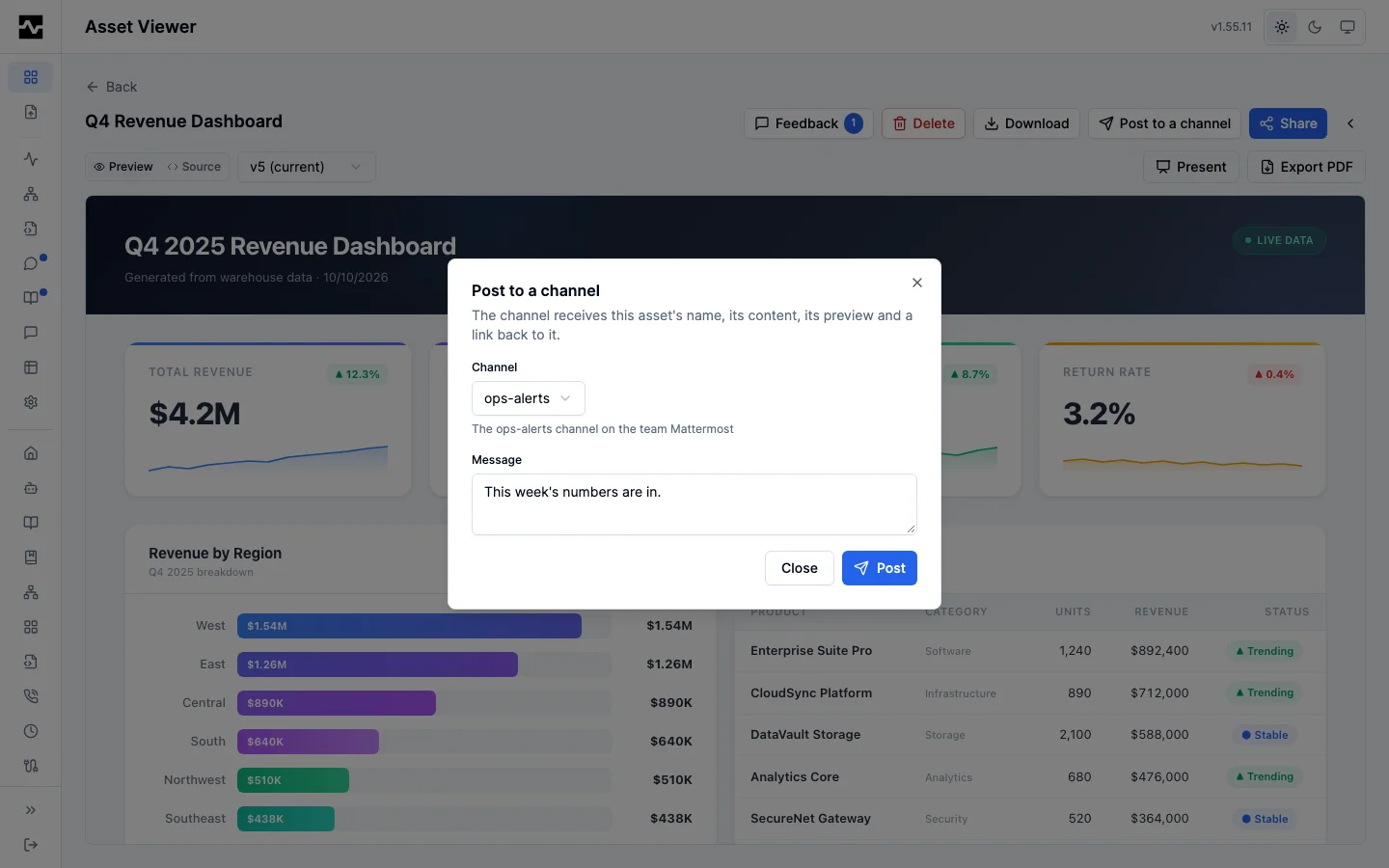
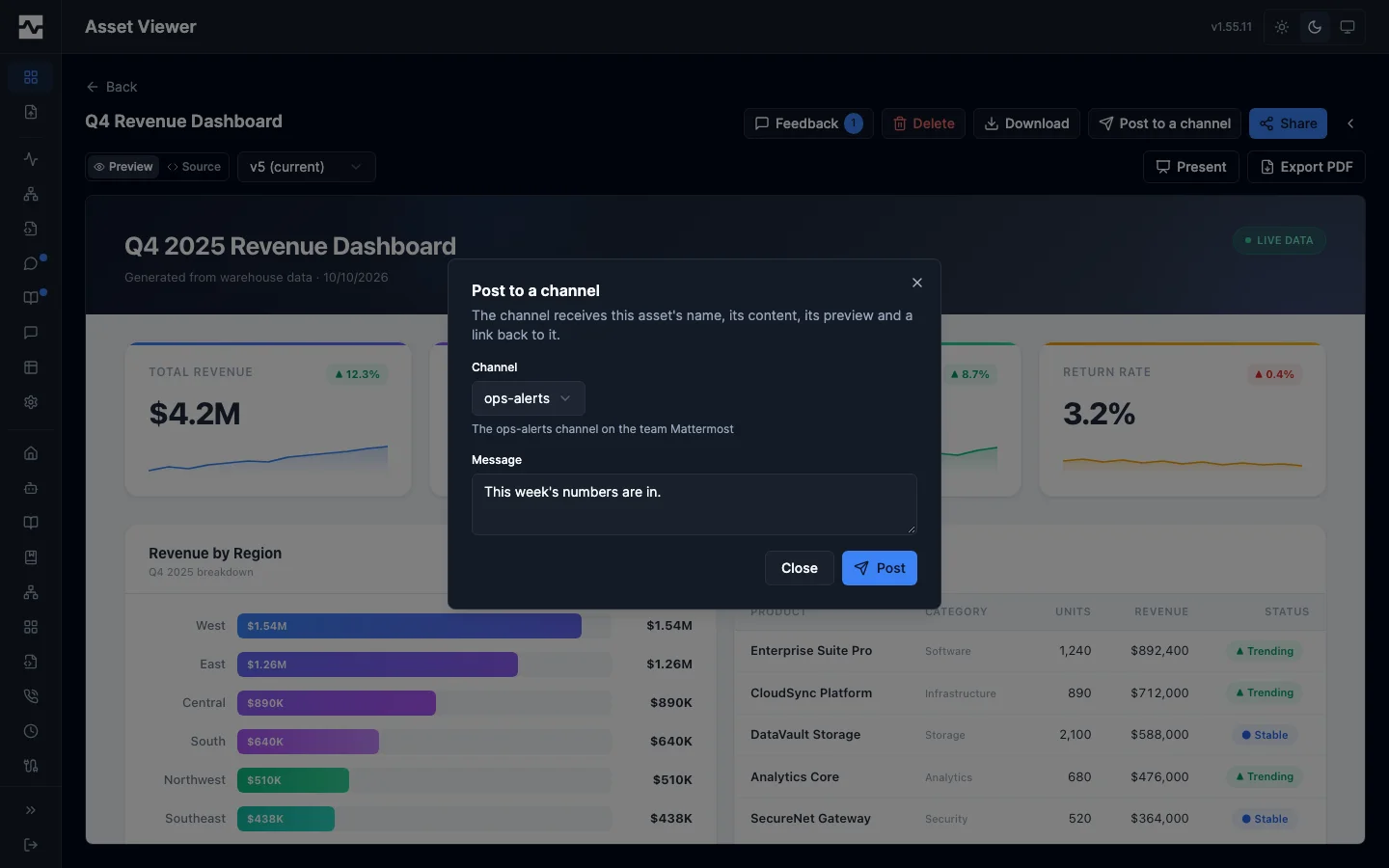
The portal's Post to a channel is the same tool call: the portal opens an
in-process session as the signed-in person and calls notify, so the
channels offered, the persona rules, the rate limit and the audit row are the
tool's.
REST
| Route | Does |
|---|---|
GET /api/v1/admin/notification-channels |
list every channel, and the kinds this deployment delivers to |
GET /api/v1/admin/notification-channels/{name} |
read one |
PUT /api/v1/admin/notification-channels/{name} |
create or replace one |
DELETE /api/v1/admin/notification-channels/{name} |
remove one |
POST /api/v1/admin/notification-channels/{name}/test |
deliver a test through the channel's own transport |
GET /api/v1/admin/notification-channels/{name}/status |
what the channel has done recently: when it last delivered, the last failure still recorded against it, its sends in the last hour against its cap, what is waiting, and the repeats its keys are holding back |
Every route is admin-only and audited. The write routes answer 405 in file config mode, as every other admin configuration surface does. The settings page shows each channel's status under its name.
The portal routes are the signed-in person's, and each is a notify call made
as them:
| Route | Does |
|---|---|
GET /api/v1/portal/channels |
the channels the person can post to |
POST /api/v1/portal/channels/{name}/publish |
post an asset ({"asset_id": "...", "message": "..."}) |
POST /api/v1/portal/channels/{name}/send |
post a message ({"title": "...", "body": "...", "link": "..."}) |
GET /api/v1/portal/scripts/{id}/runs/{runID}/posts |
the posts one run made, each with its channel, title and status (sent, failed, queued); readable by the script's owner, an administrator and whoever requested the run |
A refusal from the tool answers 400 in the tool's own words, and its per-session rate limit answers 429.
Slack
The bot needs chat:write, and files:write for attachments, and must be
invited to the channel (/invite @<bot>). Slack answers a refusal with HTTP
200 and ok: false, so the platform reads that envelope: ratelimited,
internal_error, service_unavailable, fatal_error and request_timeout
retry, and every other code fails the message at once with the next step an
operator takes (not_in_channel says to invite the bot, missing_scope names
the scope, a revoked token says to reinstall the app). An answer that is not a
Web API envelope means the connection's base_url is not
https://slack.com/api.
A message's files are uploaded before it is posted and shared into its thread
after, so they sit with the message they belong to. The bytes go only to an
upload address on the connection's own domain (files.slack.com for
slack.com). A share that fails after the message was posted fails the
delivery saying so, rather than retrying and posting the message twice.
Local development
make dev runs both upstreams a channel can be exercised against:
- mailpit on
http://localhost:8025- every email the dev stack sends lands there, and the stack points SMTP at it automatically. - mattermost on
http://localhost:8065([email protected]/Dev-Password-1) - seeded with a team, anops-alertschannel and a token, and registered as themattermost-devapi connection with anops-alertschannel over it. Anops-emailchannel is registered too. - Slack, when
dev/.slack-env(gitignored) holdsSLACK_TEST_BOT_TOKENandSLACK_TEST_CHANNEL_IDfor a workspace of your own: the stack registers aslack-devconnection and channel over it. No Slack server runs locally, so without the file there is no Slack channel.
User notification preferences
Each user manages their own preferences in the portal under Settings (user section, not admin), or via the self-scoped REST API. A user can only ever read or write their own preferences.
- Delivery mode:
immediate(one email per event, the default),daily(one digest email per day), oroff. - Category toggles: shares, comments/feedback, and mentions, each individually switchable. Review queue alerts have no toggle here; see Review queue alerts.
Users with no stored preferences get the defaults: immediate delivery with all categories enabled. Turning notifications off drops events at enqueue time; nothing is queued.
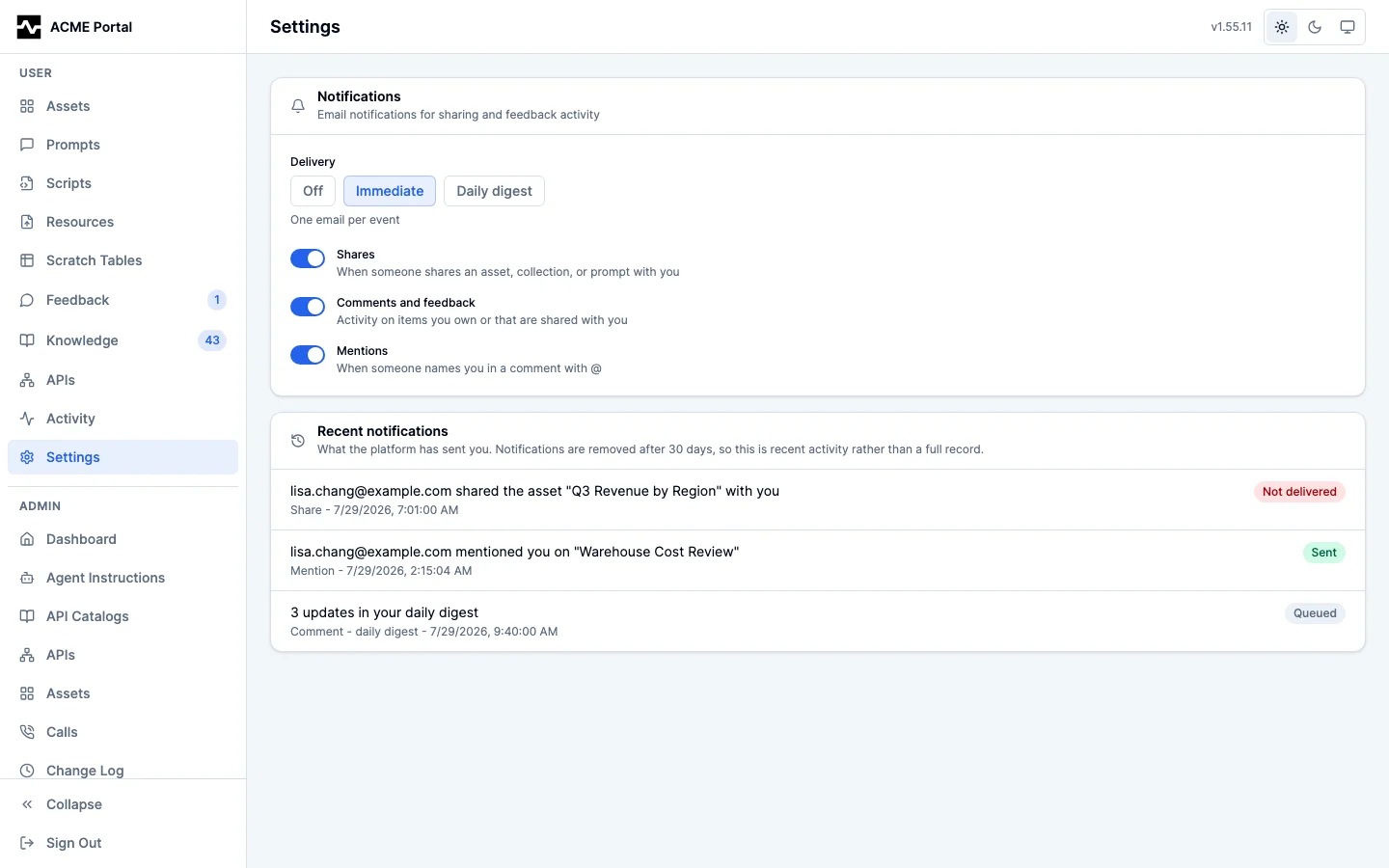
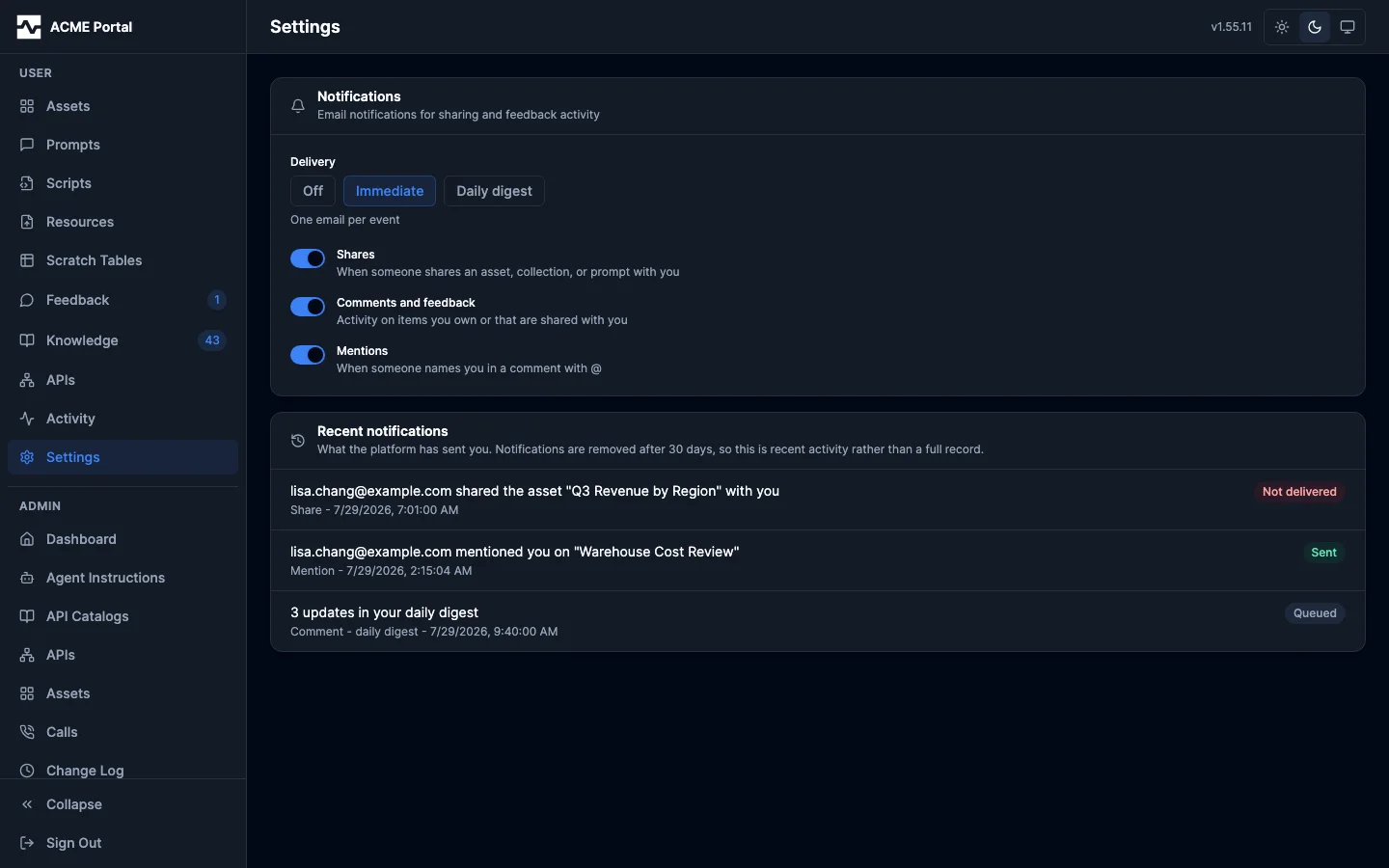
The same screen carries the delivery history described below, so a user can see what the platform actually sent them next to the switches that decided it.
GET /api/v1/portal/notification-prefs
PUT /api/v1/portal/notification-prefs   {"mode": "daily", "shares_enabled": true, "comments_enabled": false}
Both responses carry delivery_available, a read-only boolean derived from
the stored SMTP settings: false when SMTP has never been configured, when it
is disabled, or when its host is empty. It exposes no SMTP detail, so it is
safe for a non-admin caller, and it is the signal the Settings page uses to
render the section inert rather than offering live controls over a preference
nothing can act on. Stored preferences are untouched while delivery is
unavailable; they take effect as soon as an admin configures SMTP. Admins see
the same note with a link into Admin > Settings > Email, and that section
itself states the consequence of leaving delivery off: triggers keep queueing
rows, and those rows expire undelivered after 7 days.
Preferences are keyed by bare email address, so they also apply to share
recipients who have no platform account. Because such a recipient cannot
reach the Settings page, every notification email carries an unsubscribe
footer link that works without signing in: it opens
GET /portal/notifications/unsubscribe?tok=..., which verifies an HMAC
token bound to the recipient address and renders a confirmation page with a
single Unsubscribe button. The GET itself records nothing: corporate
mail security layers (Safe Links, Proofpoint, and similar) prefetch URLs in
message bodies, and since the token is a bearer credential a mutating GET
would let a recipient's own mail infrastructure silently opt them out.
Confirming submits a form POST to the same URL, which records delivery
mode off for the address. The token is minted with a key derived from the
browser-session signing key, so only a holder of the emailed link can opt
an address out. Opting out stops notification emails only; one-time view
links requested from a share's landing page are transactional (the
recipient asks for each one) and still send.
The same token URL is emitted as an RFC 8058 one-click unsubscribe header
pair (List-Unsubscribe and List-Unsubscribe-Post) on every message that
carries the footer link, which Gmail and Yahoo require of bulk senders. A
mail provider acting on the header sends POST to the same endpoint with
body List-Unsubscribe=One-Click; the server records the opt-out and
returns a bare status with no page. Providers fire this only on a real user
action in their own UI, so it is not exposed to scanner prefetch.
Transactional sends (one-time guest links, admin SMTP tests) carry neither
the footer nor the headers.
An opted-out share recipient keeps a way back in: when the recipient of an
email share has delivery mode off, the share's landing page shows a
notice with a Resume notification emails action. The opt-back-in is a
deliberate POST /portal/view/{token}/resubscribe (same
no-mutation-on-GET rule as the unsubscribe endpoint it reverses), answers
uniformly for every share state, is rate limited alongside the other
public share routes, and restores the immediate-delivery default for the
share's stored recipient address.
Sharer control over the share email
A share addressed to a person notifies its recipient by default. The sharer can change two things about that email at the moment they share, from the share dialog or the API:
notify(*bool, omitted means notify):falseshares quietly. No row is queued and no email is sent; the share itself is created exactly as it would be otherwise. The recipient's own preferences still apply when notification is on, so this only removes the sharer's ability to force one.message(optional, 500 characters): a plain-text note from the sharer, rendered in the email as a quoted block attributed to them. It is never persisted: it travels with the one notification the share produces and is stored nowhere, so a share created withnotify: falsecarries no note anywhere.
The note is plain text and is checked as such at validation time: markup and links are rejected with a 400 rather than escaped and delivered. Escaping alone would stop a note from rendering as markup, but a plausible-looking link inside a trusted platform email is a phishing vector however it is encoded. Rendering escapes as well, so the two defenses are independent.
POST /api/v1/portal/assets/{id}/shares
{"shared_with_email": "[email protected]", "notify": false}

POST /api/v1/portal/assets/{id}/shares
{"shared_with_email": "[email protected]",
 "message": "Here's the Q3 revenue breakdown you asked about"}
Recipient addresses are accepted in both the bare form and the
Example User <[email protected]> form mail clients put on the clipboard;
only the bare address is stored, lowercased. A value that names no single
routable address is refused with a 400 instead of being stored raw, which
previously produced a share matching no signed-in user and a notification
addressed to a string no mail server would route. The share dialog applies
the same rule as the field loses focus, so what the sharer sees is what will
be stored and mailed.
A share addressed to a person carries no expiration: it grants that person
access until the owner revokes it. expires_in belongs to a public link
alone -- there the URL is the credential, and a bounded life limits what a
forwarded copy is worth -- so it is required for access_mode: public and
refused everywhere else, rather than silently resolved either way.
Delivery history
Both the admin monitoring tab and each user's own notification screen read the queue's delivery history. Both are bounded by the retention pass below: they show recent history, not an archive, and both state the effective window.
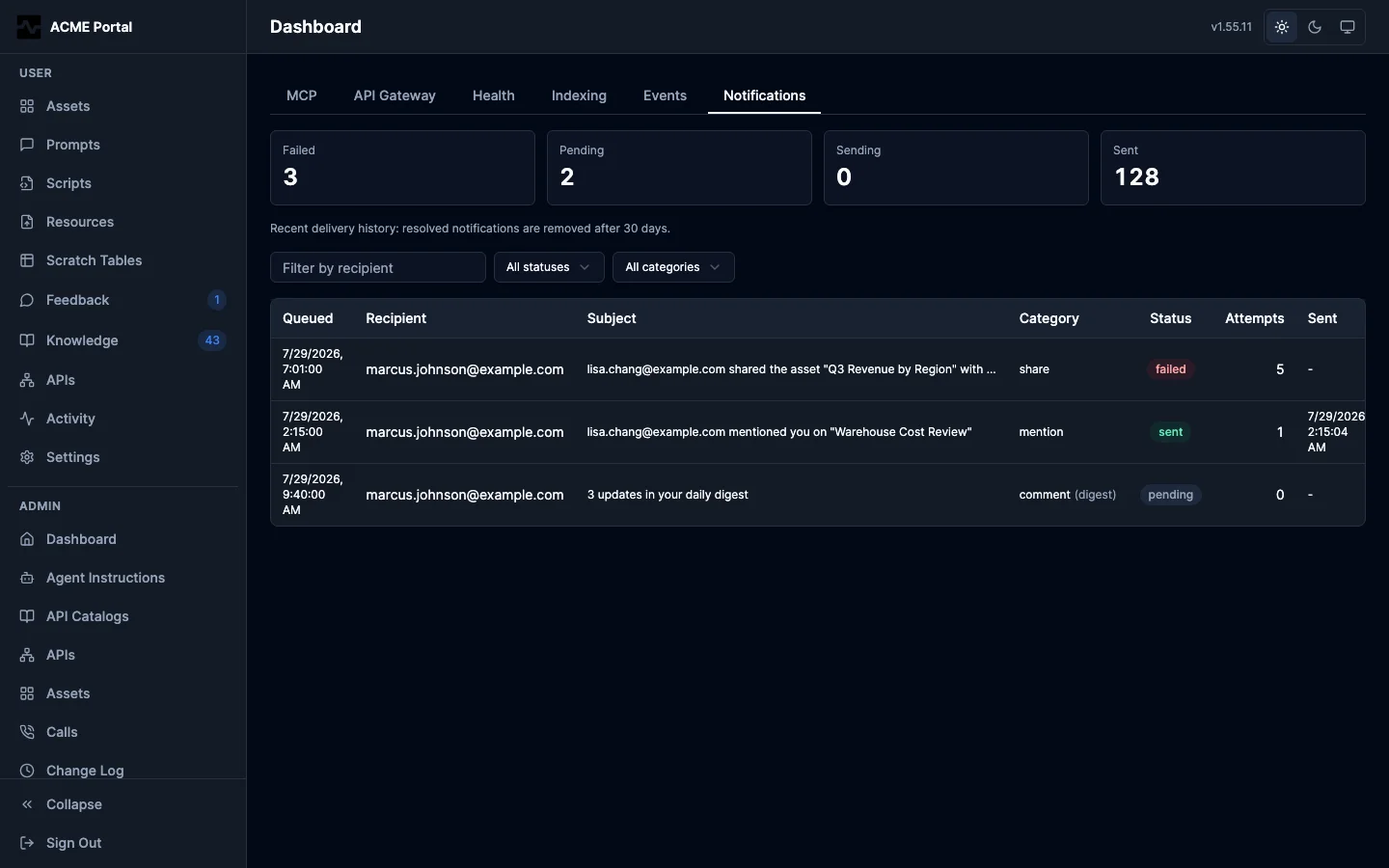
Admin (Dashboard > Notifications) lists every queue row with its recipient, category, subject, status, attempt count, and -- on drill-in -- the error the mail server returned. Counts by status sit above the list as an at-a-glance health read, and each count doubles as a filter. The routes sit behind the admin persona gate:
GET /api/v1/admin/notifications?status=failed&[email protected]
GET /api/v1/admin/notifications?channel=ops-alerts
GET /api/v1/admin/notifications/stats
A row sent to a notification channel names its channel in the list, and its drill-in says how many repeats its key held back before it went through.
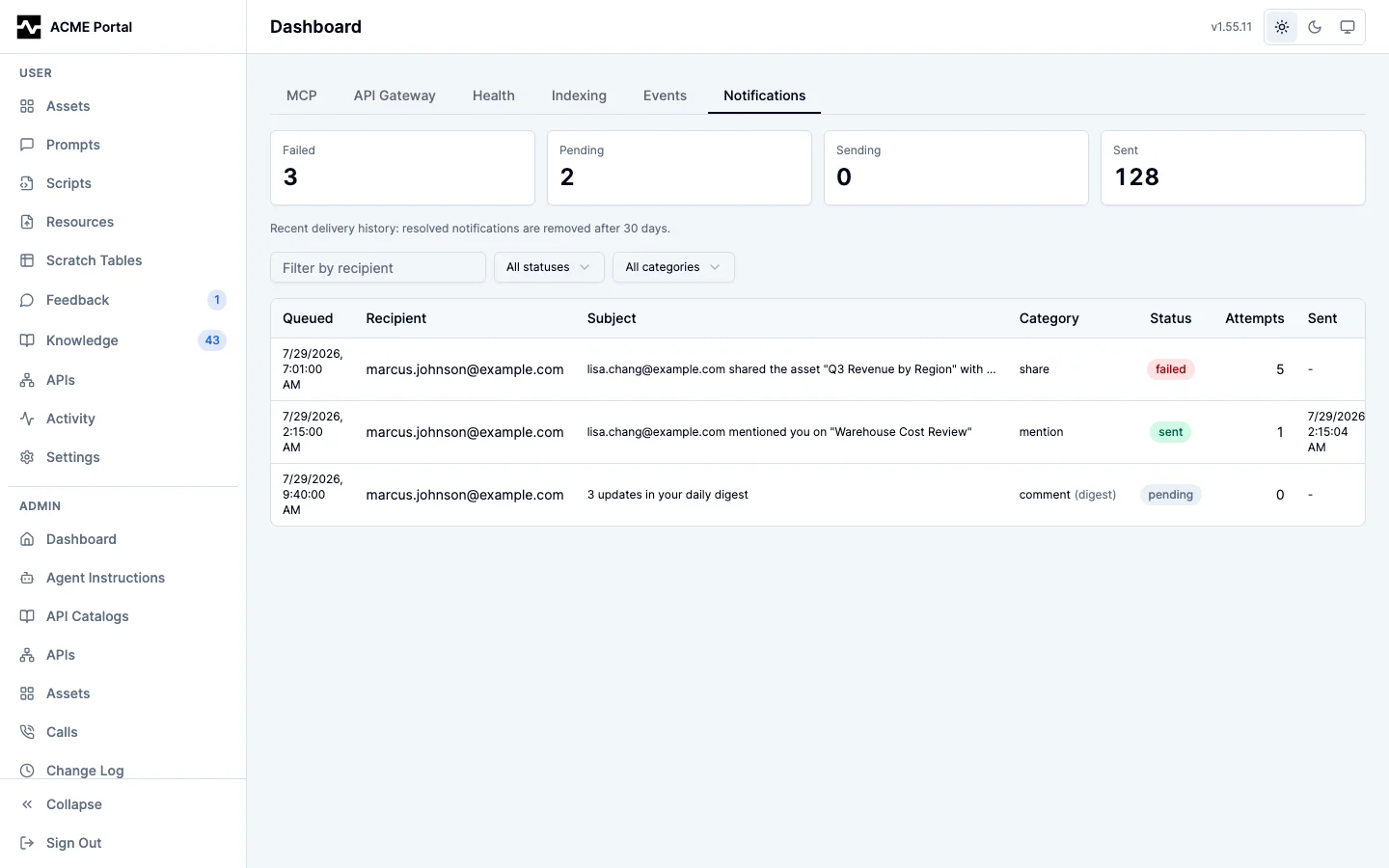
Users (Settings > Recent notifications) see the notifications addressed to them, alongside the preferences that govern them, because the two answer one question together: what should I be told, and what was I actually told. The endpoint is self-scoped server-side -- the authenticated caller's address is the only recipient it queries, and there is no parameter to widen it:
The user view deliberately omits the delivery error text the admin view carries. A failed send fails for reasons belonging to the platform's mail infrastructure (host names, credentials, relay refusals), which the recipient can act on none of; the status alone tells them whether to expect an email.
Branded emails
Emails are responsive, table-based HTML (broad email-client compatibility)
with a plaintext alternative part. They carry the deployment's brand name
linked to the portal, the implementor footer when configured, deep links to
the shared or discussed item (portal.public_base_url must be set for
links to render), and a link to the recipient's notification preferences.
When portal.terms_url or portal.privacy_url is set, the footer also
renders the corresponding legal link; useful when the portal runs on a
different domain than the mail From address, since it gives recipients and
content filters body links that associate with the sending identity. When
portal.about_text or portal.support_contact is set, a small help/about
block renders below the legal links in both the HTML and plain text parts
of every mail type (an email support contact links as mailto:, an
http(s) URL links directly): it gives first-contact recipients context
about the sender and lifts short image-bearing messages out of the
low-text band content filters penalize. When portal.reply_to is set,
every outgoing message carries it as the Reply-To header so recipient
replies reach a monitored mailbox instead of bouncing off a no-reply From
address. Like the rest of the email branding these are YAML config, owned
by the implementor rather than the runtime admin settings, so fully
managed deployments keep them out of admin hands. Each message's
Message-ID domain is taken from the configured From address rather than
the server hostname, so IDs resolve to the sending domain in containerized
deployments.
Share links for assets and collections use the token viewer; prompt shares
link to the in-app prompt page. The emailed link is not a bearer credential:
a share addressed to a person is restricted to that person, so the viewer
resolves it only once the recipient is signed in (or opens a one-time guest
link requested from the share's landing page), and forwarding the message
grants nothing.
One-time guest link emails are a separate, transactional send: rendered through the same branding but delivered directly rather than queued, so they are never deferred into a daily digest and are not gated on notification preferences. They exist only because the recipient pressed the request button on the share page.
Configuration
Notifications are enabled by default whenever a database is configured. The YAML section controls only the enqueue/delivery machinery; the SMTP connection itself is admin-configured at runtime as described above.
notifications:
  enabled: false        # opt out of email notifications entirely
  digest_hour_utc: 13   # UTC hour (0-23) daily digests are sent (default: 13)
Delivery semantics
- Immediate rows are picked up as soon as they are queued (LISTEN/NOTIFY) or within the worker's 30 second poll fallback.
- A delivery attempt is bounded by a 2 minute lease; if a worker dies mid-send, the row returns to claimable state and another replica picks it up.
- Failed sends retry up to 5 times with exponential backoff (30s doubling to a 32 minute cap), then are marked failed with the error recorded on the row.
- When SMTP is unconfigured or disabled, queued rows simply wait without burning retry attempts; configuring SMTP later delivers the recent backlog.
- Retention bounds the queue table: delivered and failed rows are purged after 30 days, and undelivered rows older than 7 days are dropped as stale (so enabling SMTP months into a deployment does not deliver an ancient backlog).
- A per-actor rate limit (burst of 30, 6 per minute sustained, per replica) bounds how much outbound email one account can generate; excess events are dropped with a log line, never a request failure. An alert the platform raises is charged to no actor: its channel's hourly cap and repeat window bound it, so the repeats a leveled alert sends every pass can never use up a budget and drop the resolution that follows them.