Multi-Provider Configuration
mcp-data-platform supports connecting to multiple instances of each service type. This allows you to:
- Query different Trino clusters (production, staging, data warehouse)
- Search across multiple DataHub instances
- Access different S3 accounts or regions
Configuring Multiple Instances
The config file is one of the two places a connection can come from; the other is the database, through Admin > Connections, which lists every connection the deployment has whichever half owns it.
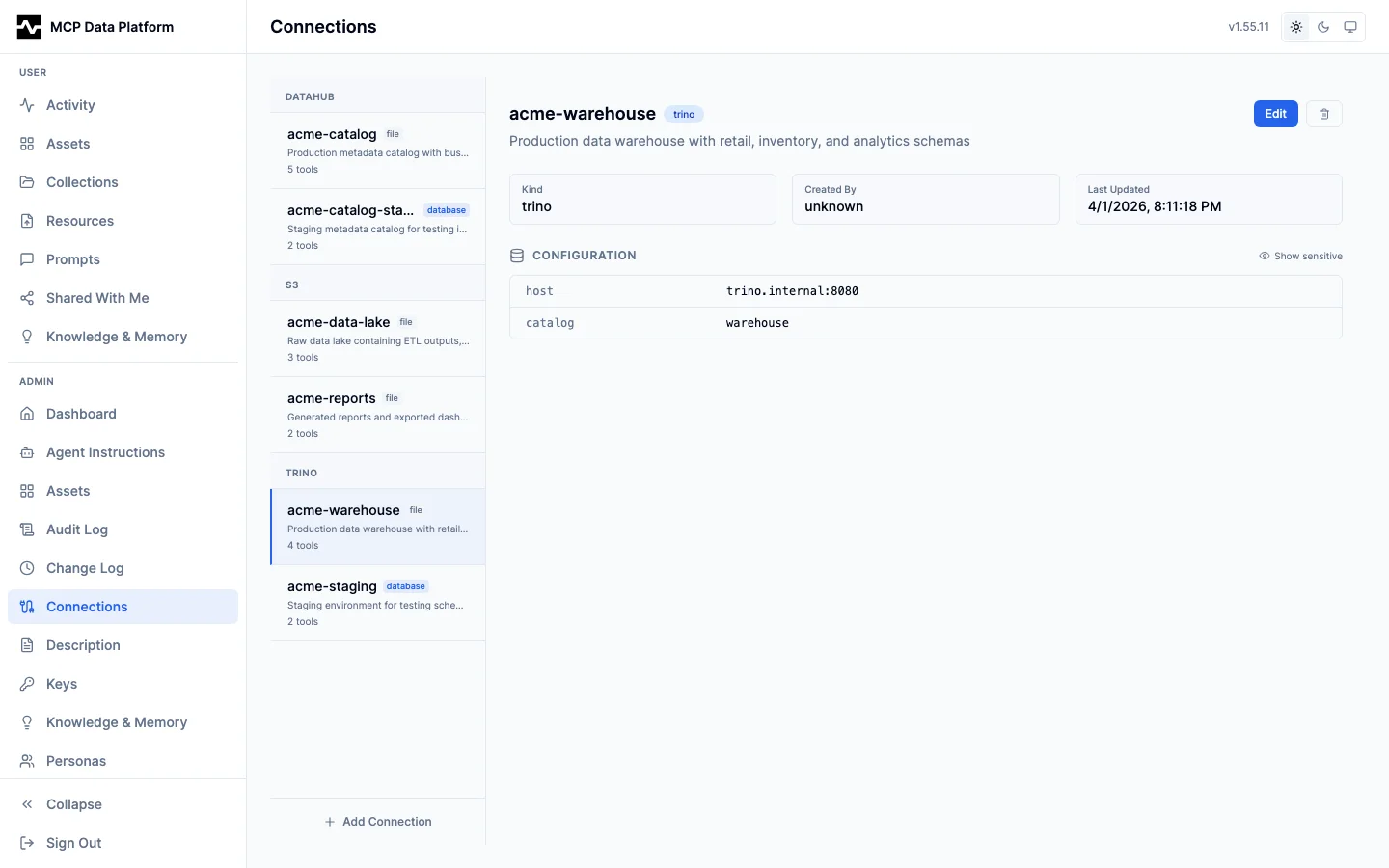
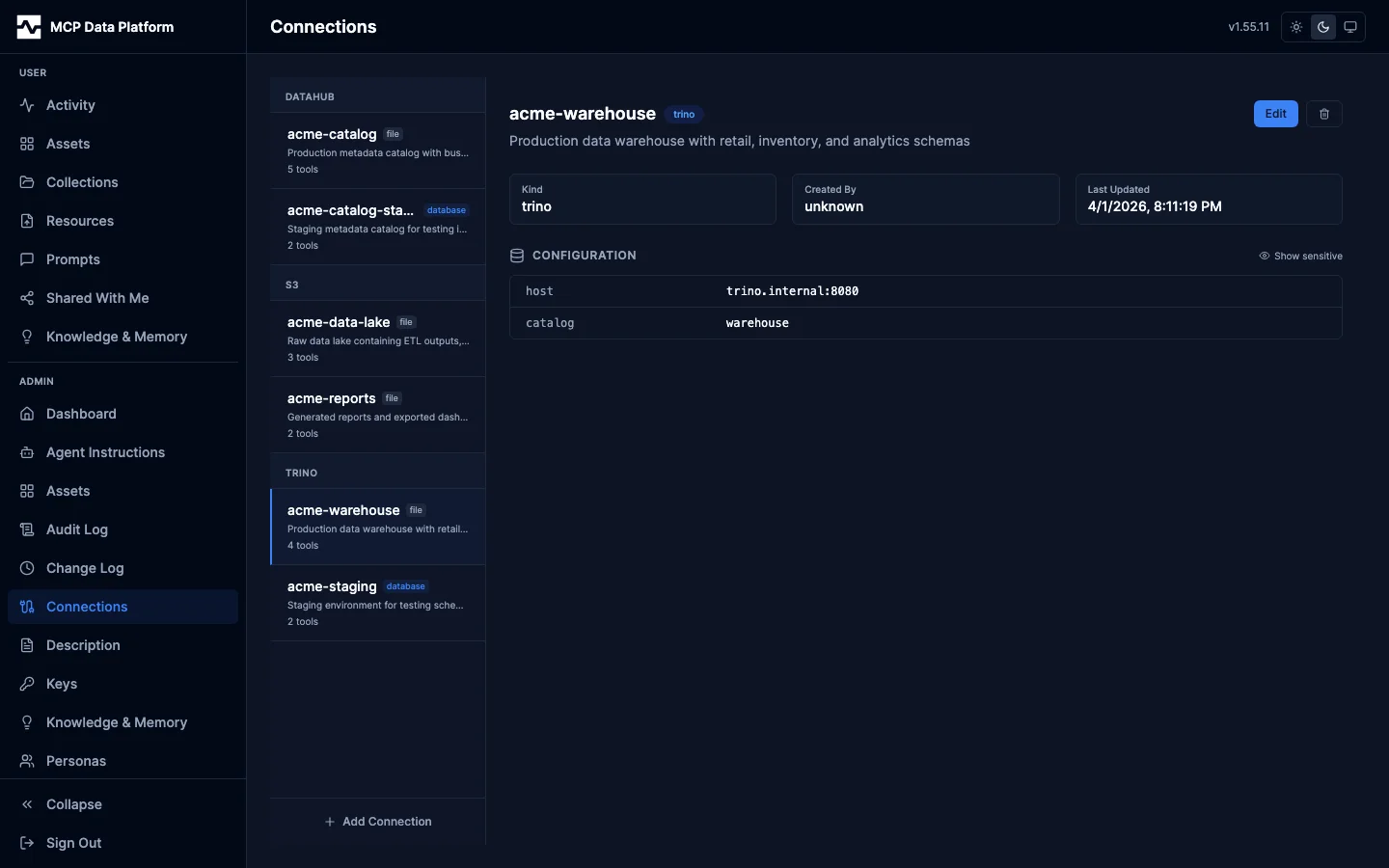
A connection this file declares cannot be edited or deleted there: the detail
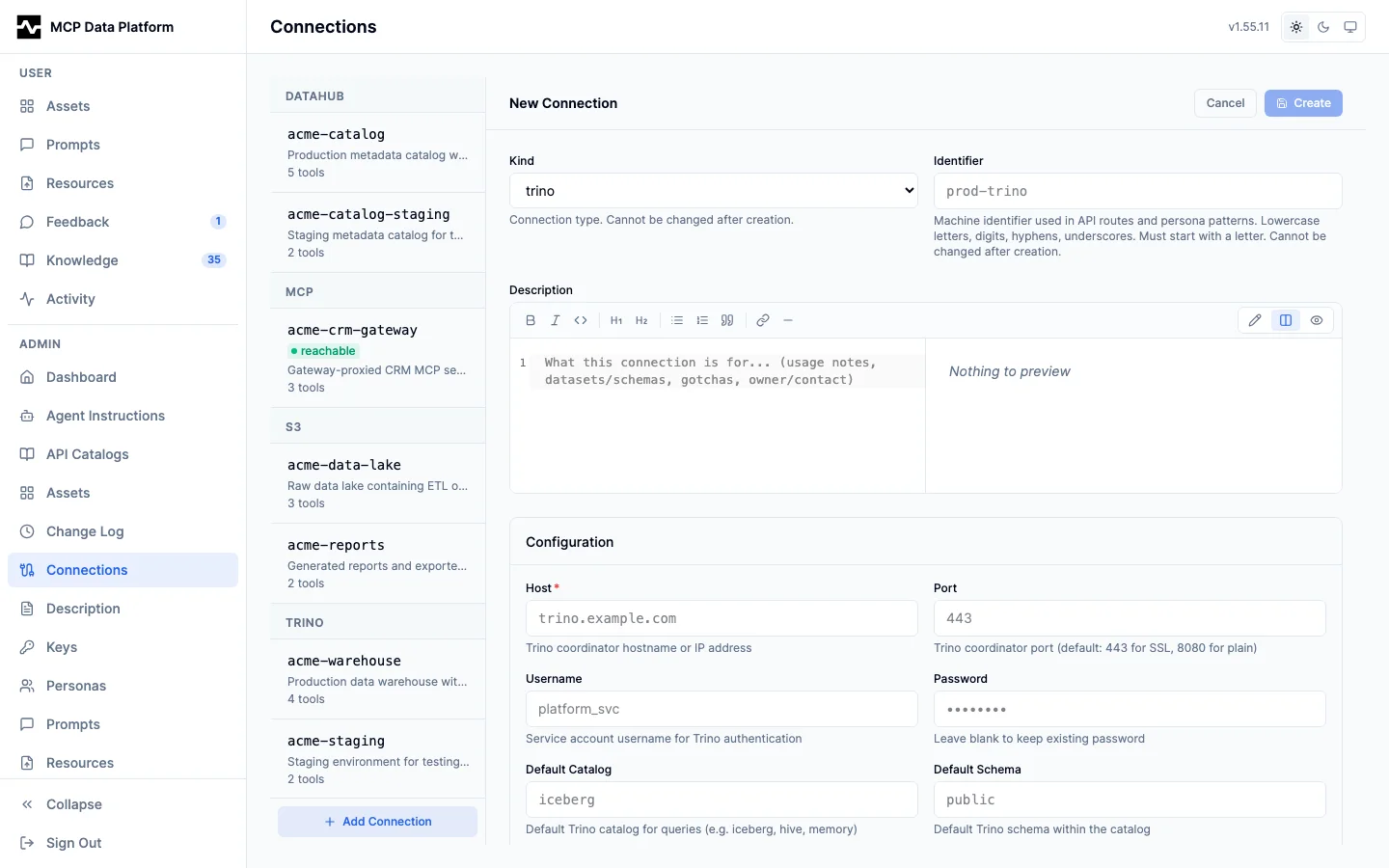
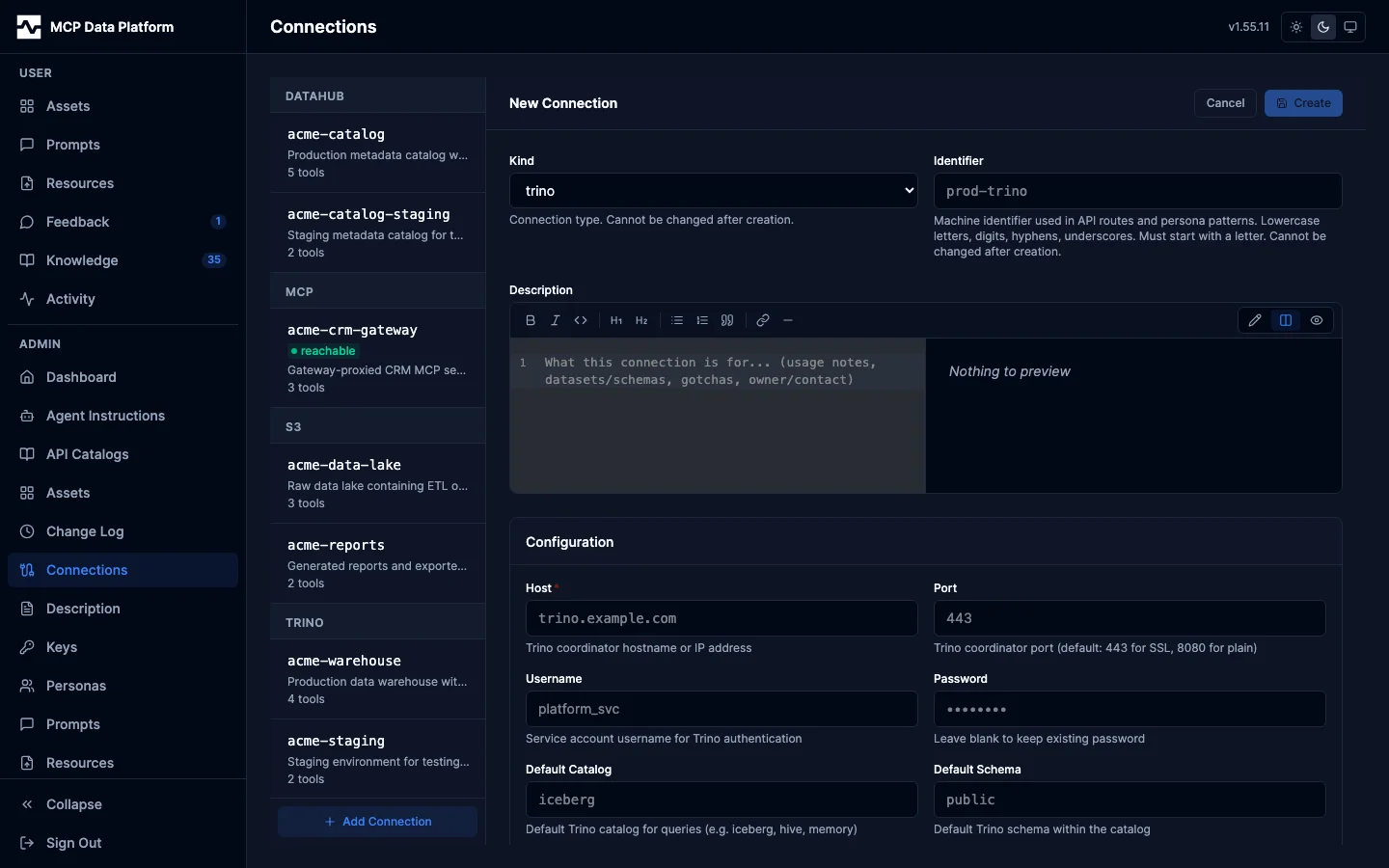
pane says the file declares it and offers neither action. Add Connection
creates a database-only one instead, through a kind-aware editor, so a
deployment can add one without a config-file change and a restart. It offers
the four kinds that support several instances -- Trino, S3, MCP gateway and API
gateway. DataHub is not among them: the platform connects to one catalog,
configured in the file (pkg/admin/connection_handler.go,
knownConnectionKinds).
See the Admin Portal guide for what the source badges do and do not mean. The rest of this page is the config-file half.
Each toolkit section accepts multiple named instances:
toolkits:
  trino:
    enabled: true
    instances:
      production:
        host: trino-prod.example.com
        port: 443
        user: analyst
        ssl: true
        catalog: hive

      staging:
        host: trino-staging.example.com
        port: 443
        user: analyst
        ssl: true
        catalog: hive

      warehouse:
        host: trino-dw.example.com
        port: 443
        user: analyst
        ssl: true
        catalog: iceberg
    default: production

  datahub:
    enabled: true
    instances:
      primary:
        url: https://datahub.example.com
        token: ${DATAHUB_TOKEN}
        connection_name: Primary Catalog

      legacy:
        url: https://datahub-legacy.example.com
        token: ${DATAHUB_LEGACY_TOKEN}
        connection_name: Legacy Catalog
    default: primary

  s3:
    enabled: true
    instances:
      data_lake:
        region: us-east-1
        access_key_id: ${AWS_ACCESS_KEY_ID}
        secret_access_key: ${AWS_SECRET_ACCESS_KEY}
        connection_name: Data Lake

      archive:
        region: us-west-2
        access_key_id: ${ARCHIVE_AWS_ACCESS_KEY_ID}
        secret_access_key: ${ARCHIVE_AWS_SECRET_ACCESS_KEY}
        connection_name: Archive
    default: data_lake
Connection Names
An instance has two names, and which one a caller uses depends on the kind.
The instances: key (primary, data_lake) is the configuration identity. It
is the name default:, semantic.instance, query.instance,
storage.instance, knowledge.apply.datahub_connection and
resources.managed.s3_connection resolve, and the name a knowledge page cites a
connection by (mcp:connection:(datahub,primary)).
connection_name renames the connection for callers of the DataHub and S3
kinds: it is what an audit row records, what a persona's connections.allow /
connections.deny rules match, and the connection the semantic layer resolves a
dataset's platform and catalog mapping through. Set it to give a connection a
readable name; leave it out and the instance key is used for all of these.
Trino is different: it routes by the instances: key, so that key is the name
list_connections advertises, the name a connection parameter carries, and
the connection's identity everywhere else — in audit rows, in persona rules and
in the semantic layer. A connection_name on a Trino instance has no effect,
and the server logs a warning at startup naming the instance and the value to
use in its place.
Before #1396, an unqualified Trino call — one that passes no connection — was
recorded and authorized under the instance's connection_name instead, a name
list_connections never advertised and a connection parameter could never
carry. A deployment that set connection_name on a Trino instance and listed
that name in a persona's connections.allow must list the instances: key
there instead; without the change the same persona could not authorize a call
that named the connection explicitly.
Using Connections in Tools
Every tool accepts a connection parameter to specify which instance to use:
Tool call: trino_query with:
- query: SELECT * FROM orders LIMIT 10
- connection: staging
Listing Available Connections
list_connections enumerates every connection across every kind, narrowed to
the ones the caller's persona is granted. It replaces the per-toolkit
trino_list_connections, datahub_list_connections and s3_list_connections
tools, which the platform does not register.
Example response:
{
  "connections": [
    {
      "kind": "trino",
      "name": "production",
      "connection": "production",
      "reference": "mcp:connection:(trino,production)",
      "is_default": true,
      "datahub_source_name": "trino"
    },
    {
      "kind": "s3",
      "name": "data_lake",
      "connection": "Data Lake",
      "reference": "mcp:connection:(s3,data_lake)",
      "datahub_source_name": "s3"
    }
  ],
  "count": 2
}
connection is the value to pass as a tool's connection parameter;
reference is the citation a knowledge page uses, which keys on the
instances: name.
Default Connection
The Trino, DataHub and S3 kinds name their default with a default: key beside their instances: block. One of them configuring more than one instance without it is refused at startup, listing the instances it found:
validating config: config validation errors: toolkits.datahub.default is required when more than one instance is configured (instances: legacy, primary)
Which catalog or warehouse a request means when it names none is a deployment decision, so the platform asks for it rather than picking one. A kind with a single instance needs no default: — there is nothing to choose between. The gateway kinds (mcp, api) never need one: every tool they proxy is namespaced by its connection, so no request resolves a default for them.
A kind that is configured but not enabled is still asked for a default. The semantic, query and storage providers read an instance's settings through the same lookup whether or not the kind registers tools, so a catalog used only for enrichment still has to say which of its instances the enrichment reads.
The default: answers the lookups that name no instance: the provider blocks below when their instance is left unset, knowledge.apply.datahub_connection, resources.managed.s3_connection, and the connection a Trino or S3 tool call uses when it passes no connection parameter. Trino and S3 are each one toolkit over all of their instances, routed by that parameter; DataHub is one toolkit per instance.
semantic:
  provider: datahub
  instance: primary    # optional; without it, toolkits.datahub.default is used

query:
  provider: trino
  instance: production # optional; without it, toolkits.trino.default is used

storage:
  provider: s3
  instance: data_lake  # optional; without it, toolkits.s3.default is used
Connections added through the admin UI are held in the database and join the toolkit config after startup validation, so they arrive too late to be checked by it. They cannot take over a lookup a configured instance already answers: whatever the file resolves to is pinned before they merge. For a kind whose instances all come from the database, a lookup that names no instance resolves to the first instance name in alphabetical order, which is the same one on every replica and after every restart.
Cross-Enrichment with Multiple Providers
When you have multiple instances, the semantic enrichment uses the configured provider instances:
semantic:
  provider: datahub
  instance: primary       # Semantic context comes from this instance

query:
  provider: trino
  instance: production    # Query availability checks use this instance

storage:
  provider: s3
  instance: data_lake     # Storage availability uses this instance

enrichment:
  trino_semantic_enrichment: true   # All Trino results get DataHub context
  datahub_query_enrichment: true    # DataHub results show Trino availability
  column_context_filtering: true    # Only enrich columns referenced in SQL (default: true)
With this configuration:
- Querying any Trino instance enriches results with metadata from the
primaryDataHub - Searching any DataHub instance shows query availability from
productionTrino
Environment-Specific Configuration
Use environment variables to manage different environments:
toolkits:
  trino:
    enabled: true
    instances:
      main:
        host: ${TRINO_HOST}
        port: ${TRINO_PORT}
        user: ${TRINO_USER}
        password: ${TRINO_PASSWORD}
        ssl: true
    default: main
Development:
Production:
export TRINO_HOST=trino-prod.example.com
export TRINO_PORT=443
export TRINO_USER=service-account
export TRINO_PASSWORD="..."
Connection-Specific Personas
You can restrict personas to specific connections using tool patterns:
personas:
  analyst:
    display_name: Data Analyst
    roles: ["analyst"]
    tools:
      allow: ["*"]
      deny: []
    connections:
      allow: ["*"]

  staging_user:
    display_name: Staging User
    roles: ["staging"]
    tools:
      allow:
        - "platform_info"
        - "search"              # Required: the search-first gate refuses
        - "fetch"               #   trino_query until search has been called
        - "trino_query"         # Can query
        - "trino_browse"        # Can explore catalogs/schemas/tables
        - "trino_describe_*"    # Can describe tables
        - "list_connections"    # Can list connections
      deny:
        - "trino_explain"       # Cannot see execution plans
    connections:
      allow: ["staging"]        # Only the staging Trino instance
Tool patterns are one of two axes. Personas also restrict which toolkit
connections a caller may reach, through connections.allow / connections.deny
— connections are deny-by-default, so a persona that should use data must list
the connections it may use. See
Connection Access Control.
Practical Examples
Data Mesh Setup
toolkits:
  datahub:
    enabled: true
    instances:
      sales:
        url: https://datahub-sales.example.com
        token: ${SALES_DATAHUB_TOKEN}
        connection_name: Sales Domain

      marketing:
        url: https://datahub-marketing.example.com
        token: ${MARKETING_DATAHUB_TOKEN}
        connection_name: Marketing Domain

      finance:
        url: https://datahub-finance.example.com
        token: ${FINANCE_DATAHUB_TOKEN}
        connection_name: Finance Domain
    default: sales
Hybrid Cloud
toolkits:
  s3:
    enabled: true
    instances:
      aws:
        region: us-east-1
        connection_name: AWS S3

      gcs:
        endpoint: https://storage.googleapis.com
        region: auto
        access_key_id: ${GCS_ACCESS_KEY}
        secret_access_key: ${GCS_SECRET_KEY}
        connection_name: Google Cloud Storage

      minio:
        endpoint: http://minio.internal:9000
        use_path_style: true
        disable_ssl: true
        access_key_id: ${MINIO_ACCESS_KEY}
        secret_access_key: ${MINIO_SECRET_KEY}
        connection_name: On-Premise MinIO
    default: aws
Next Steps
- Cross-Enrichment - How enrichment works
- Configuration - All configuration options