API Key Authentication
API keys authenticate clients that cannot sign in through an identity provider. A key is one of two things:
- A service key, with a name and a set of roles of its own. This is the standalone identity a key has always been, and it is right for automation: an ingestion job or a scheduler is not a person and should not act as one.
- A key issued against a person's account (#1759). It authenticates as that person — their user id, their address, their roles — so a client that can only send a bearer token reaches the platform as the same identity their signed-in session does. Their work through that client is theirs, and it is there when they open the portal.
Some MCP clients do not support OAuth. Without the second kind, a person connecting through one of those is a different user from themselves, their activity is attributed to a key, and their access follows the key rather than their account.
Configuration
auth:
  api_keys:
    enabled: true
    keys:
      - key: ${API_KEY_ADMIN}
        name: "admin-service"
        roles: ["admin"]

      - key: ${API_KEY_ANALYST}
        name: "analyst-service"
        roles: ["analyst"]

      - key: ${API_KEY_READONLY}
        name: "readonly"
        roles: ["viewer"]
| Field | Required | Description |
|---|---|---|
enabled |
Yes | Enable API key authentication |
keys |
Yes | List of API key definitions |
keys[].key |
Yes | The API key value (use env vars) |
keys[].name |
Yes | Identifier for this key |
keys[].roles |
Yes | Roles assigned to this key |
Keys issued against a user account
A person issues a key for themselves on Settings > API Keys in the portal, or an administrator issues one for them on Admin > API Keys by picking the account under Issued against.
What the key carries. A bound key presents the subject that person's own sessions present, so audit rows, portal assets, saved work and the search-first gate all see one identity across both credentials. Its roles are the ones the platform last recorded for them, read on every request: a role their identity provider stops granting stops reaching the key at their next sign-in.
A role set of its own. An administrator may give a bound key roles of its own, pre-filled on the form with the roles that person holds. Edited, the set is stored on the key and used verbatim: it replaces the person's roles on that key rather than narrowing them, so an administrator can issue a key that acts as somebody with access they do not themselves have. That follows from an administrator deciding what every key may reach, and it is worth stating plainly rather than reading the field as a restriction.
A key a person issues for themselves never has one. They cannot widen their own key, and there is nothing to narrow it to that they could not already reach.
Who may manage keys. The self-service routes behind Settings > API Keys are a signed-in action: a request that authenticated with an API key cannot issue, list or revoke keys for its own account, and is answered 403.
The admin routes are not. GET/POST /api/v1/admin/auth/keys and
DELETE /api/v1/admin/auth/keys/{name} require the admin persona and accept any
credential that carries it, an API key included. A service key whose roles reach
that persona manages keys exactly as an administrator signed in to the portal
does: it lists every key, issues one with any role set and any expiry, revokes
any of them, and issues a key bound to a person, which then authenticates as
that person, with their user id, their address and their roles.
An admin role on a key is therefore the whole of key management, and a key that
holds one can issue a second key wider than itself. Give that role only to a key
meant to administer the deployment: an automation that reads data carries the
roles of its work, not an administrator's. Whichever route issues a key, the key
store records the address of the credential that issued it in created_by --
for a key-authenticated request, the issuing key's own address, which is
<name>@apikey.local when that key declares no contact address.
The account must have signed in. A directory row an administrator pre-added has no recorded subject and no recorded roles, so a key bound to it would authenticate as nobody and list no tools. Creating one is refused, naming the reason. The person signs in once and the key can be issued.
Revocation. A person revokes their own keys on their settings page. An administrator sees every key on Admin > API Keys, keys people issued for themselves included (badged user, with the account under Issued against), and can revoke any of them. Removing somebody from the users directory stops their bound keys authenticating, since there is no longer an account to resolve.
Requirements. Binding needs a database: the users directory is where the subject and roles are recorded. A deployment without one issues service keys only, and the self-service routes are not registered.
Keys declared in the config file are always service keys. A file is not where a person's credential belongs, and a binding declared there could name somebody the platform has never seen.
Using API Keys
Include the API key in the Authorization header:
Or as a query parameter (for SSE connections that don't support headers):
Key Generation
Generate secure API keys using standard tools:
# Using OpenSSL
openssl rand -base64 32

# Using Python
python3 -c "import secrets; print(secrets.token_urlsafe(32))"

# Using uuidgen
uuidgen | tr -d '-'
Store keys in environment variables, not in configuration files:
Role Assignment
Each API key maps directly to roles:
These roles are used for persona mapping. A key with roles ["analyst", "data_engineer"] could map to either persona if both roles are configured.
A key's roles are matched against each persona's roles list, not against persona names. A key whose roles no persona carries still authenticates, and lists no tools. The admin API and the portal flag such a key: creating one answers with a warning naming the roles the personas do carry, and the key listing marks it no_persona (badged No persona on Admin > API Keys).
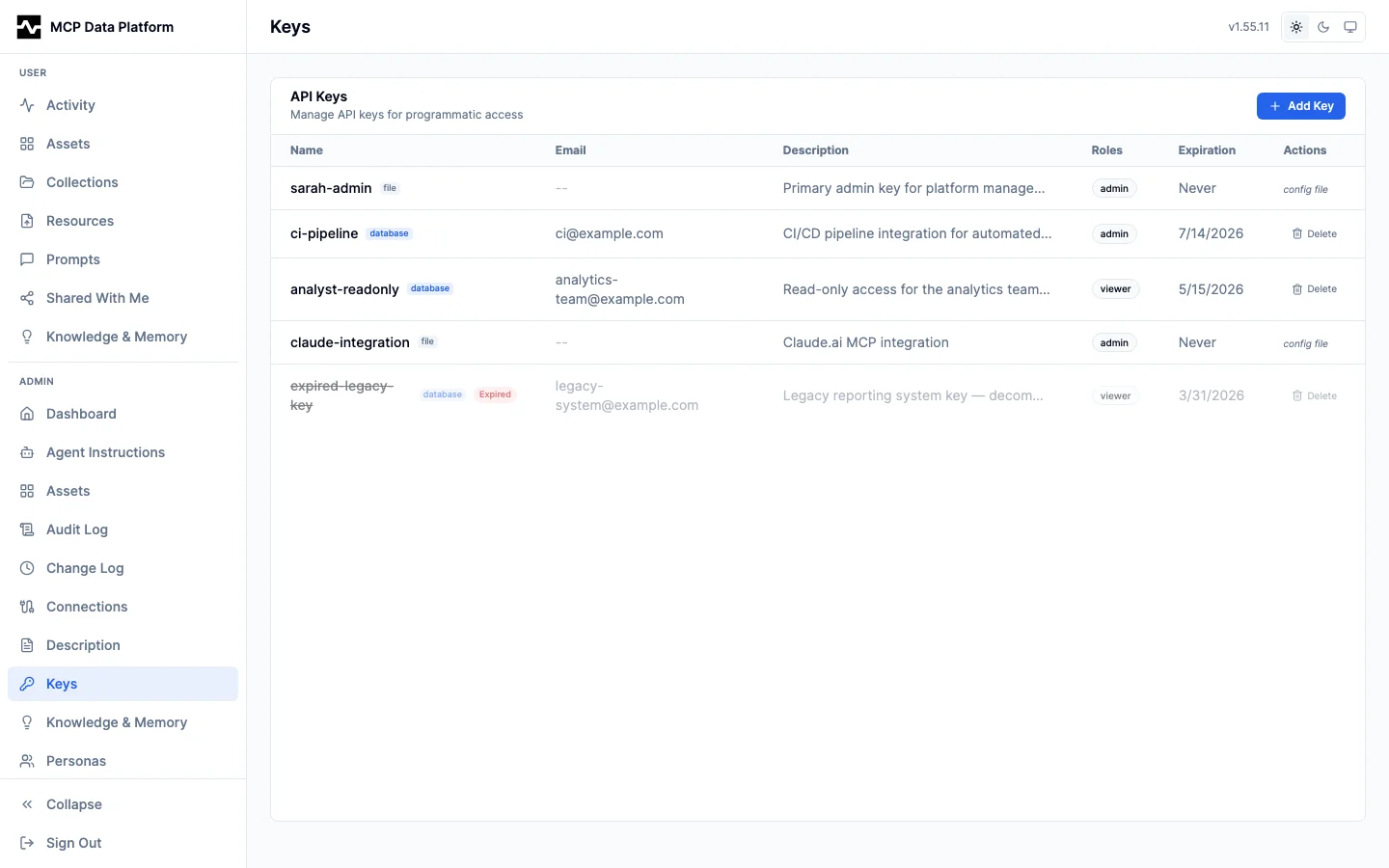
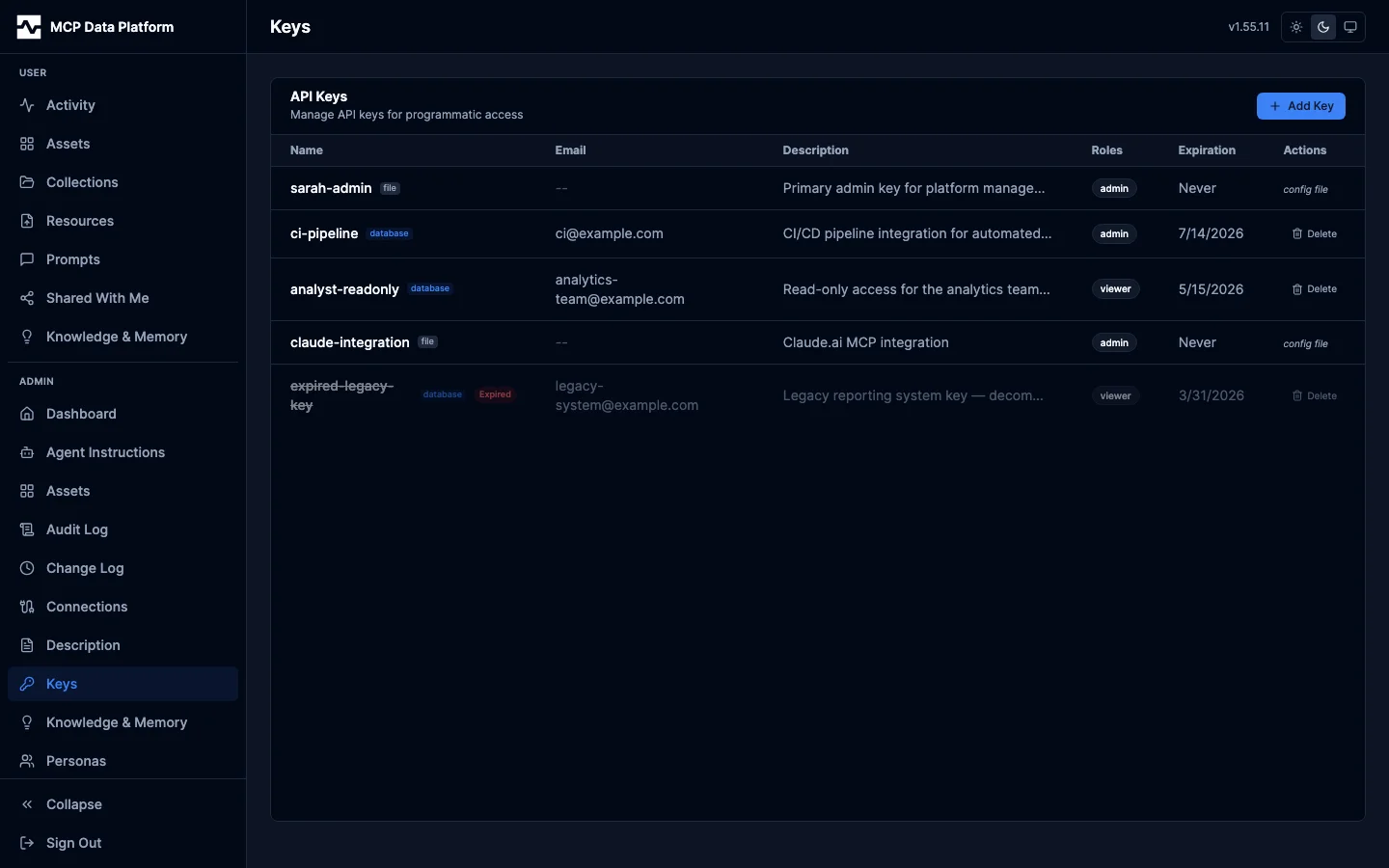
Admin > API Keys lists every key beside the ones this YAML declares. Each
row is badged file or database for where it came from: a key from the
config file is shown with config file in place of a delete action, since the
file owns it, while a database key is created and deleted there.
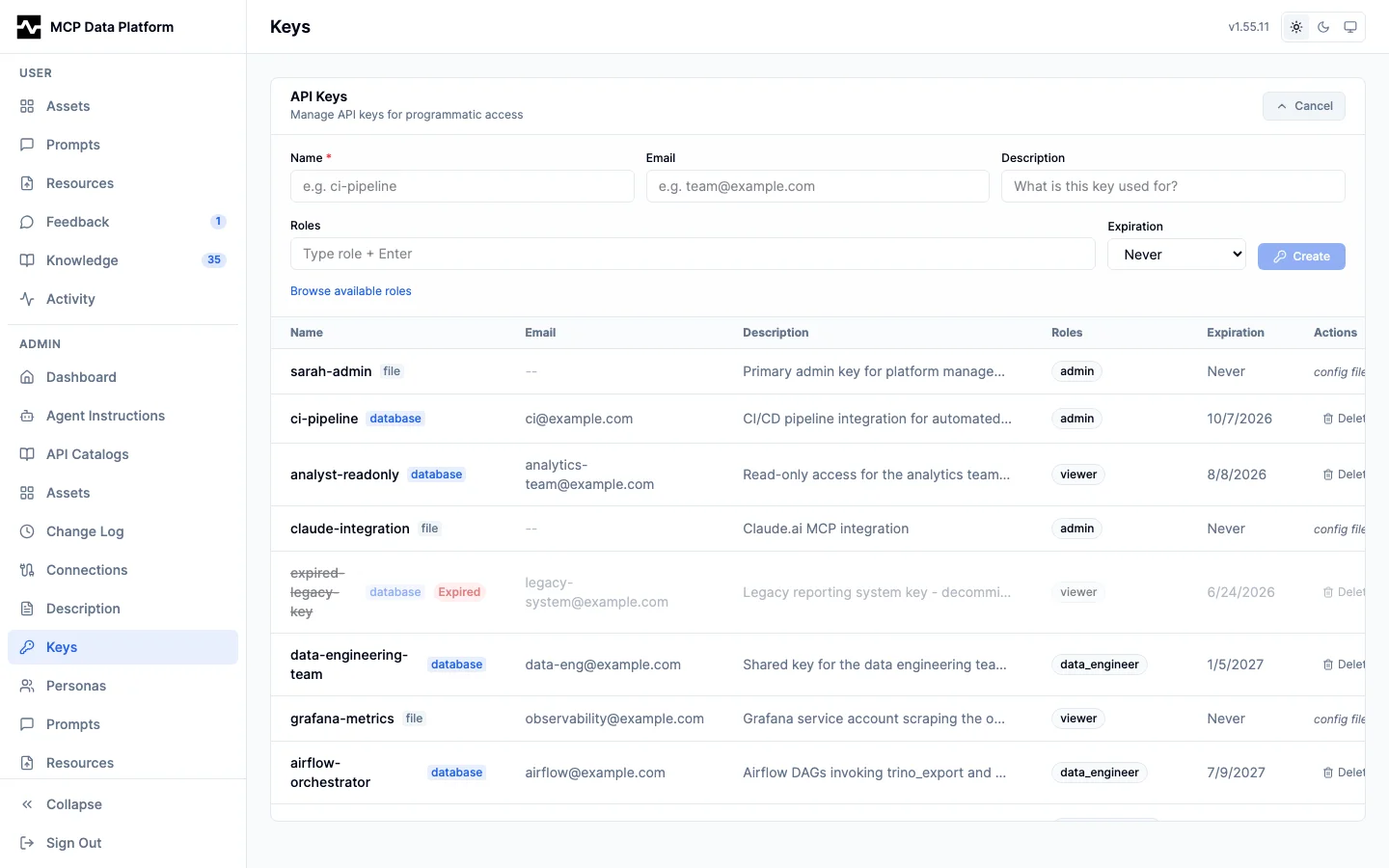
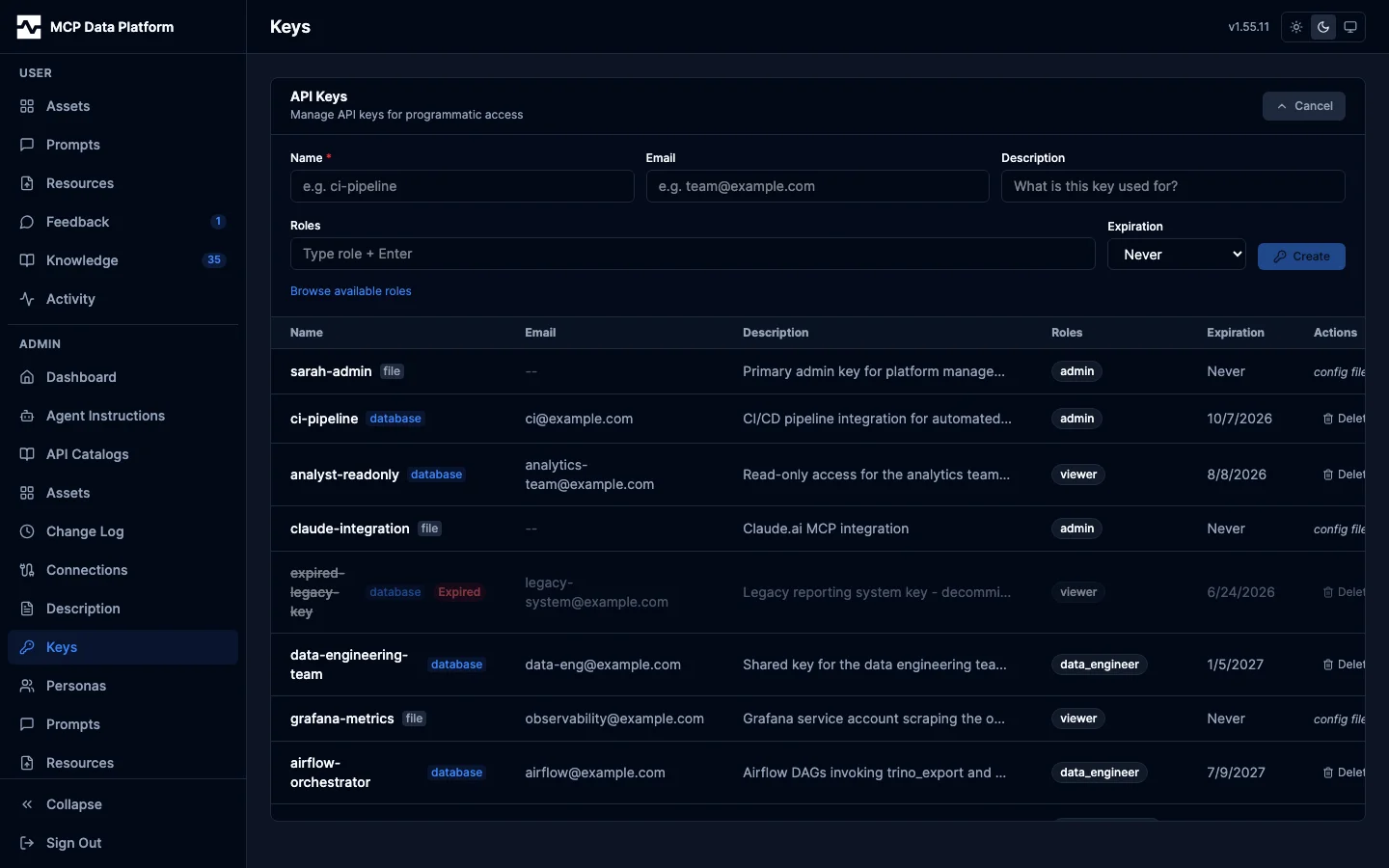
The create form takes a name, an Issued against account, a description, roles and an expiration. Left as a service key, it takes a contact email and requires roles, as it always has. Bound to a person, it fills the roles with the ones that person holds and the key follows them unless the roles are edited. The generated key is shown once in a copy-now banner and never again.
Attributes
A key can carry named values that reach every call it makes as claims:
auth:
  api_keys:
    keys:
      - key: "${REPORTING_APP_KEY}"
        name: reporting-app
        roles: ["dp_service"]
        attributes:
          tenant: acme
A key created through POST /api/v1/admin/auth/keys takes the same
attributes object, and the key listing returns it. A managed-script
parameter declared bind: "caller.tenant" takes its value from here, so an
application's key names its tenant and no request can name another. See
Running Managed Scripts.
Multiple Keys
You can define multiple keys with different access levels:
auth:
  api_keys:
    enabled: true
    keys:
      # Full administrative access
      - key: ${API_KEY_ADMIN}
        name: "admin"
        roles: ["admin"]

      # Read and write data access
      - key: ${API_KEY_DATA_TEAM}
        name: "data-team"
        roles: ["analyst"]

      # Read-only access
      - key: ${API_KEY_VIEWER}
        name: "dashboard"
        roles: ["viewer"]

      # Service account for ETL
      - key: ${API_KEY_ETL}
        name: "etl-service"
        roles: ["service", "write"]
Combined with OIDC
API keys work alongside OIDC authentication:
auth:
  oidc:
    enabled: true
    issuer: "https://auth.example.com"
    # ... OIDC config

  api_keys:
    enabled: true
    keys:
      - key: ${API_KEY_SERVICE}
        name: "background-service"
        roles: ["service"]
The platform checks authentication in order: 1. If a Bearer token looks like a JWT, validate via OIDC 2. Otherwise, check against API keys 3. If neither matches, reject the request
Client Configuration
Claude Code
# Set environment variable
export MCP_API_KEY="your-api-key"

# Add server with API key
claude mcp add mcp-data-platform -- \
  mcp-data-platform --config platform.yaml
The platform reads the API key from the request headers set by the MCP client.
Claude Desktop
{
  "mcpServers": {
    "mcp-data-platform": {
      "command": "mcp-data-platform",
      "args": ["--config", "platform.yaml"],
      "env": {
        "MCP_API_KEY": "your-api-key"
      }
    }
  }
}
HTTP Clients
# HTTP transport with API key header (SSE endpoint)
curl -H "Authorization: Bearer your-api-key" \
  http://localhost:8080/sse

# Or as query parameter
curl "http://localhost:8080/sse?api_key=your-api-key"
Security Best Practices
Never commit API keys to version control:
# Bad - key in config file
keys:
  - key: "abc123-actual-key"
    name: "service"

# Good - key from environment
keys:
  - key: ${API_KEY_SERVICE}
    name: "service"
Use different keys for different purposes: - Separate keys for production vs development - Separate keys for different services - Separate keys for different access levels
Rotate keys periodically: 1. Add a new key with the same roles 2. Update clients to use the new key 3. Remove the old key from configuration
Monitor key usage: Enable audit logging to track API key usage:
Key Validation
The platform validates API keys by: 1. Checking the key exists in configuration 2. Matching exactly (case-sensitive) 3. Key must be non-empty
Invalid keys return 401 Unauthorized.
Troubleshooting
Key rejected:
- Verify the key matches exactly (no extra whitespace)
- Check environment variable is set correctly
- Ensure api_keys.enabled: true
Wrong roles applied: - Check the key definition in configuration - Verify the correct key is being used - Review persona mapping for those roles
Key connects but lists no tools:
- Its roles reach no persona. Admin > API Keys badges the key No persona, and GET /api/v1/admin/auth/keys reports no_persona: true
- Give the key a role a persona's roles list carries; a persona's name is not one of its roles
Key works locally but not in production: - Environment variables may differ between environments - Check configuration is using the right variable names
Next Steps
- OAuth 2.1 Server - Dynamic client authentication
- Personas - Role-based access control