Role Mapping
Role mapping connects authenticated user roles to personas. When a user authenticates, their roles are extracted from credentials and matched to a persona.
How Mapping Works
graph LR
    A[OIDC Token] --> B[Extract Roles]
    C[API Key] --> D[Get Roles]

    B --> E{Role Mapper}
    D --> E

    E --> F[Match Persona by Roles]
    F --> G[Apply Persona]
Basic Role Matching
Personas define which roles they accept:
A user with role analyst gets the analyst persona.
A user with role admin gets the admin persona.
Multiple Role Matching
When a user has multiple roles, the persona with the highest priority wins:
personas:
  viewer:
    roles: ["viewer"]
    priority: 1

  analyst:
    roles: ["analyst"]
    priority: 10

  admin:
    roles: ["admin"]
    priority: 100
User with roles ["viewer", "analyst"]:
- Matches both viewer and analyst
- Gets analyst (priority 10 > priority 1)
User with roles ["analyst", "admin"]:
- Gets admin (priority 100 > priority 10)
OIDC Role Mapping
Map OIDC roles to personas explicitly:
personas:
  role_mapping:
    oidc_to_persona:
      "realm_analyst": "analyst"
      "realm_admin": "admin"
      "data_scientist": "analyst"
      "platform_admin": "admin"
This maps OIDC roles (from the token) to persona names.
Role Prefix Handling
When using role_prefix in OIDC config, roles are filtered and stripped:
Token roles: ["dp_analyst", "dp_admin", "other_role"]
Filtered roles: ["analyst", "admin"]
These filtered roles are then matched to personas.
API Key Role Mapping
API keys define roles directly in their configuration:
auth:
  api_keys:
    keys:
      - key: ${API_KEY_ANALYST}
        name: "analyst-service"
        roles: ["analyst"]          # These roles map to personas

      - key: ${API_KEY_ADMIN}
        name: "admin-service"
        roles: ["admin"]
These roles are matched to personas the same way as OIDC roles.
Roles That Match Nothing
When no roles match any persona, the caller is unmapped and reaches nothing: MCP
tool calls resolve to the built-in deny-all persona and are refused, and the
portal answers 403. There is no fallback persona to catch them.
This applies to:
- Users with no roles
- Users whose roles don't match any persona
- Anonymous callers, unless a persona lists the anonymous role (see
Personas)
Mapping Priority
The mapping process follows this priority order:
- OIDC role mapping -
oidc_to_personaentries - Direct role match - Persona's
roleslist - No match - the deny-all persona; the caller reaches nothing
Example: Enterprise Setup
auth:
  oidc:
    enabled: true
    issuer: "https://auth.example.com"
    role_claim_path: "groups"
    role_prefix: "mcp-"

personas:
  viewer:
    display_name: "Viewer"
    roles: ["viewer", "guest"]
    priority: 1
    tools:
      # search discovers; fetch is the only tool that reads a result in full.
      allow: ["platform_info", "search", "fetch", "datahub_get_*"]
    connections:
      allow: ["*"]

  analyst:
    display_name: "Data Analyst"
    roles: ["analyst", "data-team"]
    priority: 10
    tools:
      allow: ["*"]
      deny: ["*_delete_*"]
    connections:
      allow: ["*"]

  data_engineer:
    display_name: "Data Engineer"
    roles: ["engineer", "platform-team"]
    priority: 20
    tools:
      allow: ["*"]
      deny: ["*_delete_*"]
    connections:
      allow: ["*"]

  admin:
    display_name: "Administrator"
    roles: ["admin", "ops-team"]
    priority: 100
    tools:
      allow: ["*"]
    connections:
      allow: ["*"]

  role_mapping:
    oidc_to_persona:
      "mcp-readonly": "viewer"
      "mcp-analyst": "analyst"
      "mcp-engineer": "data_engineer"
      "mcp-admin": "admin"
With this configuration:
| User Roles | Persona |
|---|---|
["mcp-readonly"] |
viewer |
["mcp-analyst"] |
analyst |
["mcp-analyst", "mcp-engineer"] |
data_engineer (higher priority) |
["mcp-admin"] |
admin |
["unknown-role"] |
none - every tool refused, portal returns 403 |
Debugging Role Mapping
Enable audit logging to see how roles are mapped:
The audit log includes: - Authenticated user identifier - Extracted roles - Selected persona - Tool access decisions
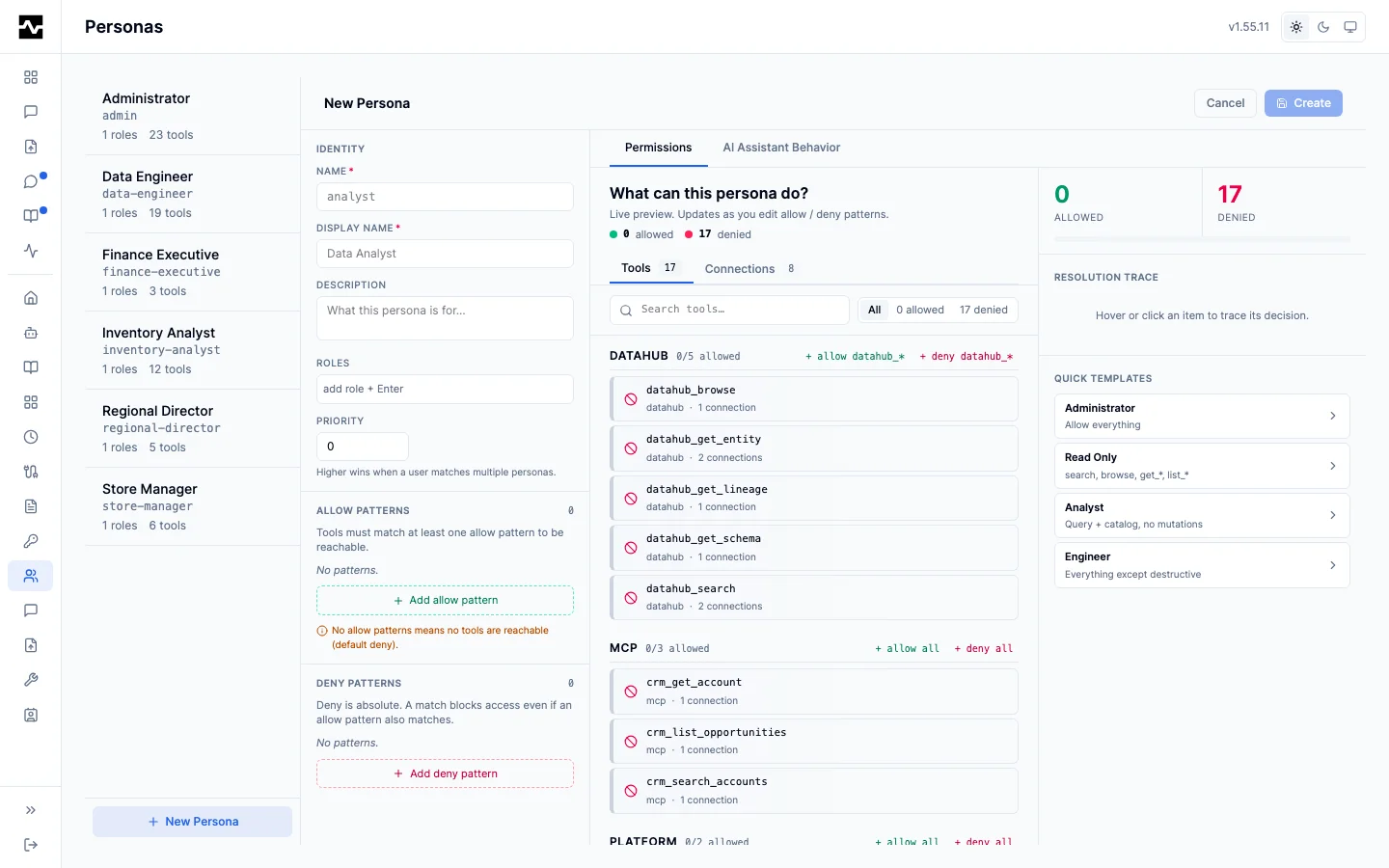
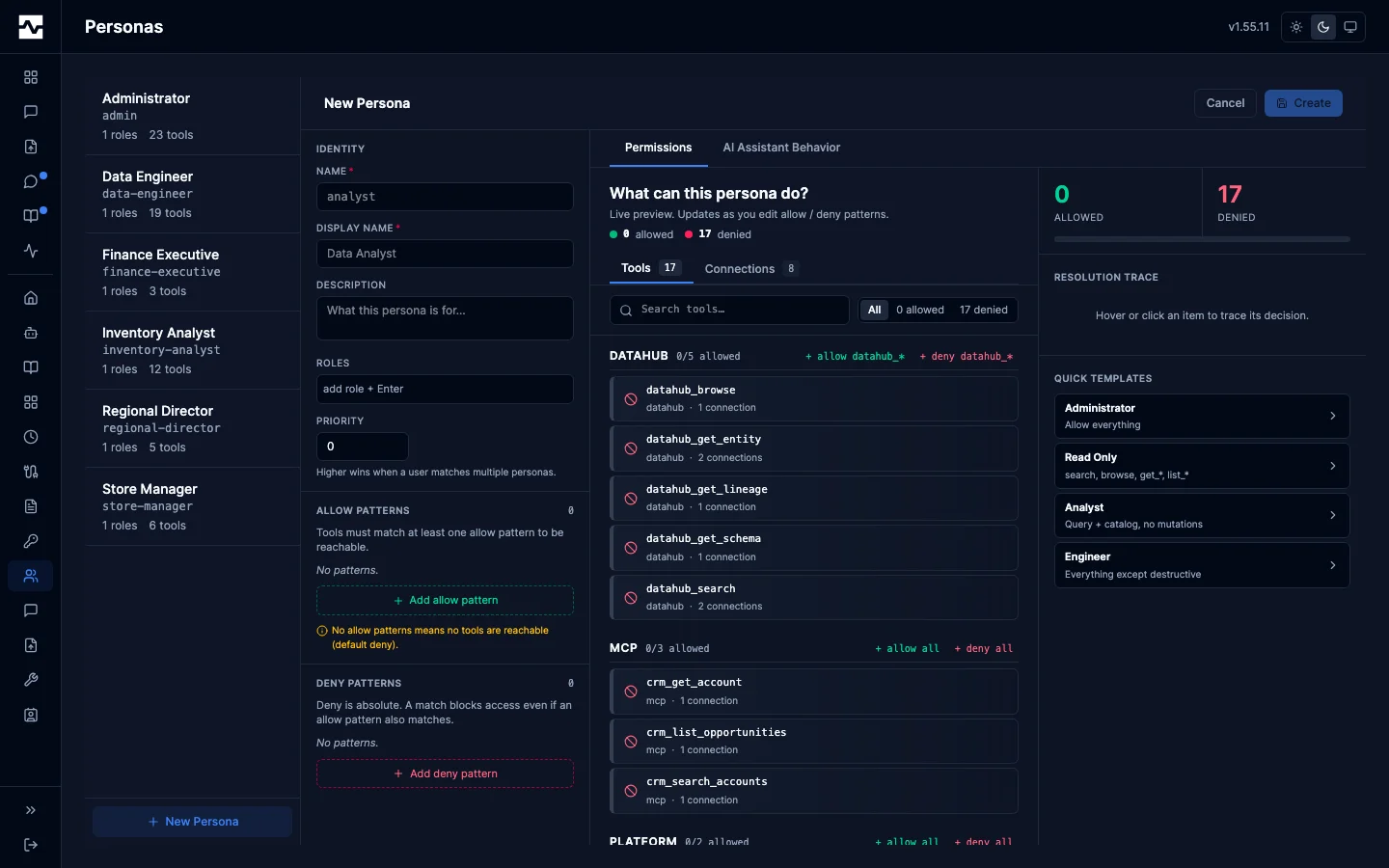
The portal editor carries the same two inputs this page is about: Roles, the list a caller's roles are matched against, and Priority, which decides the winner when a caller matches more than one persona. The persona list beside it states how many roles and how many tools each persona has.
Common Issues
User gets wrong persona: - Check role extraction from OIDC token - Verify role prefix configuration - Review persona priority settings
User gets default persona unexpectedly:
- Verify roles are being extracted from token
- Check role names match persona definitions exactly
- Review OIDC role_claim_path configuration
API key user gets wrong persona: - Verify roles in API key definition - Check persona role matching
Next Steps
- Tool Filtering - Configure tool access rules
- OIDC Configuration - Set up role extraction
- API Keys - Configure API key roles