Inbox
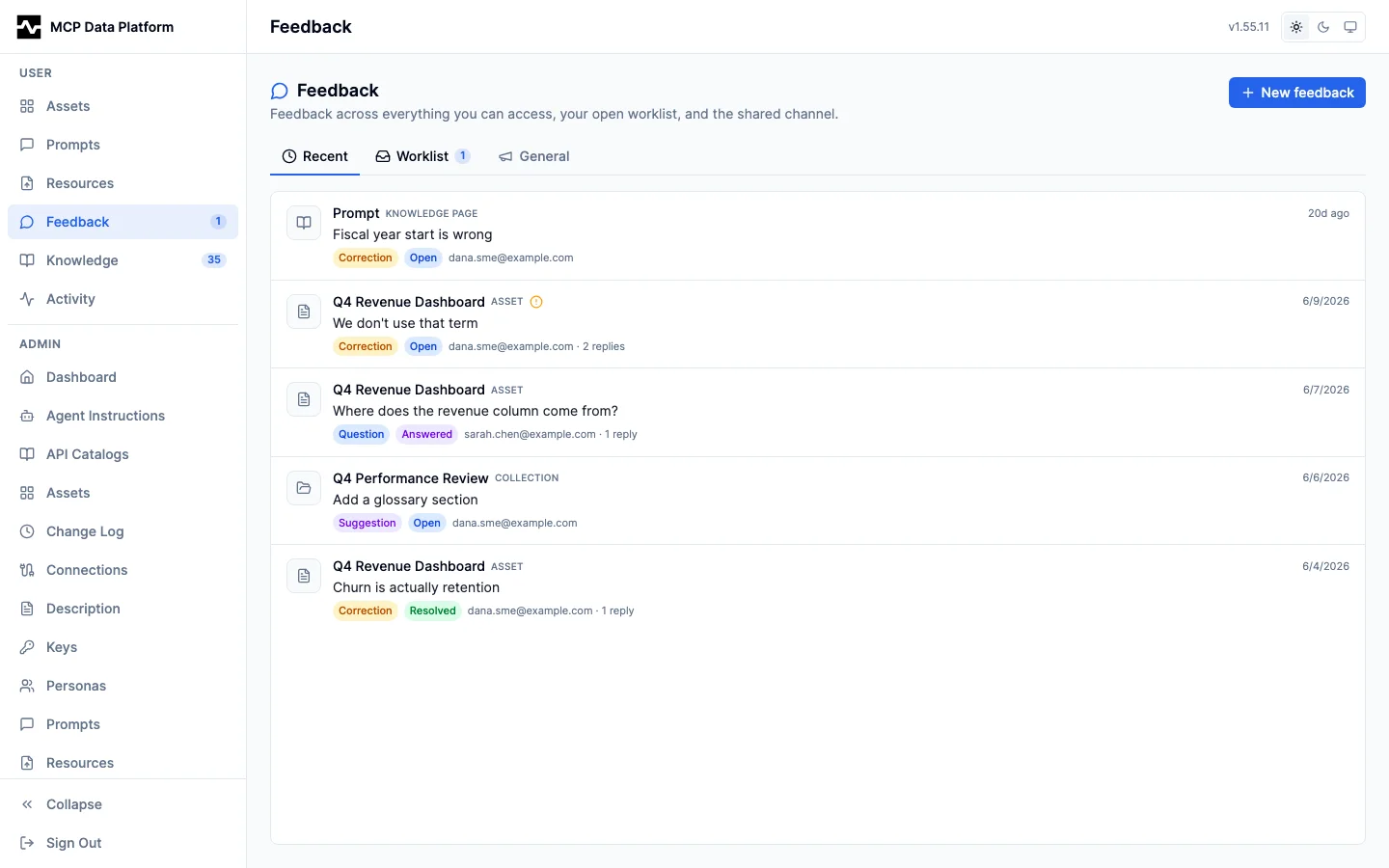
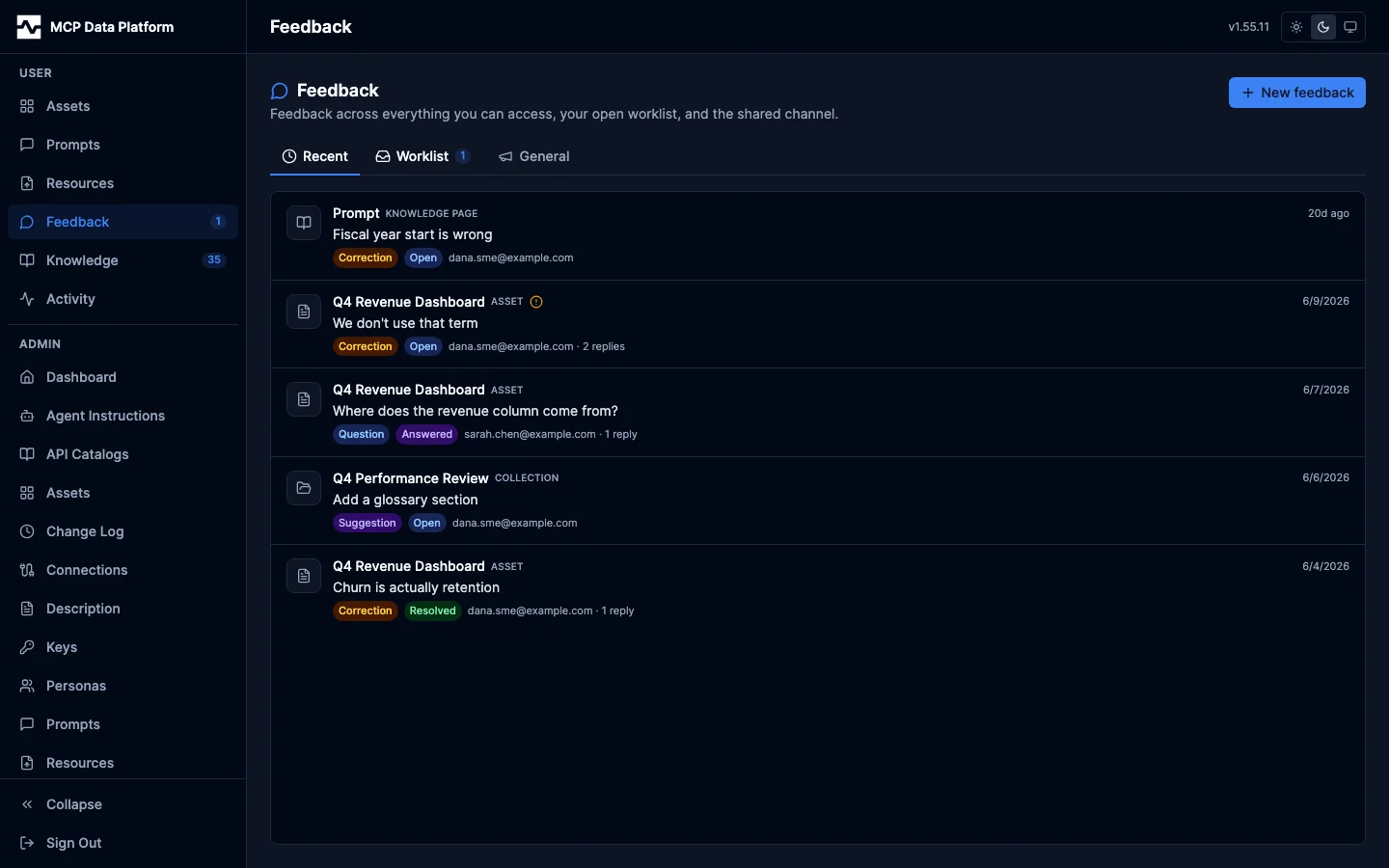
The section is Inbox: one place for everything addressed to you. It holds the feedback threads on your work and, since #1798, the notification history that used to sit on the settings screen beside the preferences that decide what gets sent. The notification preferences stay in Settings, where a setting belongs.
Feedback lets the people who review your work, including subject-matter experts and stakeholders who do not use an agent, leave structured corrections and questions on the things you share with them, instead of relaying that feedback over email.
Feedback is organized into threads. A thread targets one asset, collection, prompt, or knowledge page, or it lives on a standalone channel for general feedback not tied to a single object. Each thread has a kind (comment, question, correction, rating, approval, rejection, or suggestion), a status (open, answered, resolved, won't fix, acknowledged), an optional requires_resolution flag, and a timeline of events (the opening message plus replies and status changes). A thread can be anchored to a specific selection within the target so a correction like "we don't use that term" stays pinned to the place it refers to, along with the version it was raised against. Standalone-channel threads are visible to every signed-in user; feedback on an asset, collection, or prompt is visible to people who can already view that object; knowledge pages are org-shared, so any signed-in user can read and add feedback on them.
Feedback you have not seen also reaches you outside the portal: an
email notification when a thread event lands, and a
session-start notice on the first platform_info call of
an agent session, which lists the unresolved threads other people left on assets
you own.
The feedback panel
Open the Feedback button in an asset, collection, prompt, or knowledge-page viewer to slide out the feedback panel. It lists the threads on that item with their kind, status, and activity, and a header counts how many are open and how many still need resolution. Selecting a text passage in markdown or plain-text content (an asset, a prompt, or a knowledge page) before opening New lets you anchor your feedback to that selection. In the Knowledge hub, each knowledge-page card shows an open-thread badge so you can see where feedback is waiting.
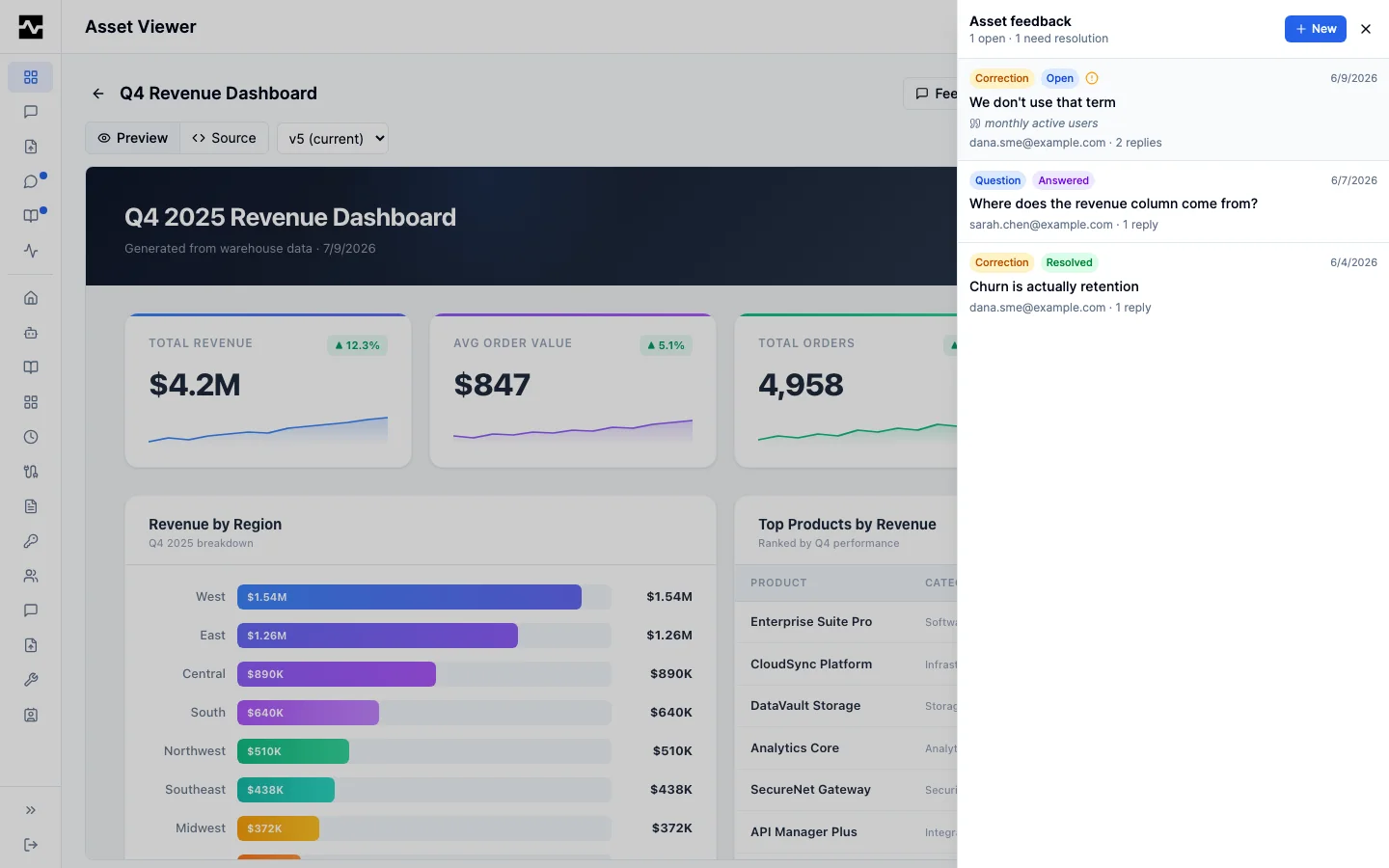
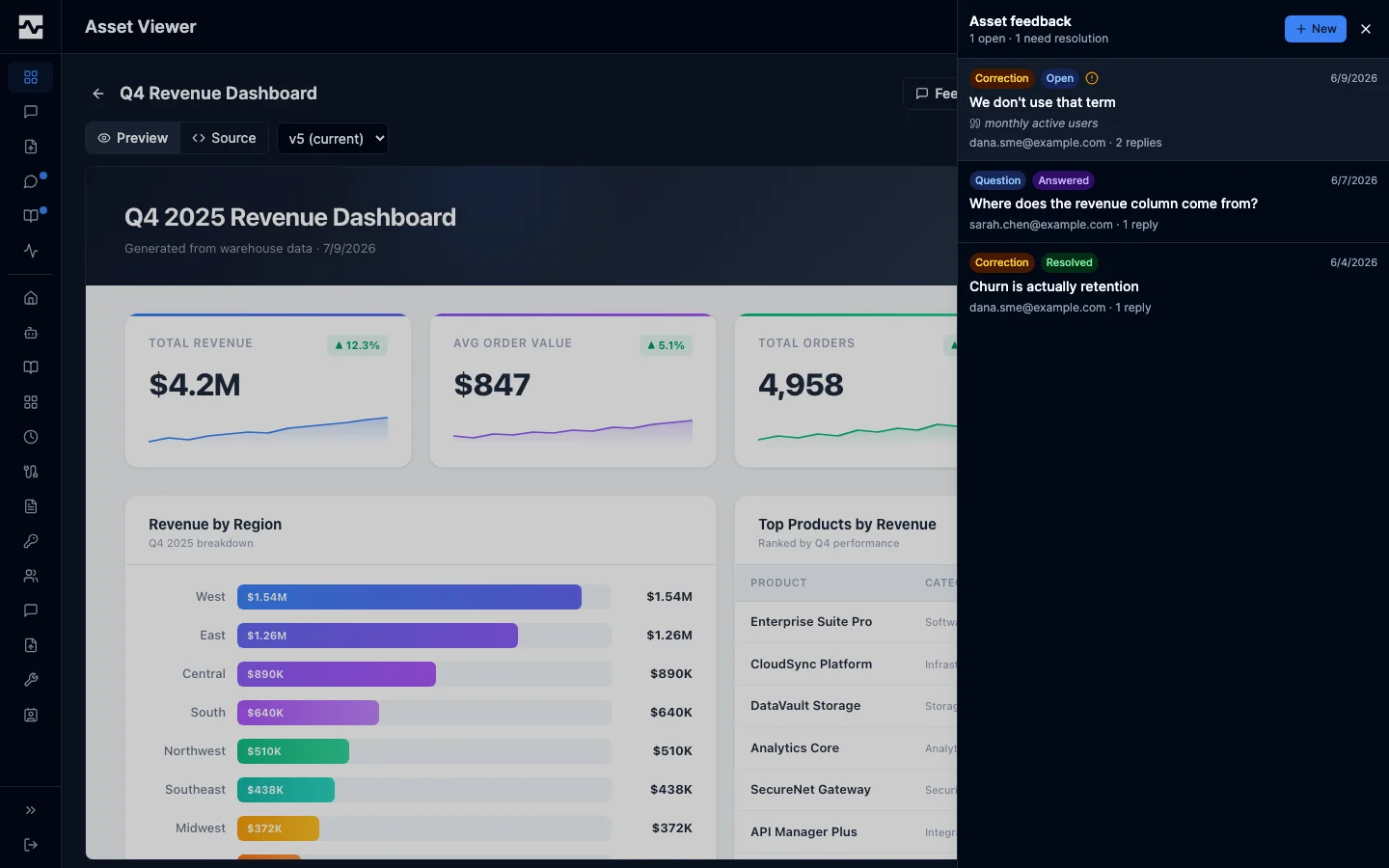
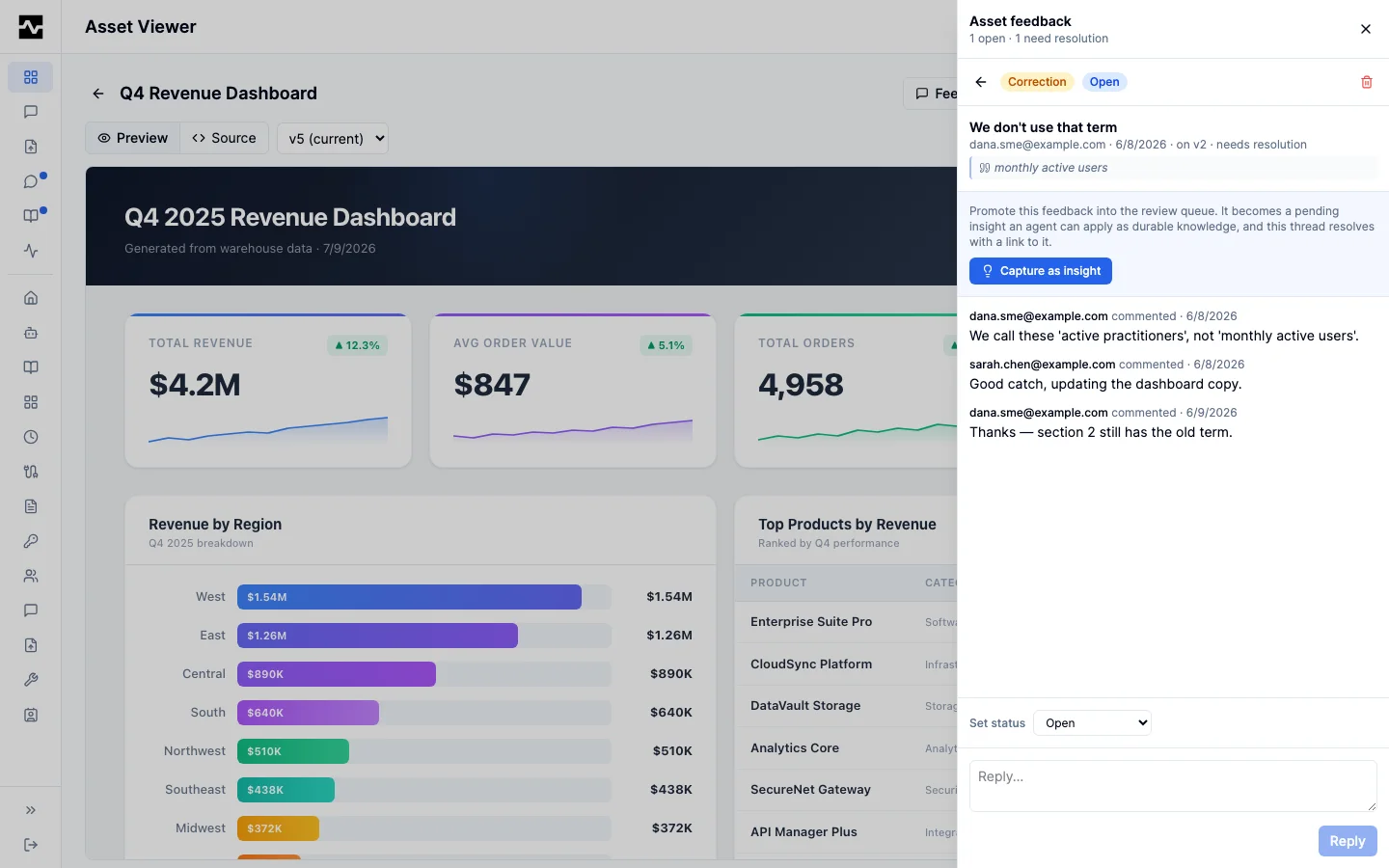
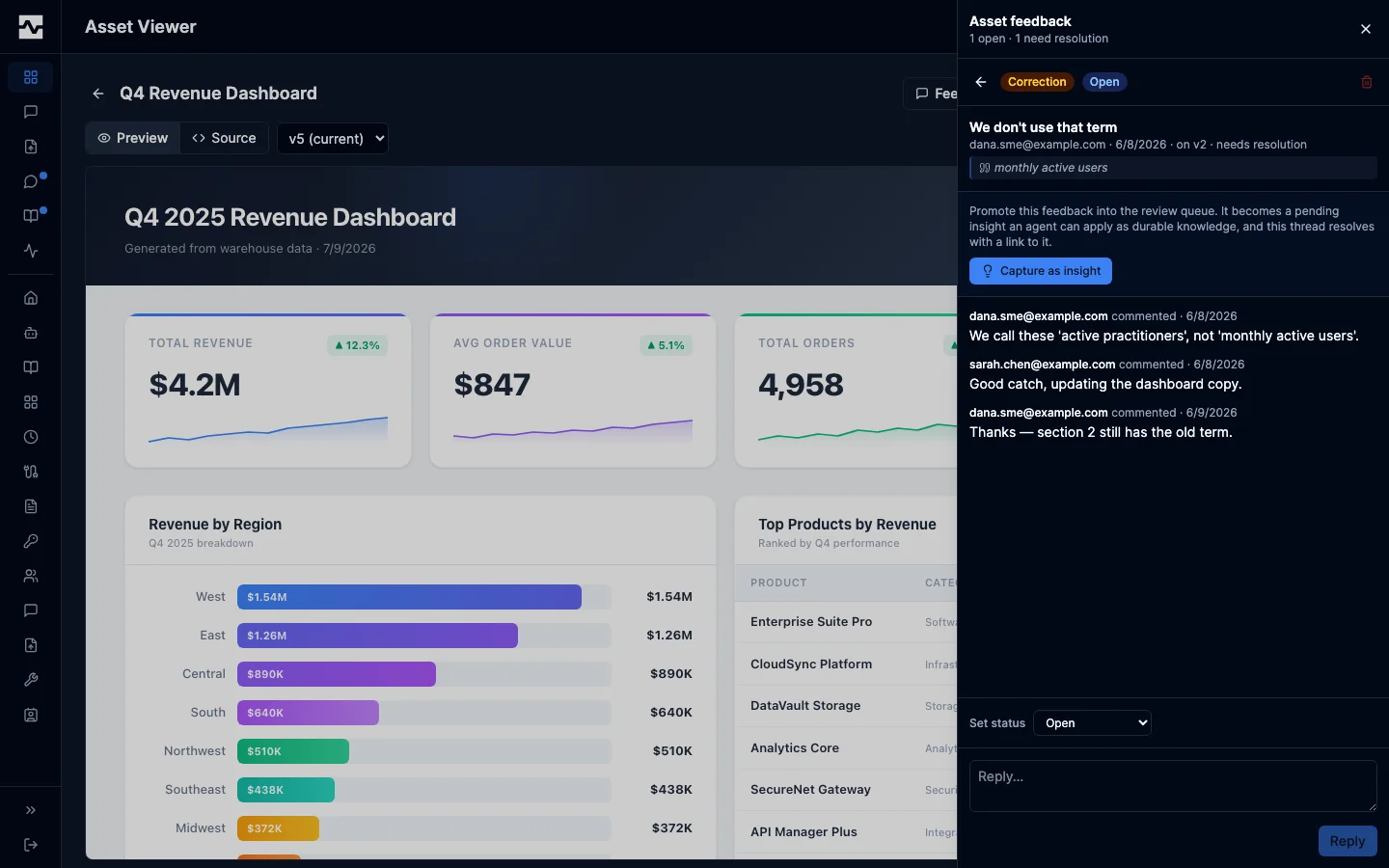
Opening a thread shows its full timeline. Anyone can reply; the item's owner, an editor, or an admin can change the status (for example resolve it) or delete the thread. The status change is recorded on the timeline.
Mentioning a teammate
Type @ anywhere in a feedback message or reply to address someone directly. The composer suggests people as you type and inserts the person as @marcus.johnson(example.com), which reads as a name in the thread and is stored as an address so it keeps working when someone's display name changes.
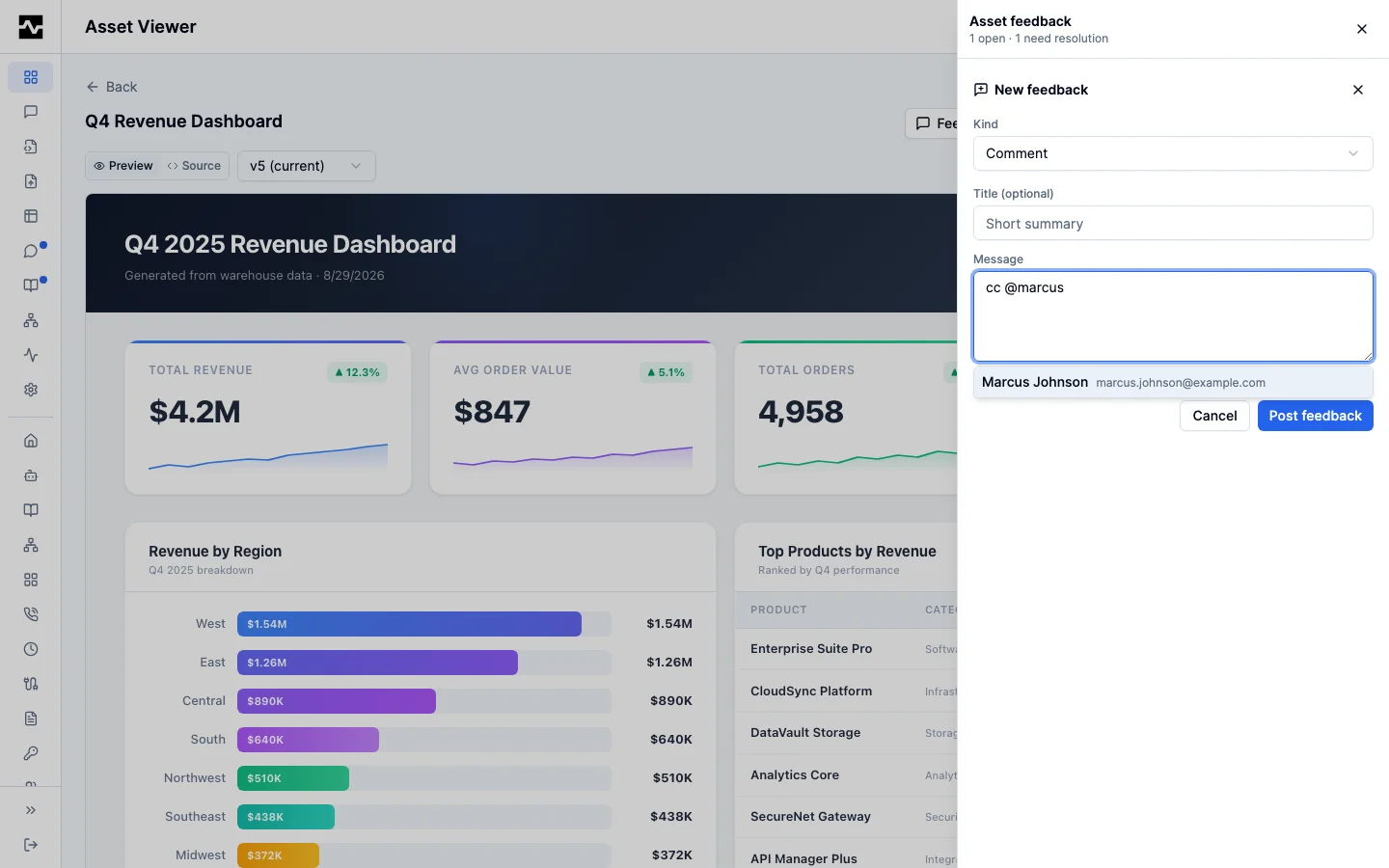
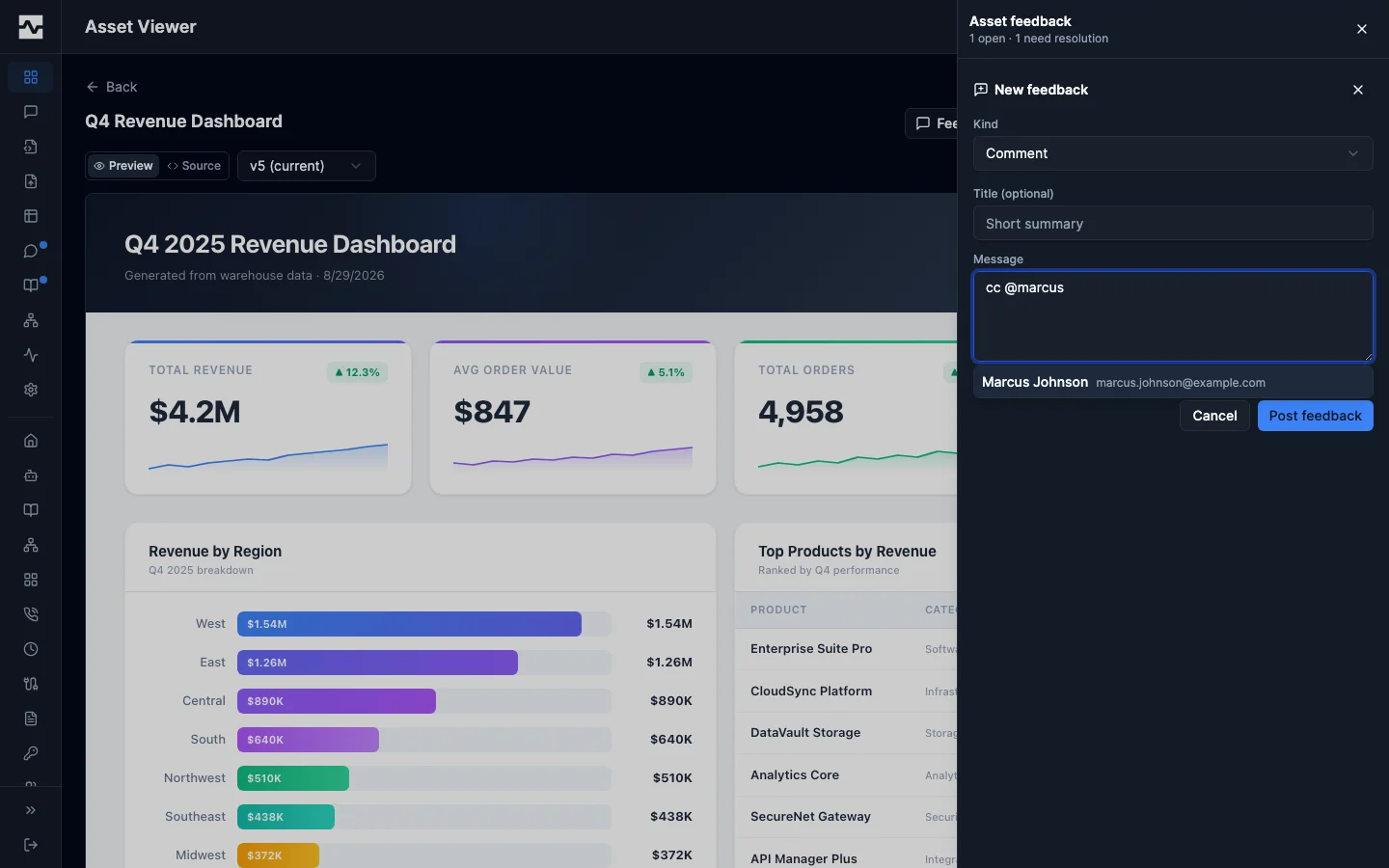
The suggestions are the people who can already open the item being discussed: its owner and everyone it is shared with, directly or through a collection. Knowledge pages and the standalone channel are open to every signed-in user, so any known user may be mentioned there. This is deliberate. A mention sends the item's title and an excerpt of the comment by email, so it may only go to someone who could open the item anyway.
You can still type an address by hand. If it belongs to someone without access, the composer says so while you are writing and the mention posts as ordinary text: it is not recorded, not rendered as a chip, and delivers nothing. Share the item with them first, then mention them.
Being mentioned is its own notification category, separate from general comment activity, so someone who muted thread chatter still hears when a comment names them. The Mentions of me tab in the feedback inbox lists every thread where a comment addressed you.
Agents leave feedback through the same path: a reply written with the manage_feedback tool carries mentions and fires the same notifications as one written in the portal, on deployments that run the HTTP server. Email delivery lives with that server, so a stdio-only deployment stores the reply but sends nothing.
Turning feedback into knowledge
A correction or suggestion is only useful if it can change something. When you have apply_knowledge access, an unresolved correction or suggestion thread shows a Capture as insight action in its detail view. Capturing it creates a pending insight from the thread (its title and first comment) that enters the review queue alongside insights captured by agents, and resolves the thread with a link to that insight. From there the normal apply_knowledge review and promote/apply pipeline takes over: once the insight is promoted to a knowledge page or applied to the catalog, the thread's knowledge chain shows the resulting change, closing the loop for both the reviewer and the person who raised the feedback. This is how feedback on any content becomes durable, reviewed knowledge rather than a dead-end comment.
The Feedback page in the sidebar is the standalone channel for general feedback. The My Assets and Collections lists show an open-thread badge on items you own so you can see at a glance where feedback is waiting.
Leaving feedback through a public link
When you share an asset or collection with a public link, an anonymous visitor can view it and sees a Sign in to leave feedback prompt. Signing in through that link, when the visitor has no prior share for the item, grants them a viewer share automatically so the item appears in their portal and they can leave feedback. An existing editor is never downgraded to a viewer by this flow.
Once they hold that share, opening the link takes them straight to the item in their portal, where the feedback panel is. The public page is still one click away from there, under Shared page.