Personas
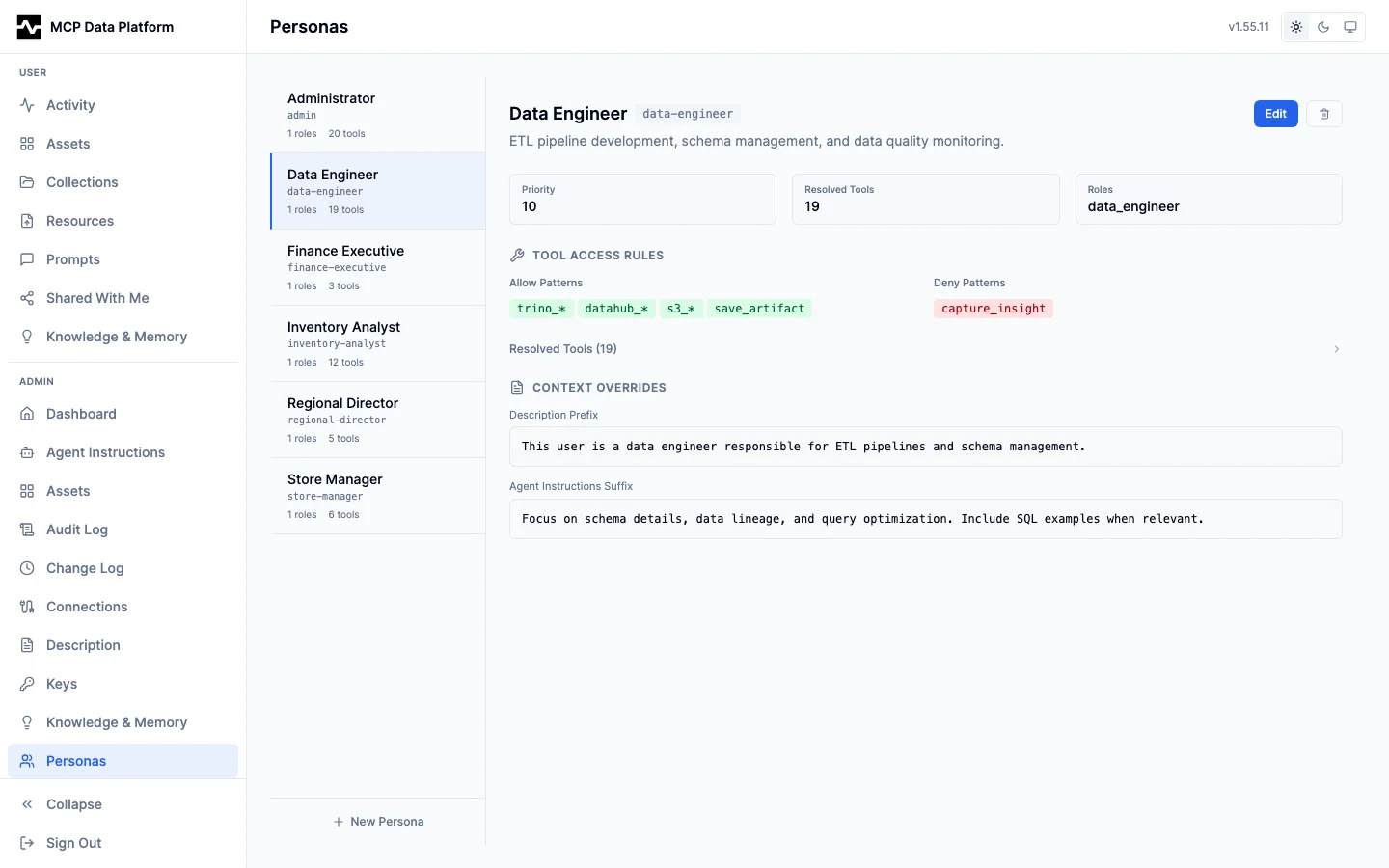
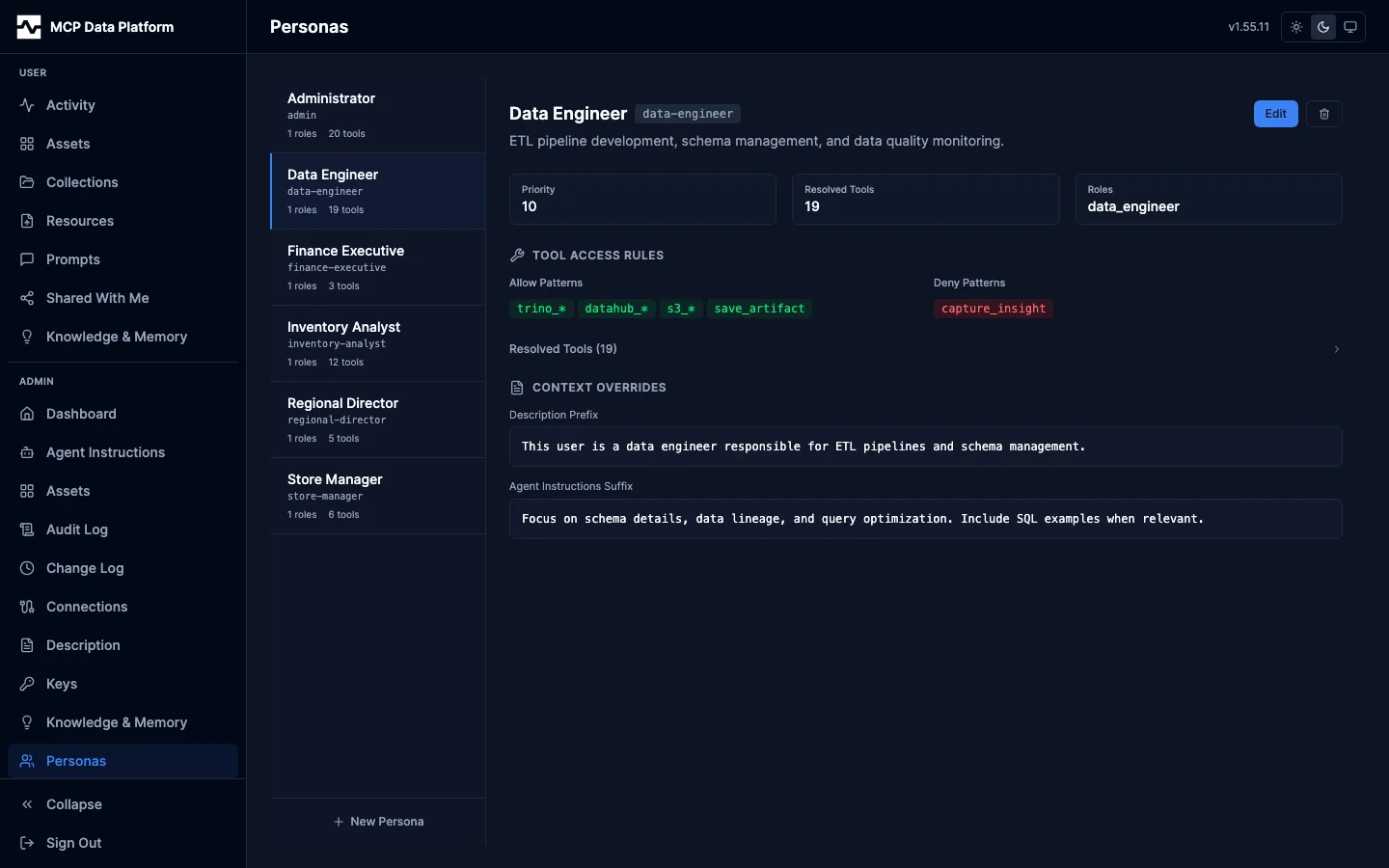
The Personas page manages role-based tool access rules and context overrides using the same split-pane layout as Connections.
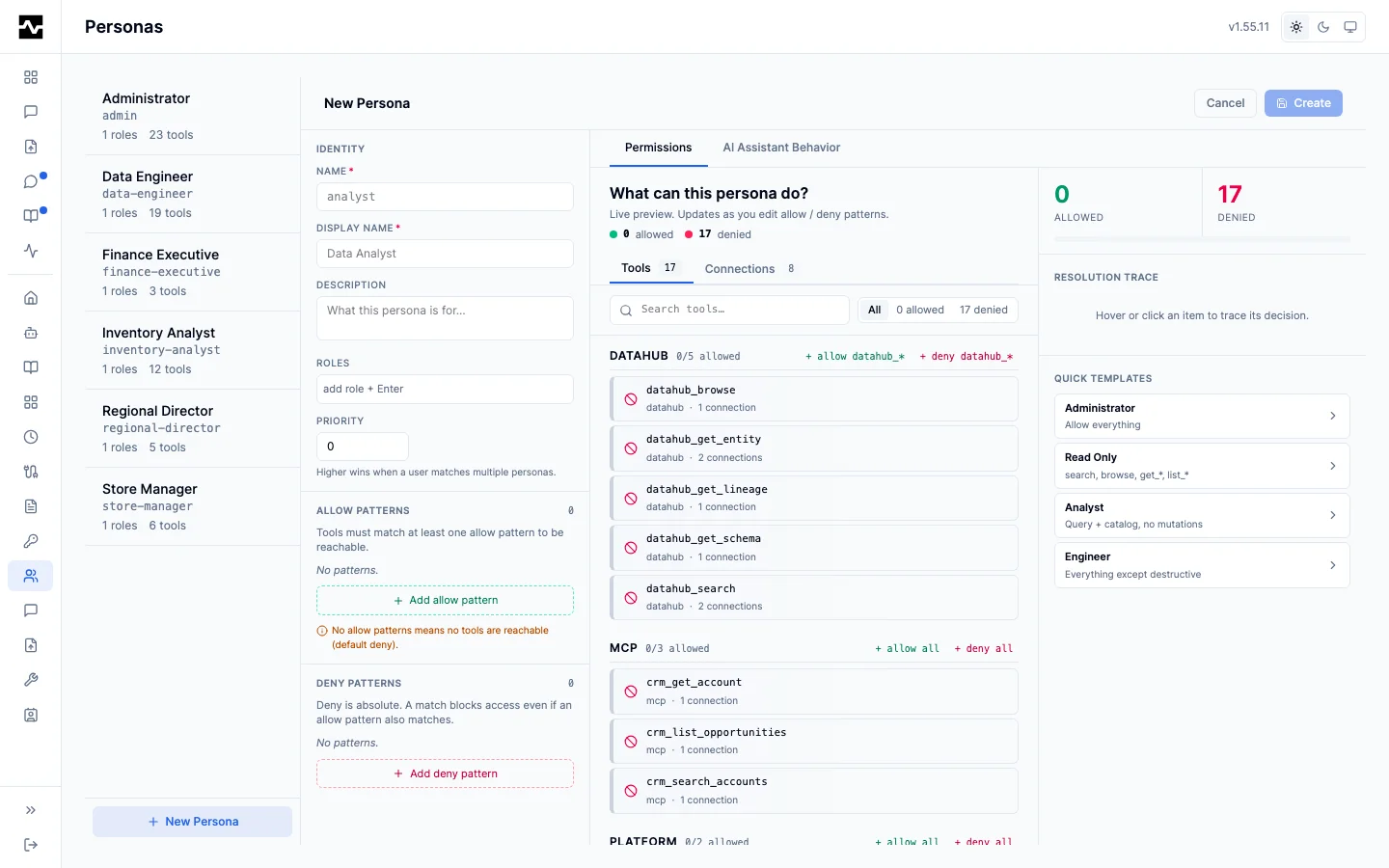
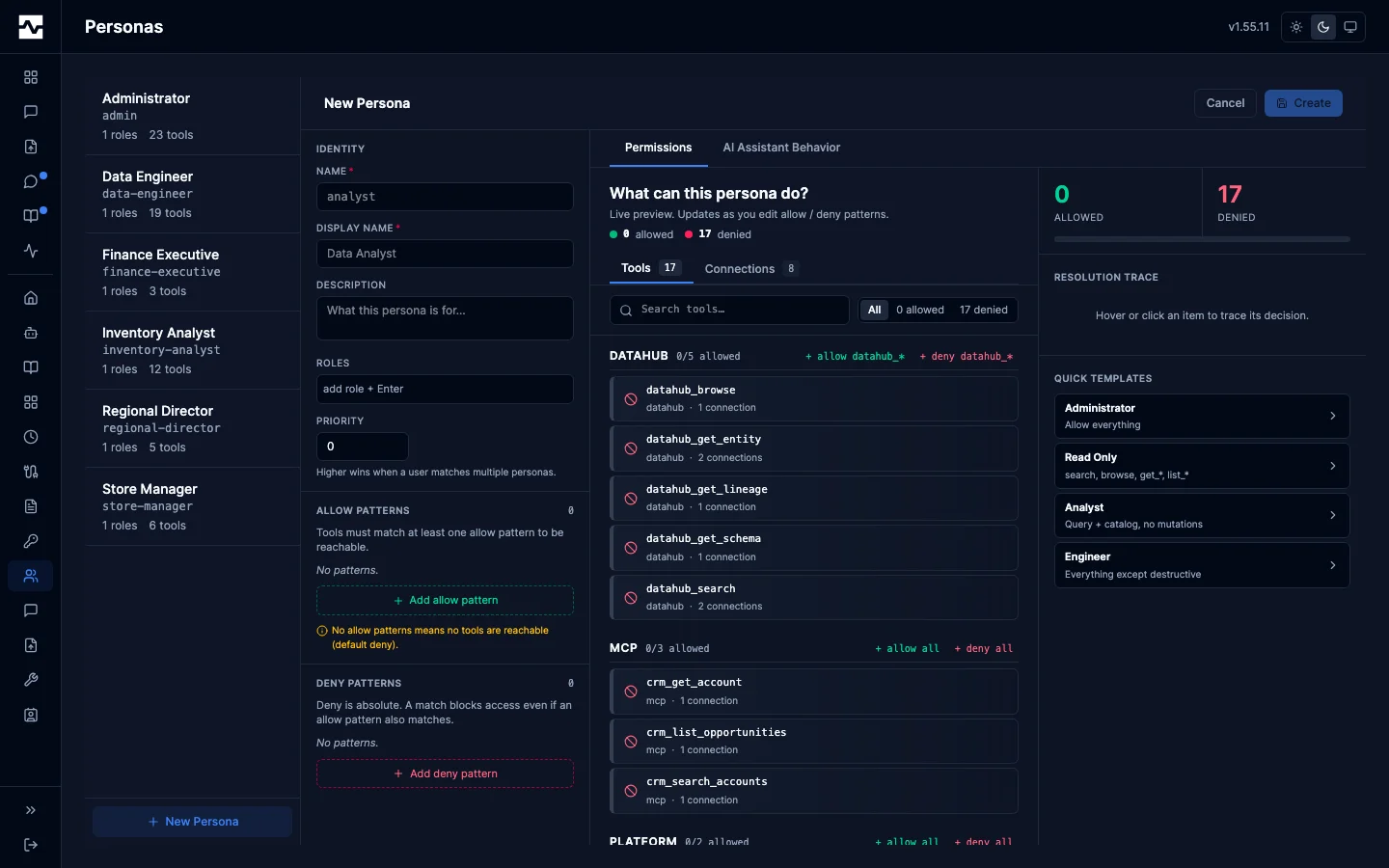
Creating or editing a persona opens the editor: an identity panel (name, display name, roles, priority) beside a live Permissions explorer that previews exactly which tools and connections the allow/deny patterns resolve to, with a running allowed/denied count and a resolution trace. Quick templates (Administrator, Read Only, Analyst, Engineer) seed common policies. A separate AI Assistant Behavior tab tunes the persona's prompts and hints.
The explorer's third scope, API endpoints, lists the api kind connections this deployment serves and, under each, the operations its catalog declares, with the persona's decision on every one. Selecting an operation writes a rule naming that operation's own method and the path its catalog declares, so a rule written here is the same rule a config file would write; the rule editor beside it takes a pattern by hand for a path no indexed operation corresponds to. An operation no rule names is marked reachable rather than allowed, because on this axis a connection no rule names keeps full access.
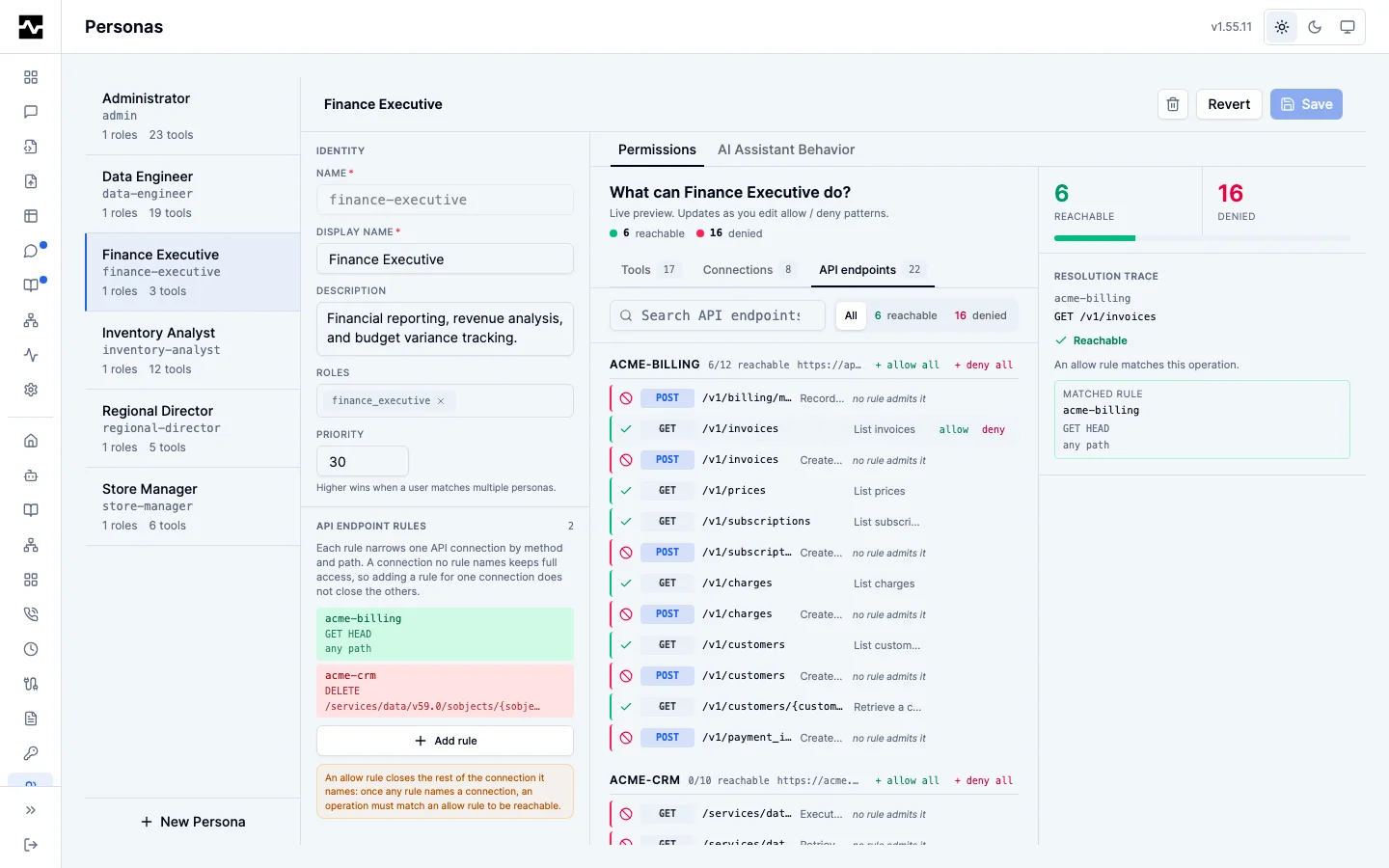
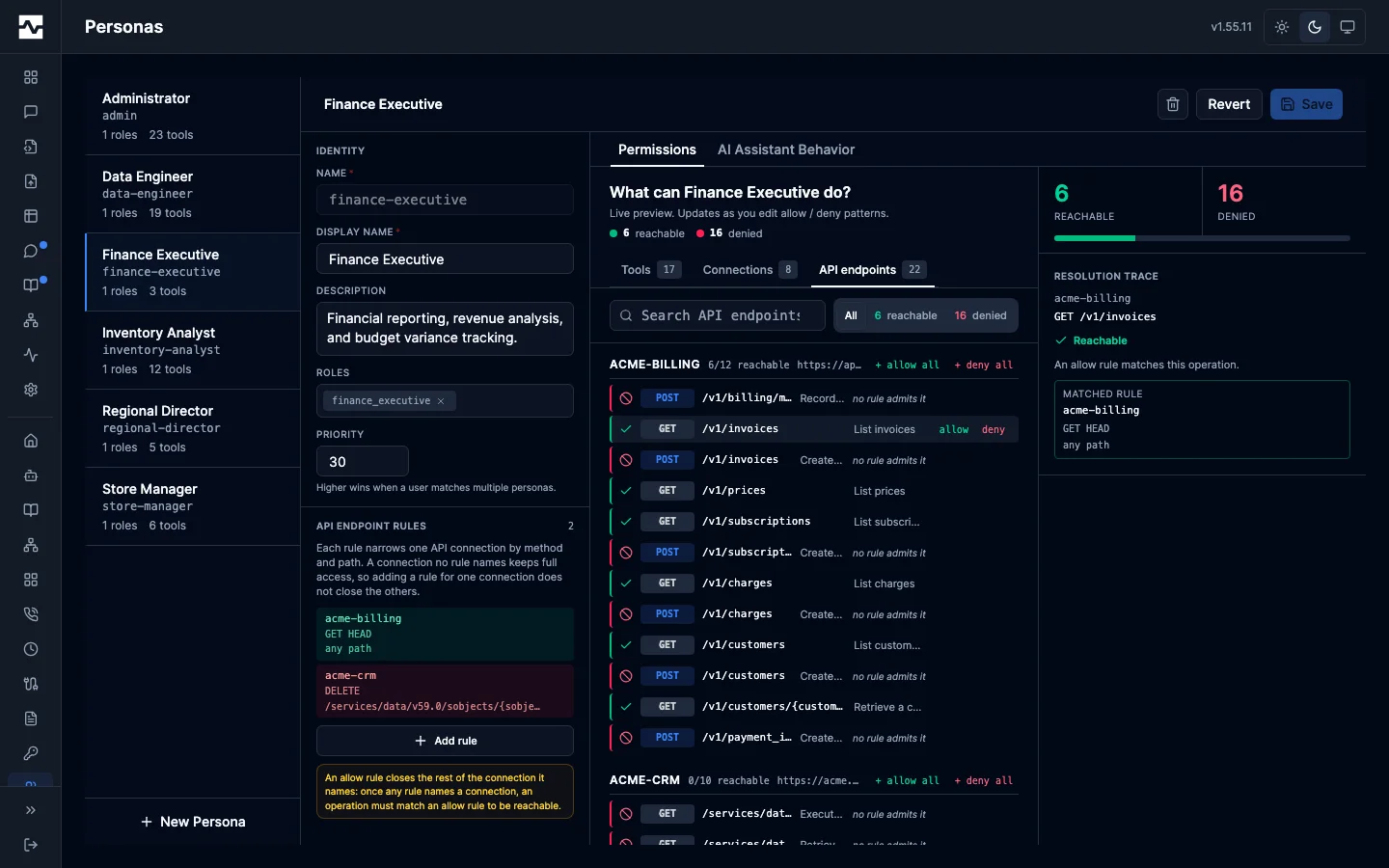
Left pane — Persona list with display name, slug, role count, and resolved tool count.
Right pane — Selected persona detail showing:
- Metadata — Priority, resolved tools count, and assigned roles
- Tool Access Rules — Allow patterns (green badges, e.g.,
trino_*,datahub_*) and deny patterns (red badges, e.g.,memory_capture) - Resolved Tools — Expandable list of the actual tools this persona can access
- Context Overrides — Description prefix and agent instructions suffix that customize AI behavior for this persona
- API Endpoint Rules — Per-(connection, method, path) rules for
apikind connections, written by selecting operations or by hand
See Personas for configuration details and API endpoint rules for how a rule is evaluated.