Knowledge Capture
Memory Layer
Knowledge capture lives in the Memory Layer and is performed by the memory_capture tool (memory toolkit). It therefore requires the memory layer to be enabled: memory defaults on when a database is configured, and setting memory.enabled: false disables capture. Insights captured via memory_capture are stored in memory_records (the unified memory table) and can be recalled, enriched, and promoted to durable knowledge in the catalog or a knowledge page via apply_knowledge.
The Problem
Every organization has tribal knowledge about its data: what columns actually mean, which tables are reliable, when timestamps shifted time zones, how business metrics are calculated. This knowledge lives in the heads of experienced team members and surfaces in conversations, but it rarely makes it back into the data catalog.
AI-assisted data exploration makes this worse. Users share corrections, business context, and quality observations during sessions. The AI assistant uses that context for the current conversation, and then it's gone. The next session starts from scratch.
Knowledge capture fixes this. When a user shares domain knowledge during a session, the platform records it, routes it through a governance workflow, and writes approved changes to the platform catalog.
How It Works
The system has three components: two MCP tools and an Admin REST API.
flowchart LR
    subgraph "During AI Session"
        A[User shares<br/>domain knowledge] --> B[memory_capture<br/>tool]
    end

    subgraph "PostgreSQL + pgvector"
        B --> C[(memory_records<br/>status: active)]
    end

    subgraph "Admin Review"
        C --> D[Admin reviews<br/>via apply_knowledge<br/>or REST API]
        D -->|approve| E[status: approved]
        D -->|reject| F[status: rejected]
    end

    subgraph "Catalog Write-Back"
        E --> G[synthesize<br/>change proposals]
        G --> H[apply changes<br/>to the catalog]
        H --> I[(knowledge_changesets<br/>for rollback)]
endsearchis the universal, topology-free discovery entry point: one query fans across the technical catalog, the caller's memory, captured insights, the caller's feedback, saved assets, uploaded reference material (managed resources, indexed over their file contents), prompts, managed scripts, the caller's own recorded calls, the caller's own sessions, API endpoints, and connections, returning a balanced, grouped-by-source, per-user-scoped result set with a coverage summary. See search.memory_capture(memory toolkit) records domain knowledge during sessions. Available to all personas when enabled. Reviewed sink-classes (business_knowledge,schema_entity,operational_rule) create insights with statuspending. (To read knowledge back, usesearch.)apply_knowledgeis an admin-only tool for reviewing, approving, synthesizing, and applying insights to one of the three homes knowledge has: a catalog entity, a knowledge page, or the deployment's own agent instructions. See Where an approved insight goes.- Admin REST API provides HTTP endpoints for managing insights and changesets outside the MCP protocol.
Reflexive Capture (automatic corrections)
Most capture depends on someone deciding to record knowledge. Reflexive capture removes the operator from that loop for the highest-signal case: a query error that the same session later fixes.
When a trino_query or trino_execute call fails with a data-model misunderstanding (an unknown column, unknown table, ambiguous reference, type mismatch, or a GROUP BY mistake) and a later related query on the same connection succeeds in the same session, the platform mints one "misconception + fix" correction memory automatically. No tool call is made by the agent, and the tool response is never blocked (the capture runs asynchronously).
- Attribution. The record carries
source: automationandcategory: correction, so it is distinguishable from user- and agent-authored knowledge in reads and audits.source: automationis the audit trail for platform-minted knowledge. - Review, not live. The correction is a reviewed sink-class (
schema_entity), so it enters review as apendinginsight rather than mutating catalog state. A human promotes it viaapply_knowledgeexactly like any other insight. - Persona-gated. Reflexive capture is a memory write, so a persona denied the
memory_capturetool never has records minted on its behalf. - Conservative pairing. Only errors matching a small allowlist of misconception signatures are captured; infra, policy, timeout, and permission errors are treated as noise and ignored. The success is paired only when it runs on the same connection and is a near-variant of the failing query (measured by shared identifiers), so an unrelated query on the same table is not mistaken for a fix, and an identical statement that merely succeeds on retry is ignored.
- Entity-keyed. When the fixed query references fully-qualified tables, the correction is linked to those tables' catalog references (resolved against the successful query's connection).
Reflexive capture is enabled by default whenever the memory subsystem is available. Disable it with knowledge.reflexive_capture.enabled: false. It is part of the reflexive knowledge-activation work (#635).
Insight Categories
Insights have six categories:
| Category | Description | Example |
|---|---|---|
correction |
Fixes wrong metadata in the catalog | "The amount column is gross margin, not revenue" |
business_context |
Explains what data means in business terms | "MRR counts active subscriptions only, not trials" |
data_quality |
Reports quality issues or known limitations | "Timestamps before March 2024 are UTC; after that, America/Chicago" |
usage_guidance |
Tips for querying or interpreting data correctly | "Always filter status='active' to avoid soft-delete duplicates" |
relationship |
Connections between datasets not captured in lineage | "The customer_id in orders joins to the legacy CRM export" |
enhancement |
Suggested improvements to documentation or metadata | "Tag sales_daily with its 6 AM CT refresh schedule" |
Insight Lifecycle
Insights have these statuses:
stateDiagram-v2
    [*] --> pending: memory_capture
    pending --> approved: admin approves
    pending --> rejected: admin rejects
    pending --> superseded: newer insight replaces
    approved --> applied: changes written to the catalog
applied --> pending: changeset rolled back| Status | Description |
|---|---|
pending |
Newly captured, awaiting admin review |
approved |
Reviewed and approved, ready for synthesis and application |
rejected |
Reviewed and rejected by admin |
applied |
Changes have been written to the canonical sink (the platform catalog, a knowledge page, or the agent instructions). Also the point at which the insight becomes organization-wide: see Visibility below |
superseded |
Replaced by a newer insight for the same entity |
Rolling back a changeset returns its source insights to pending, so the review queue surfaces them for a decision again. There is no terminal rolled_back insight status: a rollback undoes the application, and reject remains the way to discard an insight for good. A returned insight keeps its applied_by, applied_at and changeset_ref, and its review_notes names the changeset that was rolled back, so the next reviewer can see the destination that was already tried. See Governance: Rollback.
Visibility
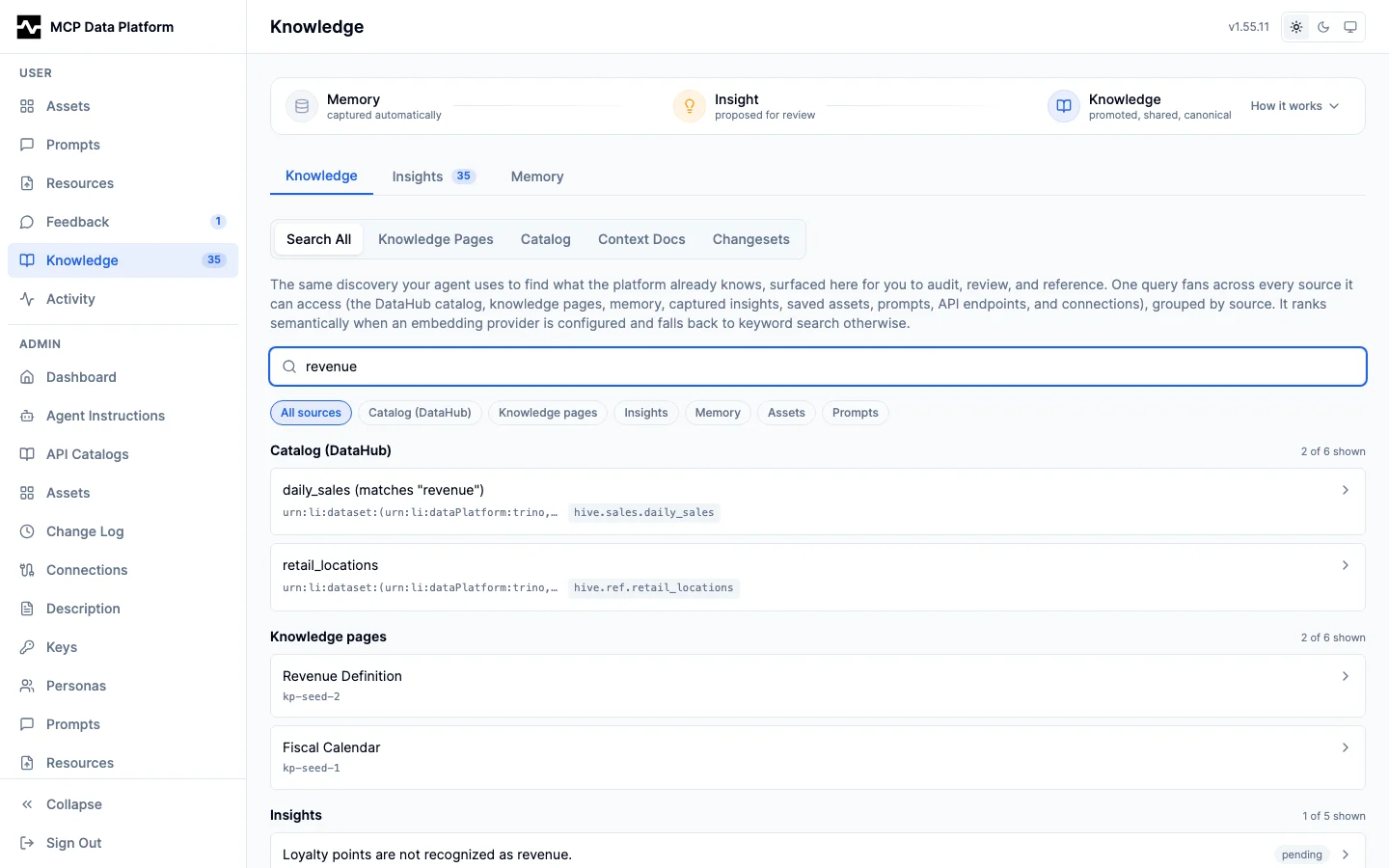
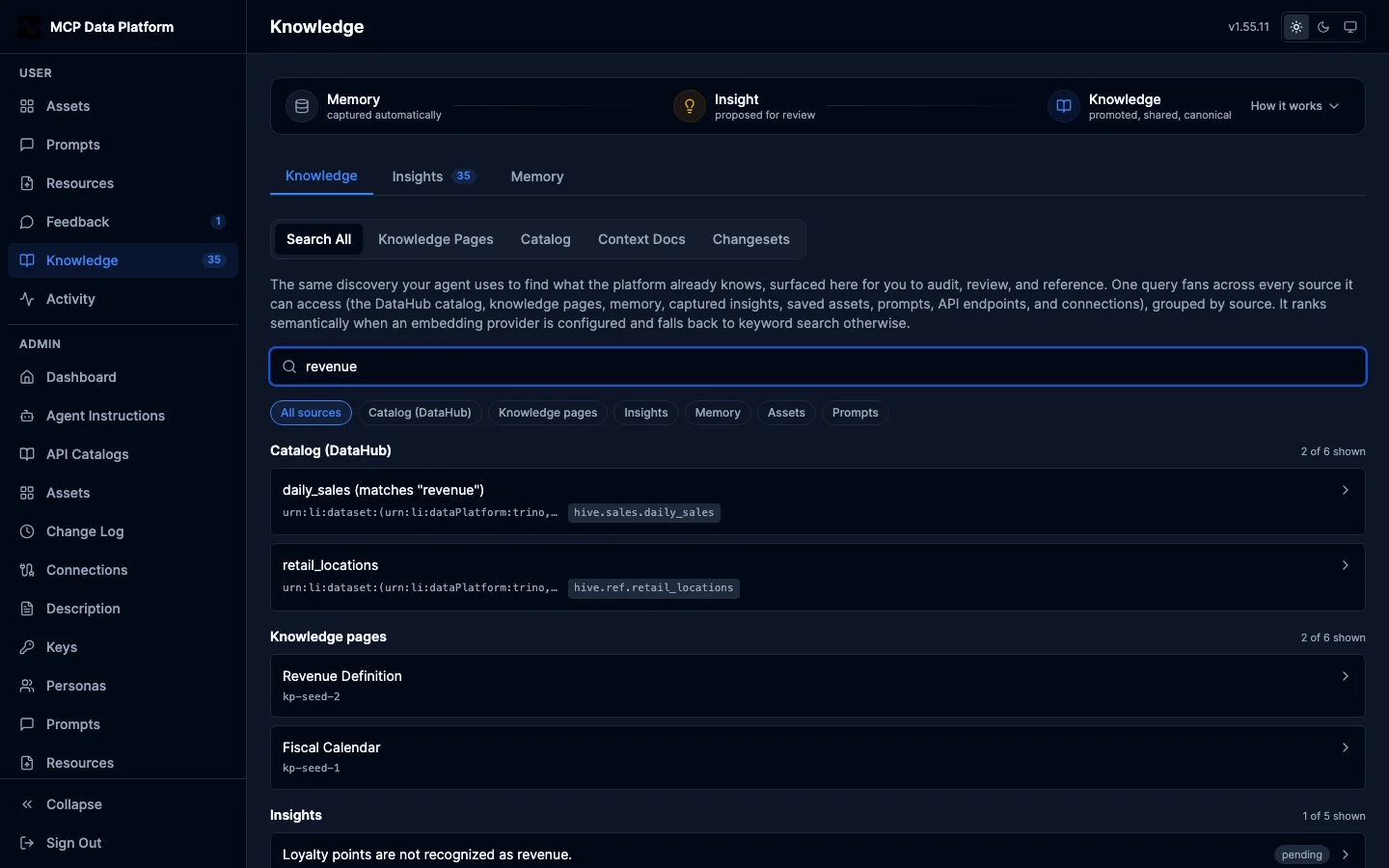
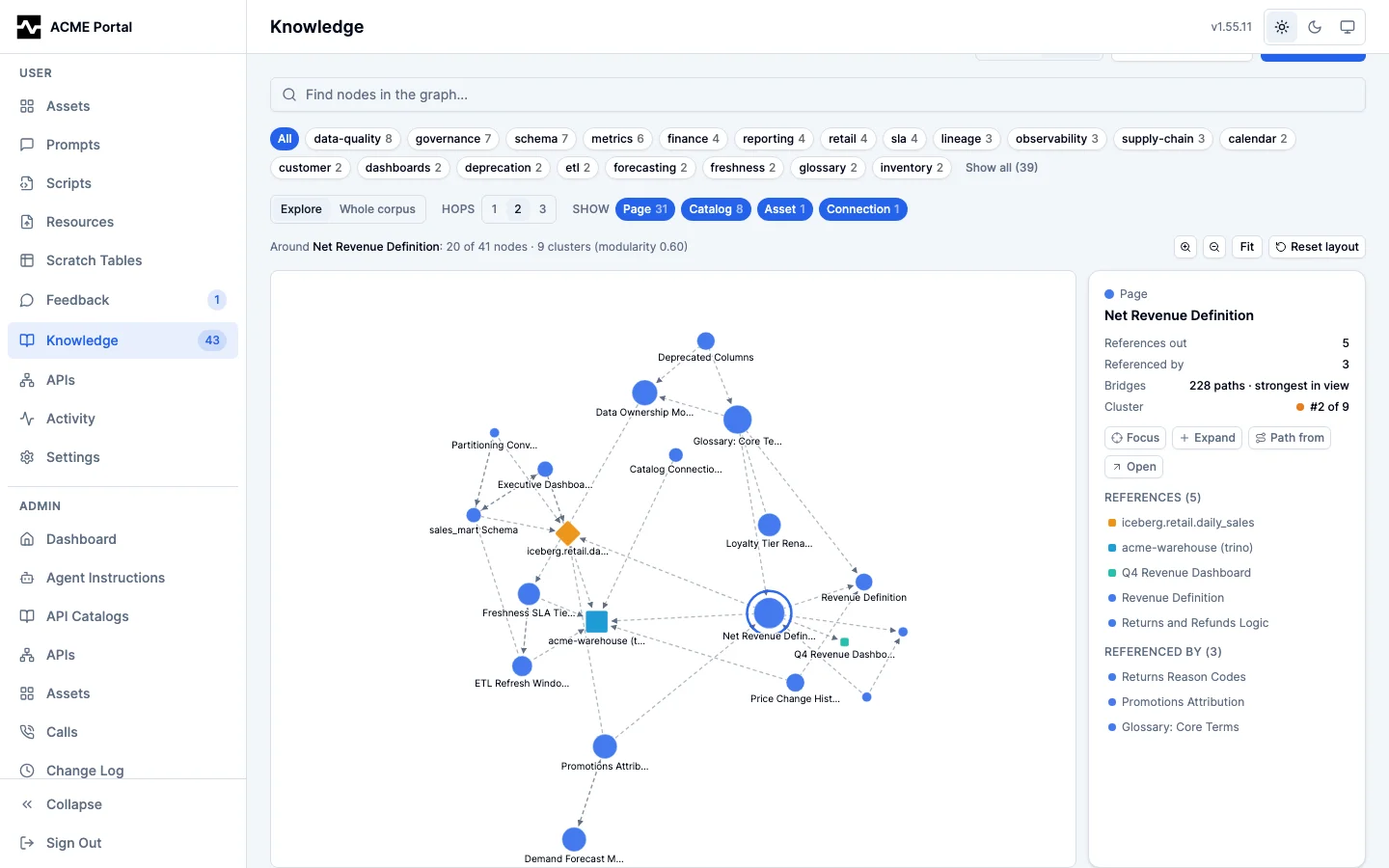
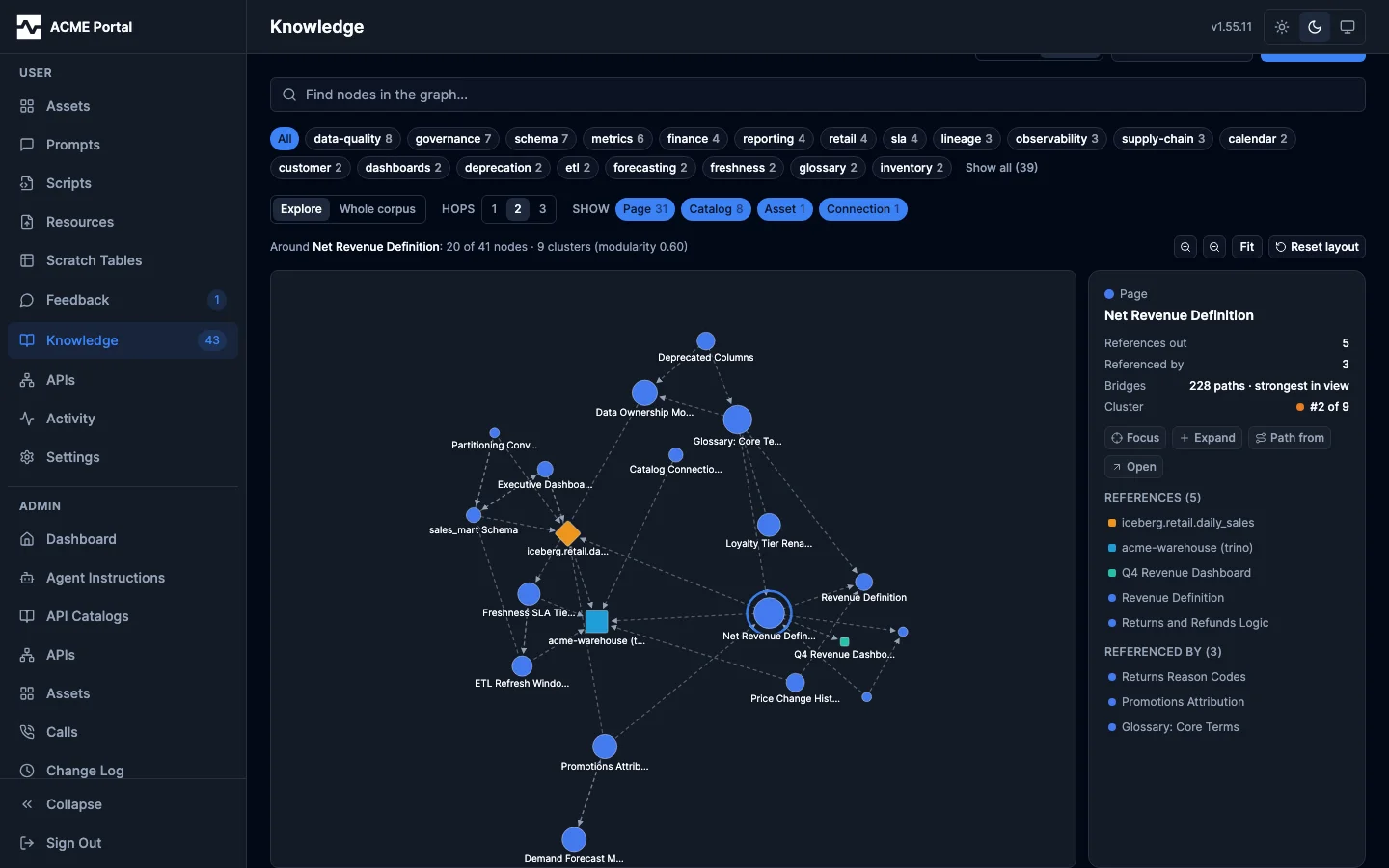
The portal's Knowledge section is where the three statuses become visible to a reader: the Knowledge tab holds what has been promoted, the Insights tab what is proposed, and the Memory tab what was captured automatically.
Applying an insight is what turns one person's capture into knowledge the organization holds, so applied is also the visibility boundary:
| Status | Who can find it with search and read it with fetch |
|---|---|
pending, approved |
Only the capturer. A capture under review is not yet something the organization asserts |
applied |
Every identified caller, attributed to the capturer through the hit's captured_by |
rejected, superseded |
Only the capturer, and only by asking for that status explicitly: retracted knowledge is dropped from ordinary discovery |
Two properties follow from this:
- No insight is public. Reaching applied insights requires an identified caller, so an anonymous visitor to a shared portal link never sees them.
- Discovery does not depend on the sink. Before this boundary existed, an applied fact reached other people only if it happened to land on a knowledge page, or if a tool result named the dataset it hung off; a fact applied to the catalog on a table the agent was not already looking at had no search-time route to anyone but its capturer.
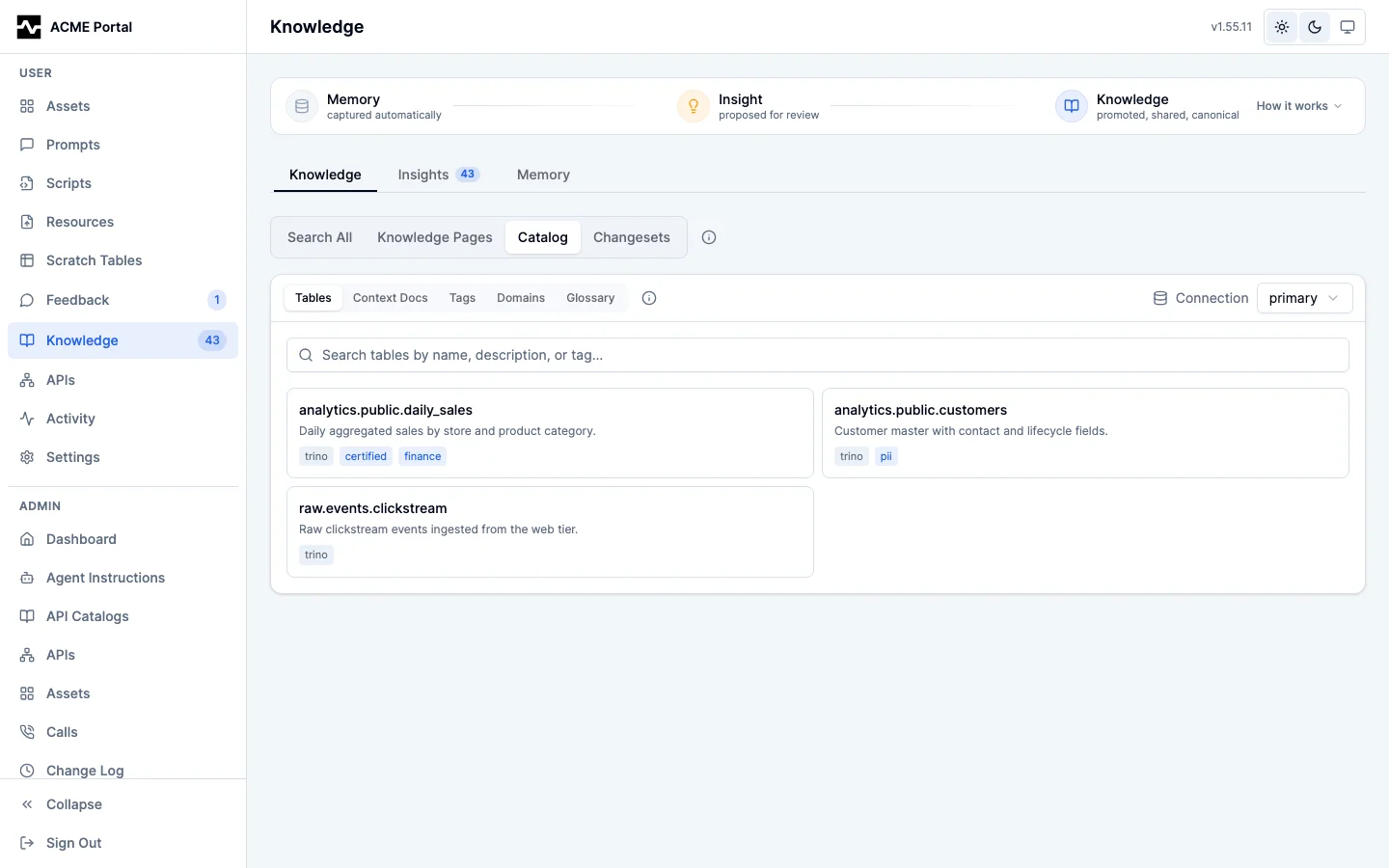
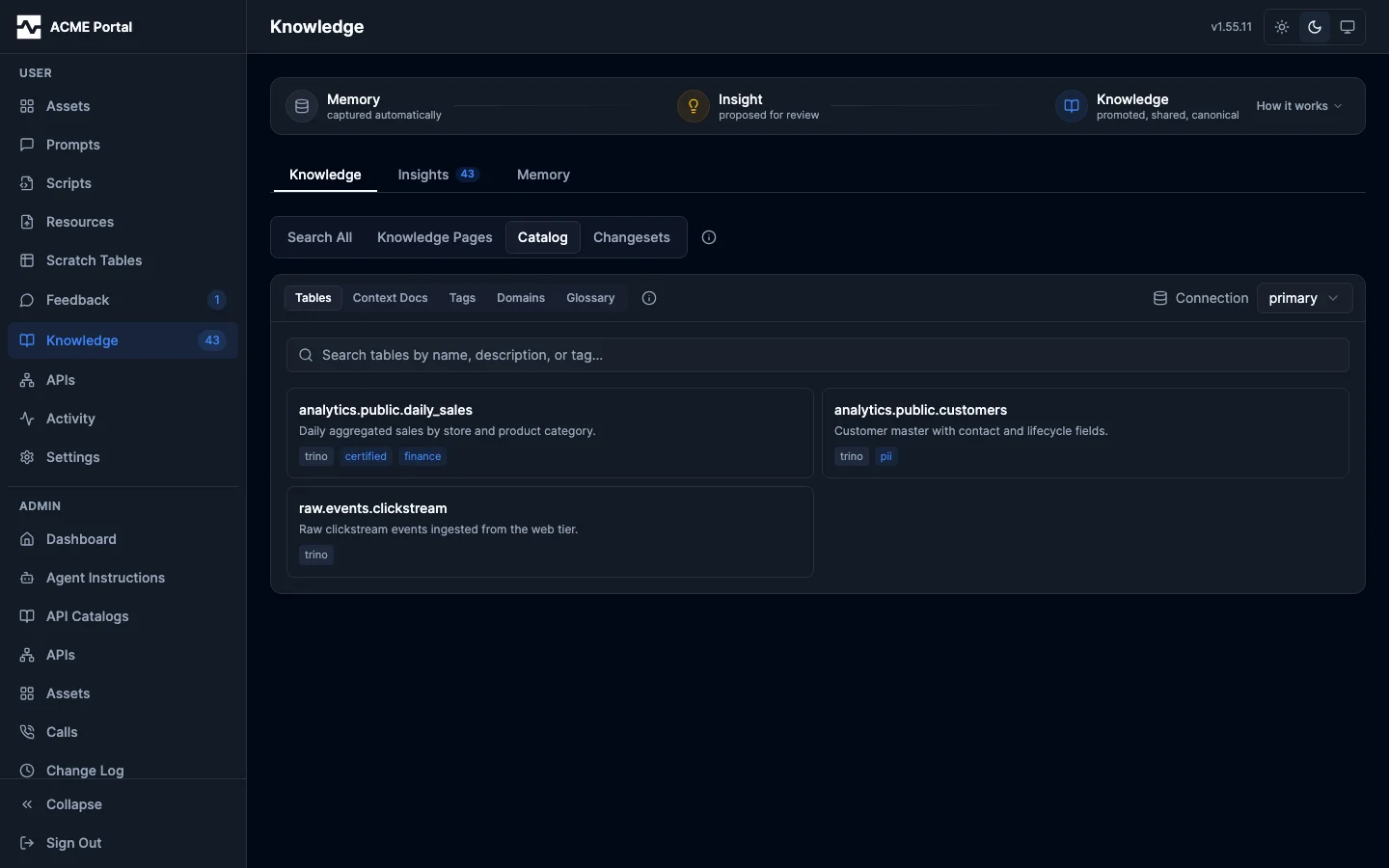
The Catalog view browses the same corpus by catalog entity for one connection -- tables, context docs, tags, domains and glossary terms -- rather than by the page that holds a fact.
Delivered insights say when they are checkable
An insight is a claim, and a delivered claim removes the consumer's reason to check it. When the platform can query the subject of a claim for itself, it says so: an insight whose linked catalog entity resolves to an available table is delivered with a verifiable block naming that table and the connection it lives on.
{
  "source": "insights",
  "ref": "i-9f2c",
  "text": "The orders table holds 1,140 rows for FY25.",
  "reference": "mcp:insight:i-9f2c",
  "entity_urns": ["mcp:dataset:(trino,warehouse,iceberg.retail.orders)"],
  "verifiable": {
    "urn": "mcp:dataset:(trino,warehouse,iceberg.retail.orders)",
    "query_table": "iceberg.retail.orders",
    "connection": "primary"
  }
}
The block appears on every surface that delivers an insight: search insight hits, the record fetch returns for mcp:insight:<id>, and the insight entries of the memory_context enrichment block pushed onto tool results. It says the claim's subject is one query away, not that the claim was checked — a claim linked to several entities names the first one that resolves.
It is additive and absent whenever nothing resolves: an insight linked to no entity, an entity the query provider cannot see, and a deployment with no query provider all deliver exactly the payload they always did. A plain memory record never carries it — a note is not a claim about the warehouse. Turn it off with knowledge.verifiable_insights: false.
The block is also topology, so it honors the persona connection boundary: an insight about a dataset on a connection your persona may not reach is still delivered (a colleague's conclusion about a warehouse you cannot query is exactly what shared knowledge is for), but with no verifiable block, and the platform never probes that connection on your behalf. Resolution asks only where an entity is queryable, never how many rows it holds, so the marker costs a catalog lookup rather than a COUNT(*) even where enrichment.estimate_row_counts is on; answers are remembered briefly, and a lookup that timed out or came back negative is retried much sooner than a positive one is refreshed.
How much of a page is searchable
All of it, at any size. A knowledge page's content (title, body, and tags) is embedded as a set of chunks rather than a single vector, each chunk sized to the embedding provider's per-text input budget (memory.embedding.ollama.max_input_bytes, default 6,000 bytes) and split on the page's own markdown section boundaries where it has them. Search ranks those chunks and scores each page by its best-matching one, so results stay page-granular while a fact buried at the end of a long runbook ranks its page exactly as a fact in the opening paragraph would. The same set of chunks backs the create-time near-duplicate gate, so a large page is compared in full rather than by its opening.
This is why the split suggestion (knowledge.pages.oversize_bytes) is a nudge and not a limit: splitting a sprawling page into focused, cross-linked pages is good for the reader and for progressive revelation, but leaving it whole costs no semantic reach.
Governance Workflow
Capture to catalog update:
sequenceDiagram
    participant Analyst
    participant AI as AI Assistant
    participant MCP as mcp-data-platform
    participant PG as PostgreSQL
    participant Admin

    Analyst->>AI: "The amount column is actually gross margin"
    AI->>MCP: memory_capture(type: schema_entity, ...)
    MCP->>PG: INSERT knowledge_insights (status: pending)
    MCP-->>AI: insight_id: a1b2c3...

    Note over Admin: Later, during review
    Admin->>MCP: apply_knowledge(action: bulk_review)
    MCP->>PG: SELECT pending insights
    MCP-->>Admin: 3 pending insights for orders table

    Admin->>MCP: apply_knowledge(action: approve, insight_ids: [...])
    MCP->>PG: UPDATE status = approved

    Admin->>MCP: apply_knowledge(action: synthesize, entity_urn: ...)
    MCP->>PG: Read the entity's catalog curation
    MCP-->>Admin: Proposed changes with current vs suggested values

    Admin->>MCP: apply_knowledge(action: apply, changes: [...], confirm: true)
    MCP->>PG: Write the description and tags in one transaction
    MCP->>PG: INSERT knowledge_changesets (the catalog change ids, for rollback)
    MCP->>PG: UPDATE insights status = applied
    MCP-->>Admin: Changeset cs_x1y2z3 recorded
This is a human-in-the-loop metadata curation workflow. Insights captured by any user go through admin review before modifying the catalog. Every change is tracked with a changeset that records previous values for rollback.
Where an approved insight goes
apply_knowledge action=apply routes to one of three homes, chosen by the sink argument at apply time rather than frozen at capture. The capture-time sink-class is a hint, not a binding.
sink |
Home | Choose it when |
|---|---|---|
catalog (default) |
A platform catalog entity's description, tags, glossary terms, curated queries and other curation | The fact is anchored to one dataset or column (the insight carries entity_urns) |
knowledge_page |
A canonical portal knowledge page, found-or-created by slug |
The fact is business or domain knowledge not tied to one entity: vocabulary, seasonal date ranges, a procedure |
agent_instructions |
The deployment's own customized agent instructions, found-or-created by section heading | Every future session on this deployment must know it before it does anything |
All three record a changeset, are listed by action=list_changesets, and revert through action=rollback. The target URN says which home a changeset belongs to: a catalog mcp: reference, kp:<slug> for a page, ai:<section> for an instruction section.
A promotion that wrote a knowledge page reports portal_url, where a person reads that page, and repeats it in the response message. The address is composed by the platform from the deployment's public portal address, so the link an agent hands over is not one it guessed. A deployment that declared no public address reports no portal_url. The page route resolves a page's id or its slug, in that order, which is the order fetch resolves an mcp:knowledge_page: reference in, so the slug the platform's own text names a page by is also an address that opens it.
The third sink: the deployment's own operating rules
Some knowledge is neither a fact about a dataset nor a document to read on demand. It is a rule about how to work here -- which engine holds what, an engine-specific gotcha, a hard prohibition -- and it has to be in front of an agent before the agent picks a tool. That is the customized half of agent_instructions (server.agent_instructions), which platform_info composes beneath the platform's own baseline in every session's first response.
{
  "action": "apply",
  "sink": "agent_instructions",
  "insight_ids": ["a1b2c3..."],
  "confirm": true,
  "instructions": {
    "section": "OpenSearch aggregations",
    "body": "Aggregations go through raw_query; the SQL surface cannot express them."
  }
}
What the promotion does:
- Writes one section.
sectionis the find-or-create key. A second promotion of the same section rewrites that section and leaves every other section of the document byte-identical, so correcting one rule never means resending the document around it. The edit runs through the same anchored-edit engine behindmanage_asset patchandmanage_script patch. - Records a changeset under target
ai:<section>, so the promotion is listed bylist_changesetsand reverts withrollback, restoring the previous text byte for byte. A rollback is refused when the layer was written again after the promotion, so it never clobbers a later edit. - Refuses a rule naming a tool this deployment does not register, naming the tool. The check derives its recognizable prefixes from the deployment's own registered inventory rather than from a fixed list, so it catches a retired
api_,manage_,memory_orsave_name as readily as atrino_one. - Diverts a long body to a knowledge page. Over 1,500 bytes the body is written as a knowledge page (slug and title defaulted from the section) and the section keeps a single
mcp:knowledge_page:<slug>index entry pointing at it, in the same form the platform baseline's own page index uses. Both halves are one changeset, so one rollback undoes both. This is what keeps the layer a short table of contents over a small number of hard rules rather than a document that only grows. - Respects the layer's byte bound. A promotion that would push the layer past its limit is refused before anything is written, naming the size, the limit, and knowledge pages as the home for the content; a promotion that clears the limit but passes the advisory succeeds and carries a
size_notice. See Configuration.
The sink needs a database-backed config store, which is where the layer lives. Without one, a promotion is refused with sink=knowledge_page named as the alternative rather than reporting a success that recorded nothing.
Route domain knowledge to knowledge_page. The instruction layer should carry at most a pointer to it.
Configuration
| Field | Type | Default | Description |
|---|---|---|---|
knowledge.enabled |
bool | false |
Enable the knowledge review and write-back toolkit (apply_knowledge). Knowledge capture lives in the memory toolkit (memory_capture) and is enabled with the memory layer, not this flag |
knowledge.apply.enabled |
bool | false |
Enable the apply_knowledge tool for admin review and catalog write-back |
knowledge.apply.require_confirmation |
bool | false |
When true, the apply action requires confirm: true in the request |
knowledge.verifiable_insights |
bool | true |
Deliver a verifiable block on an insight whose linked entity resolves to a queryable table, on every delivery surface. Inert without a query provider; set false to deliver insights with no marker |
Prerequisites
Knowledge capture requires database.dsn to be configured for PostgreSQL storage. Because capture now lives in the memory toolkit (memory_capture), it also requires the memory layer enabled. Memory defaults on when a database is configured; setting memory.enabled: false disables capture. The apply_knowledge tool requires the admin persona.
Persona Integration
Control who can capture and apply knowledge through persona tool filtering:
personas:
  analyst:
    display_name: "Data Analyst"
    roles: ["analyst"]
    tools:
      allow: ["*"]                # includes search, fetch, memory_capture
      deny:
        - "apply_knowledge"       # Cannot apply changes
    connections:
      allow: ["*"]

  admin:
    display_name: "Administrator"
    roles: ["admin"]
    tools:
      allow: ["*"]                # Full access including apply_knowledge
    connections:
      allow: ["*"]

  etl_service:
    display_name: "ETL Service"
    roles: ["service"]
    tools:
      allow:
        - "platform_info"
        - "search"                # required: the search-first gate refuses
        - "fetch"                 #   trino_query until search has been called
        - "trino_*"
      deny:
        - "memory_capture"        # Automated processes should not capture
        - "apply_knowledge"
    connections:
      allow: ["*"]
Insight Sources
Insights track where the knowledge came from via the source field:
| Source | Description | Example |
|---|---|---|
user |
Knowledge shared by the user during conversation (default) | User says "The amount column is gross margin, not revenue" |
agent_discovery |
Knowledge the AI agent figured out independently | Agent samples data and discovers a column contains ISO country codes |
enrichment_gap |
Metadata gap flagged for admin attention | Table has no description and the agent cannot determine its purpose from the data |
The source field is optional when calling memory_capture. When omitted, it defaults to user.
The query that answered the question
A capture can also name the calls it confirms. Every query and API invocation
returns its own call_id, and memory_capture takes those ids in sources.
That is not bookkeeping: it is the agent's verdict on its own query. The named
call record becomes satisfied with the
capture as its route, and enters the review queue that promotes it to a Query
entity in the catalog. Without it, the most valuable queries would be the ones
the platform never learns about, since a refined statement that answers a
question in conversation and is never saved as an asset leaves no other trace.
The route deliberately costs a description rather than a checkbox. An agent grading its own query for free would grade every query; writing what the query answers and what to watch out for is what makes the record worth finding, and what a reviewer reads before publishing it. A stranger's later re-run of the same statement (recorded as the record's reuse count) is the independent confirmation the self-report is not.
Recalling a session
A call is one step; the work is the session. An agent recalls its own past work the way a person does — by what it was for, not by an id it kept (#1322):
searchcarries asessionssource over the caller's own sessions, matched against the purposes their calls stated and the names of the assets they saved. A hit carries anmcp:session:<id>reference.fetch mcp:session:<id>opens one: its summary, the assets and insights it produced (each as a reference to follow), and its call timeline in order. Every call carries the purpose stated for it, and a call the catalog recorded also carries its kind, its outcome, and themcp:call:reference that reads the record in full. A call with no record — discovery, portal work — is still on the timeline, because it is part of what the session did, and simply carries nothing to fetch.fetch mcp:asset:<id>now returns the session that produced the asset as an outbound reference, so a result leads back to the work behind it.
Both are scoped in the read itself: a session is derived from the calls one caller made, so another caller's session id is answered exactly as an id that never ran. The same read model serves the portal's My Sessions, so what an agent recalls and what its owner opens are the same session.
Feedback Bridge
Human feedback threads (left from the portal UI on an asset, collection, prompt, or knowledge page) connect to the knowledge loop, so an agent can resolve a thread by capturing the insight it represents and the chain stays visible end to end: thread → insight → changeset → target_urn.
Resolving a thread into an insight. memory_capture accepts an optional thread_ids array. When supplied, each named thread has its insight_id set, an insight_linked event appended to its timeline, and its status moved to resolved. Linking is authorized with the same owns-or-edit check as manage_feedback resolve: a thread the caller could not resolve (one on a target they neither own nor can edit) is refused and reported as unlinked, so memory_capture is not a back door around the access model. The call is best-effort (a link failure never fails the capture) and the result reports the outcome so the agent can detect a mistyped, unauthorized, or already-resolved thread:
| Field | Meaning |
|---|---|
linked_thread_count |
how many of the supplied thread_ids were linked |
unlinked_thread_ids |
the thread_ids that matched no open thread (omitted when all linked) |
Both fields are omitted entirely when thread_ids is not supplied, so a capture without threads is unchanged.
Working threads from the agent. The dedicated manage_feedback tool gives agents a discoverable home for feedback: list (with no target = all pending feedback across the assets and collections the caller owns or can edit AND the general channel, unresolved, excluding their own threads, plus any awaiting their validation; with a target = threads on that one asset/collection/prompt, filterable by status, requires_resolution, validation_state), get, reply, resolve, request_validation, and respond_validation. These are scoped to the assets and collections the caller owns or can edit (admins see all; standalone/general threads are readable by any authenticated caller and moderated by the thread author or an admin). Calling list with no target is the "review and act on any pending feedback" entry point.
Reading the chain. GET /api/v1/portal/threads/{id}/chain returns the resolved chain for a thread: its insight_id and the changesets that insight produced (each with target_urn, change_type, and rollback state). The portal feedback panel renders this as a "Knowledge chain" section on a resolved thread.
Validation & Sign-off
The loop closes with SME validation and worklists so nothing is dropped.
Validation response. After request_validation routes a request to the feedback author, that author confirms or disputes it: manage_feedback action=respond_validation (with validation_result = validated|disputed and an optional validation_reason), or POST /api/v1/portal/threads/{id}/validation from the portal. Both record a validation_result event and set validation_state; disputing re-opens the thread so it returns to the practitioner worklist. Only the feedback author (or an admin) may respond.
Worklists / inbox. Two self-scoped views:
GET /api/v1/portal/worklist/practitioner: open, resolution-required threads across every asset and collection the caller owns or can edit.GET /api/v1/portal/worklist/sme— threads awaiting the caller's validation (validation requests routed back to them).
Sign-off aggregation. GET /api/v1/portal/assets/{id}/signoff and .../collections/{id}/signoff return signed_off (N: distinct users who left an approval event on the asset's threads) of stakeholders (M: the owner plus active share grantees). The portal renders this as "signed off by N of M".
AI Agent Guidance
The toolkit registers an MCP prompt called knowledge_capture_guidance that tells AI assistants when to capture insights. The prompt covers:
When to capture (user-provided):
- User corrects a column description, table purpose, or data interpretation
- User explains what data means in business terms not captured in metadata
- User reports data quality issues or known limitations
- User shares tips on how to query or interpret data correctly
- User explains connections between datasets not captured in lineage
- User suggests improvements to existing documentation or metadata
When to capture (agent-discovered):
- Agent discovers what a column means by sampling actual data (set
source: "agent_discovery") - Agent finds join relationships not documented in lineage metadata
- Agent identifies data quality patterns (nulls, outliers, encoding issues)
- Agent resolves ambiguous column names by examining values
- Agent encounters metadata that is missing or clearly wrong and cannot resolve it from the data (set
source: "enrichment_gap")
When to ask the user instead:
- Enrichment is insufficient and the agent cannot resolve it from the data alone
- Multiple interpretations are equally plausible
- The insight would have high impact (e.g., PII classification, deprecation status)
When not to capture:
- Transient questions or debugging ("why is my query slow?")
- Personal preferences ("I prefer using CTEs")
- Information already present in the catalog metadata
- Vague or unverifiable claims without specific context
- Trivially obvious gaps without adding what the data actually means
- Speculative interpretations without evidence from querying
- The same gap repeatedly within a session
The prompt is available via prompts/list and prompts/get in the MCP protocol.
Next Steps
- Governance Workflow -- review process, synthesis, applying changes, changeset tracking, and rollback
- Admin API -- REST endpoints for managing insights and changesets
- Audit Logging -- all knowledge tool calls are audit logged
- Personas -- control access to knowledge tools via personas