Sessions and Calls
Two views over the same audit rows: grouped into the sessions that produced them, and listed as the individual calls.
Sessions
The Sessions page is the platform's work, grouped by who was doing it. The Events tab answers "what happened on the platform"; this answers "what was this person working on".
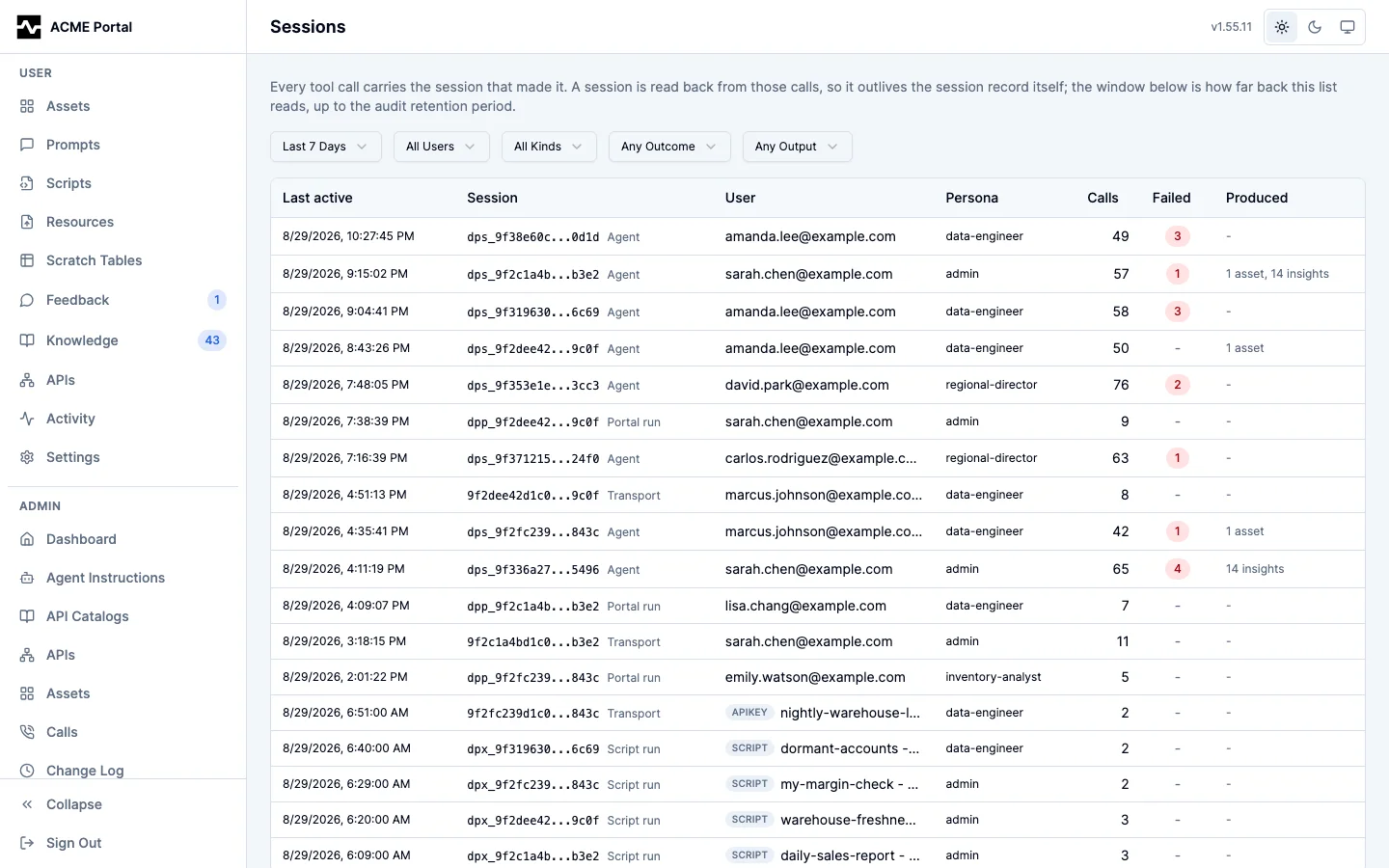
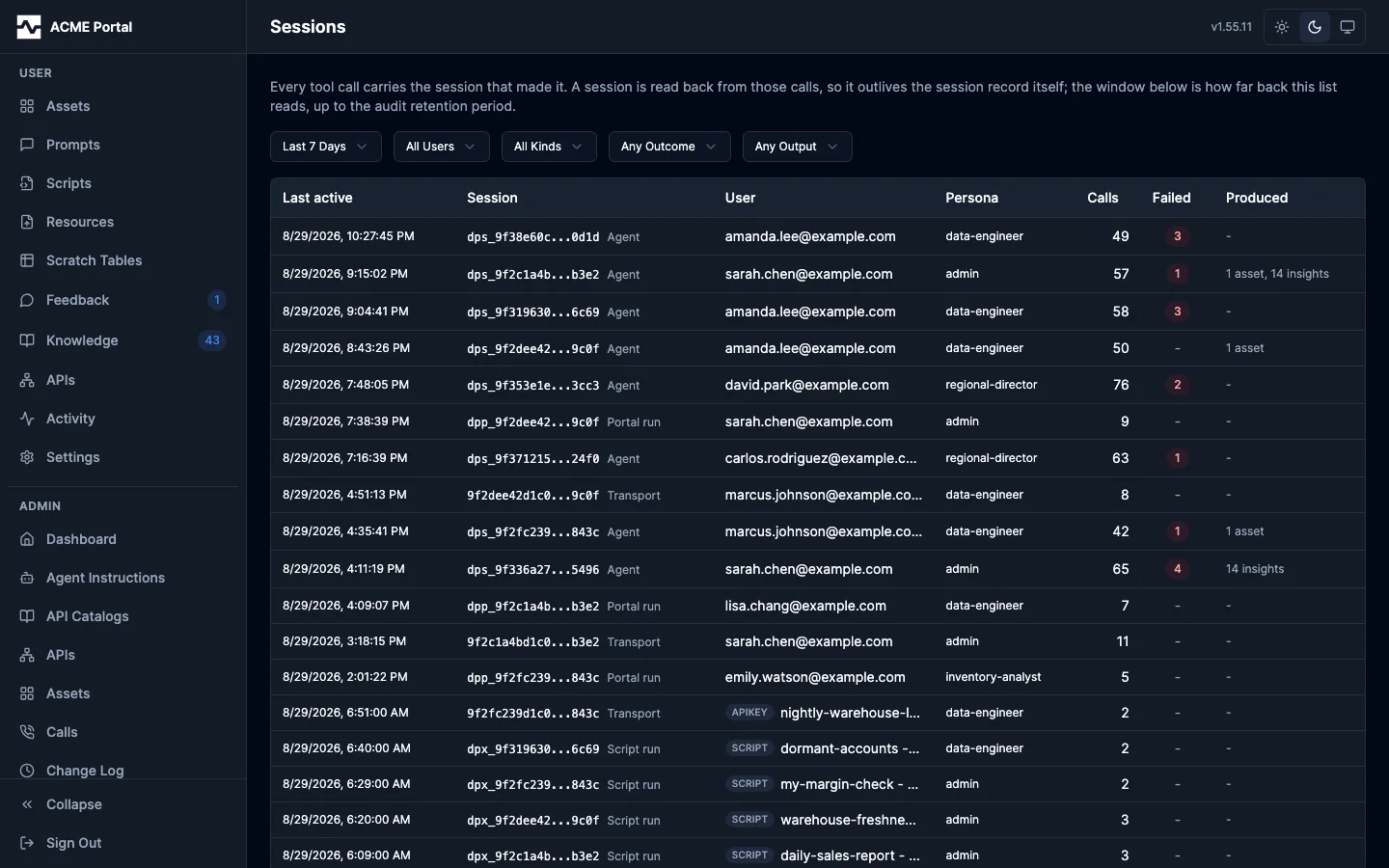
A session is read back from the audit log rather than stored, so the list outlives the session record itself and reaches as far back as audit retention. Each row carries when the session was last active, its id and kind (Agent, Portal run, Script run, Transport — see the kinds), the caller and the persona they worked as, how many calls it made, how many failed, and what it produced. The caller is the principal, so a script run's session reads as that script rather than as its owner. Filters narrow by user, kind, sessions with failures, and sessions that saved assets.
The first facet is the time window, and it is a control rather than a hidden default: the list rolls up every event in range, so it opens on the last 7 days and offers 24 hours, 30 days, and all time. Widening it is the reader's choice, and nothing is withheld without saying so.
Clicking a row opens the session.
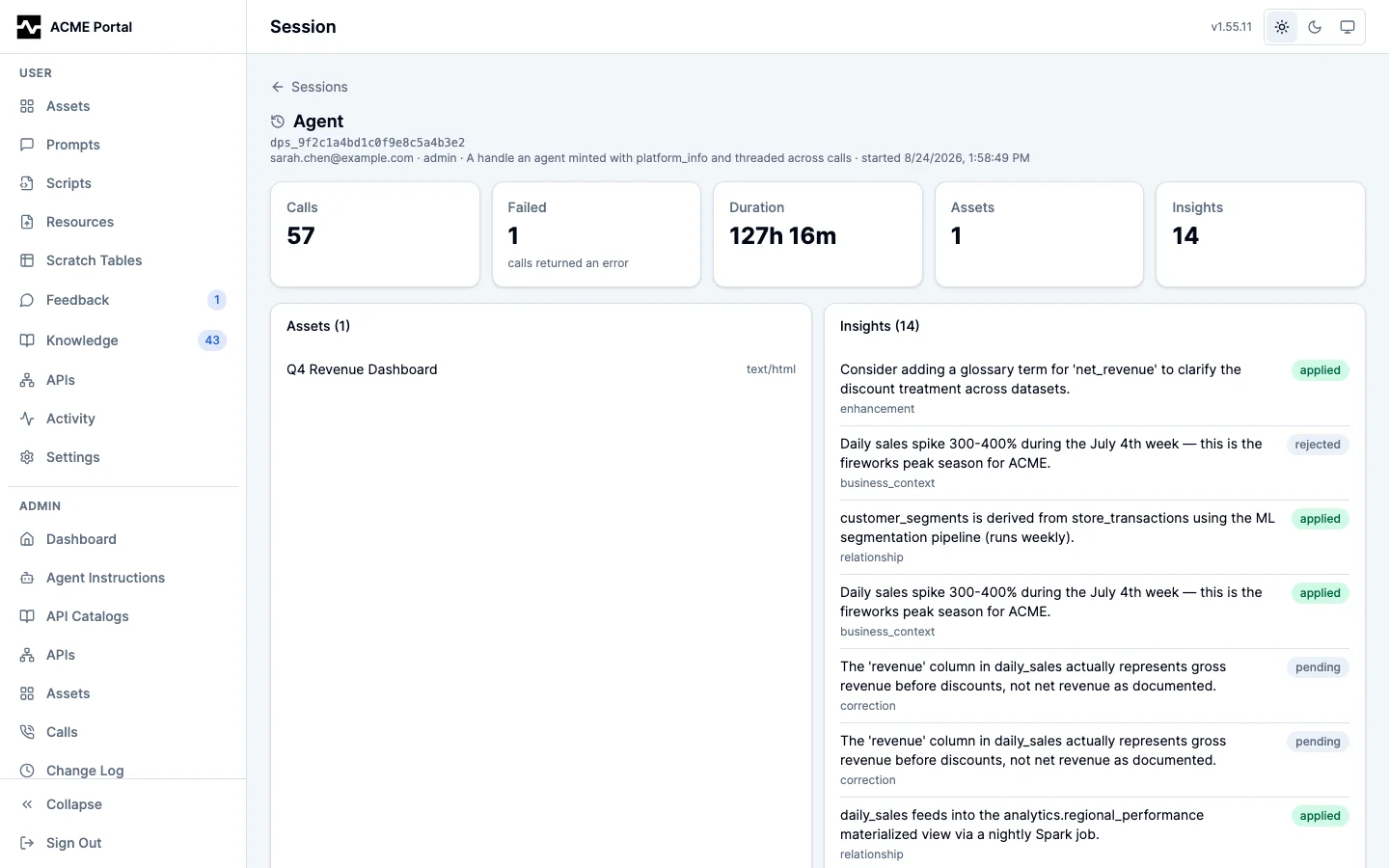
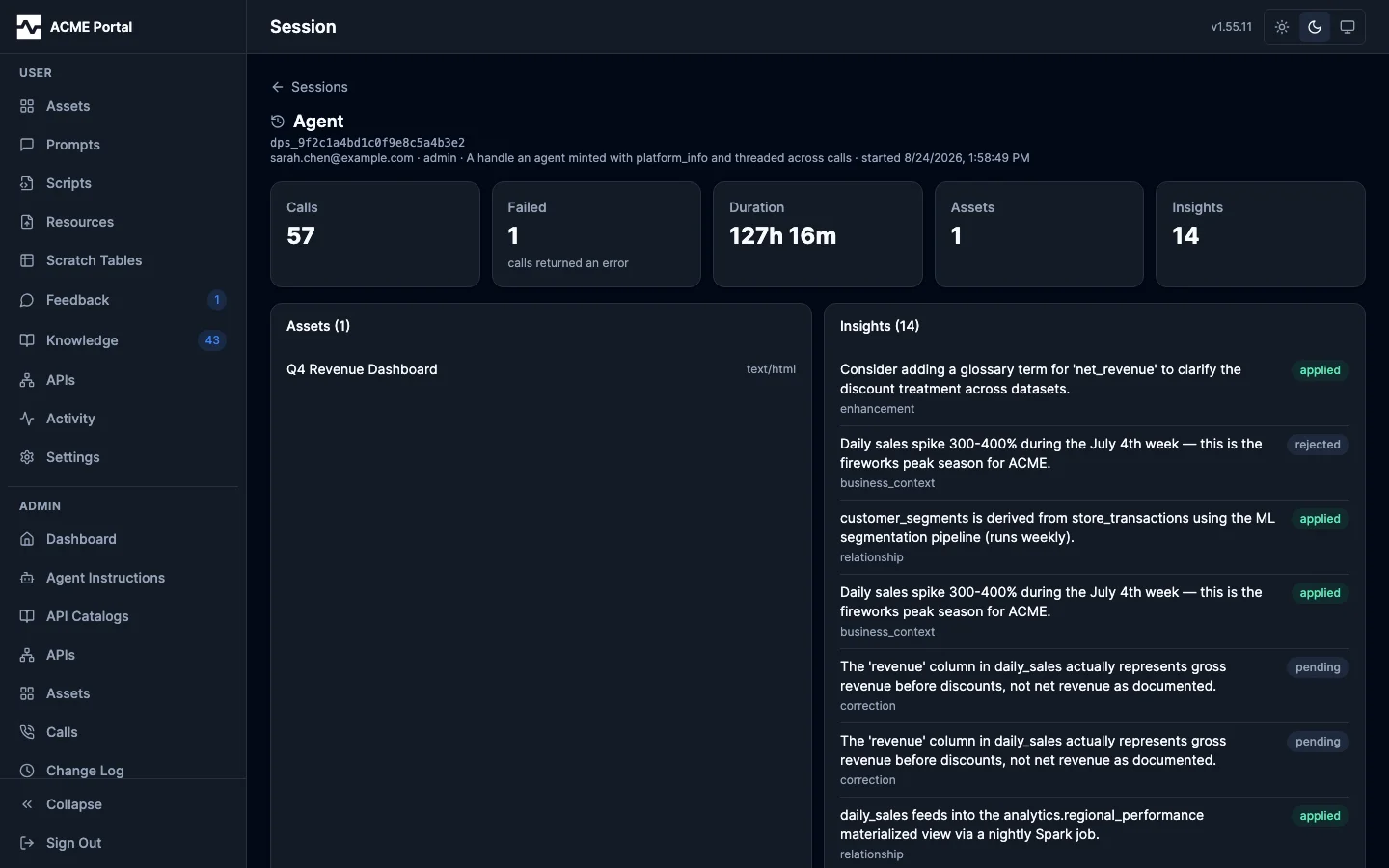
The detail opens on the identity line — who ran it, as what, and when it started — then five figures: calls, failures, the wall-clock span from first call to last, and the assets and insights it produced. Below them:
- Assets — What the session saved, opening in the admin asset viewer.
- Insights — What it captured, each with the review status it is sitting at.
- Timeline — Every call in the order it was made, showing the purpose the agent stated, the tool, the connection, the outcome, and the duration. Clicking a row opens the same event drawer the Events tab opens, so a call reached from a session reads exactly as it does from the log.
Calls
The Calls page is every data-access call the platform recorded, across every caller: each query against a query engine and each invocation through the API gateway, with the reason its caller stated and what came of the result. Where Sessions answers "what was this person working on", this answers "which queries actually earned their keep".
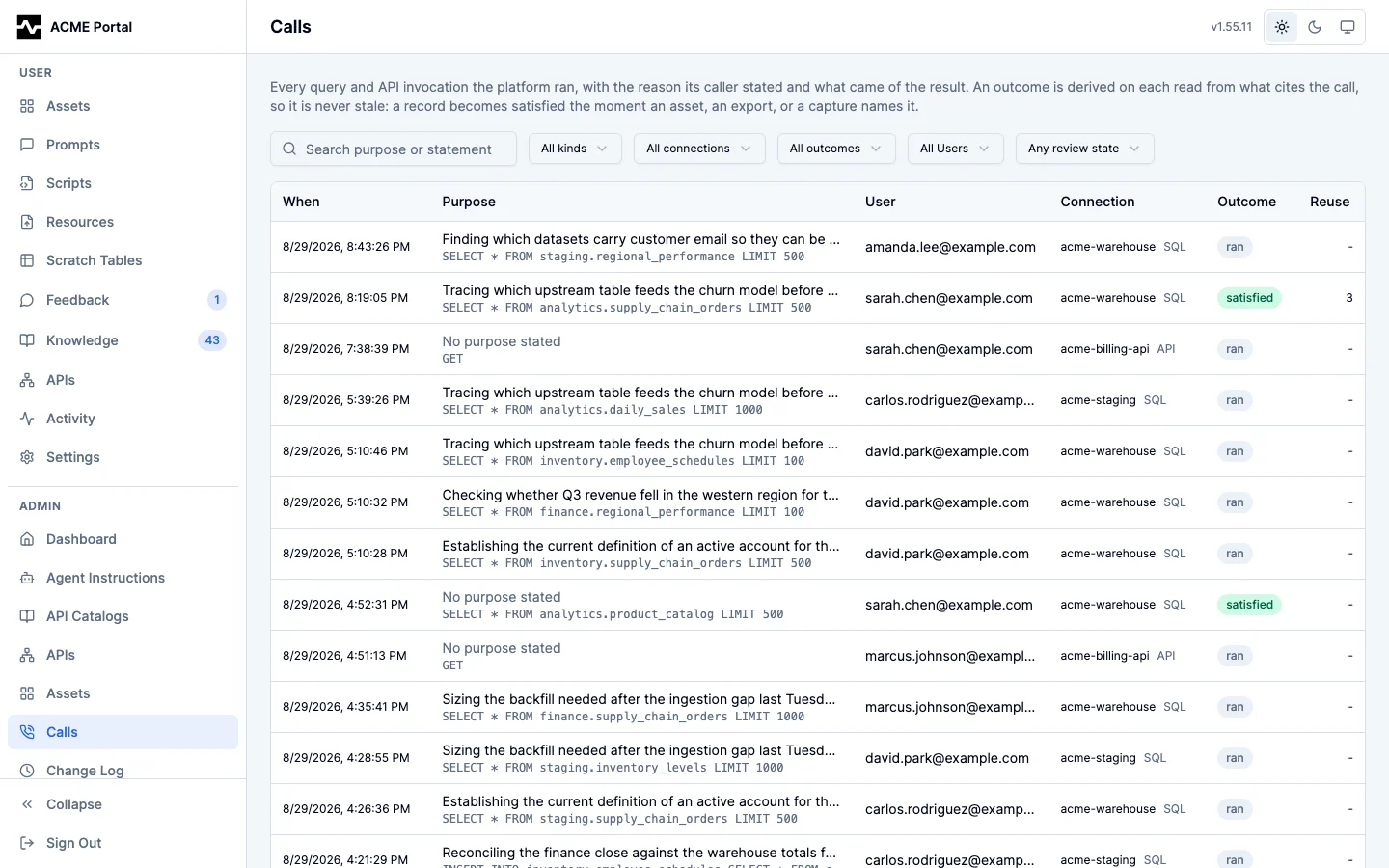
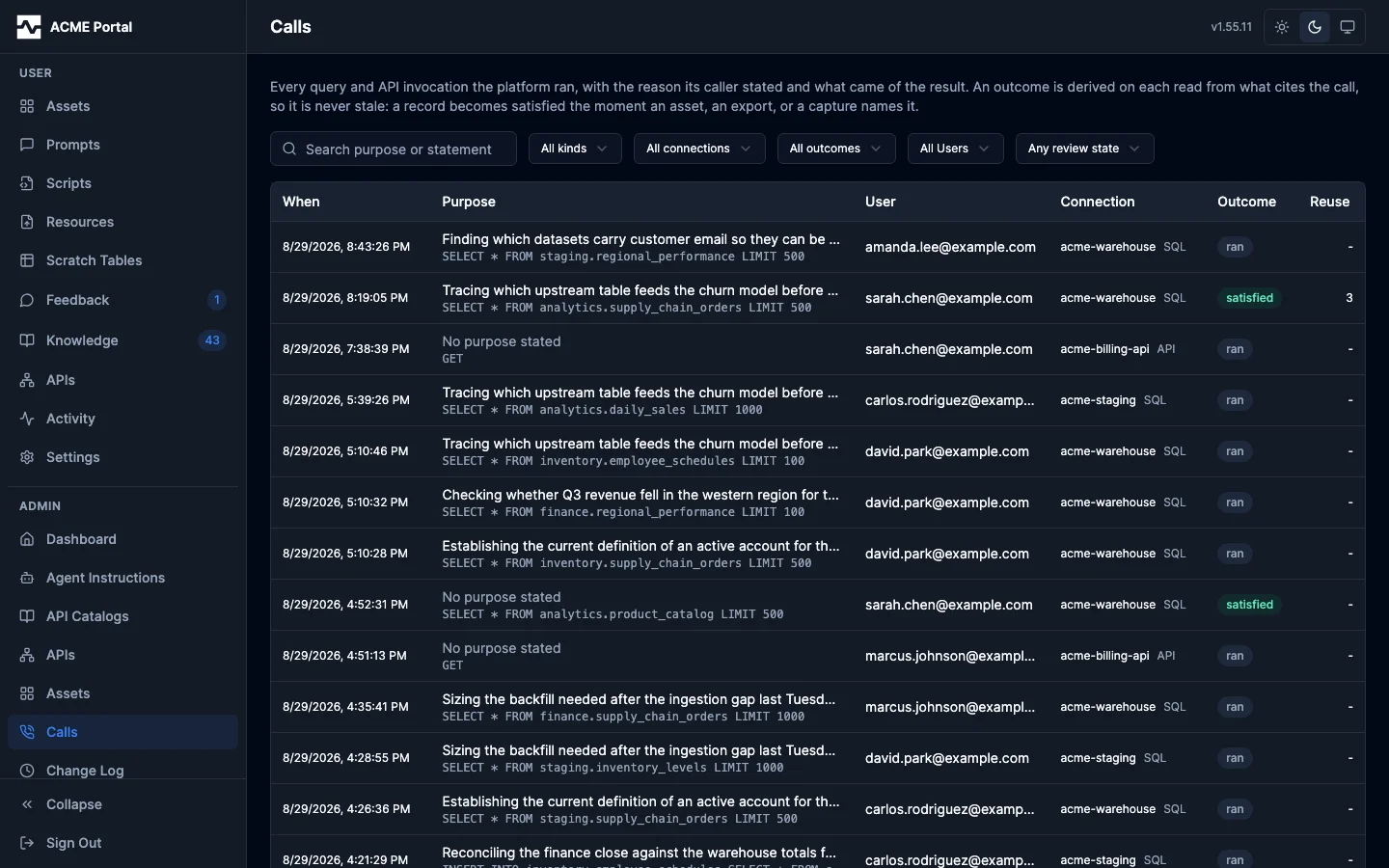
A record is derived from the audit log and kept in its own table, because the two are kept for different reasons: audit retention is the deployment's history window, while a query worth reusing is worth keeping as long as it is worth running. What is not stored is the outcome. satisfied, failed, superseded and ran are computed on every read from the call's own result, from whatever later named it, and from what the same session read afterwards, so an outcome can never disagree with the asset or the capture that gives it meaning. The four are defined in the user portal's My Calls.
Filters narrow by user, kind (SQL or API), connection, outcome, and free text over the purpose and the statement. As on the other two lists, the user facet and the User column name the principal that made the call. Awaiting review is the review queue: the records that answered something and carry no decision yet, ordered by reuse first, because a query a stranger re-ran is better evidence than one its own author vouched for.
Clicking a row opens the record.
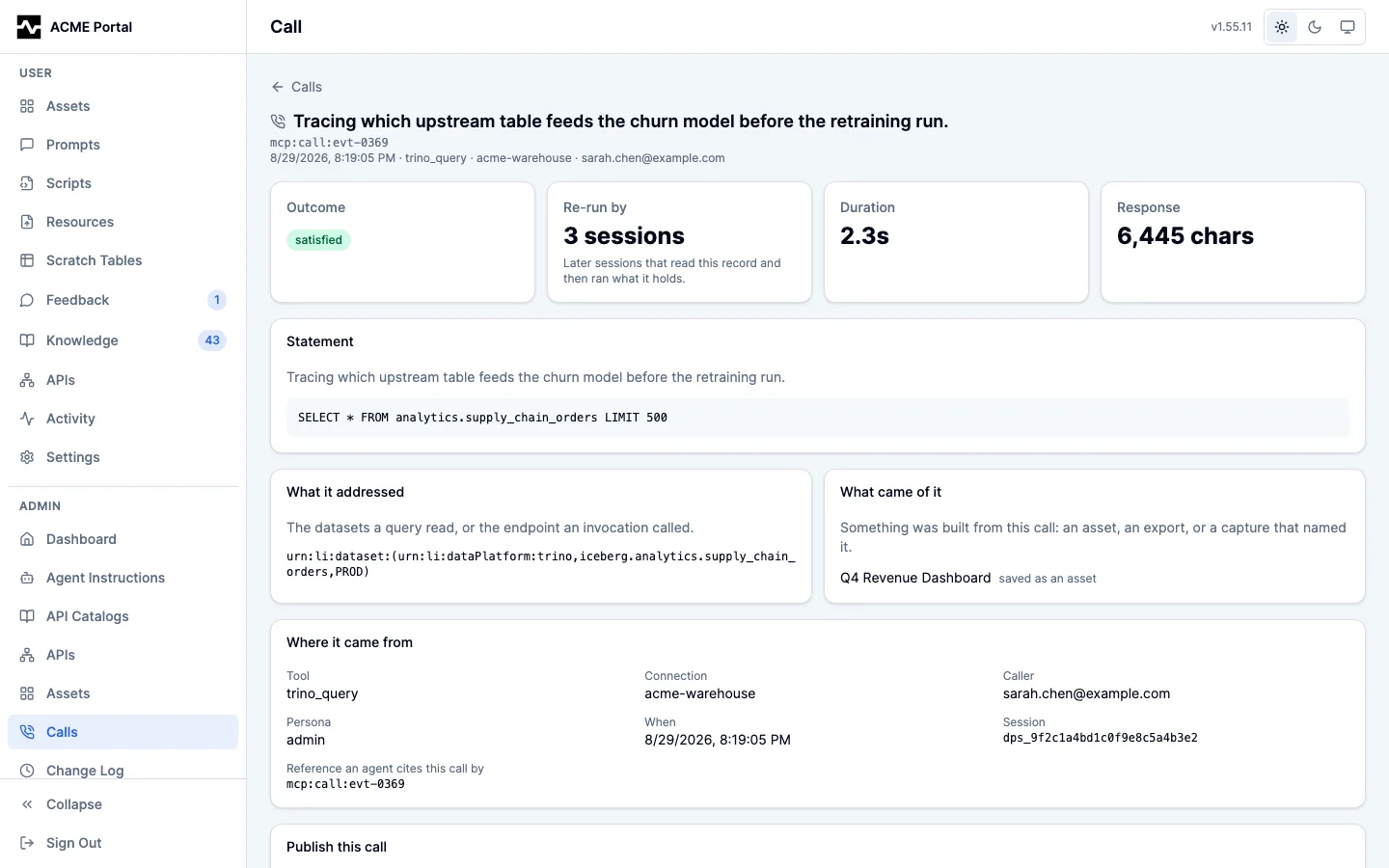
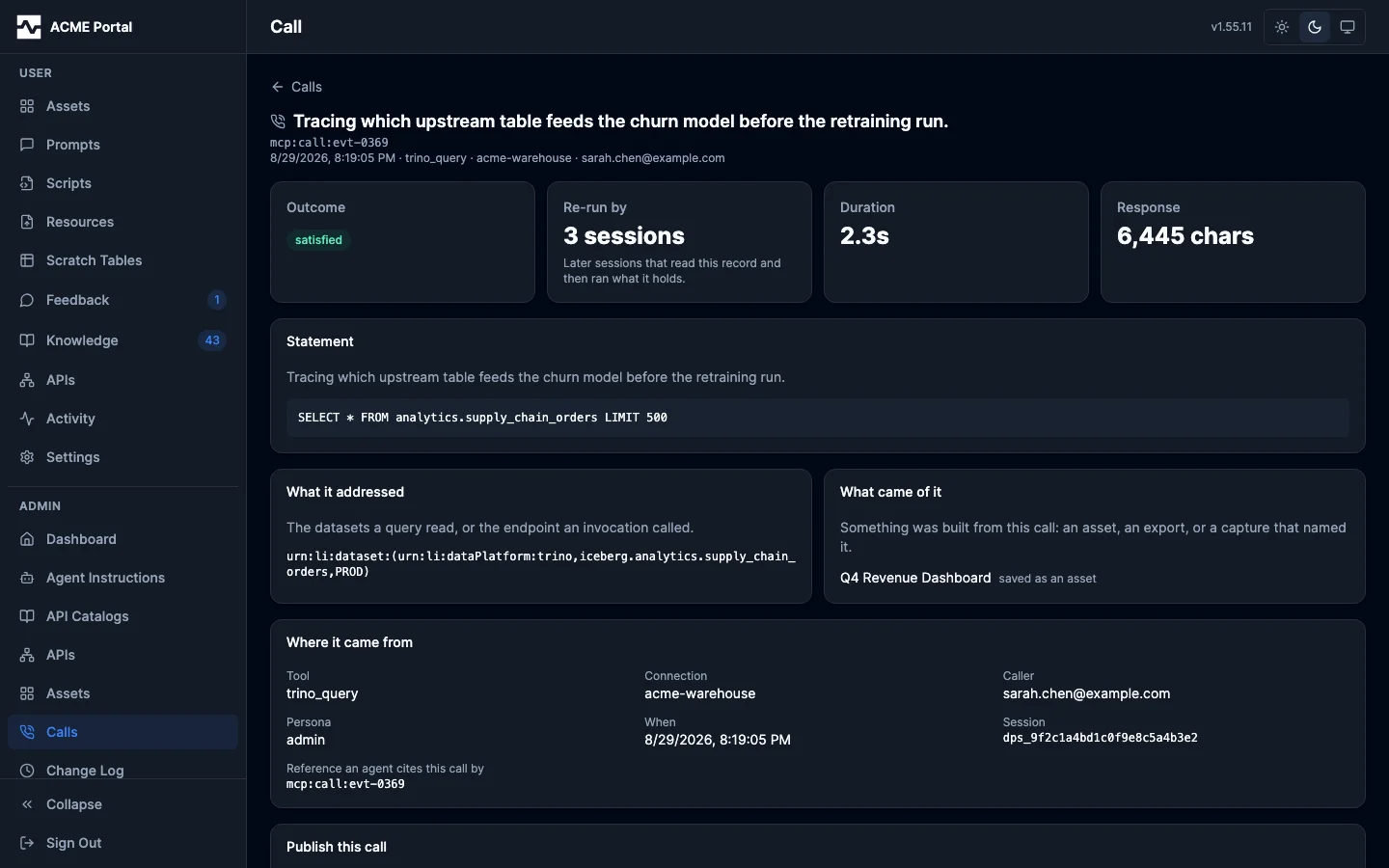
The detail opens on the outcome, the reuse count, the duration and the response size, then the statement or request line, the datasets it addressed, what was built from it, and the session that ran it (opening the session detail above). The reference an agent cites the call by (mcp:call:<id>) is on the record, which is also what fetch dereferences.
A satisfied record can be published:
- A SQL record becomes a curated query on every dataset the statement reads in the platform catalog, rather than on one of them, through the same catalog write
apply_knowledgeuses. The name comes from the stated purpose; the description carries the purpose, the session it came from, and how many later sessions re-ran it. - An API record becomes a saved example on its endpoint, keyed by connection, which the next agent sees when it reads that endpoint's schema.
A record that is not worth publishing is declined with a note, and stops being offered. A deployment with no platform catalog refuses a SQL promotion rather than reporting one that persisted nothing, and so does a statement none of whose datasets the catalog holds.
The catalog is written from the audit pipeline, so it exists exactly where audit does: a deployment with no database, or with audit.enabled: false, records no calls and serves no call pages.
Records are swept by what they came to rather than by age alone. A record that answered something, was promoted, was declined, or was re-run by another session is kept for as long as the deployment runs; a query that ran and came to nothing ages out after calls.retention_days (90 by default).
A deployment can also declare that a persona is machinery, by checking Service account on the persona (or naming it in calls.exclude_personas): an automated system driving ingestion through the same tools people use writes a record per fetch that nobody re-runs, and those calls are then audited exactly as before and never cataloged, so they appear on no call page. The Indexing page's Top callers list shows which caller and persona hold most of the catalog. See Call Catalog Configuration.