Connections and Catalogs
Where a deployment's downstream systems are declared, and the OpenAPI catalogs its API connections resolve against.
Connections
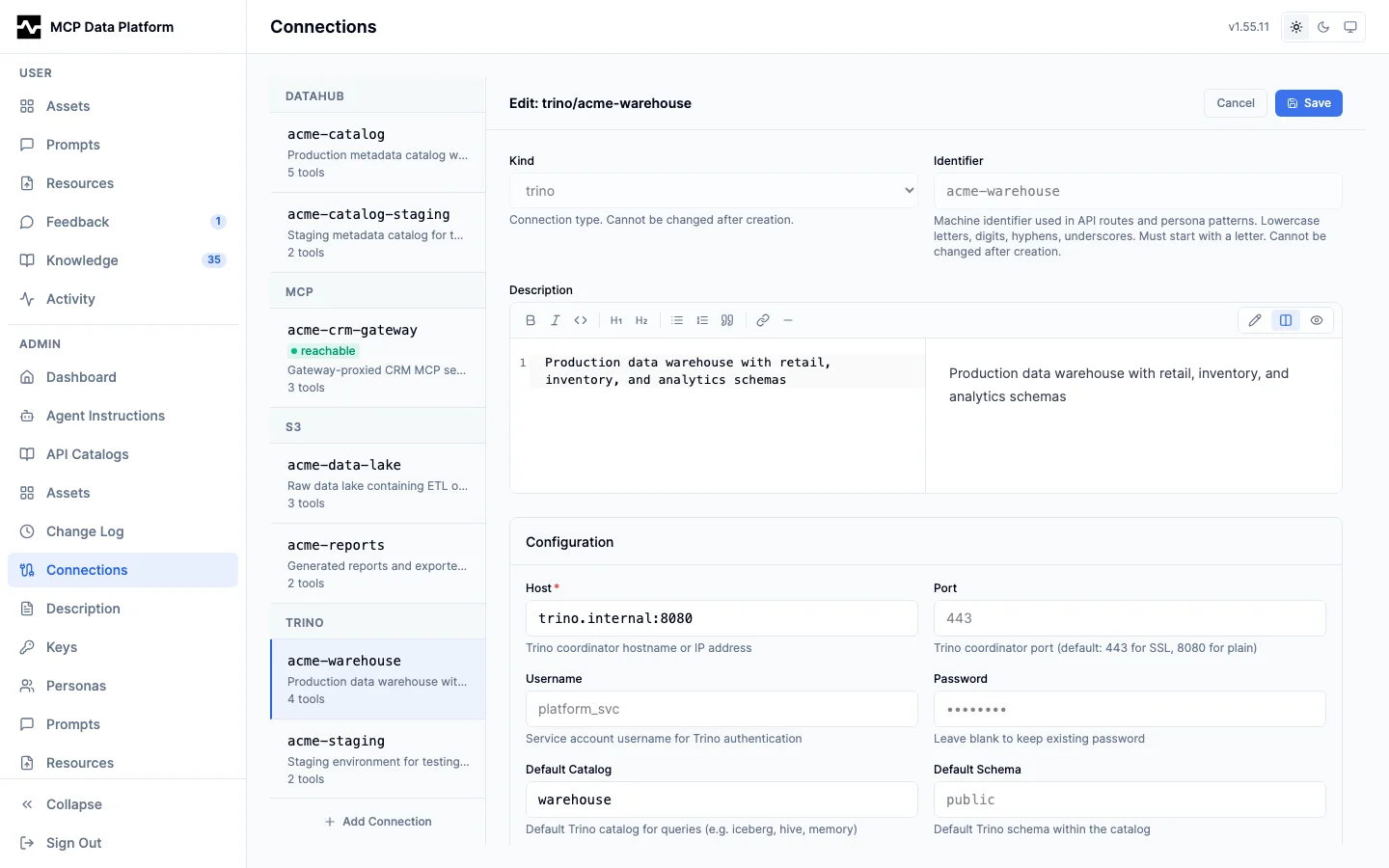
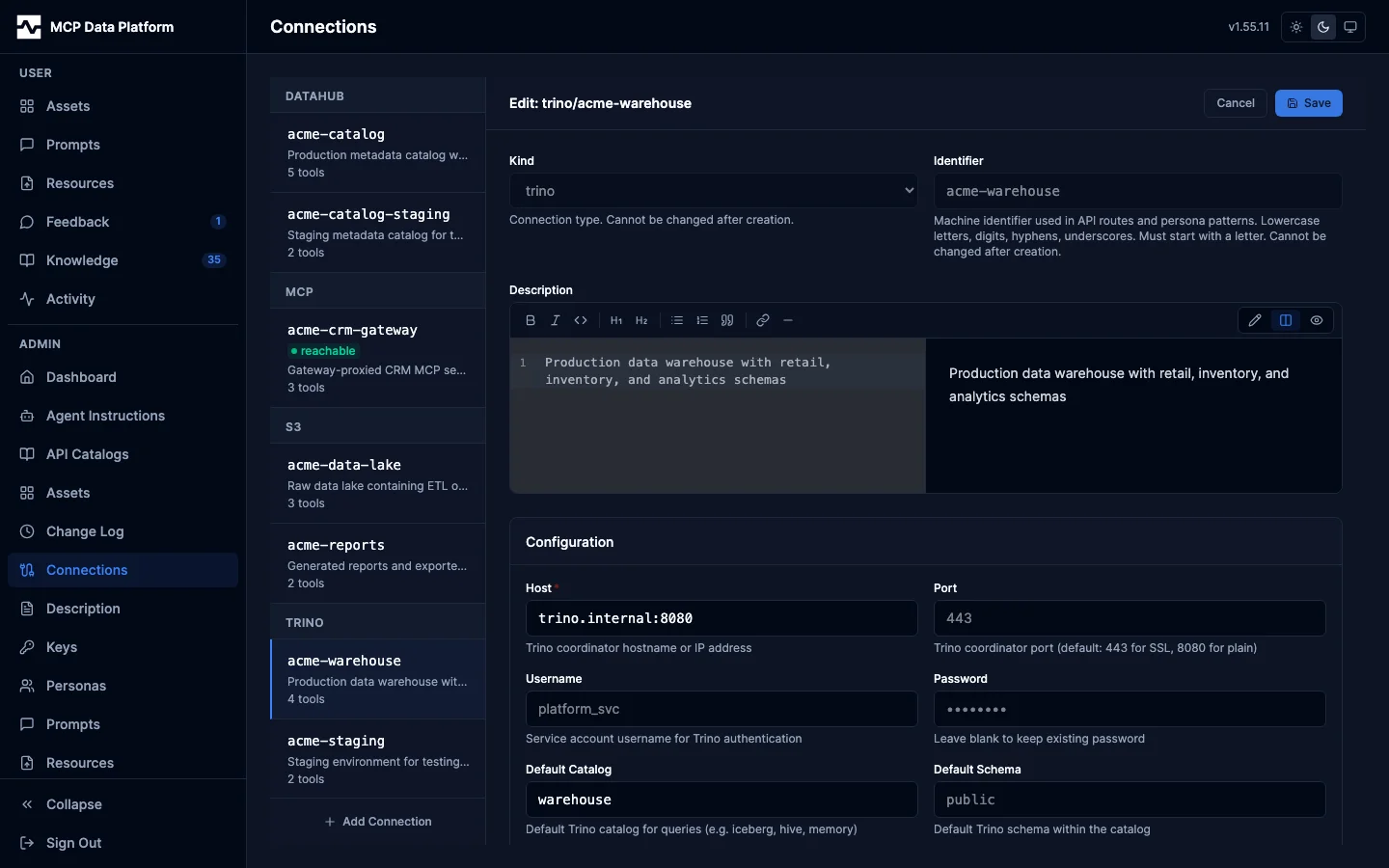
The Connections page manages toolkit backend instances (Trino, DataHub, S3, MCP gateway) using a split-pane layout.
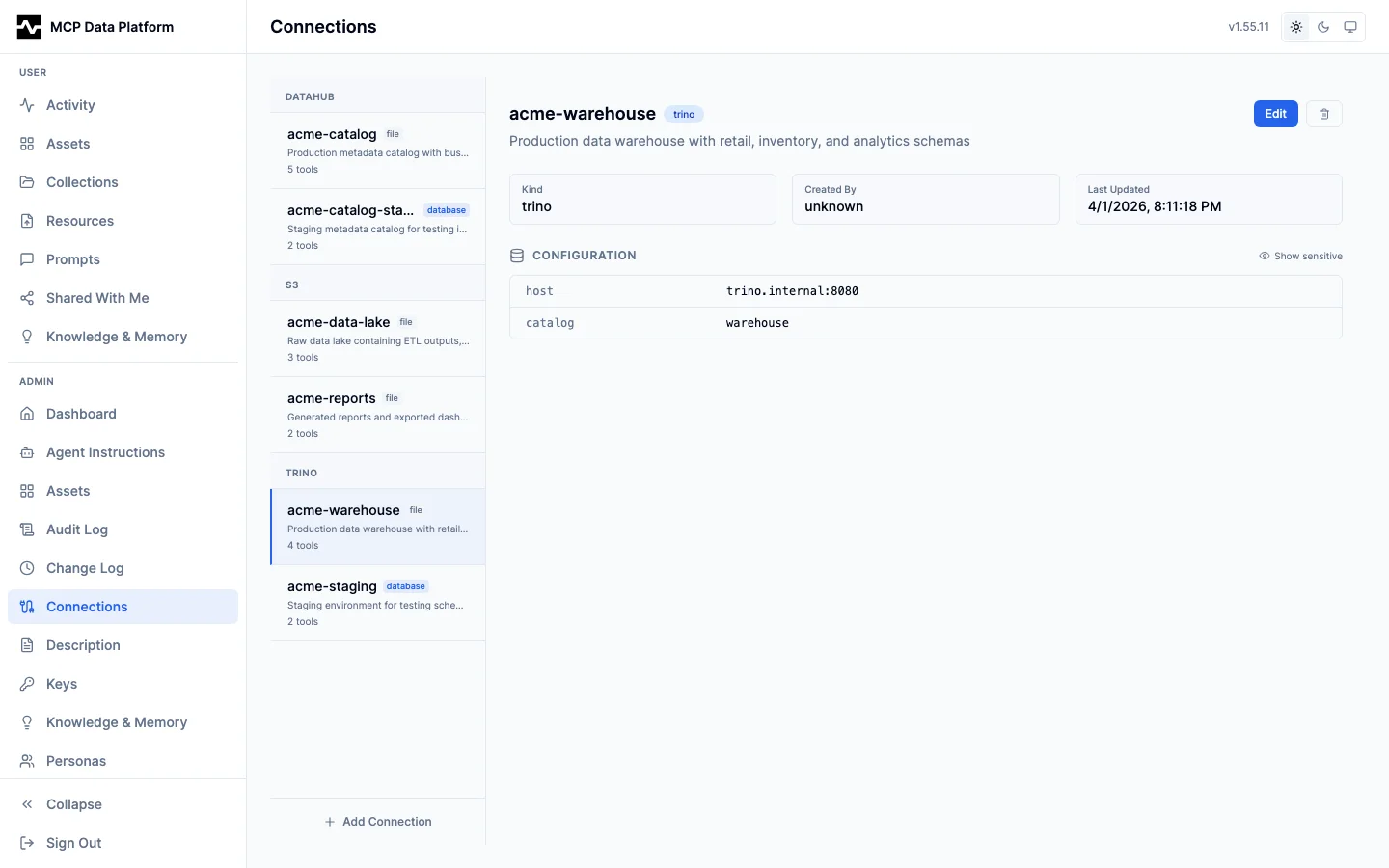
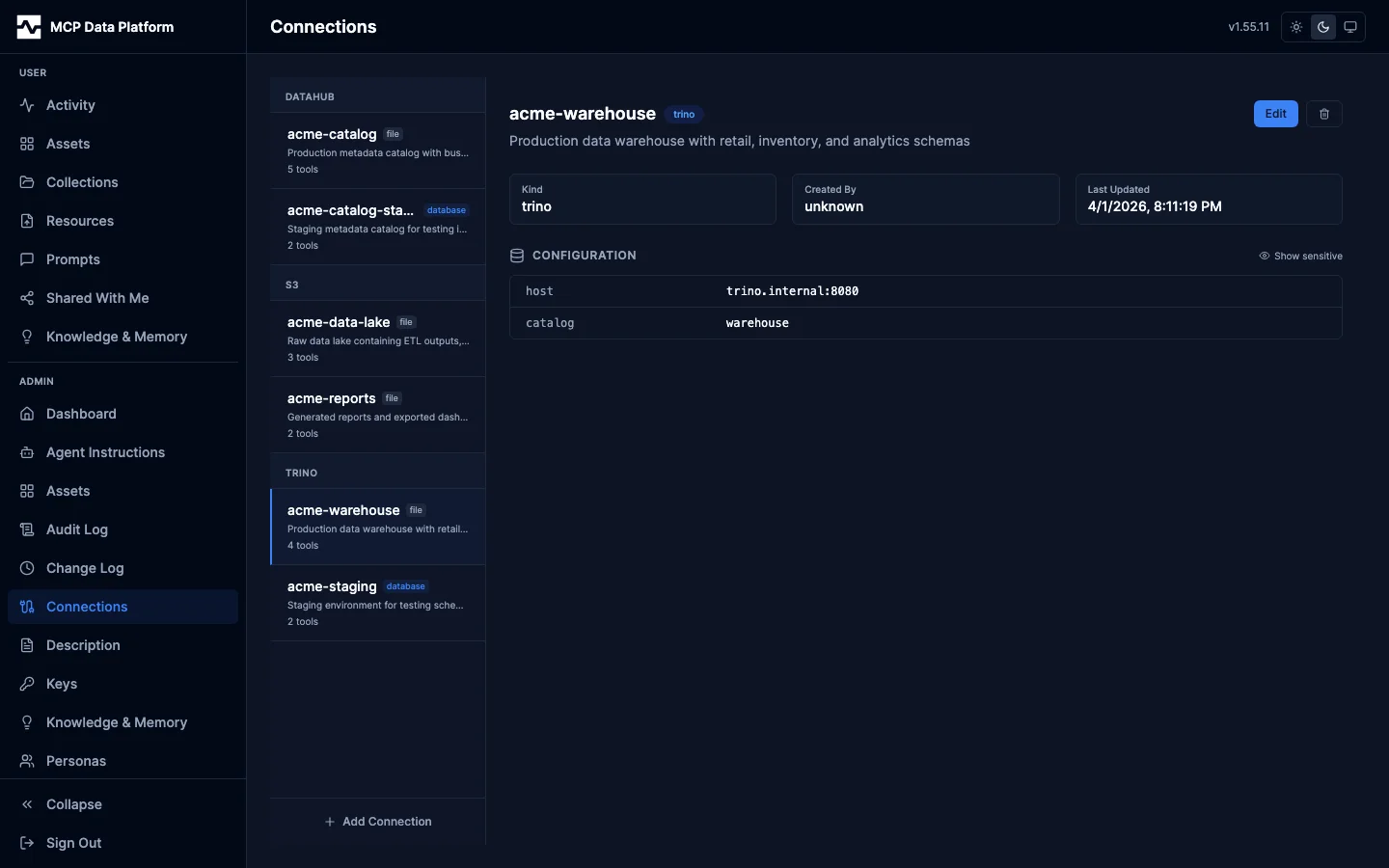
Left pane — Connection list grouped by kind (DataHub, S3, Trino), with source badges (file or database), descriptions, and tool counts.
Right pane — Selected connection detail showing:
- Metadata — Kind, created by, and last updated
- Configuration — Key-value pairs with "Show sensitive" toggle for passwords and tokens
- Actions — Edit, and Delete for a connection the config file does not declare
Source tracking:
| Badge | Meaning |
|---|---|
| file | A live toolkit connection with no stored record |
| database | A stored record with no live toolkit connection |
| both | Both a live connection and a stored record |
both is the ordinary state for nearly every connection on a database-backed
deployment, not a sign of an override: the platform seeds a credential-free
record for each connection the config file declares so that
mcp:connection:(kind,name) knowledge-page references resolve. The badge
therefore does not say where a connection came from. The detail pane says so
directly for the connections the file declares.
- Connections the config file declares cannot be edited or deleted here.
The detail pane says the file declares them and offers neither button; the API
refuses both requests with
409. Deleting the stored record would drop the connection from every live toolkit of its kind, on the replica handling the request and on every peer, until each of them restarted and the file put it back. Saving a record for one reached the running process but was discarded at the next restart, because the platform skips a name the file already declares. Change the config file instead. - + Add Connection at the bottom creates database-only connections.
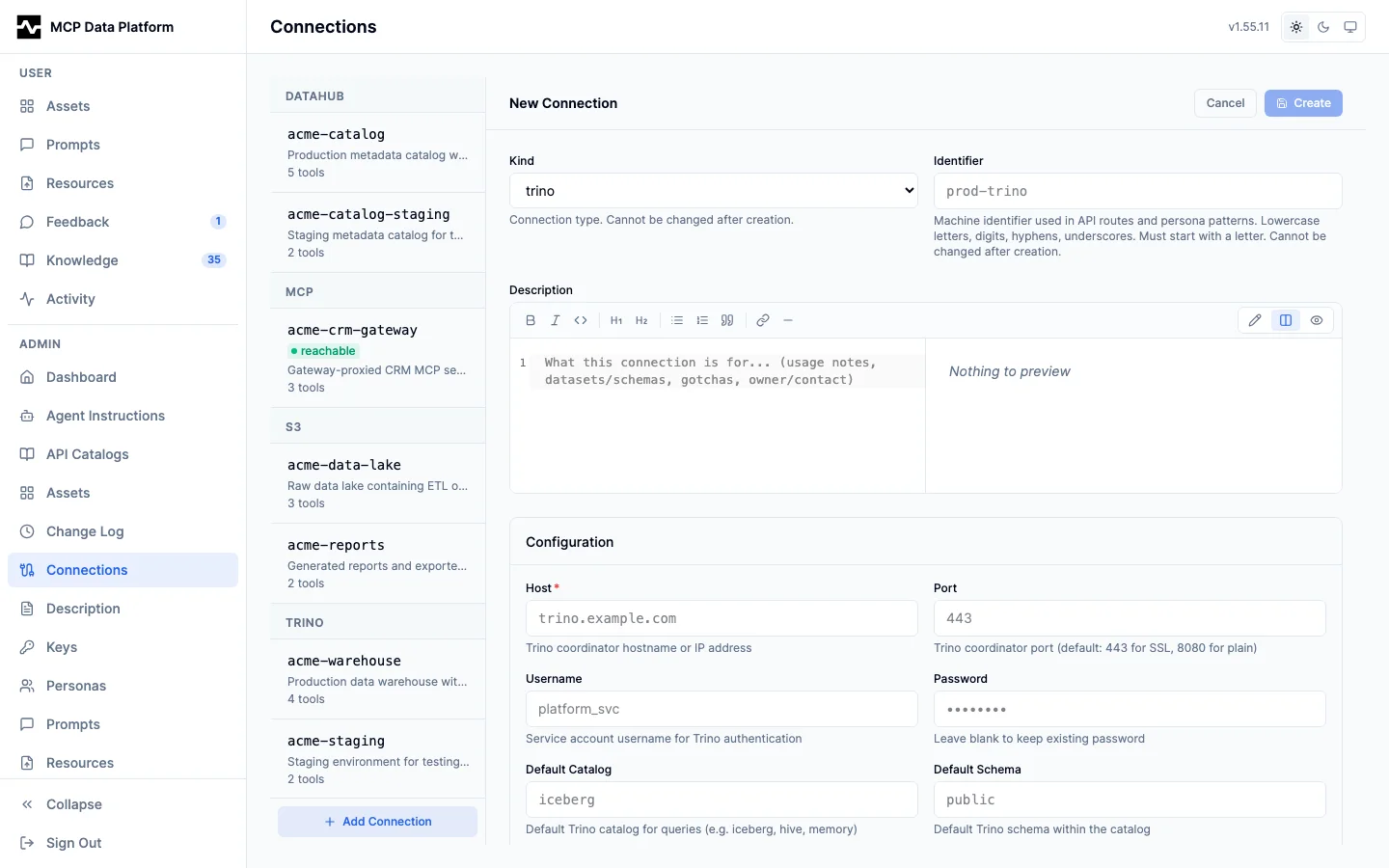
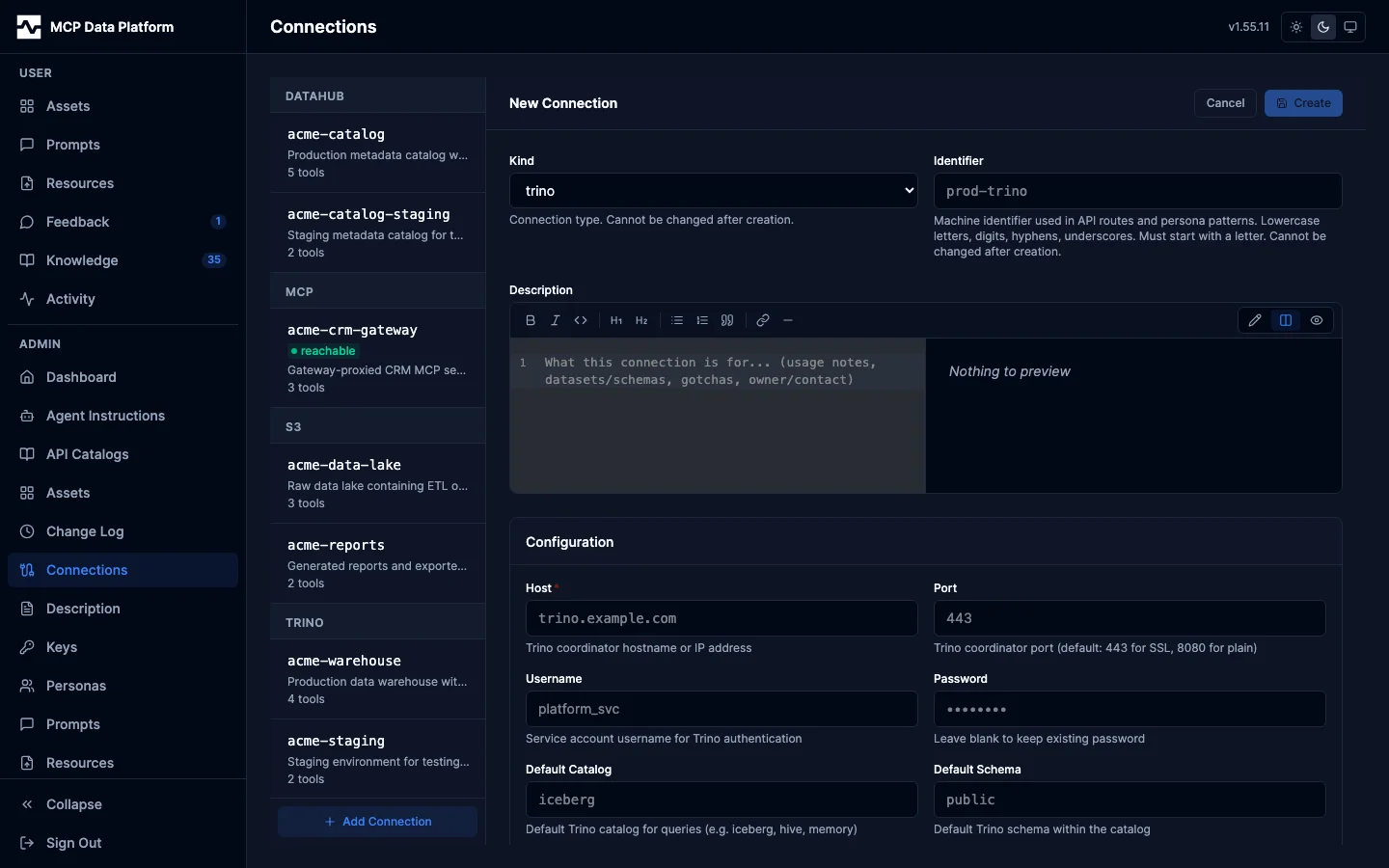
Creating or editing a connection opens a kind-aware editor: a markdown description plus the configuration fields for the selected kind (Trino host/port/catalog, S3 bucket/region, DataHub server, or an API-gateway base URL and catalog picker), with TLS material and auth handled inline.
MCP Gateway Connections
Connections of kind mcp proxy upstream MCP servers and re-expose
their tools as <connection_name>__<remote_tool> (e.g.
vendor__list_contacts). They share the same split-pane layout as other
connections; the right pane adds a row of gateway-specific actions
beneath the metadata block:
| Action | What it does |
|---|---|
| Test connection | Dials the upstream with the current form values (without saving) and reports whether tool discovery succeeded. Use to validate credentials before persisting. |
| Refresh tools | Re-dials a saved connection and re-registers its tool catalog on the live MCP server. Use after the upstream changes its tools. |
| Enrichment rules | Opens a side drawer for the cross-enrichment rule editor (see below). |
Add MCP Connection
The + Add Connection form for kind mcp exposes:
- Endpoint — URL of the upstream MCP server (streamable HTTP).
- Connection name — local prefix for the proxied tools.
- Auth mode —
None/Bearer token/API key/OAuth 2.1. - Credential (bearer/api_key) — encrypted at rest with
ENCRYPTION_KEY. - OAuth fields (when
auth_mode=OAuth 2.1): - Grant type —
client_credentials(machine-to-machine) orauthorization_code + PKCE (browser sign-in)for upstreams like Salesforce Hosted MCP that require human sign-in. - Authorization URL — appears only for
authorization_code; e.g.https://login.salesforce.com/services/oauth2/authorize. - Token URL — OAuth token endpoint.
- Client ID / Client Secret — from the upstream's OAuth app registration.
- Scope — for
authorization_code, includerefresh_tokenso cron jobs and scheduled prompts survive access-token expiry. - Connect timeout / Call timeout — bounds the dial + tool-call durations.
After saving an authorization_code connection, the right pane shows an
amber Not connected banner with a Connect button.
OAuth Connect Button
For authorization_code connections:
- Click Connect on the connection card.
- A new tab opens to the upstream's
/authorizeURL with PKCE state andredirect_uri=<platform-host>/api/v1/admin/oauth/callback. - Operator authenticates with the upstream provider.
- The upstream redirects back to the platform's callback. The platform
exchanges the code for tokens and stores them encrypted at rest in
gateway_oauth_tokens(AES-256-GCM viaENCRYPTION_KEY). - The card now shows Authorized by
<email><time ago>and the tool list populates.
The platform refreshes the access token automatically using the stored refresh token, so cron jobs and scheduled prompts run untouched until the upstream invalidates the refresh token. Click Reconnect to re-authorize manually if needed; click Refresh now to force an immediate refresh.
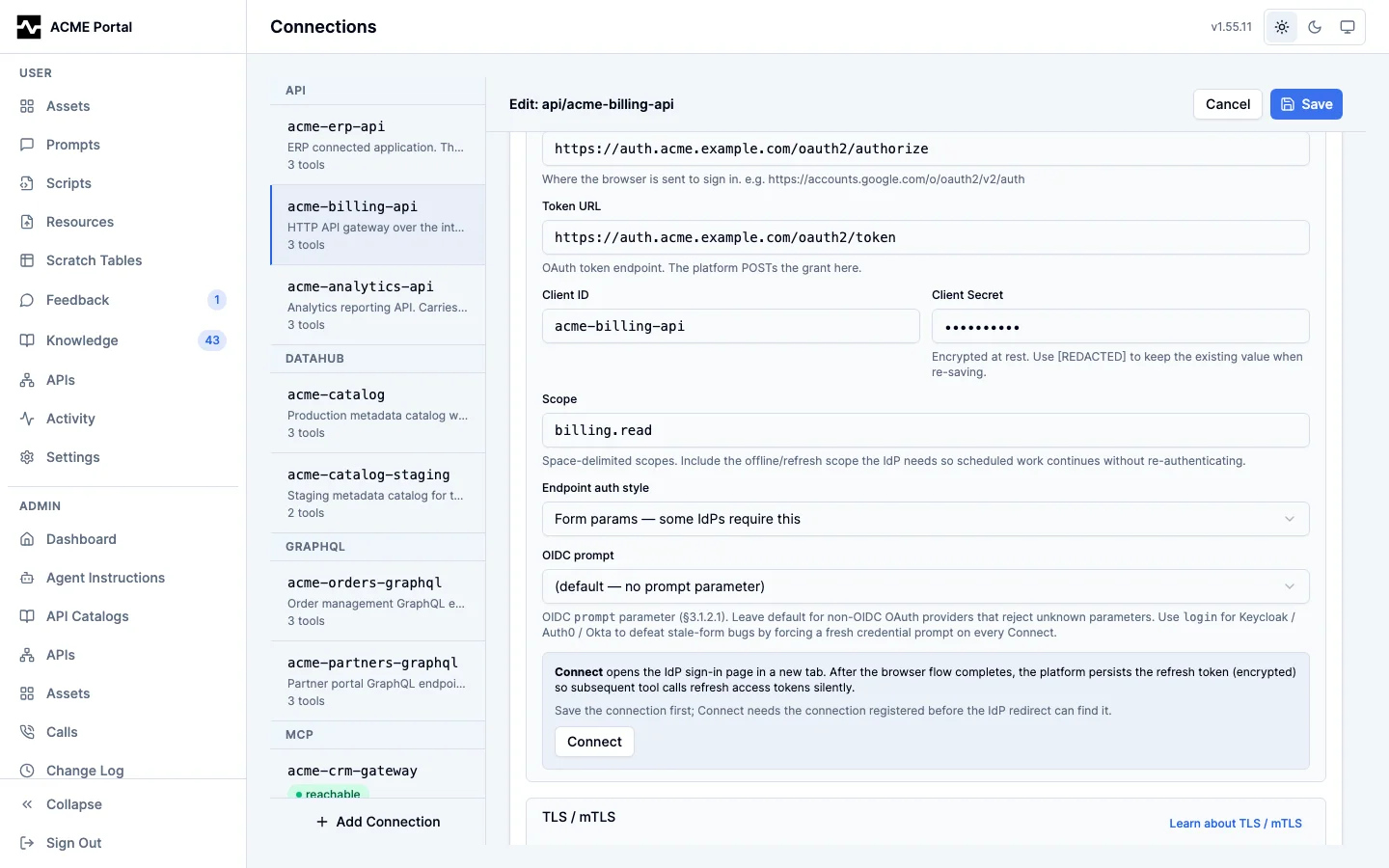
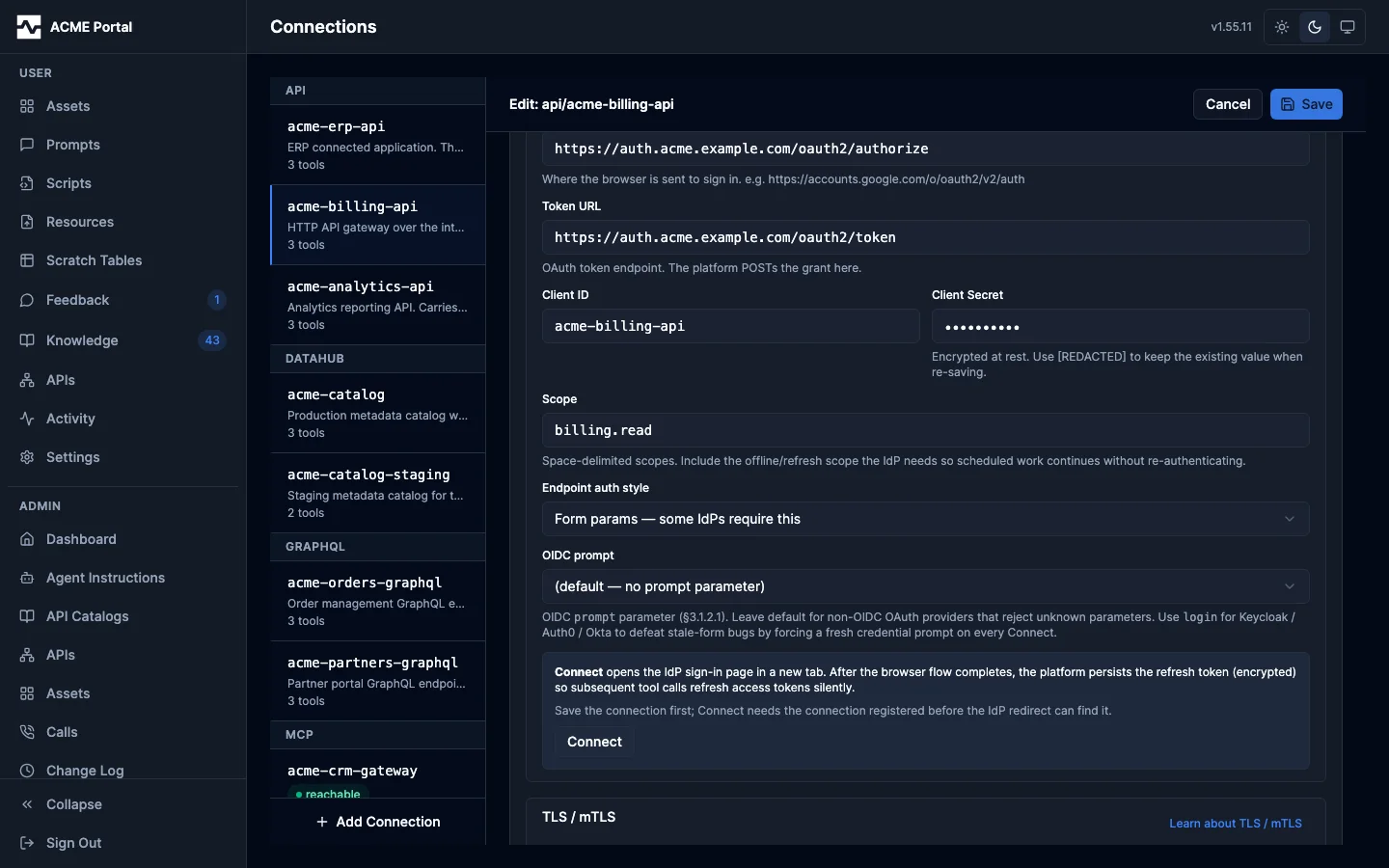
HTTP Connections: the OAuth 2.1 block
Connections of kind api, graphql and mcp share one OAuth block, because
all three read the same connection-config keys. Selecting OAuth 2.1 as the
auth mode reveals it:
- Grant type (
oauth_grant) —client_credentials(machine-to-machine),authorization_code + PKCE(browser sign-in), or, on theapiandgraphqlkinds,jwt_bearer(a signed assertion exchanged for an access token, RFC 7523). The grant is its own field, not part of the mode name, which is why one mode serves every flow. Themcpkind does not offerjwt_bearer. - Authorization URL (
oauth_authorization_url) — appears only forauthorization_code, with the Connect button beneath it. - Token URL (
oauth_token_url) — the endpoint the platform POSTs the grant to. - Client ID and Client Secret (
oauth_client_id,oauth_client_secret) — the secret is encrypted at rest and shown back as[REDACTED]. Re-saving with[REDACTED]keeps the stored value; pasting a new one rotates it. Optional underjwt_bearer, for an upstream that also authenticates the client on the token request. - Scope (
oauth_scope) — one space-delimited string, the OAuth 2.0 wire form. - Endpoint auth style (
oauth_endpoint_auth_style) —header(the OAuth 2.1 default) orparams, which some identity providers require. Shown for the HTTP-based kinds. - OIDC prompt (
oauth_prompt) —authorization_codeonly. - Signed assertion (RFC 7523) —
jwt_beareronly: the Signed JWT block below, with the algorithm defaulting toRS256, the audience to the token URL, and Issuer and Subject both required. The issuer is usually the application's client id and the subject the integration user the upstream approved for it.
The OAuth status card, with its Connect and Refresh now buttons, is
shown only for authorization_code: it reports the token a browser sign-in
stored, and the other grants store none.
An api connection authored before these keys unified across the kinds may
still carry the earlier oauth2_* spelling with the grant encoded in the
auth mode (oauth2_authorization_code). The platform reads both, preferring the
canonical key per field, and the editor folds the earlier spelling onto the
canonical keys when it opens such a connection, so saving it rewrites the
connection into one vocabulary. The admin API does the same for a write that
arrives in the earlier spelling, and refuses a write that carries both with
disagreeing values, naming the pair.
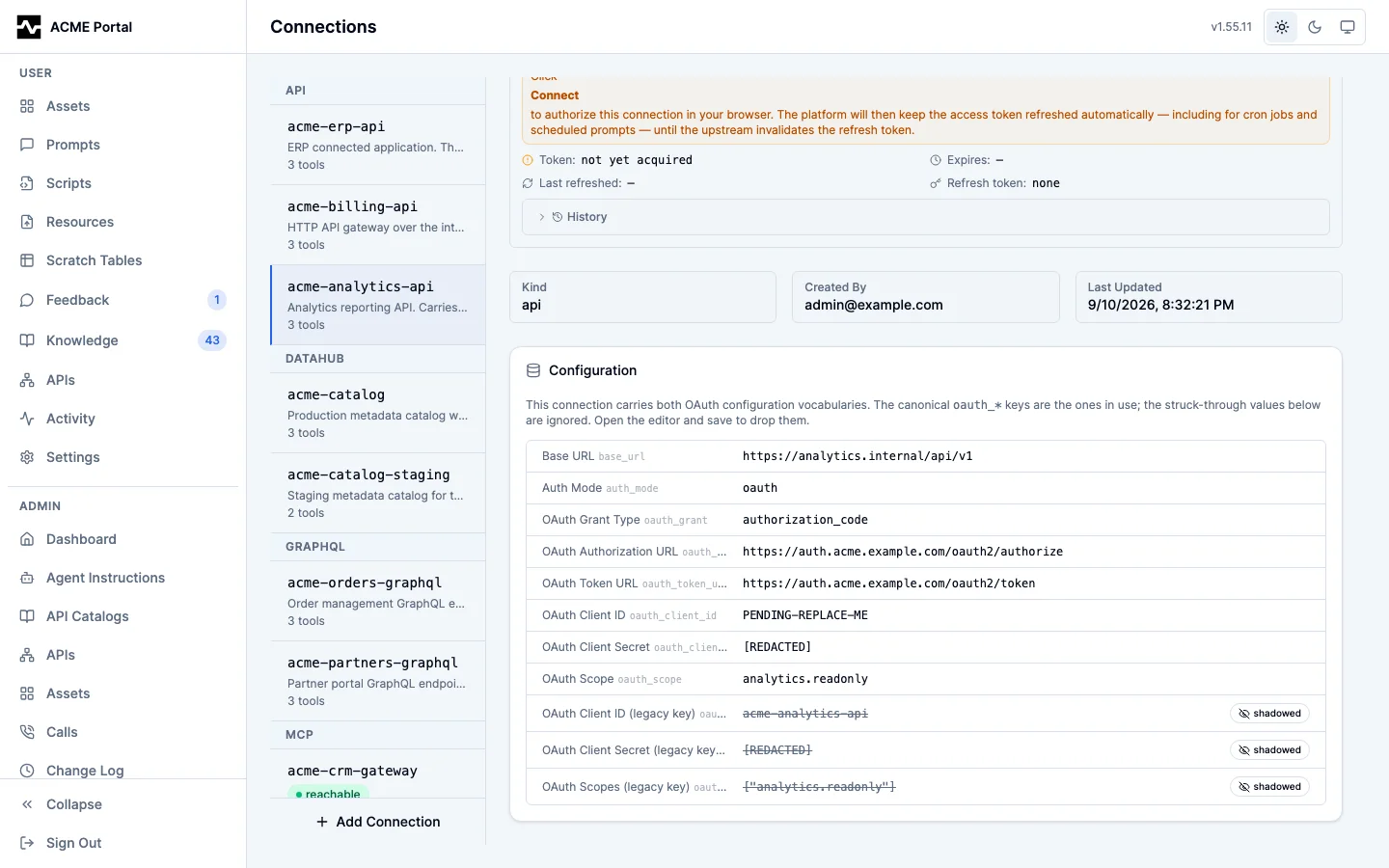
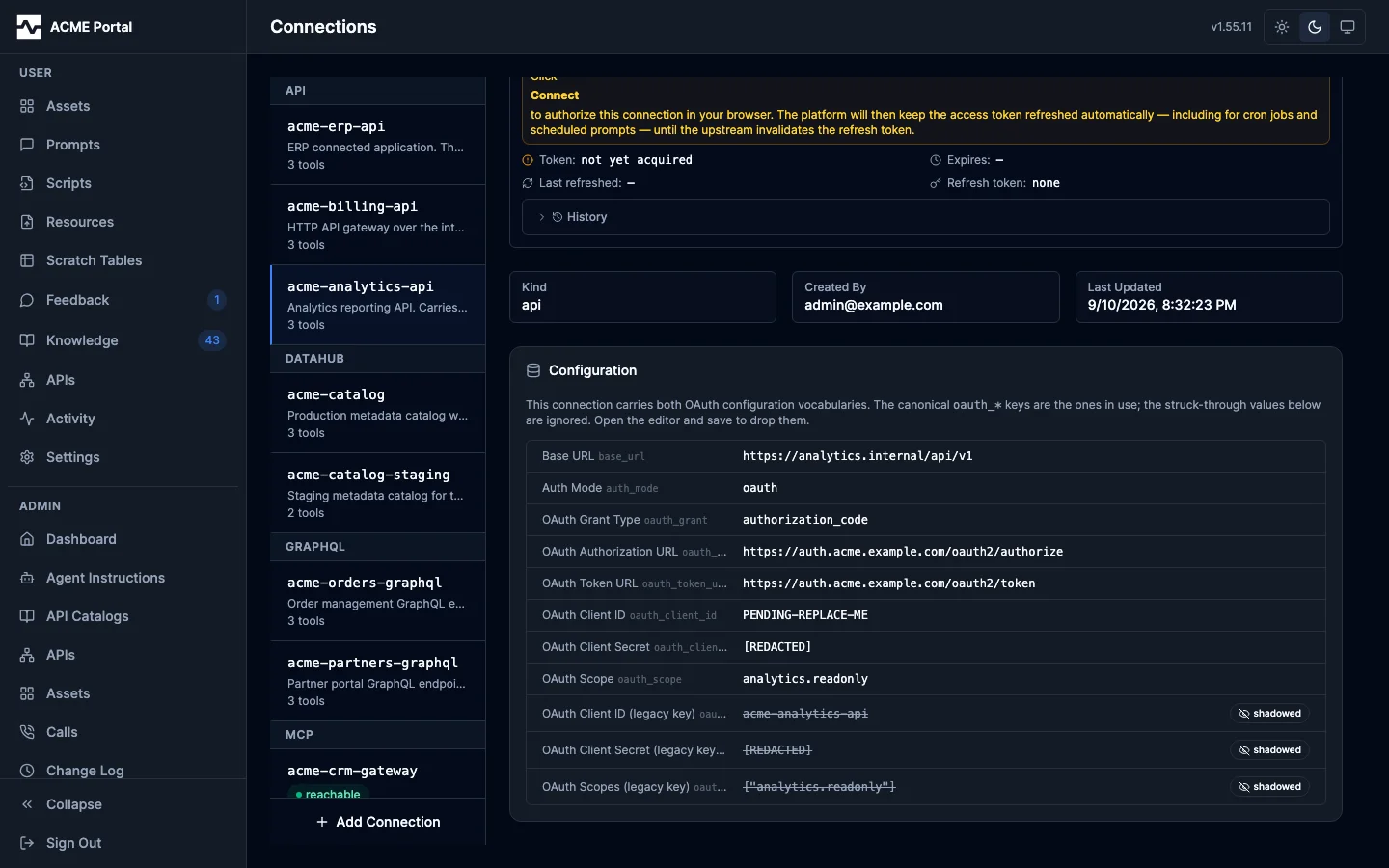
A connection that already carries both — written before that check existed — says so where it is read. The configuration table strikes through each value nothing reads and badges it shadowed, and the OAuth status card names the ignored keys. The canonical value is the live one, so the field the editor shows is the field to correct; saving the connection drops the rest.
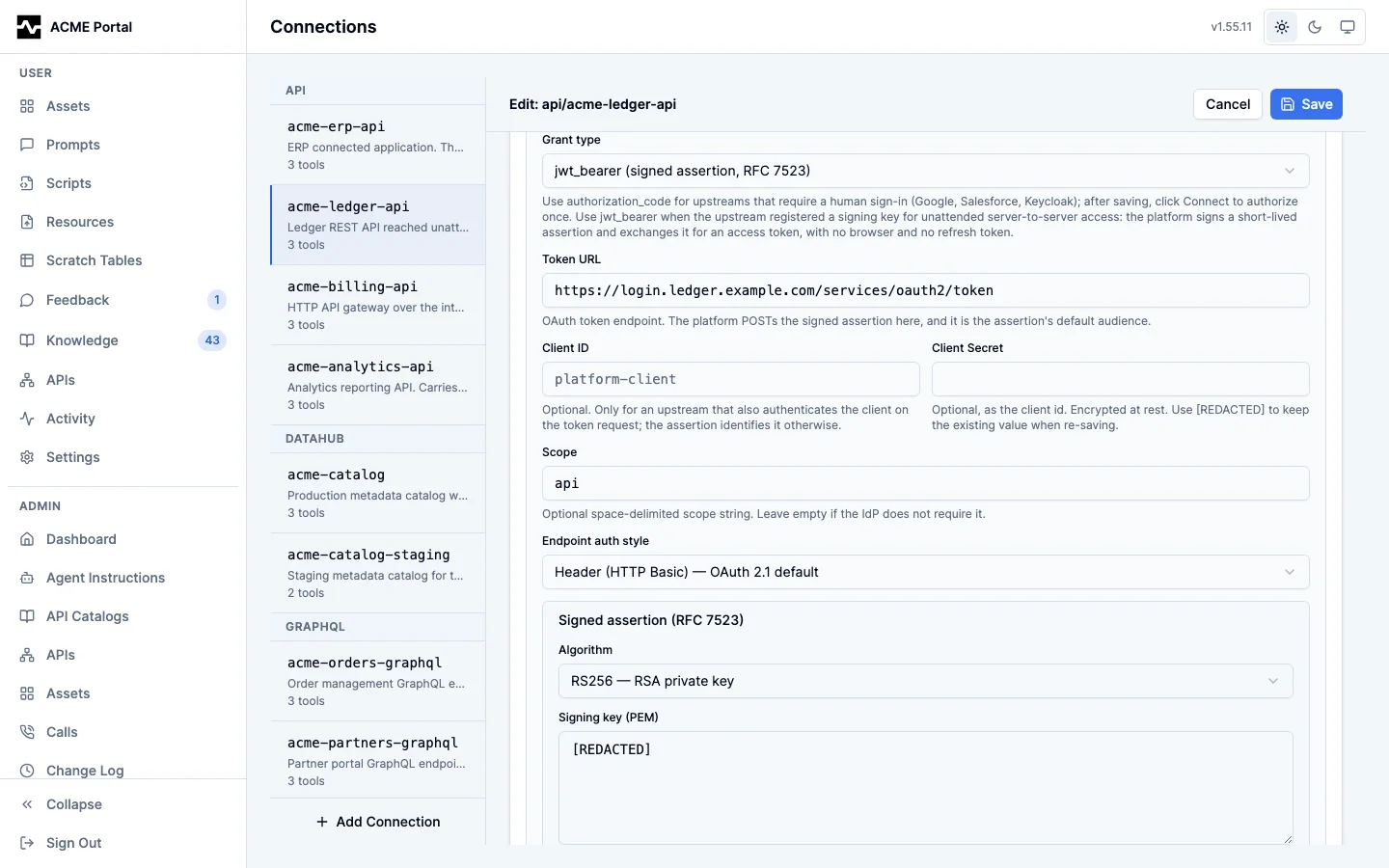
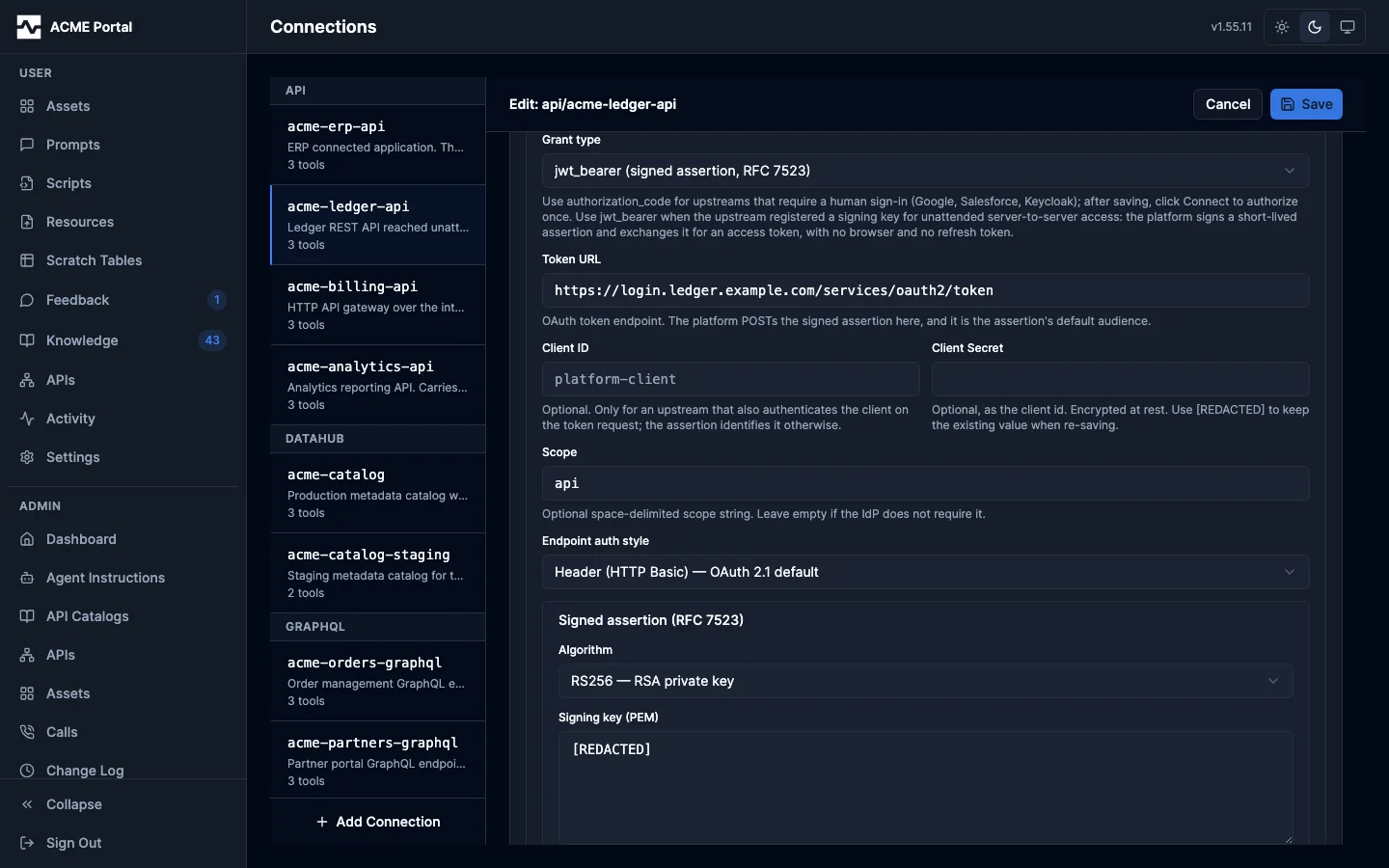
An api connection on the jwt_bearer grant, with the token endpoint, the
optional client credential and the signed assertion's fields:
HTTP Connections: the Signed JWT block
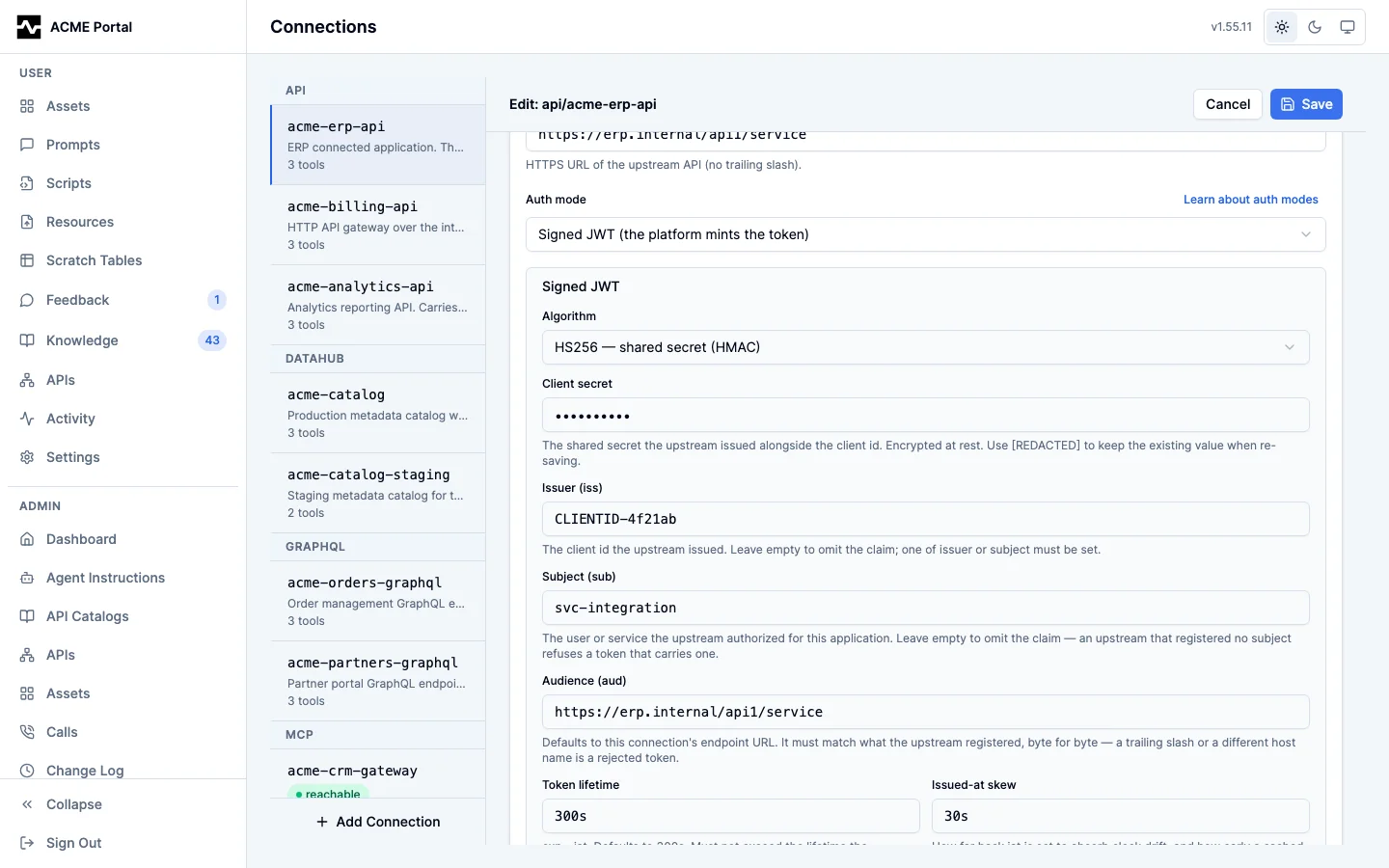
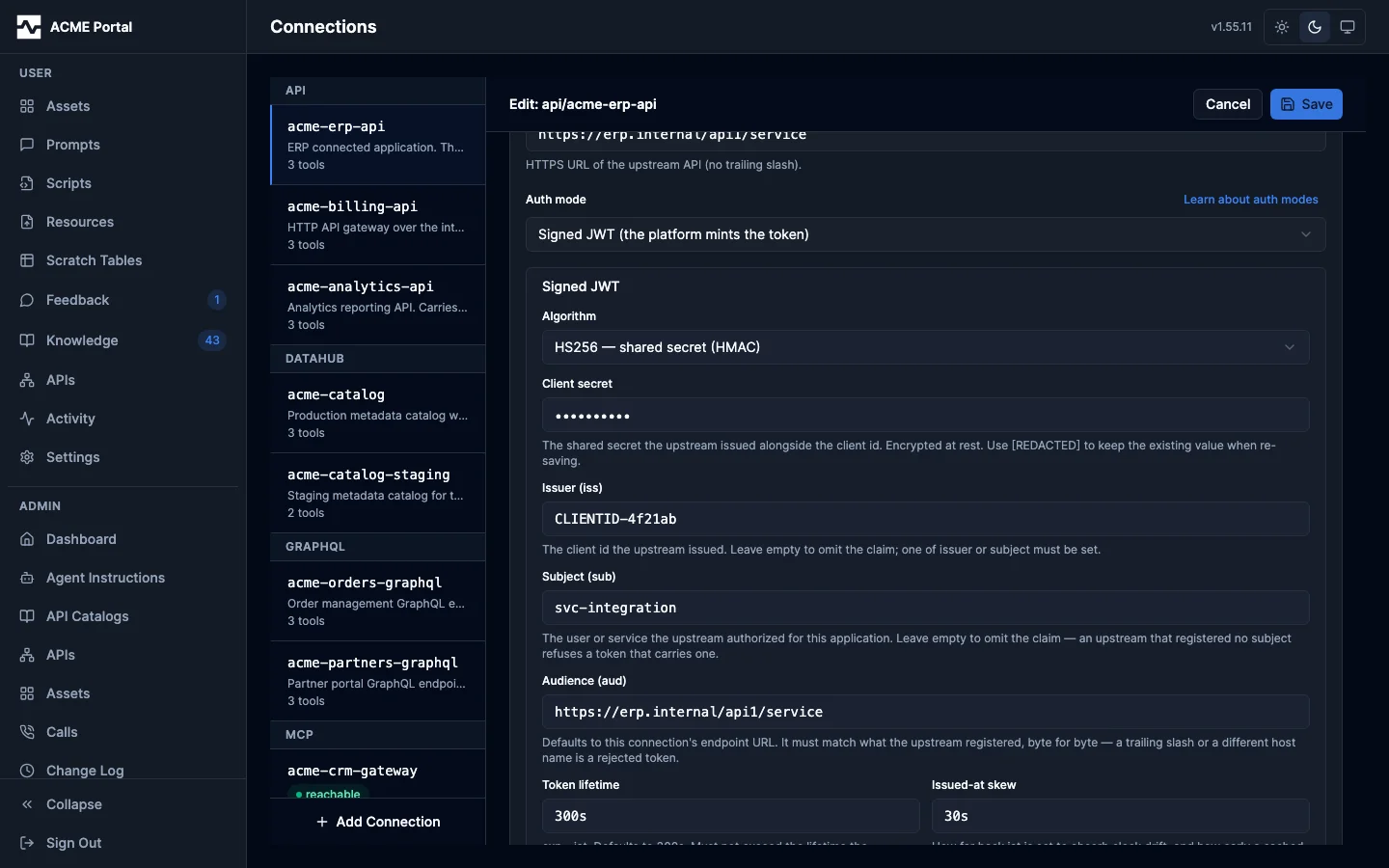
Connections of kind api and graphql share one auth-mode picker. Selecting
Signed JWT (the platform mints the token) replaces the credential field
with the block the mode needs:
- Algorithm —
HS256(shared secret),RS256orES256(PEM signing key). It selects which key control appears below it. - Client secret (
HS256) — encrypted at rest, shown back as[REDACTED]. Re-saving with[REDACTED]keeps the stored value; pasting a new one rotates it. - Signing key (PEM) and Key ID (
RS256/ES256) — the key is a paste target, encrypted and redacted like the secret above. The key id is sent as the token'skidheader and is only needed by upstreams that hold several registered keys. - Issuer (iss) and Subject (sub) — set whichever the upstream registered. An empty field omits the claim, and the save is refused when both are empty.
- Audience (aud) — empty defaults to this connection's endpoint URL. The upstream matches it byte for byte, so set it explicitly whenever the registered value differs from the URL the platform dials.
- Token lifetime and Issued-at skew — default
300sand30s.
An invalid combination is refused by the save with a message naming the field.
A rejected token comes back as the upstream's own 401 body, unchanged: that
body is the only place the upstream says which claim was wrong. See
Signed JWT upstreams for worked examples.
Cross-Enrichment Rules Drawer
Clicking Enrichment rules on a saved gateway connection opens a slide-out drawer for managing rules that join proxied tool responses with native warehouse / catalog context:
- Rule list — one row per rule, with toggle for enable/disable, edit, delete, and Dry-run preview.
- New rule — opens the rule editor with three structured sections:
- Tool name (autocomplete from this connection's discovered tools).
- When predicate —
alwaysorresponse_containswith JSONPath. - Enrich action — source (
trinoordatahub), operation, and parameters with JSONPath bindings ($.args,$.response,$.user). - Merge strategy — where the enrichment lands in the response
(
enrichmentby default; configurable path). - Dry-run — paste a sample tool call, get the merged response back without executing any side effects.
Rule failures attach a warning: text content to the response and never
fail the parent tool call. See Gateway Toolkit
for the full rule schema.
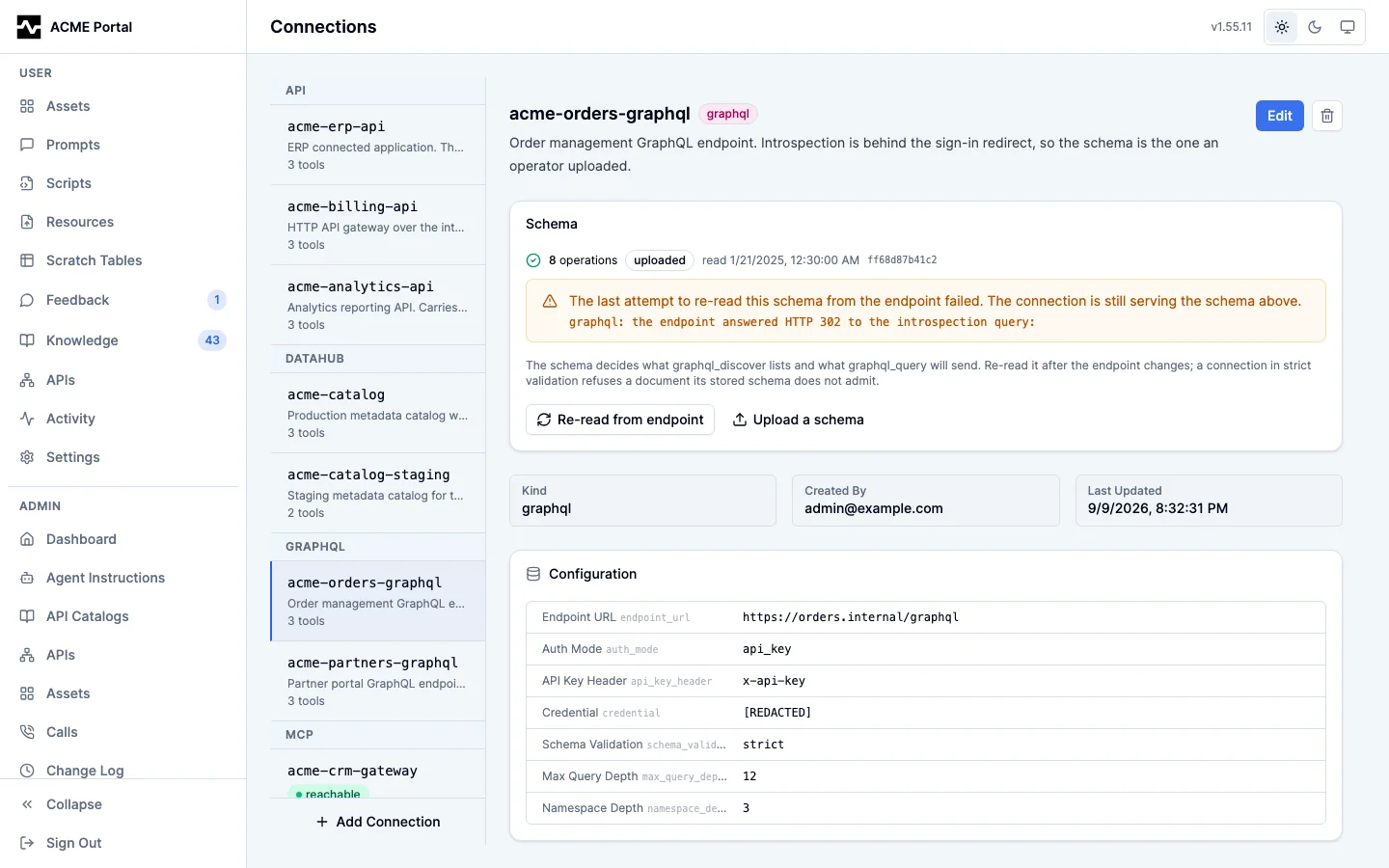
GraphQL Connections: the Schema card
Selecting a graphql connection shows a Schema card above its
configuration: how many operations the platform's schema exposes, whether the
schema was introspected or uploaded, when it was read, and the first twelve
characters of its hash. That is what graphql_discover lists and what
graphql_query validates a document against.
Re-read from endpoint runs the introspection query again. Upload a schema opens a paste box for SDL or a saved introspection result, which is the path for an endpoint that disables introspection.
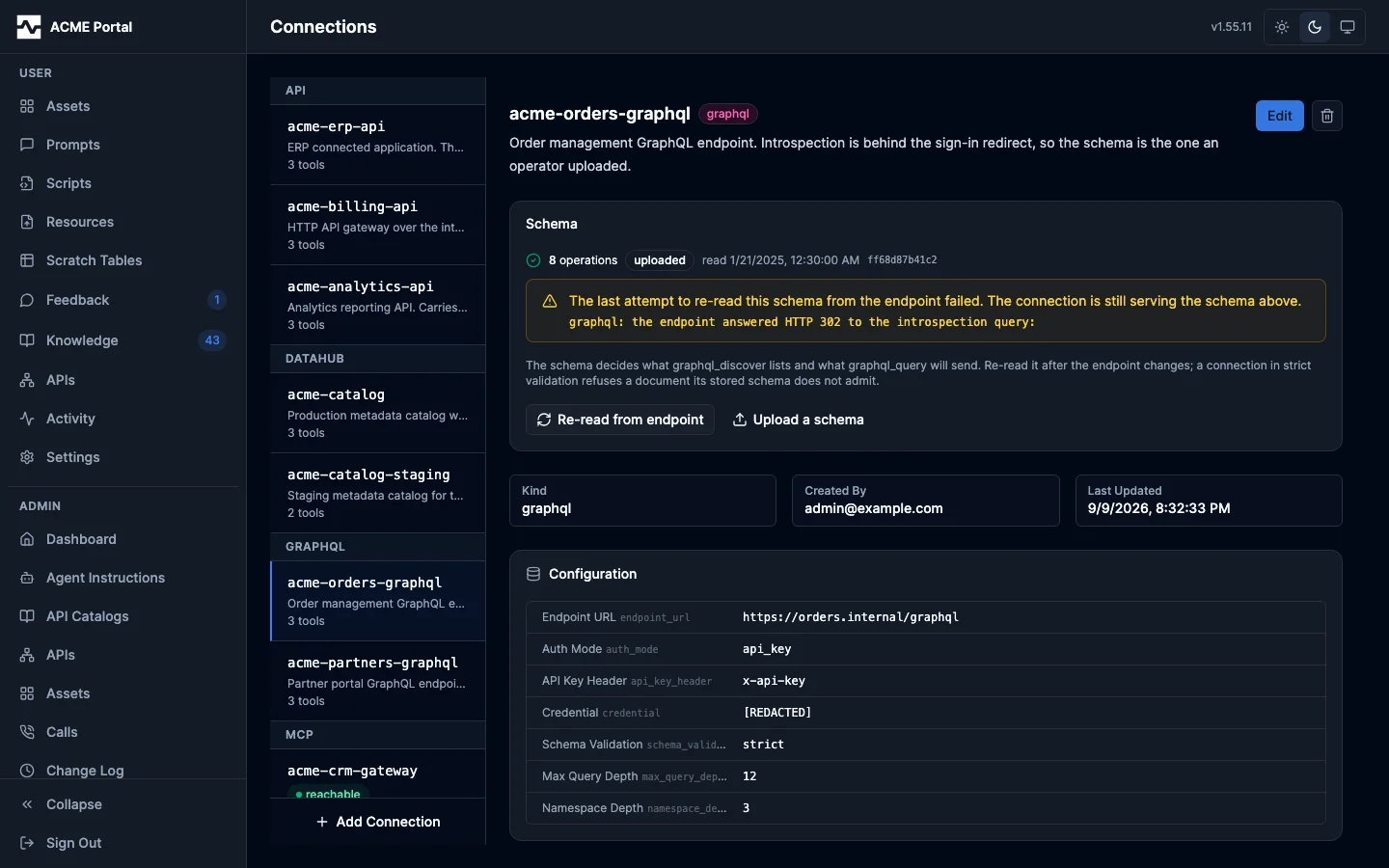
A read the endpoint refuses does not take the schema away. The card then shows the schema it is still serving with the refusal beside it, so an endpoint behind a sign-in redirect or a firewall reads as a failed refresh rather than a lost upload. The refusal is kept with the schema, so the card shows it whichever replica serves the page and after a restart, until a read or an upload succeeds. Pressing Re-read from endpoint when the endpoint still refuses says so under the button, pointing at the refusal already on the card:
A connection the platform holds no schema for at all says so and names the
cause. graphql_discover and graphql_query refuse on that connection until a
read succeeds or an operator uploads one:
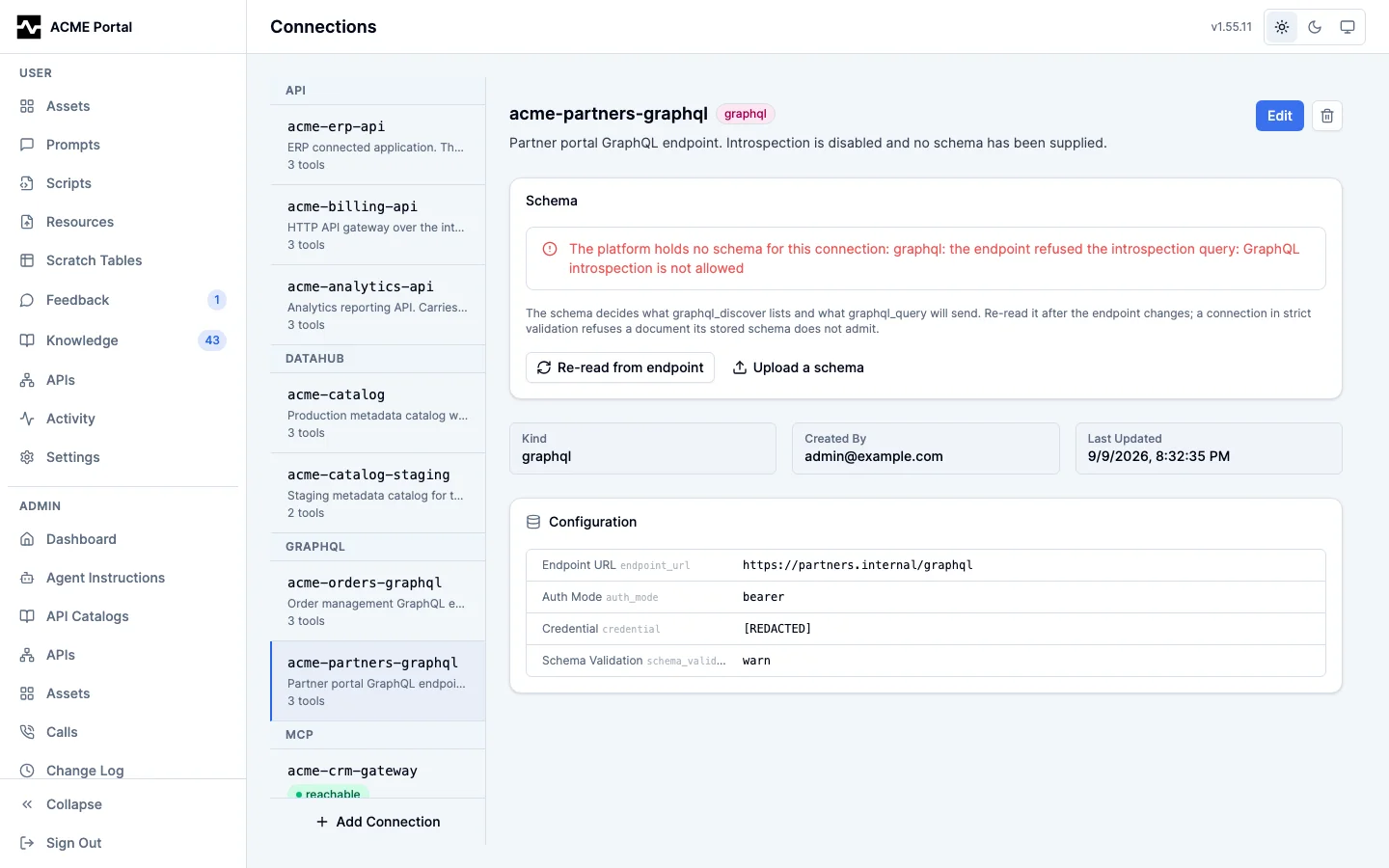
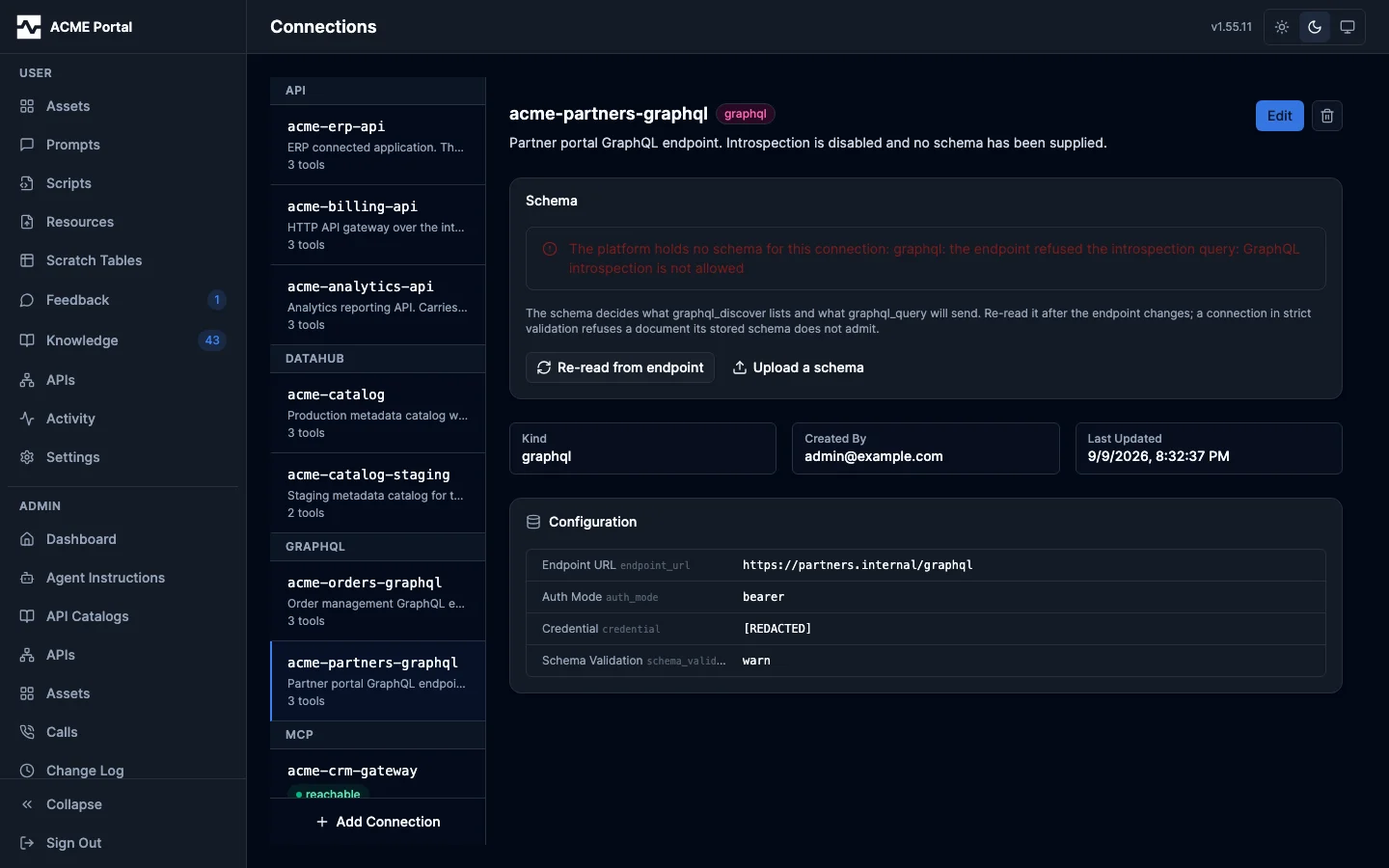
See GraphQL Toolkit for how the schema is stored, shared across replicas, and keyed by hash.
API Catalogs
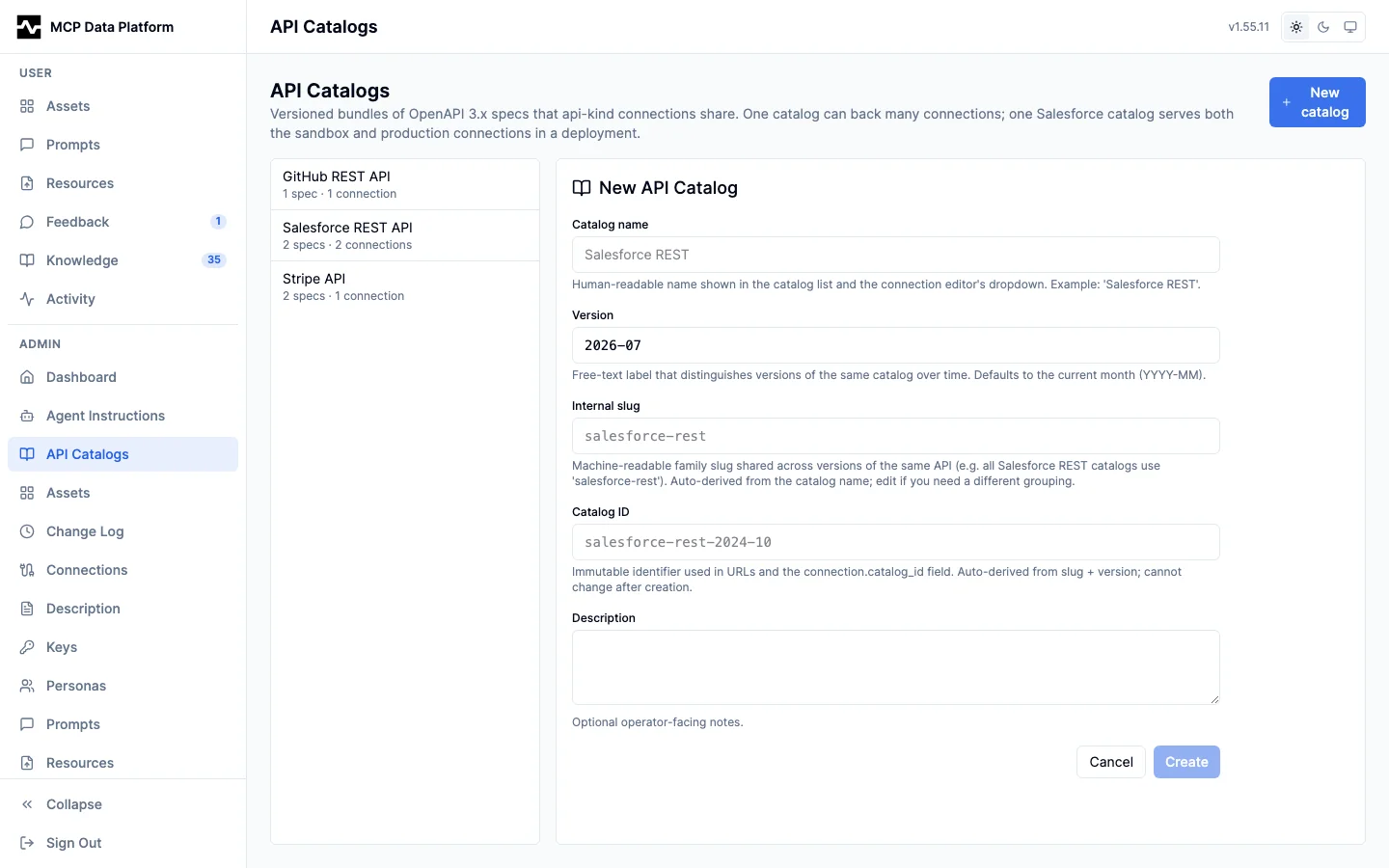
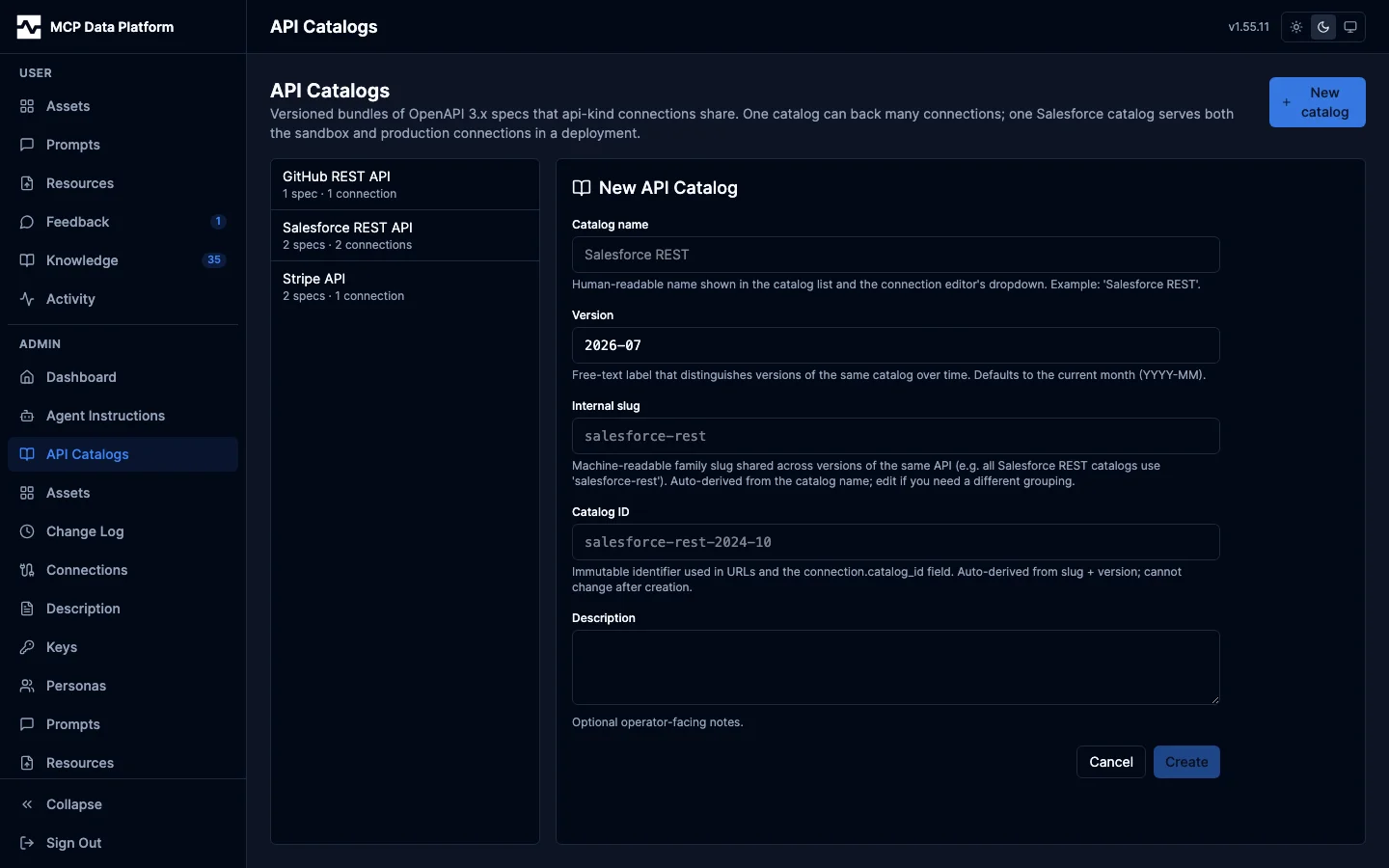
API Catalogs are versioned, globally-owned bundles of OpenAPI 3.x specs that kind: api connections share. One catalog can back many connections, so a single upload (for example a Salesforce or Stripe spec) documents every connection that points at that vendor.
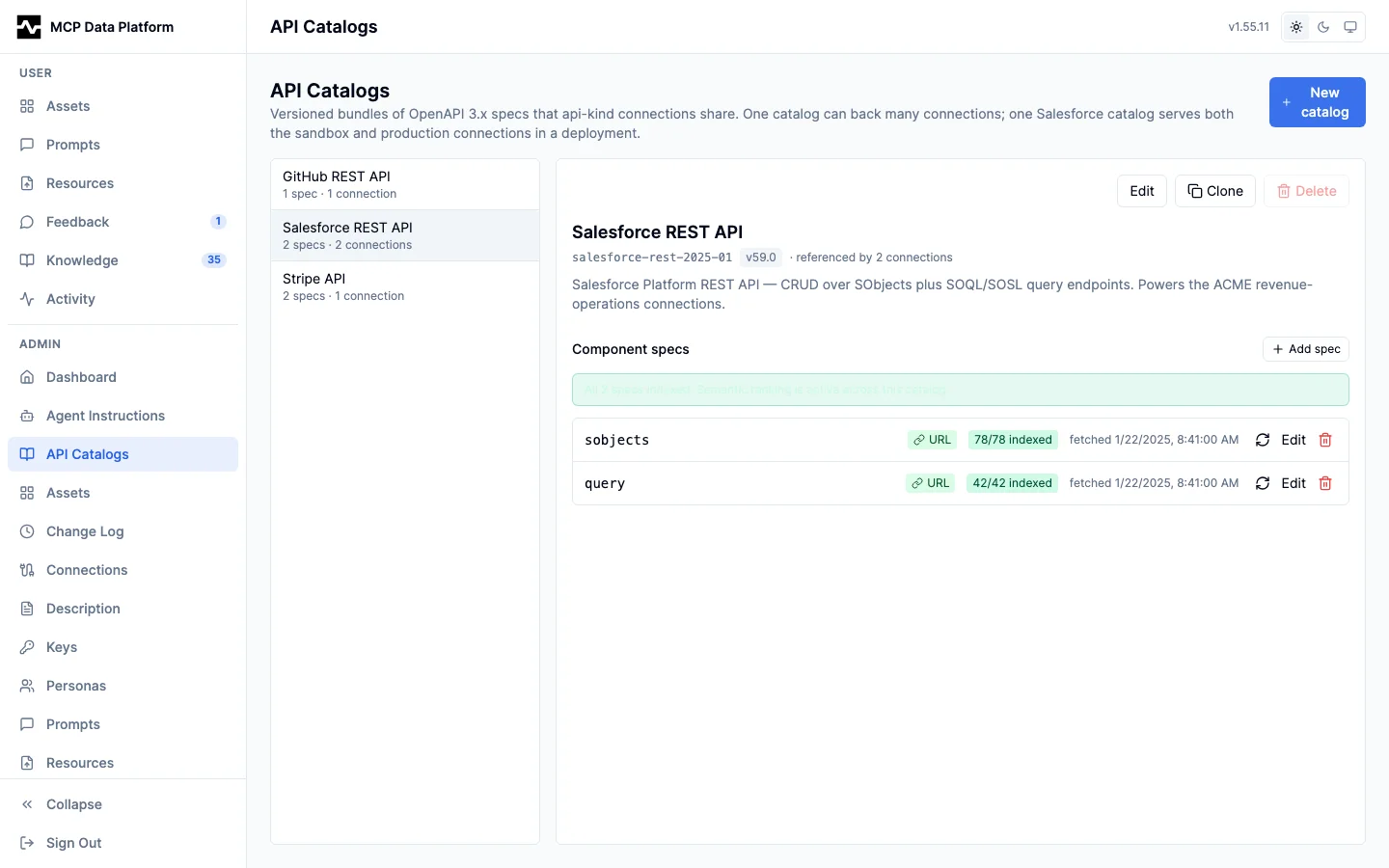
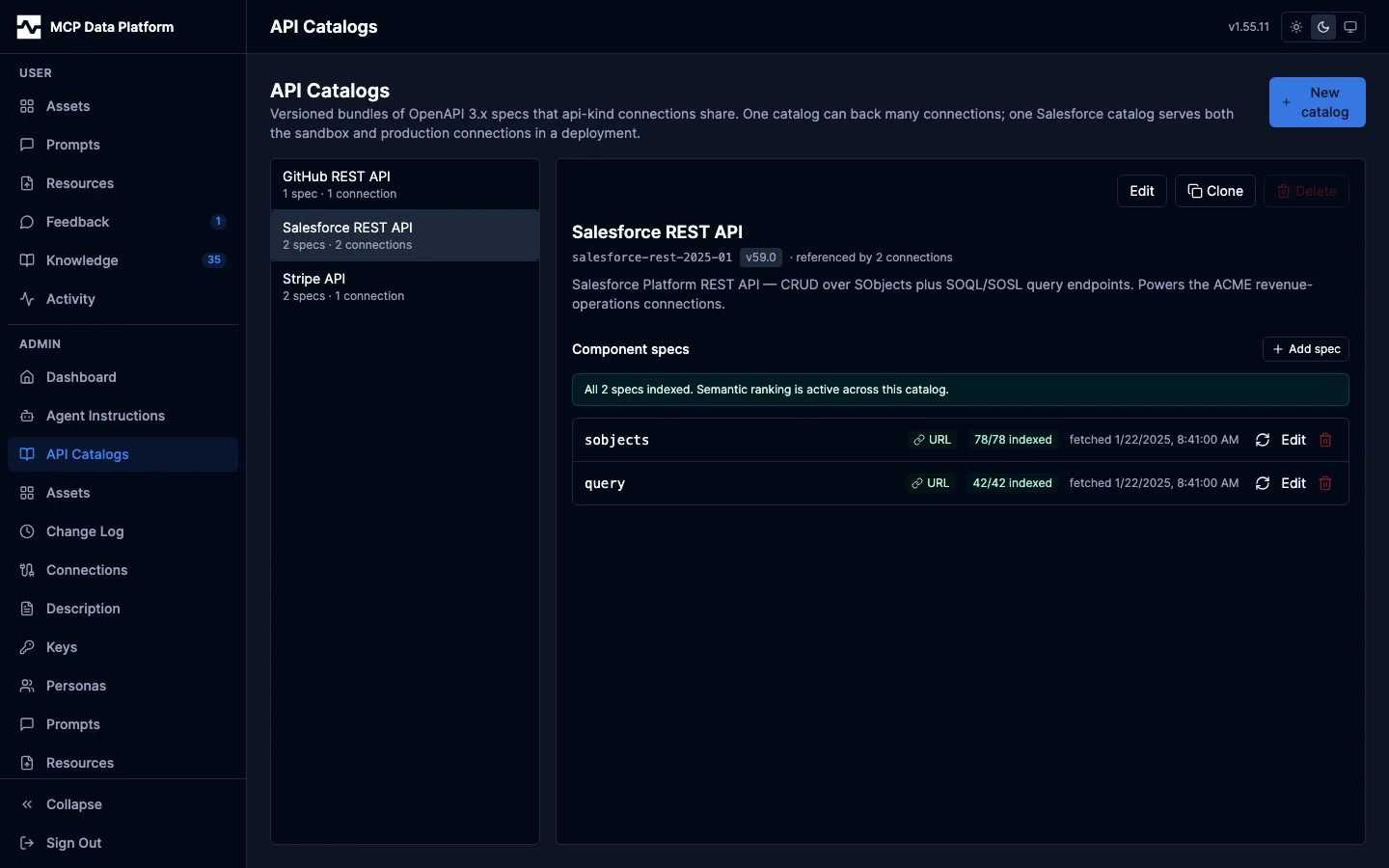
Left pane: Catalogs grouped by name, each showing its component-spec count and how many connections reference it.
Right pane: The selected catalog's component specs, each with an embedding-health badge (78/78 indexed, or a live running count while a spec re-embeds), source badge (URL / upload / inline), a format badge on a spec that is not an OpenAPI document (WSDL or GraphQL, each naming what is stored and who is served from it), and a last-fetched timestamp. A banner summarizes catalog-wide readiness ("all specs indexed; semantic ranking is active"). Per-spec actions cover refresh-from-URL, retry-embedding, edit, and delete; catalog actions are Edit, Clone, and Delete (blocked while any connection references the catalog).
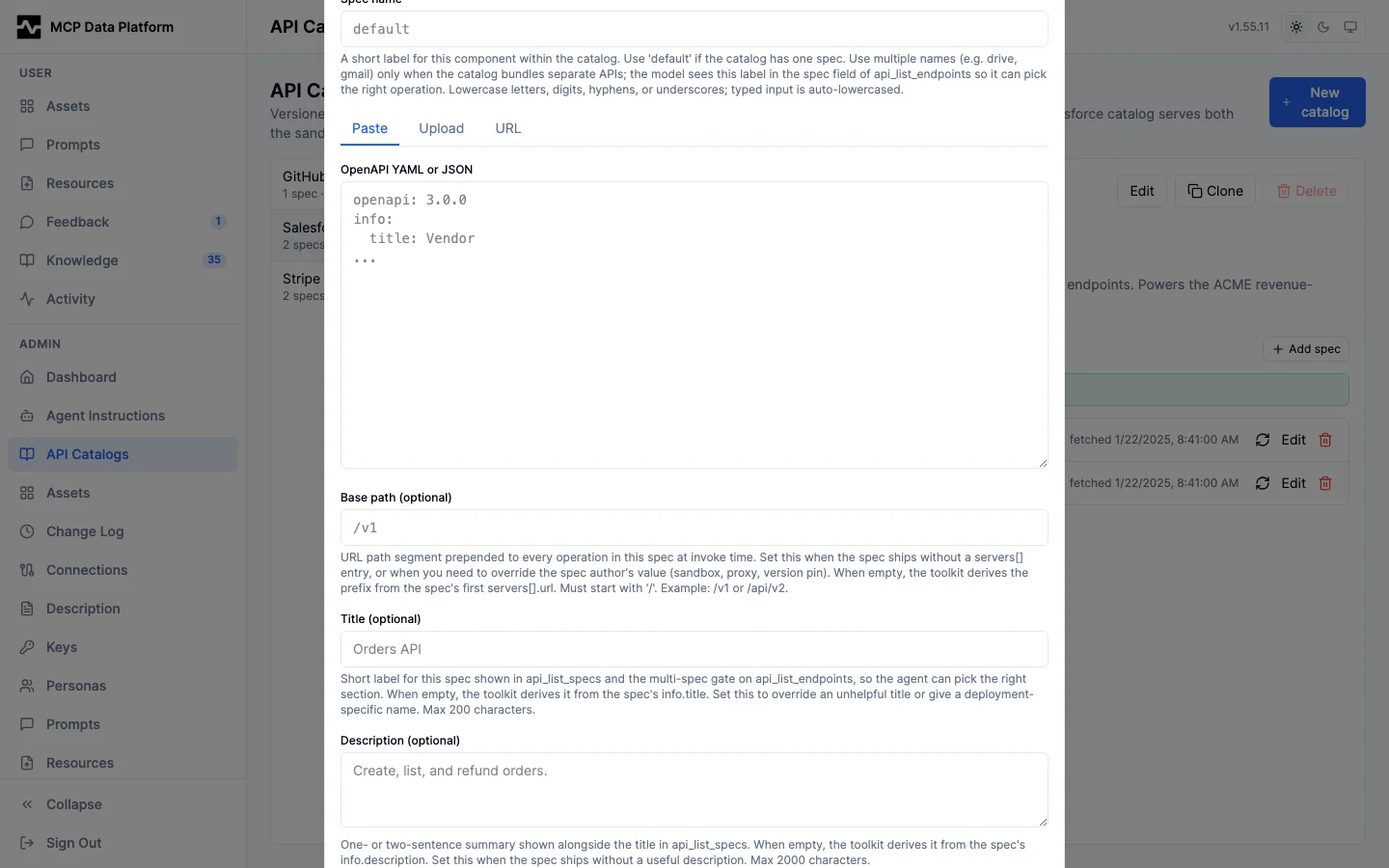
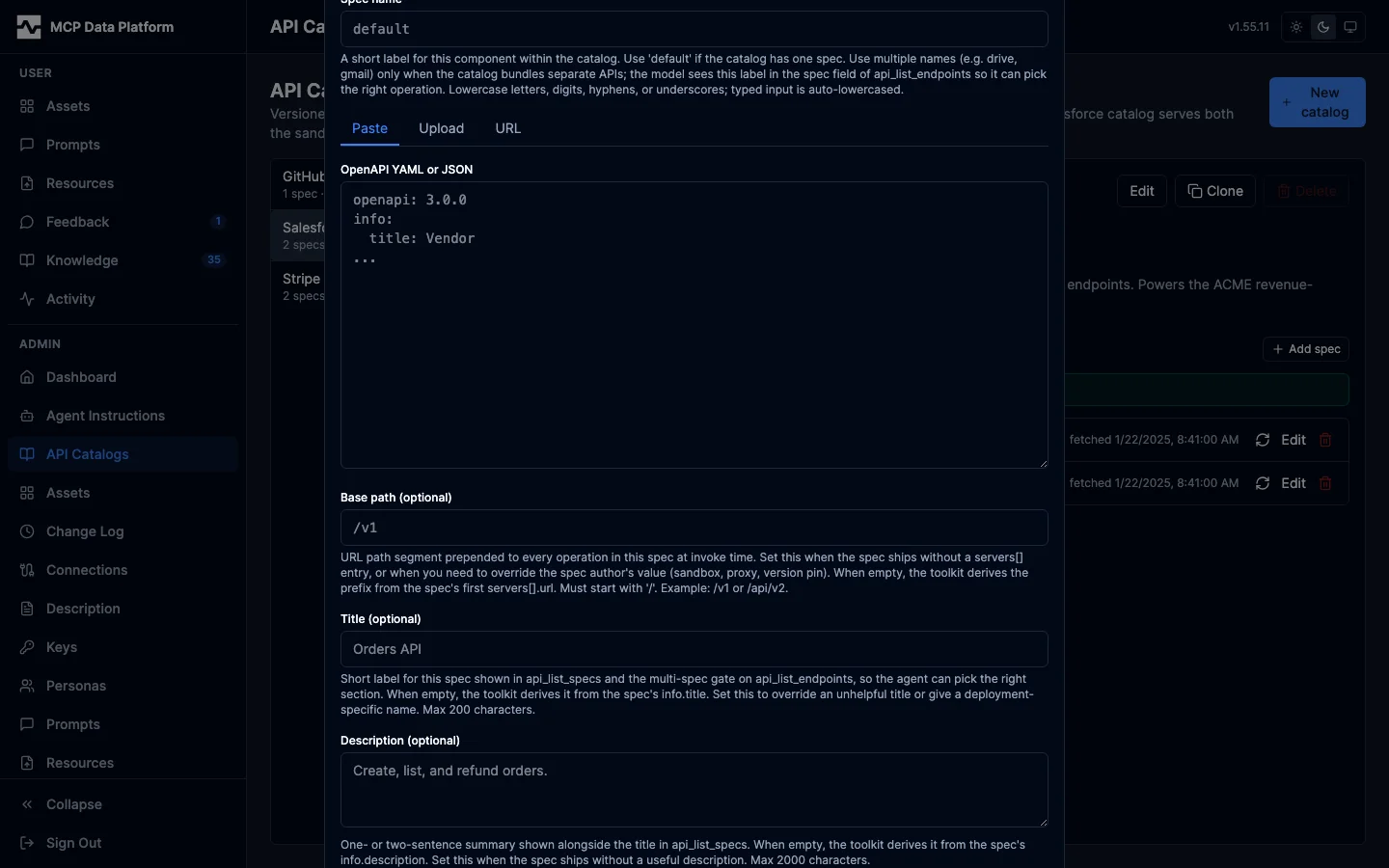
Ingest a spec by paste, file upload, or a public HTTPS URL (fetched once, ETag captured). The spec form follows the format chosen above the source tabs: the paste box is headed OpenAPI YAML or JSON, WSDL or GraphQL SDL, the upload filter and its note follow it, and the base path, title and description -- which are the HTTP gateway's -- are absent on a GraphQL schema, which is served to the graphql connections that read the document itself. Per-operation embeddings power semantic endpoint ranking in api_discover.
See API Catalogs for the full catalog model, ingestion paths, and the embedding job queue.