Activity
Activity has three tabs: Overview, the aggregates; My Sessions, the individual sessions those aggregates are made of; and My Calls, the queries and API calls those sessions ran.
Overview
The Overview tab shows your personal tool usage analytics across configurable time ranges (1h, 6h, 24h, 7d).
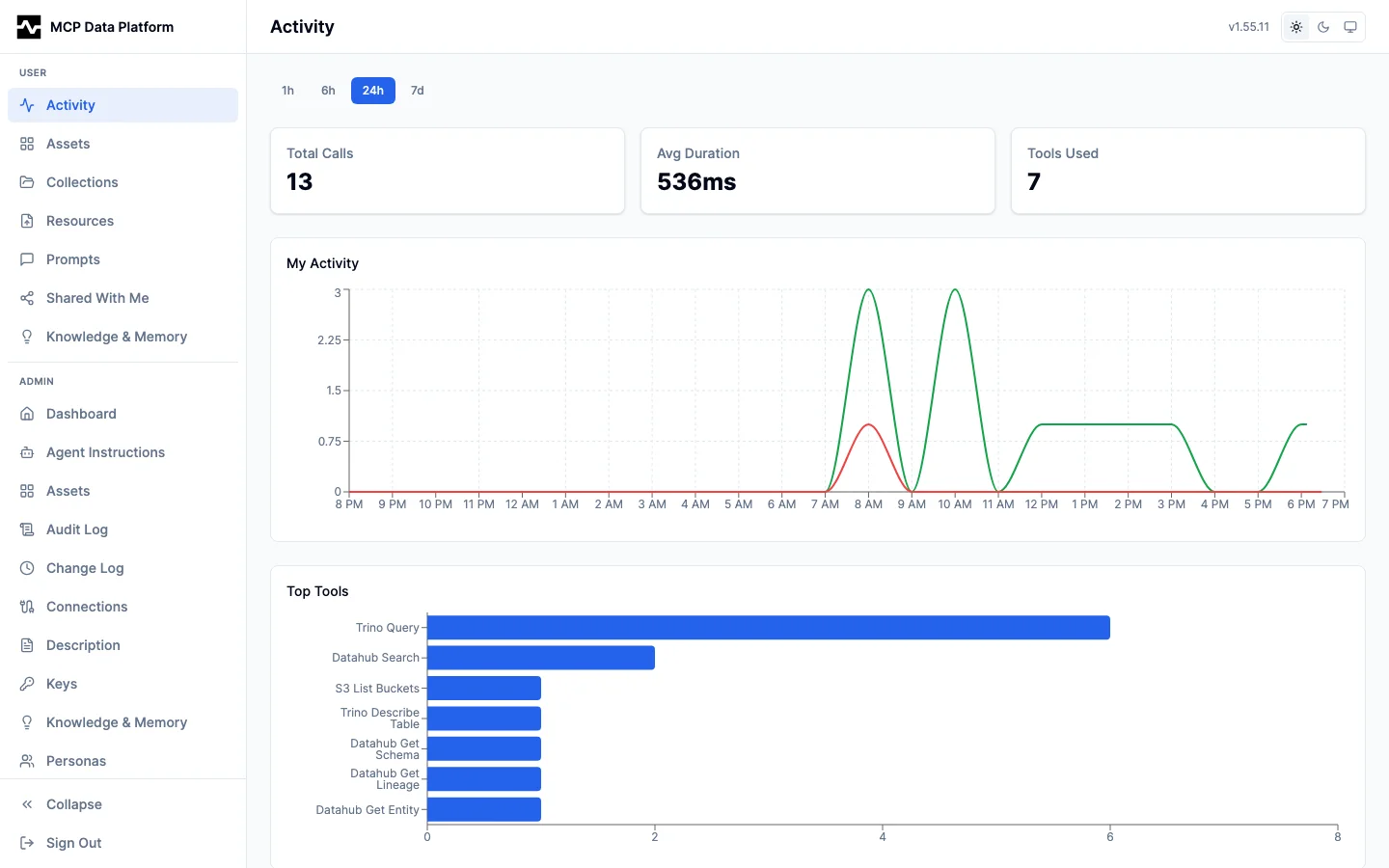
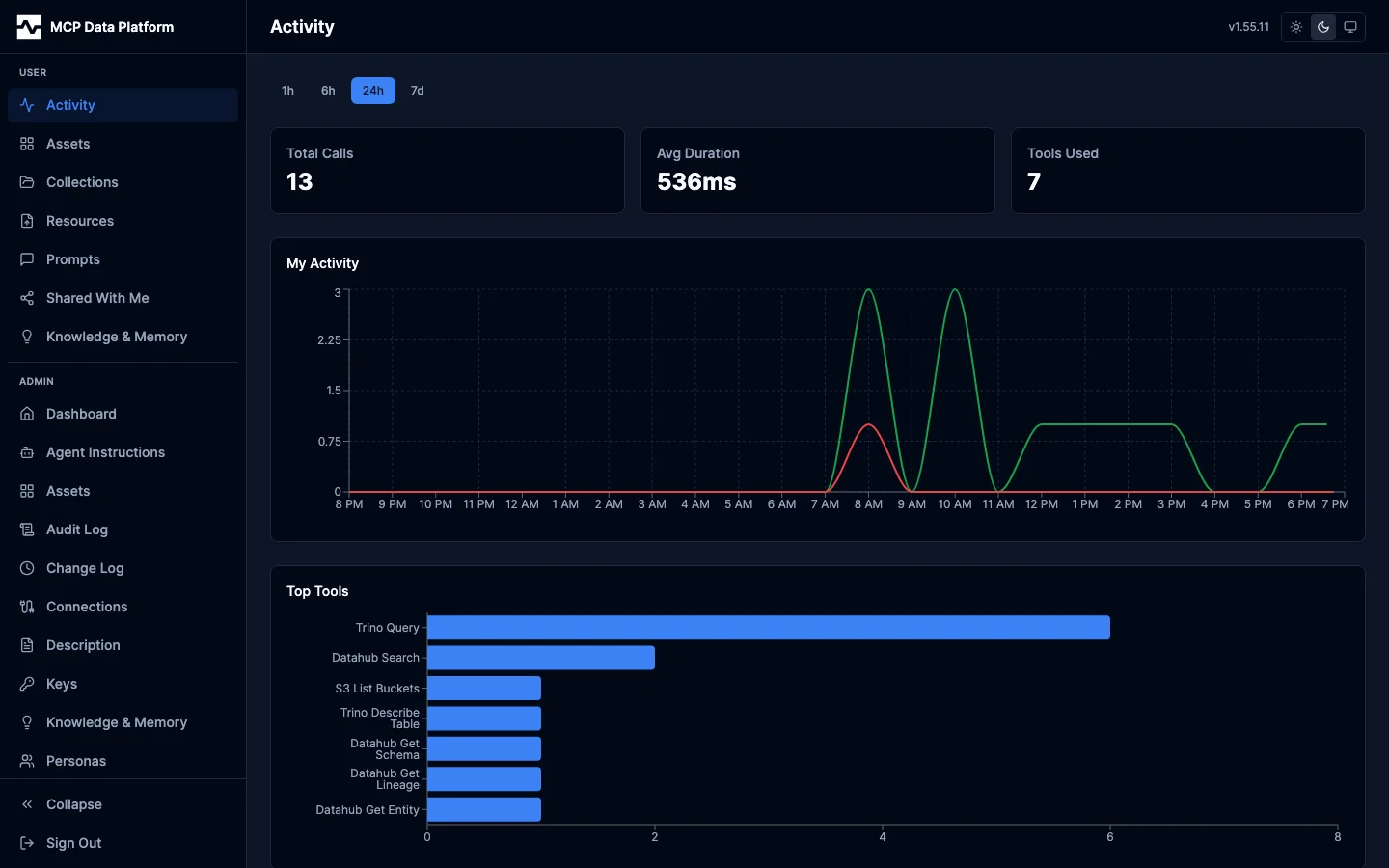
The tab includes:
- Summary cards — Total calls, average duration, and tools used in the selected window
- My Activity chart — Timeseries of your tool call volume (green) with errors highlighted (red)
- Top Tools — Horizontal bar chart of your most-used tools
My Sessions
The My Sessions tab lists the sessions you ran, most recently active first. A session is every tool call sharing one session id, so it can be read back long after it ended — as far back as this deployment keeps audit history, and after the platform's own session record has expired.
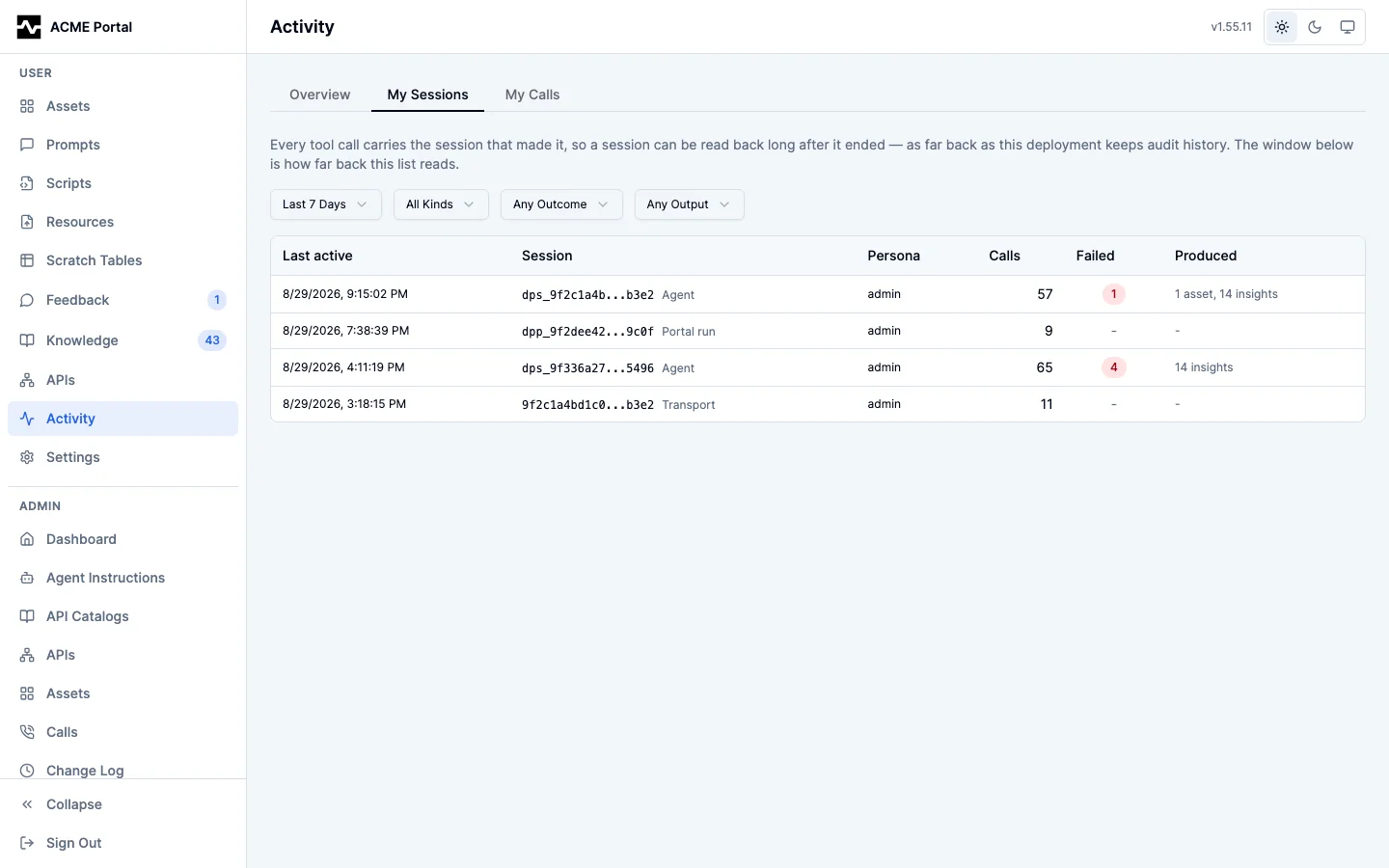
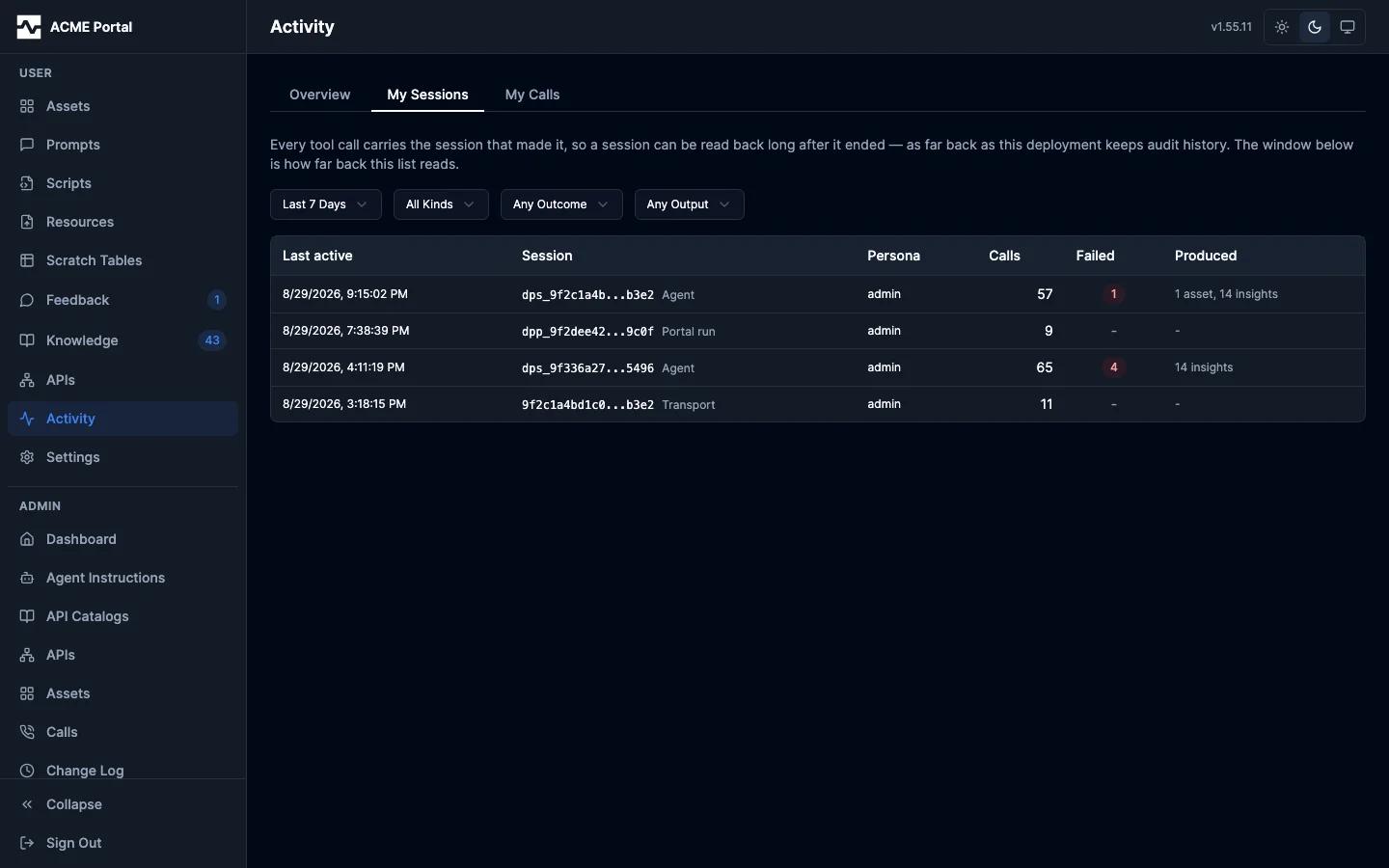
Each row carries the session's kind, the persona you ran it as, how many calls it made, how many of them failed, and what it left behind. The facets narrow the list:
- Time window — How far back the list reads (24 hours, 7 days, 30 days, or all time; 7 days by default). The list rolls up every event in range, so a wider window is a heavier query — which is why the window is a visible control rather than a hidden default.
- Session kind — Where the id came from: an Agent handle threaded across calls, one Portal run, one Script run, or a Transport session
- Outcome — Only sessions with at least one failed call
- Output — Only sessions that saved at least one asset
There is no user facet, and no user column: this list is always your own. A session id belonging to someone else is answered as not found, the same answer an id that was never used gets. Administrators read every session from Admin > Sessions instead.
Click a row to open the session.
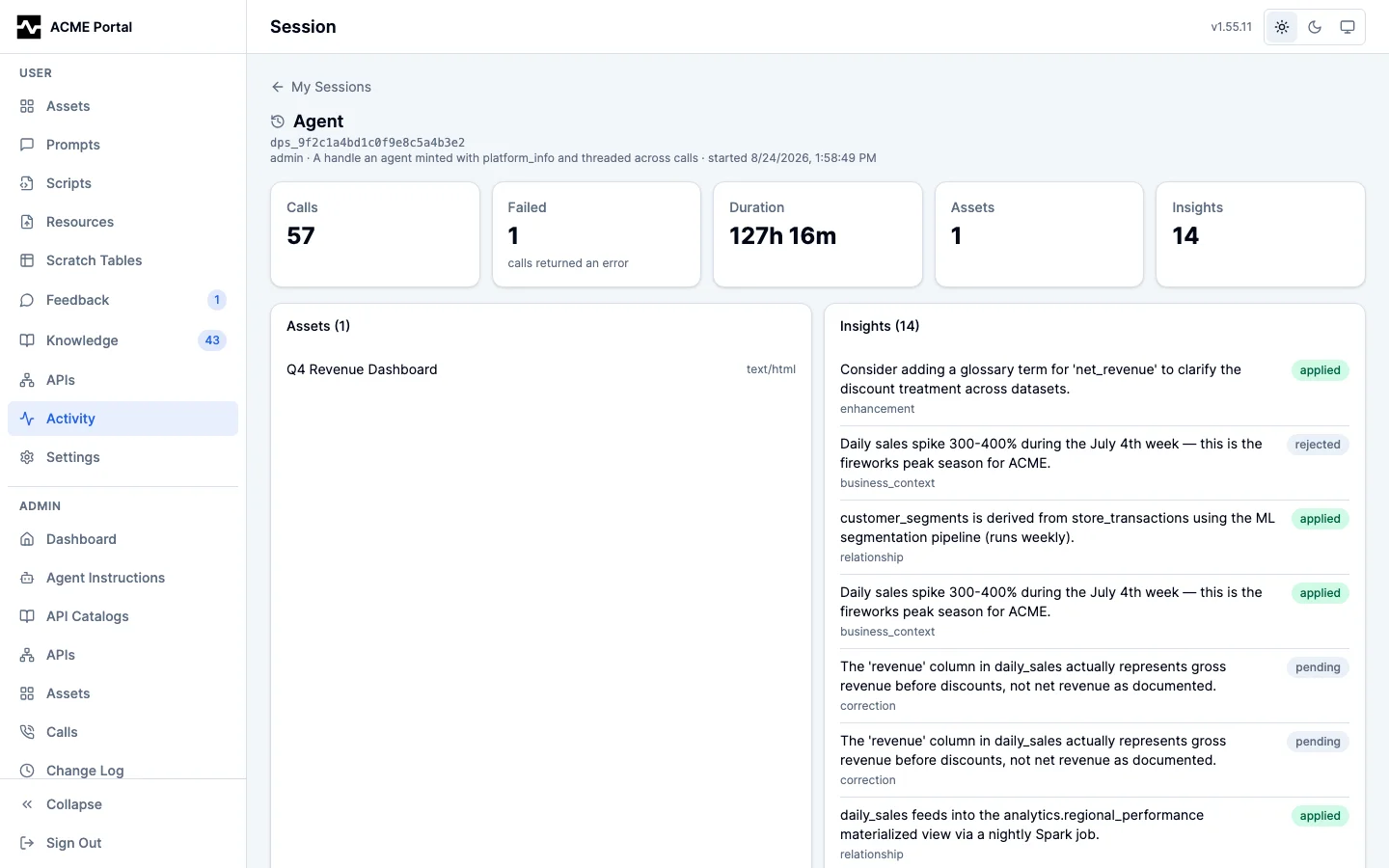
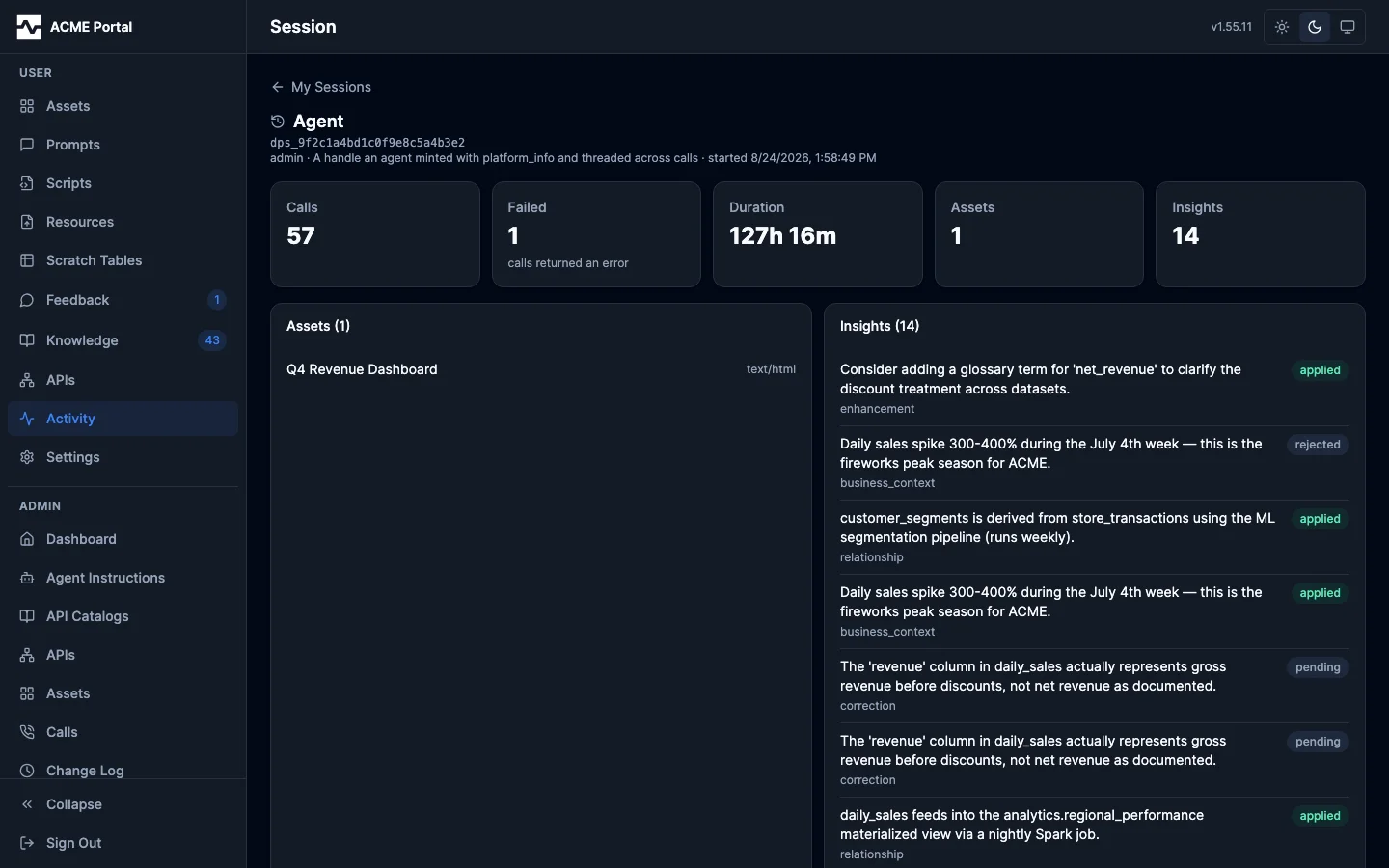
The detail shows:
- The session at a glance — Calls, failures, wall-clock duration, and the assets and insights it produced
- What it produced — The assets it saved, each opening in the asset viewer, and the insights it captured with the review status each is sitting at
- Timeline — Its calls in the order they were made, each with the purpose the agent stated for it, the connection it went to, whether it succeeded, and how long it took
The session detail is addressable, so you can bookmark it or hand it to a colleague — though a colleague who is not an administrator will get a not-found, since a session opens only for the person who ran it.
An agent recalls the same sessions the same way you read them: search finds them by what their calls said they were for, and fetch mcp:session:<id> opens one. The scope is the same one this list applies, so an agent recalls the sessions of the person it is acting for and no one else's. See Recalling a session.
My Calls
The My Calls tab is the catalog of data-access calls you have made: every query against a query engine and every invocation through the API gateway, kept with the reason stated for it and what came of the result.
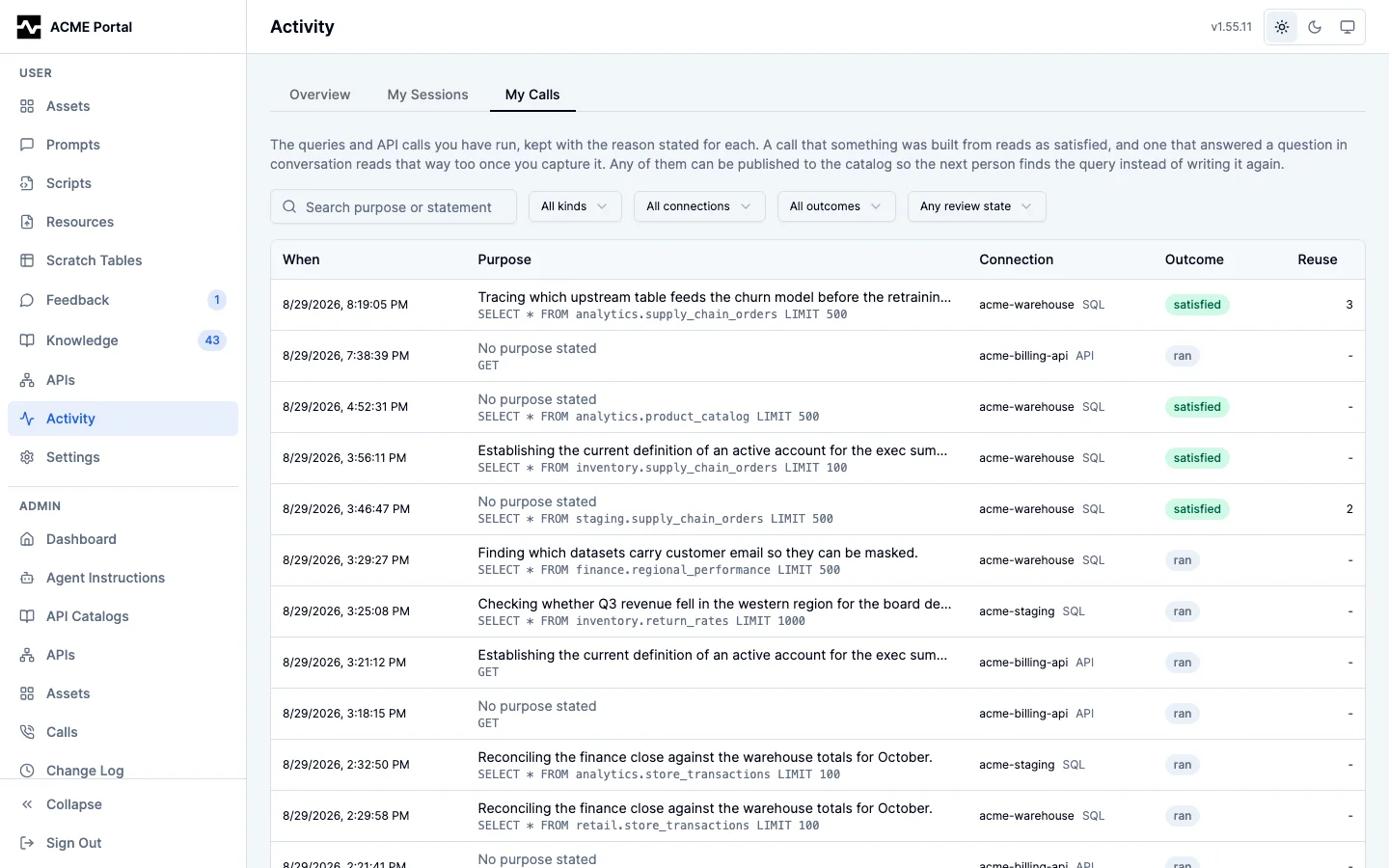
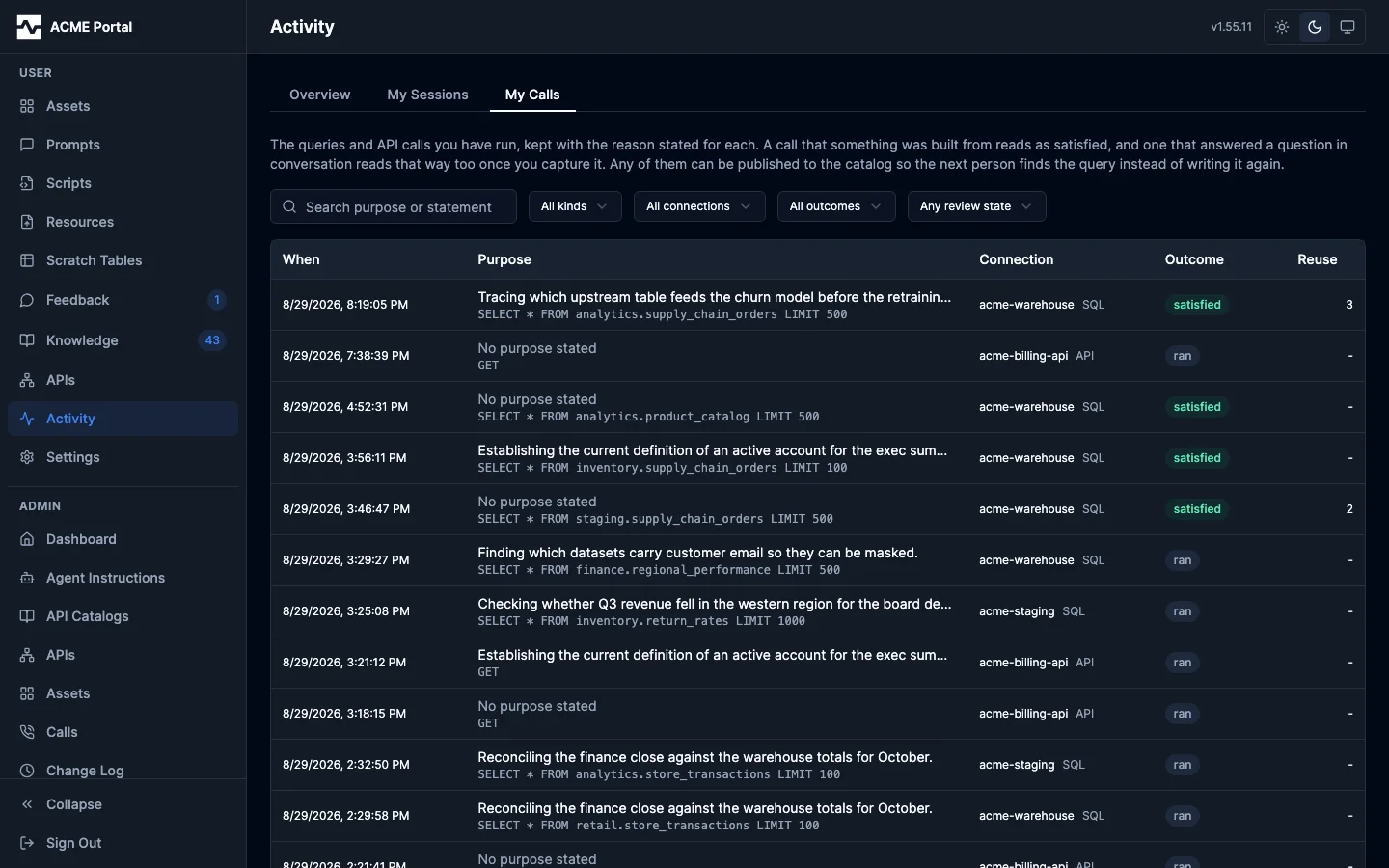
Each row leads with the purpose, because it is the only line about the call a person wrote, and carries the statement under it. The Outcome column is what the catalog exists for, and it is derived on every read rather than stored:
| Outcome | What it means |
|---|---|
satisfied |
Something was built from the call and named it: an asset or a capture whose sources cite it, or an export citing the statement it streamed |
failed |
The call returned an error |
superseded |
A later read in the same session addressed the same resource, and nothing was built from this one |
ran |
The call succeeded and nothing has come of it yet |
Deriving the outcome rather than storing it means it can never be stale with respect to the asset or the capture that gives it meaning: save an asset citing a query and the query reads satisfied on the next read, with no backfill and nothing to recompute.
Two limits on the rule are worth stating, because their absence produced wrong outcomes:
- Naming, not proximity. An asset saved without a
sourcesargument still records every call the session made in its provenance, and that record is not a claim about any one of them. Those calls readran. What makes a callsatisfiedis an artifact naming it. - Supersession is read-shaped, over a resolved resource. A later read of the same thing is a better answer to the same question; a mutation is not a better version of an earlier mutation. And the resource a call addressed includes the values it resolved its path with, so a call against one script is never reported as having been replaced by the same call against another. A call whose target cannot tell it apart from a different call is never declared superseded.
Reuse is the other column worth reading. It counts the later sessions that found the record and then ran what it holds: the same statement, or the same API resource, over the same connection. A session running its own query again does not count, and neither does an identical query written independently: without the sighting, nothing says this record led to it. It is the one signal on a record that a stranger, and not its author, found it worth running.
The facets narrow by kind (SQL or API), connection, outcome, and free text over the purpose and the statement. Awaiting review keeps the records that answered something and have not been published or declined, most re-run first. There is no user facet and no user column: this list is always your own, and another person's record id is answered as not found.
Click a row to open the record.
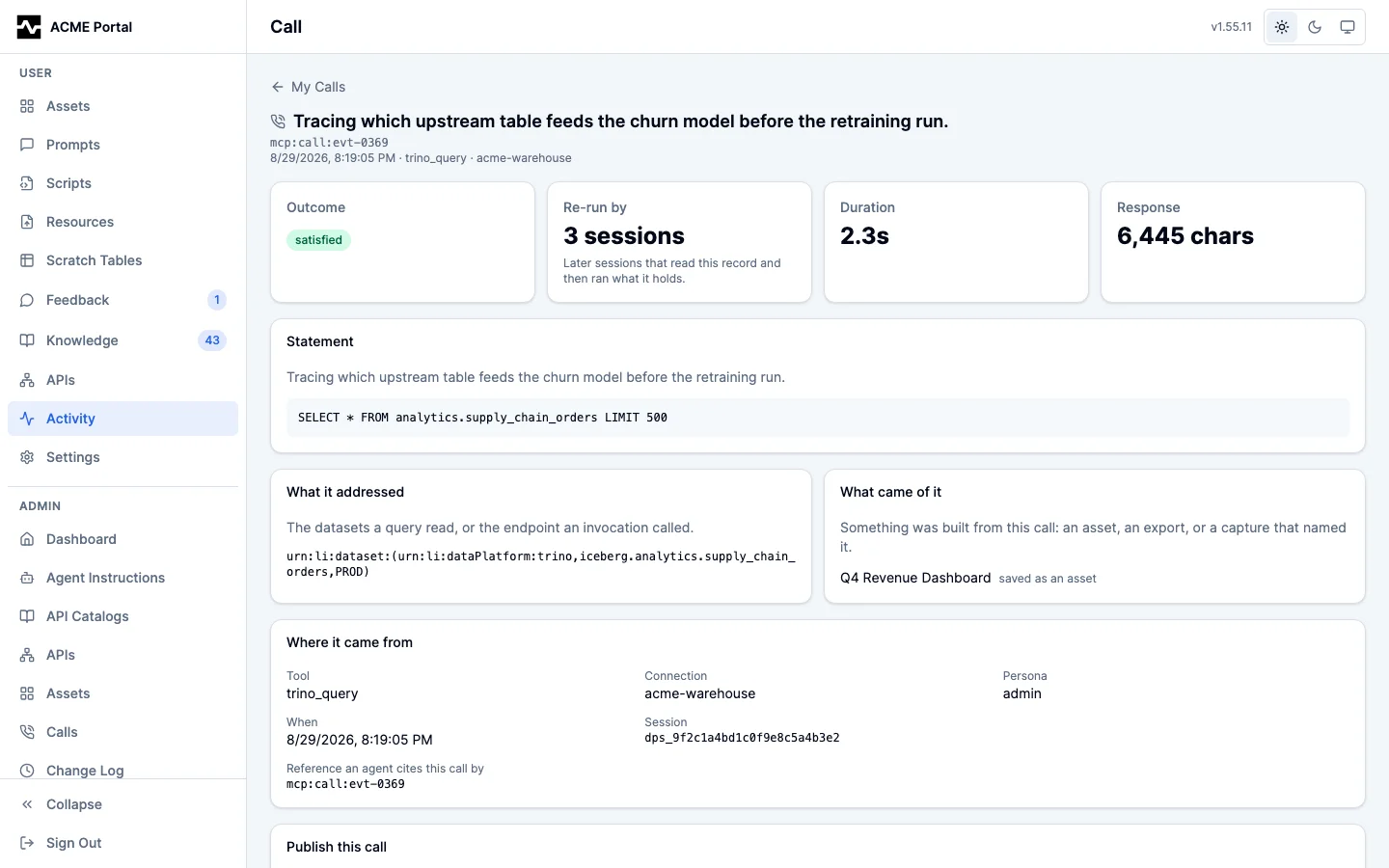
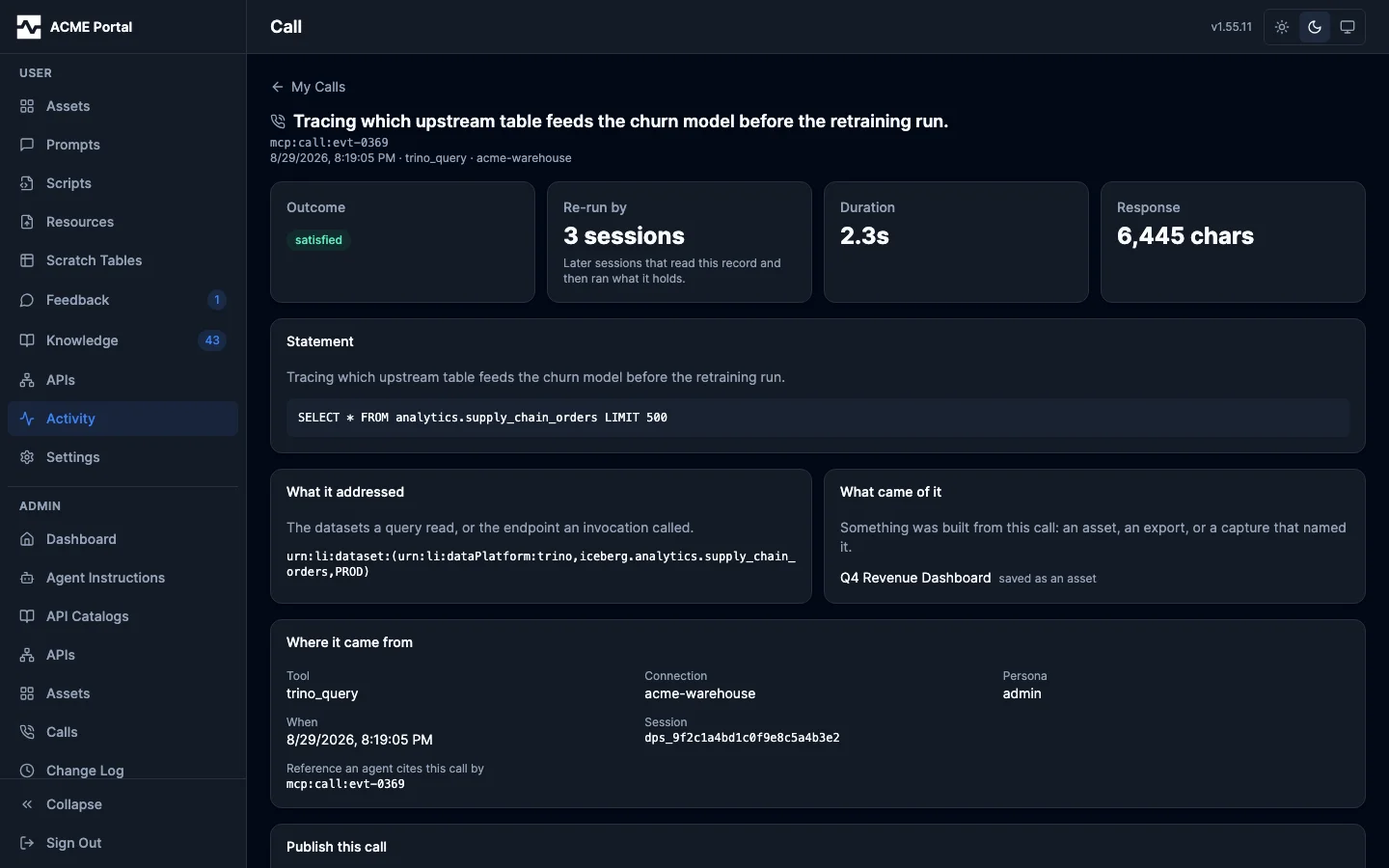
The detail shows the statement or request line, the datasets it addressed, what was built from it (each asset opening in the viewer), the session that ran it, and the mcp:call:<id> reference an agent cites it by.
A satisfied record can be published. A query becomes a Query entity in the data catalog, associated with every dataset it reads; an API call becomes a saved example on its endpoint, shown to whoever reads that endpoint's schema next. A record you decide is not worth publishing can be declined with a note, which stops it being offered.