Running Managed Scripts
A managed script is authored interactively and executed unattended. This page
covers the second half: what runs a script, what a run produces, and how long
the record of it is kept. The authoring half —
writing, validating, and dry-running a script — is reached through
manage_script, and the security model behind everything here is
Managed Scripts: Security Model.
A saved script runs
The platform executes the script's latest saved version: saving a version makes
it the version that runs. run_script, the portal's run action, and a schedule
all execute it, and the run gate refuses only a script taken out of service —
disabled, deprecated, or superseded — in its own words on every surface
(pkg/script/run.go, RefuseRun). There is no approval step and no state in
which a script exists but nothing may execute it; manage_script run_draft
remains the way to execute an edit as yourself before saving it.
The authority a run carries
A run executes as the script's own principal (script:<name>), presenting the
roles its author held when they saved the executing version. Those roles are
captured on the immutable version row at the save and cannot be set any other
way, so a script can never do unattended what the person who wrote it could not
do themselves. The middleware resolves them to a persona at every call, exactly
as it does for a person, and the persona filter decides which connections the
run may reach — at run time, with no script-side allowlist. Narrowing a
persona's rules takes effect on the script's next run.
Who may save is the edit rule: a script is one person's, so its owner saves it and so does an administrator. Deleting it is the same rule, and it takes the script's schedule and history with it — nobody else could see it, run it, or notice it go.
A delete is made from the script's page in the portal
(DELETE /api/v1/portal/scripts/{id}) or with manage_script command=delete.
Both call the same store, so the two surfaces remove exactly the same rows: the
script, its saved versions, its schedule, its run history and the state it
carried. Both also answer with the same account of the removal, composed once
in script.DeleteMessage and naming only what the script actually had, so a
script that was never scheduled and carried no state is not reported as having
lost either:
{
  "name": "daily-sales-report",
  "status": "deleted",
  "message": "daily-sales-report is gone, with its saved versions, its schedule, its run history and the state it carried. The assets and resources it wrote remain, and they still record that it wrote them."
}
An agent deleting a script on a person's behalf relays that sentence rather than
inventing one. What a delete does NOT remove is the work: the portal assets and
managed resources the script wrote stay where they are, owned by whoever owns
them, and the producer records naming the script as their writer stay with them
(see what wrote a file) — a deleted script is
still the answer to "what wrote this report". A delete from the portal is
recorded in the audit log as a script_delete event of kind admin, naming
the script and the owner who lost it; one made through the tool is already in
the log as the manage_script call it was.
An administrator can move a script to another owner, from the script's page in
the portal (PUT /api/v1/portal/scripts/{id}/owner), choosing the new owner
from the people who have signed in to this deployment at least once: an address
nobody has ever authenticated with cannot open the portal, so a script handed to
one would be visible to administrators alone. Ownership is the whole of
what a script is, so the transfer hands over what its owner sees, edits, runs,
and schedules, all at once — including its history: the new owner reads the run
records and dry-run accounts the previous owner produced, whose logs are free
text those runs printed. That is the reason a transfer is an administrator's
action and not an owner's to give away.
The move is recorded as a new version authored by the administrator making it, and from then on a run presents THAT administrator's roles: moving a script to an administrator is how it comes to run with an administrator's reach. It is refused when the receiving owner already keeps a script of the same name, and it is recorded in the audit log like any other administrative write.
The files the script's runs have already written do not move on their own (#1588). An output records the owner's address when it is first written, and the move rewrites nothing about it by itself, so a transfer that said nothing about them would leave the new owner with a script whose every run refreshes files they cannot open. When the script has created live assets or collections, the request states what happens to them:
{"owner_email": "[email protected]", "outputs": "move"}
outputs: move hands every asset and collection the script created to the
new owner, in the same transaction as the script, so a refused transfer moves
no file and a failed file update moves no script. outputs: keep leaves them
with whoever owns them now. A request that says neither is refused with a 400
naming how many files there are to decide about; a script that has created
none accepts either value or neither and moves exactly as it always has. The
portal's confirmation counts the files and offers to move them, on by default.
Only files the script CREATED are its to move: a file it wrote a version over
is somebody else's, a managed resource is filed by library rather than by
address, and a deleted file is gone either way.
The response states what became of them. Moved, it counts what moved; kept, it lists each file the new owner cannot open, share or delete, by name and by whose it is, and the script's page marks the same files under Files written. The audit event records the disposition and, for a move, how many rows it touched.
Who owns it and who wrote it
These are two facts about a script, and after a transfer they name two
different people. owner_email — on manage_script command=get and on each
row of command=list — is the person the script is filed under NOW: who sees
it, edits it, runs it, schedules it. The move above changes it.
The author does not move. Every version records the person who saved it and the
roles they held at that save, and manage_script command=versions
name=<script> reads that history, newest first:
{
  "name": "daily-sales-report",
  "owner_email": "[email protected]",
  "count": 3,
  "versions": [
    {"version": 3, "author": "[email protected]", "author_roles": ["admin"], "status": "applied", "created_at": "2026-08-20T09:12:00Z", "display_name": "Daily Sales", "description": "…", "category": "reporting", "tags": ["sales"]},
    {"version": 2, "author": "[email protected]", "author_roles": ["analyst"], "status": "applied", "created_at": "2026-08-14T16:04:00Z", "display_name": "Daily Sales", "description": "…", "category": "reporting", "tags": ["sales"]},
    {"version": 1, "author": "[email protected]", "author_roles": ["analyst"], "status": "applied", "created_at": "2026-08-13T14:30:00Z", "display_name": "Daily sales", "description": "…", "category": "reporting", "tags": []}
  ]
}
The oldest entry names whoever created the script, so "who wrote this?" survives
a transfer that made owner_email somebody else. The roles on an entry are the
authority a run of that version presents, which is why the transfer's own
version carries the administrator's roles. The same history is on the script's
page in the portal.
It carries no source. A version holds the whole body, and returning every
version's would turn one call into the complete edit history of the file; read
an earlier version's code with command=diff. Who may read the history is who
may read the script: its owner, and an administrator on any script. A
deployment whose store keeps no versions refuses the command rather than
answering with an empty history.
What a run may call
A script calls the tools its author can call. platform.query,
platform.execute, platform.export and platform.publish_data are named
helpers for what a report usually does; platform.call(tool, args) invokes any
other platform tool by name and hands the script its structured result:
def main():
    """Refreshes the forecast data in the dashboard asset."""
    resp = platform.call("api_invoke_endpoint", {
        "connection": "util",
        "operation_id": "fetch_forecast",
        "body": {"office": "PSR"},
    })
    periods = resp["body"]["properties"]["periods"]

    platform.call("manage_asset", {
        "action": "patch",
        "asset_id": "5affca99a698be1b31dd25d0f76cb398",
        "change_summary": "Hourly forecast refresh",
        "edits": [{
            "op": "replace_content",
            "selector": "#data",
            "text": json.encode({"as_of": run.fire_time, "periods": periods}),
        }],
    })
A collection an API serves in pages is one call, not a loop. Pass paginate
to api_export (or api_invoke_endpoint) and the gateway walks the pages
inside that call, pacing on the upstream's Retry-After, streaming the merged
array into one asset, and returning the asset's metadata with pages_fetched
and stopped_by. A 160-page changelog is one platform.call, one rate-limit
token, one audit row, and no page bodies held in the script:
def main():
    """Saves the vendor's whole changelog as one asset."""
    asset = platform.call("api_export", {
        "connection": "vendor",
        "operation_id": "listChangelog",
        "query_params": {"per_page": 100},
        "paginate": {"items": "data", "cursor_param": "cursor", "max_pages": 500},
        "name": "changelog.json",
    })
    print(asset["pages_fetched"], asset["stopped_by"])
See Walking a paginated operation for how the next page is found and where the walk stops.
SQL goes through platform.query and platform.execute. Both take :name
placeholders and render each value as a typed SQL literal: platform.query
for a read, platform.execute for a statement that changes state (#1950).
trino_query and trino_execute take no parameters, so a
platform.call("trino_execute", …) has no safe way to put a value that came
from outside into its statement: one apostrophe in an upstream field breaks
it, and an upstream field can append statements of its own. A save is refused
(sql-built-from-values) when the SQL passed to any of the four is built with
+, % or .format() from values.
def main():
    """Closes one ticket."""
    platform.execute(
        "UPDATE lake.support.tickets SET status = 'closed' WHERE id = :id AND note = :note",
        connection = "warehouse",
        params = {"id": run.params["id"], "note": run.params["note"]},
    )
platform.execute is a trino_execute call: it is authorized, audited and
counted as a write exactly as that call is, and a draft stops at it unless the
draft was run with allow_writes.
Every one of those, the helpers included, is one ordinary MCP tool call over
the run's own session. It is authorized by the persona filter at the moment it
is made, presenting the roles the version's author held at the save, so a
script reaches exactly what its author reaches and a tool the persona does not
allow is refused in the persona filter's own words. There is no script-side
allowlist, and nothing to keep in step with the persona configuration it would
duplicate. A deployment that does not want scheduled writes withholds
trino_execute from the persona, which is where that decision already lives
for interactive callers. See the security model's tool-surface
section.
Name the tool with a string literal, and write the args dict out in the call:
validate reads the literal tool names into the report's tools list and a
connection named literally inside the args dict into its connections list,
which is how a reader learns what a script reaches without reading the
Starlark. A name the module binds once to a literal counts as that literal
(#1906): WAREHOUSE = "acme" and then connection=WAREHOUSE names the acme
connection, and so does string building over literals and such names
("prod-" + REGION, "{}-drop".format(ACME)). A name bound more than once, or
bound under an if, or a function parameter that shares the name, is not one.
What cannot be read is reported as dynamic_tools or dynamic_connections
rather than quietly left out.
Two things a generic call does not get, which is why the helpers are still the
way to do the three things they do. A query issued by tool call is not counted in the run's query
total, and most writes made by tool call are not one of the run's OUTPUTS: the run row's output list and the per-run output cap cover
platform.export and platform.publish_data, so an object written by
platform.call("s3_object", {"action": "put", ...}) appears in the audit log rather than on
the run detail page. The exception is the export tools, the right tools once a result is past the row cap (#1854):
a file trino_export, api_export or graphql_export writes inside a run is listed under the
run's outputs with its name, asset (or managed resource) and version, format, rows and bytes,
marked with the tool that wrote it. A named export inside a run takes platform.export's
identity: the first run creates the script's asset for that name, and every later run writes
its next version, so a nightly export is one asset with a version history rather than a new
asset each night. Passing resource writes the next version of one managed file instead, and
passing your own idempotency_key keeps that key's meaning (the same key returns the asset it
first wrote). Outside a run each export tool call still creates a new asset. And a query issued by tool call is handed the tool's own
result, truncation flag included, without the row cap platform.query pushes
down into the statement.
A tool that answers with plain text rather than a structured object arrives as
{"text": "..."}, so a call always returns something the script can read.
A run acts on what its author owns. It authenticates as script:<name>, which
is what audit records and what it stamps on the assets it writes, and it carries
the address of the version's author so ownership checks recognize it: a script
can refresh a dashboard its author owns, patch a document they own, or share
one. (What its outputs belong to is a separate question, answered in Who the
output belongs to: the script's owner, on the
address the write records beside the principal.)
The author, not the script's owner, because the run presents the author's roles
and the two halves have to be the same person — so after an administrator
transfers or edits a script, its runs act for that administrator while the owner
is who may trigger them. A share addressed to the author
is not inherited, and list still shows the script's own outputs rather than
its author's library.
Two calls are refused from inside a run: run_script and manage_script
run_draft. That is a runaway-work guard rather than an authorization rule — a
run waiting on a run it started holds a worker slot while it waits, and runs
waiting on each other can hold every slot a replica admits, leaving nothing to
execute the runs they wait on. Give the second script its own schedule.
Where output may go
A script writes to the portal by default. Delivering output to a bucket needs the deployment to declare the destination, by name and complete address, in configuration:
A run resolves the destination name a script writes against this list at run time, so repointing a destination — changing its connection, bucket, or prefix — is a configuration change that takes effect on the next run. A name nothing declares is refused inside the interpreter, naming the configured set, and a draft run resolves through the same list, so a destination a real run would refuse fails while the author is iterating. The write itself is authorized by the persona filter like every other call. See the security model's delivery section.
Running one
run_script validates the arguments against the script's parameter contract —
the latest saved version's — puts a run on the queue, and waits for it. The
run executes the version it was queued against, so a save landing while a run
waits in the queue does not swap code underneath it; the next request executes
the new save.
The call waits up to two minutes by default and at most five. A run that
outlives its window keeps going: the response carries its run_id with a
pending status, and manage_script command=get_run run_id=… reads it when it
finishes. Passing a negative wait_seconds queues the run and returns
immediately.
Runs execute on the platform itself, on whichever replica claims them, so a long report does not hold an agent's connection open and a restart does not lose a queued run.
Typed parameters, and the ones the platform can offer
A parameter is typed string, int, float, bool, date, enum, list,
date_range or
connection. Every surface that asks for a value renders the control the type
deserves: a choice where the value comes from a set somebody already knows, and
a box only for a value the platform genuinely cannot enumerate.
connection is the type for a parameter naming a platform connection. It binds
as a string, and it is a type of its own because the platform holds the whole
set of values it can take:
- The surfaces that ask for one OFFER the set instead of asking an author to remember the spelling: the connections the caller's own persona reaches. The run itself is authorized at each query against the roles captured at the script's last save, so a connection outside them is refused at the query.
- The set holds only connections a script can query. A connection is
identified by kind and name together, and a deployment may legitimately carry
one name across kinds — a Trino cluster, a DataHub instance and a bucket all
called
acme. The value bound here is passed toplatform.query, which reaches the Trino connection, so that is the connection the name resolves to and the one the surface describes.platform.exportnames a configured destination rather than a connection, so it does not widen the set.
An enum carries its own values and renders the same way. An optional
connection, like an optional enum, date or date_range, must declare a
default: there is no meaningful empty connection.
A list (#1844) names its element type in items (string, int, float,
date or enum; a list of enum lists its values), and optionally
min_items and max_items. It binds a JSON array with every element checked,
so a typo in one id among twenty is refused naming the element rather than
silently matching nothing, and it reaches the script as a list that
platform.query binds as a parenthesized list:
```python fragment rows = platform.query(connection="warehouse", sql="SELECT * FROM stores WHERE id IN :ids", params={"ids": run.params["ids"]})["rows"]
A `date_range` binds `{"from": "YYYY-MM-DD", "to": "YYYY-MM-DD"}` and refuses
one whose `from` is after its `to`; the script reads `run.params["period"]["from"]`.
Every parameter may also carry form metadata, stored with the contract and
returned by `GET /api/v1/portal/scripts/{id}` so a client builds a form without
reading the source: `label` (the field's name; `description` becomes its help
text), `order` and `group` (how the form is laid out), `min` and `max` (for a
number or a date, and for each end of a range or each element of a list),
`pattern` (a regular expression a string must match in full), and `ui`, an
opaque object the platform stores and returns and never interprets, for an
embedding application's own widgets (`{"widget": "location-picker"}`). The
portal's run form renders a list as comma-separated values (checkboxes for a
list of enum), a range as two dates, and lays fields out by group and order.
### Running one from the portal
The owner of a script runs it from the script's own page. The form is built
from the script's parameter contract, and pressing Run queues exactly what
`run_script` queues: `POST /api/v1/portal/scripts/{id}/runs`, restricted to the
script's owner and to administrators, binds the values against the latest saved
version, puts a run on the queue, and answers with its id. A worker executes it
under the script principal, so a run asked for here and a run asked for by an
agent are the same run in every respect except the label recording who asked.
The run appears in the history below the form and updates as it progresses: the
history re-reads itself while anything is pending or running and stops once
nothing is, and an open run shows its latest progress and the log it has
printed so far. The page does not wait for the run; the history is where it is
followed.

Two things it cannot do:
- It cannot run what the platform would refuse. Whether a run would be admitted
is `script.RefuseRun`'s answer, the same one the contract document reports
and `run_script` obeys, so a disabled or retired script says so instead of
offering a control that cannot work.
- It cannot widen anything. The run is authorized at every call against the
roles captured at the script's last save.
A run's trigger records which of the three producers created it: `tool` for
`run_script`, `schedule` for a fire, and `portal` for one an owner asked for on
the page. They execute identically.
### Letting others run it
A script's owner, or an administrator, can grant its runs to a persona, a role,
or an API key by name, from the **Access** card on the script's page or over
the API:
A grantee may call `POST /api/v1/portal/scripts/{id}/runs` and read the runs it
started, with their outputs and results. It reads the script's definition (the
source and the version history), as everyone signed in does, but not its state,
and it cannot change the script; on a script it was not granted it gets 404. The run still executes as the script with its author's
roles, so a grant decides who may ask for a run, never what the run may reach.
Every grant and withdrawal is audited (`script_grant`, `script_revoke`).

`GET /api/v1/portal/scripts?scope=granted` lists the scripts granted to the
caller, each with its parameter contract and `granted: true`, which is the
catalog an application builds its own screens from.

### Parameters the caller supplies

A parameter declared with `bind: "caller.<claim>"` takes its value from the
authenticated caller rather than from the request. For an API key the claim is
one of the key's attributes, set when the key is created:

```yaml
auth:
  api_keys:
    keys:
      - key: "${REPORTING_APP_KEY}"
        name: reporting-app
        roles: ["dp_service"]
        attributes:
          tenant: acme
A key created through the admin API takes the same attributes object. With a
parameter {"name": "tenant", "type": "string", "bind": "caller.tenant"}, a run
requested by that key binds tenant to acme, and the run record stores it. A
request that sends a value for tenant is refused with 400 rather than
overridden, and a caller that does not carry the claim is refused with 403. A
dotted claim (caller.org.id) reads a nested claim. A bound parameter is a
string, int, float, enum or date, takes no default, and has no field in the
portal's run form. A schedule has no caller, so a script with a bound parameter
cannot be scheduled.
Handing an answer back
A script that computes a small answer (the numbers a dashboard tile needs, the
ids that failed a check) hands it back with platform.result(value) instead of
writing a file nobody needs kept (#1845):
def main():
    """Hands back the net total and the number of regions."""
    rows = platform.query(connection = "warehouse", sql = "SELECT region, SUM(net) AS net FROM sales GROUP BY region")["rows"]
    platform.result({"total": sum([r["net"] for r in rows]), "regions": len(rows)})
The value is any JSON value, set once per run, and capped at
scripts.worker.result_max_bytes (1 MiB by default). A second call, a value
JSON cannot hold, or one over the cap fails the run with the reason rather than
being cut short. It is kept on the run record and nowhere else, so it follows
run retention and is never an asset; anything larger, or anything worth keeping,
is an output. The binding is result, not return: return is a Starlark
keyword and platform.return(...) does not parse.
run_script, manage_script command=get_run, a draft, and the portal's run
routes all carry it as result. Over HTTP the run route can wait for it:
A run that finishes within the wait answers 200 with the run itself: its
status, result, outputs and error. One still going when the wait ends,
and every request without wait, answers 202 with the run id, followed with
GET /api/v1/portal/scripts/{id}/runs/{runID}. The wait is capped at 300
seconds, the same cap run_script applies to wait_seconds. A proxy in front
of the platform with a shorter read timeout ends the request first, so a caller
behind one waits no longer than it allows.
Following a run while it executes
platform.progress(message, done=None, total=None) reports how far a run has
got (#1847):
```python fragment for i, entity in enumerate(entities): platform.progress("entities", done=i, total=len(entities)) # ... work on entity ...
Only the latest report is kept, and the worker writes it to the run every two
seconds together with the log printed so far, so a script can report on every
iteration without costing a write each time. A running run then shows
`120 of 500 · entities` and its log in `get_run`, on
`GET /api/v1/portal/scripts/{id}/runs/{runID}`, and on the run's page, instead
of only `running`. The last report stays on the run after it ends.
### Stopping a run
`manage_script command=cancel_run run_id=…` and
`POST /api/v1/portal/scripts/{id}/runs/{runID}/cancel` stop a run (#1847), and
the page offers the same as a Cancel or Stop control on a run still in flight:
- A queued run is canceled outright and never starts.
- A running run ends `canceled` within seconds: its worker reads the request
when it next writes the run's progress, stops the interpreter at its next
step, and records the run with the outputs it had already written. A run that
reported success as the request landed stays succeeded.
- A running run whose worker has stopped reporting (#1860) is canceled at
once, with outcome `canceled_orphaned`: no worker will ever read the request,
so the store ends the run itself and clears its lease, which fences out a
worker that was only slow. A worker is "stopped reporting" when its lease has
expired or it has not written the run for 30 seconds; a live worker writes
every two seconds whatever the script is doing.
- A finished run is left as it is, and the answer says so.
Whoever may read a run may stop it: the script's owner, an administrator, and
whoever requested that run. A canceled run is not a failure: it is not
retried, and a scheduled one does not mail its owner.
## Running one on a schedule
A schedule is what turns a script into an automation: a cadence, a timezone,
and the parameter values every fire binds. Every fire executes the latest saved
version.

The portal shows the cadence, the timezone, the next fire, and whether the
schedule is running or paused, along with how many fires a pause has missed
and the note that a gap is never caught up on.
```json
{
"command": "schedule_set",
"name": "daily-sales",
"cron": "0 7 * * 1-5",
"timezone": "America/Los_Angeles",
"args": { "report_date": "${fire_date}" }
}
That reads "07:00 on weekdays, Los Angeles time, reporting on the day it fires".
The cadence is a standard five-field cron expression or a descriptor (@daily,
@hourly, @every 30m), read in the timezone named beside it — so a report
stays on its wall clock across a daylight-saving change instead of drifting by
an hour. The floor is one fire a minute.
A script has at most one schedule. Setting one again replaces the cadence in place, keeping the same automation and the run history that points at it; a second cadence over the same code is a second script.
| Command | Does |
|---|---|
manage_script command=schedule_set name=… cron=… timezone=… args=… |
Create or replace the cadence |
manage_script command=schedule_list |
The schedules of the scripts you can see |
manage_script command=schedule_disable name=… |
Stop it firing |
manage_script command=schedule_enable name=… |
Start it again |
The admin API carries the same four actions: GET
/api/v1/admin/scripts/schedules, GET and PUT
/api/v1/admin/scripts/{id}/schedule, and POST
/api/v1/admin/scripts/{id}/schedule/enable and .../disable. Pausing is its
own action rather than a field of the cadence, because re-sending a schedule to
turn it off would re-base the fire it resumes on.
There is deliberately no way to delete a schedule. Disabling one stops it and leaves the row that explains the runs it produced.
Editing from the portal
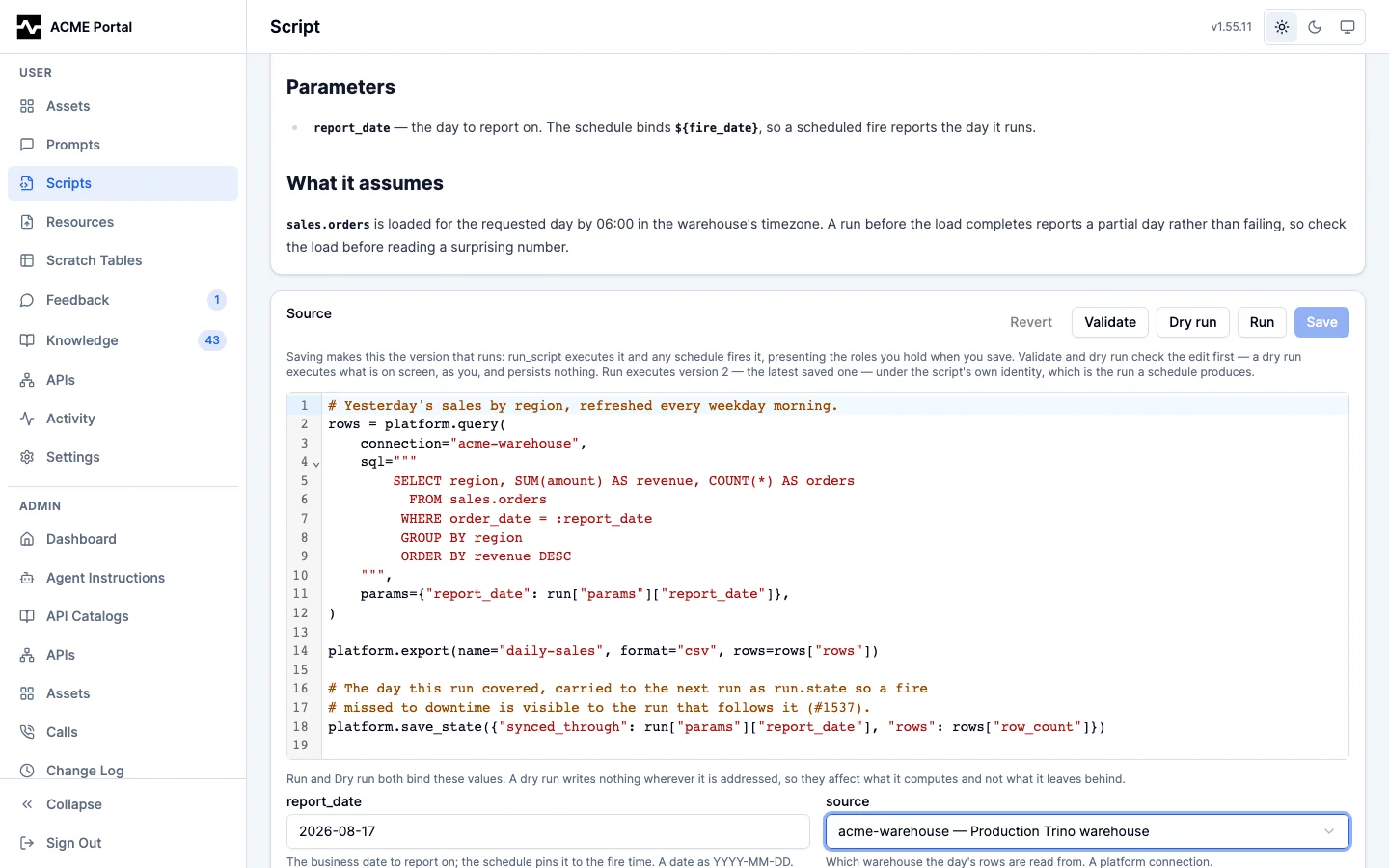
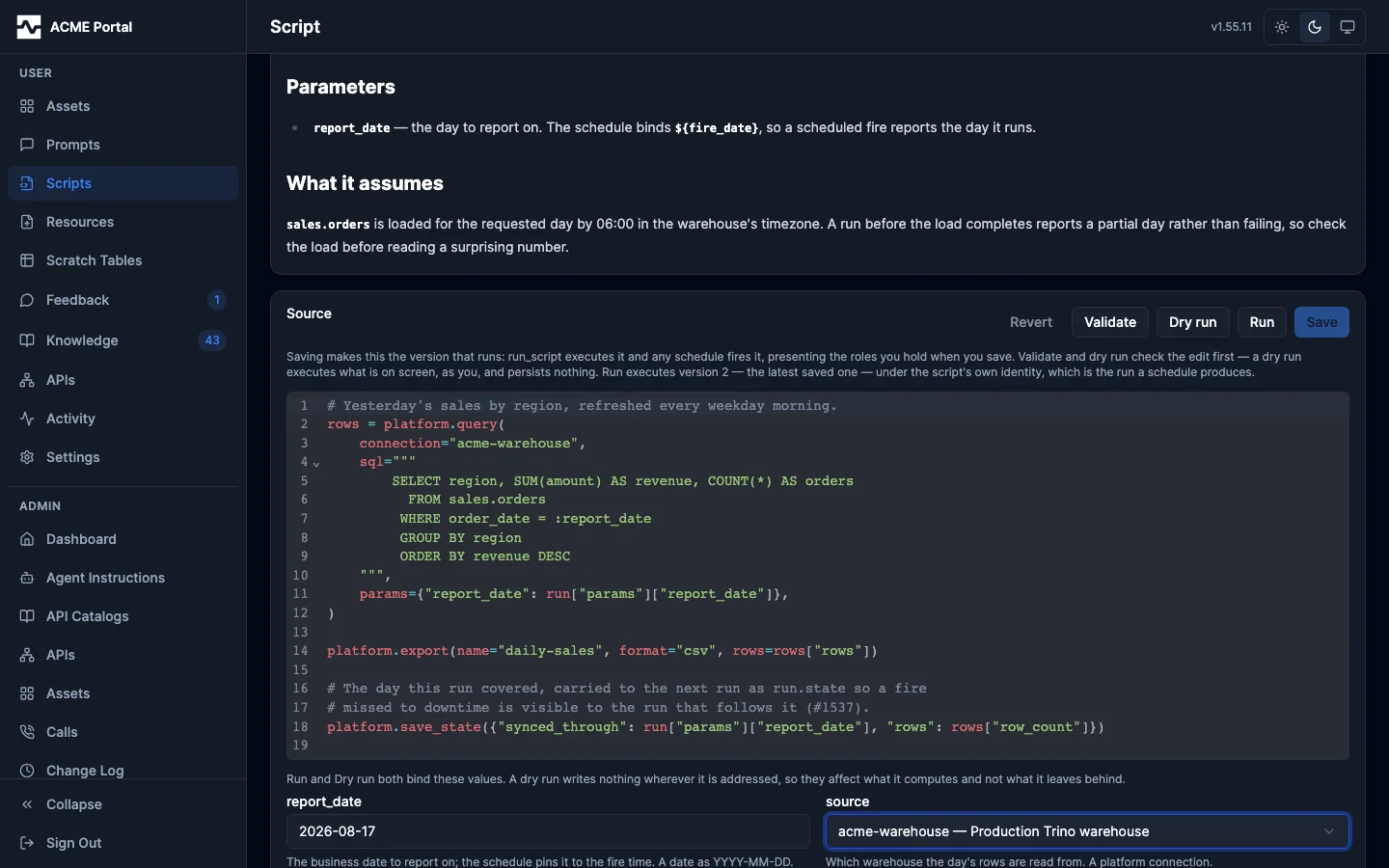
The owner of a script edits its source on the script's page, in the portal's
own editor, and the edit crosses the same gate a manage_script update crosses
(script.ApplyEdit): it lands on the live row, is captured as a version, and
is the version that runs from then on. The save says so, and says instead when
the script is disabled or retired and nothing will execute it. The route is
PUT /api/v1/portal/scripts/{id}/source, restricted to the script's owner and
to administrators, and it edits the SOURCE only — the status and the parameter
contract are structured decisions the tool owns, and the owner is the
administrator's transfer.
The source is parsed before anything is stored, so code that cannot run is refused at the keyboard rather than at the next fire.
Documenting a script
A managed script is complex logic that outlives the conversation that produced it, so its description is a document rather than a caption: markdown, at whatever length the automation needs explaining at, rendered on the script's page the way an asset's description and a knowledge page are rendered elsewhere in the portal. Write what the script produces, what each parameter means in the reader's terms, what it assumes about the data, and anything somebody re-reading it in six months would need.
Four fields say what a script is, and the owner writes all four on the page that
shows them (PUT /api/v1/portal/scripts/{id}/metadata), or an agent writes them
with manage_script update:
| Field | What it is |
|---|---|
display_name |
The label every listing, page header and search result prints. At most 200 characters. |
description |
The document, in markdown. |
category |
One lowercase slug the script is filed under (^[a-z][a-z0-9-]{0,30}$), which the listings filter on. |
tags |
Free-form labels, up to 20. |
All four apply immediately and are captured as a version, because what a script claimed to do is part of explaining what one of its runs did.
The portal form sends all four fields on every save, so clearing a box clears
the field. Through the tool, a field left out of an update is left alone: send
category: "" or tags: [] to unset those, and note that display_name and
description follow the tool's older convention in which an empty string means
"not sent" and cannot clear the field.
All four are matched by search — script_fts is composed from the title, the
description, the category, the tags and the parameter contract, and the semantic
index embeds the same text — so how a script is described and filed decides
whether anybody finds it.
Length. A description is refused only above 64 KiB, which is a structural
limit rather than an editorial one: the full-text expression is built into a
GIN index, so PostgreSQL runs to_tsvector on every write and refuses an input
over 1 MiB, which would make the row unwritable rather than merely unfindable.
Well below that, at about 16 KiB, the write still succeeds and the response
carries a suggestion that the background might belong in a knowledge page the
description links to. It is advice, never a refusal.
Filing. A category is one value written one way, which is what makes it a
filter: reuse an existing category rather than coining a near-duplicate, and let
tags carry everything a single axis cannot. manage_script command=list accepts
both (category, tags) and the portal listing offers a chip per value beside a
search box over the name, display name and description, all three of which
narrow the listing on the server rather than in the page.
What a save checks
Every save of a script's source, from manage_script (create, update,
patch) or from the portal editor, goes through the same checks. They are for
the agent writing the script: a person who asks for an automation never reads
the code and never sees a finding. There is nothing to configure; the limits
are the platform's, the same on every deployment and for every script.
One format. The source is stored in one canonical layout (keyword
arguments as key = value, double-quoted strings, the items of a multi-line
list or dict one per line, every comment kept), so what get returns is what
runs and a diff between two versions shows only what changed. A save of source
already in that format stores it byte for byte. validate returns the
formatted source beside its findings, and a save's response says when it
reformatted what was sent.
main(). A script's work is in def main():, which the platform calls
after the script loads. The top level holds functions, constants written as
literals, and docstrings. Work at the top level cannot be called on its own,
and keeping it out is what makes a script's parts testable.
QUERY = "SELECT region, SUM(net) AS net FROM sales WHERE day = DATE :day GROUP BY region"

def main():
    """Exports yesterday's net sales by region."""
    day = date.add_days(date.of(run.fire_time), -1)
    rows = platform.query(QUERY, connection = "warehouse", params = {"day": day})["rows"]
    platform.export(name = "net-by-region", rows = rows, format = "csv")
The rules. A save is refused while any of these holds. Each finding names
its rule, its line in the formatted source, and the fix, in the shape
validate already returns.
| Rule | Refused when |
|---|---|
entry-point, top-level-work |
a main() with parameters, or work at the top level (a source with no main() is a library) |
library-effect |
a library names platform or run |
cyclomatic-complexity |
a function has more than 10 paths through it |
cognitive-complexity |
a function scores more than 15 (nesting costs more the deeper it sits) |
function-length |
a function has more than 40 statements |
nesting-depth |
blocks nest more than 4 deep |
unused-variable, unused-parameter |
a local or a parameter is never read (a name starting with _ is exempt) |
shadowed-name |
a name hides platform, json, xml, date, run, sum, fail, testing or assert |
missing-docstring |
a function's body does not open with a docstring |
sql-built-from-values |
the SQL passed to platform.query, platform.execute, or a platform.call to trino_query or trino_execute is built with +, % or .format() from values rather than bound with params= |
call-in-loop |
platform.query, platform.execute, platform.call or platform.export runs once per element of a collection; a loop over range() that fetches one page per pass is not counted |
save-state-without-read |
platform.save_state is called and run.state is never read |
test-called |
the script calls one of its test_* functions, which only the test runner calls |
test-module-outside-test |
testing or assert is used outside a test_* function |
constant-assertion |
an assertion compares only values written into the test |
The docstring rule is also what labels the flow diagram:
a function's box carries the first sentence of its docstring when no comment
above the def gives one, so every box of a script saved under these rules
says in plain words what that step does.
Scripts saved before these rules keep running exactly as they did, including work at their top level, and keep their schedules. A new version of one is refused only for a finding the version it replaces did not have; the findings it already carried are reported with the save and do not block it.
Tests, and what a save runs
Every draft run and every run records each host call it makes and the answer
it was given, with the parameters, state and fire time it started from. A run
cannot read a clock or a random number and every effect goes through a host
binding, so a recording replays exactly. run_draft returns its recording's id
as recording; the portal's dry run returns it too.
A script carries its tests beside main(), versioned with its source: a
top-level def whose name starts with test_. A test names a recording once,
as a string literal, calls main() or any other function, and asserts on what
the execution produced. Every host call is answered from the recording, so a
test never reaches an upstream, and a write binding keeps what it would have
written.
QUERY = "SELECT region, SUM(net) AS net FROM sales WHERE day = DATE :day GROUP BY region"

def main():
    """Exports yesterday's net sales by region."""
    day = date.add_days(date.of(run.fire_time), -1)
    rows = platform.query(QUERY, connection = "warehouse", params = {"day": day})["rows"]
    platform.export(name = "net-by-region", rows = rows, format = "csv")

def test_net_by_region():
    """The recorded run exports each region's net sales."""
    testing.replay("dpx_recording_of_a_draft")
    main()
    out = testing.outputs().exports[0]
    assert.eq([r["region"] for r in out.rows], ["east", "west"])
    assert.eq(out.rows[0]["net"], 1200)
The other scripts on this page show one feature each and leave their tests
out; a script saved today carries them. A whole script written the way a saved
one is, with a pure-function test, a test for each recorded path and a test of
its failure, is the built-in example example-weekly-revenue
(manage_script get), which the built-in knowledge page
mcp:knowledge_page:platform-reference-script shows with how each of its
tests was recorded and written. The instruction baseline names the page, and
the gates hold the example to every rule a save applies.
testing |
|
|---|---|
testing.replay("<run id>") |
the recording every host call in the test is answered from |
testing.answer(tool, args, answer) |
the answer a call gets, declared by the test: a call to tool whose arguments include every key and value in args is answered with answer, or with error="..." fails instead |
testing.set_run(state=, params=) |
what run.state and run.params read for the rest of the test, in place of the recording's |
testing.outputs() |
what the execution produced so far, written nowhere (an appended output as one output, page by page as it is written): exports (each with name, format, destination, key, columns, rows, row_count, body), publishes, notifies (each notify call's arguments), calls (every tool call, with declared true when a declared answer answered it), state, result, log |
A row of an export reads as a dict (row["region"], row.get("n"), items,
keys, values) but is its own type, which is how the save knows which
columns a test read. Compare rows with assert.eq, which compares their
contents; == between a row and a dict is False.
assert.eq, assert.ne, assert.true and assert.contains fail the test at
their line, saying what they got; assert.fails(fn, *args) returns the message
fn failed with. Neither module exists in a run, and a schedule never runs a
test. A call the recording holds no answer for fails the test naming the call,
for example the recording holds no answer for platform.query("select 1"). A
test that names no recording answers only what it declares, and its exports
are previewed.
Declaring the answer a call gets
A recording holds only the calls a draft made. A draft stops at a write (a
platform.call that creates a resource, registers a table, posts to an API,
runs trino_execute, or a notification): its recording holds every call
before the write and none after. A branch that runs only when saved state is
present, or only when an upstream fails, is one no draft of a new script
takes. A test reaches all of these by declaring the answers:
QUERY = "SELECT region, n FROM daily"

def main():
    """Files the day's extract and reports the resource it became."""
    rows = platform.query(QUERY, connection = "warehouse")["rows"]
    content = "region,n\n" + "".join(["%s,%d\n" % (r["region"], r["n"]) for r in rows])
    made = platform.call("manage_resource", {
        "action": "create",
        "filename": "daily.csv",
        "content_type": "text/csv",
        "content": content,
    })
    platform.result({"resource": made["resource_id"], "rows": len(rows)})

def test_files_the_extract():
    """The recorded draft's rows are filed as one resource."""
    testing.replay("dpx_recording_of_a_draft")
    testing.answer("manage_resource", {"action": "create", "filename": "daily.csv"}, {
        "resource_id": "r1",
        "reference": "mcp:resource:r1",
        "uri": "mcp://resources/r1/daily.csv",
        "filename": "daily.csv",
        "display_name": "daily.csv",
        "scope": "user",
        "path": "",
        "content_type": "text/csv",
        "size_bytes": 24,
        "message": "Created.",
    })
    main()
    out = testing.outputs()
    assert.eq(out.calls[1].args["content"], "region,n\neast,1\nwest,2\n")
    assert.eq(out.result, {"resource": "r1", "rows": 2})

def test_a_refused_create_fails_the_run():
    """A create the platform refuses fails the run with its reason."""
    testing.replay("dpx_recording_of_a_draft")
    testing.answer("manage_resource", {"action": "create"}, error = "quota exceeded")
    assert.contains(assert.fails(main), "quota exceeded")
Neither the draft nor the save created a resource: the draft stopped at the
create, and the tests answered it. testing.outputs().calls is how a test
asserts on what would have been written.
- Declared answers are matched in the order they were declared, before the recording, and each answers one call. A call nothing answers fails the test naming it.
- A declared answer is held to what the tool always answers, where the tool
declares that:
manage_resource,manage_table,manage_asset,save_asset,trino_executeandnotify(whichplatform.notifyandplatform.publishcall) do. An answer lacking a field the tool always returns, carrying a field of another type, or carrying a key a nested object never has fails the test naming the field, so a test cannot rely on a shape the tool never returns. The top level admits keys the answer does not name, because the platform adds its own there. A tool that declares nothing is not checked, and the test's result says so in itsnotes. - An answer carrying
rowsis altered by the check below the way a recorded query result is, so a test whose only data is a declared answer is still held to reading it. testing.set_run(state = {"last": 5})beforemain()reaches the branch a run with saved state takes; the calls that branch makes are declared.
manage_script command=test runs the tests of the source sent, or of the saved
script, and reports each test's result, the failing assertion and its line, and
statement coverage: how many of the script's statements the tests reached and
the lines of the ones they did not. Coverage counts statements; the branches
inside one expression (a if c else b, and, or, a comprehension's if)
are not measured. command=recording with run_id reads a recording.
A save runs the tests:
- A script is saved only with at least one test, every test passing, and at least 80% of its statements reached; the refusal names the lines no test reached.
- A test that makes no assertion is refused.
- A test that still passes when the query rows it replays or declares are
altered (the last row of each result dropped, and the first row's values
changed) is refused: its assertions do not read what the script made of the
data. A test that the run fails, with
assert.fails(main), is not altered: a failure that holds whatever the rows were is what it checks. Nor is a test whose execution produced no output at all (nothing exported, refreshed, staged, returned, or sent through a tool other than the query tool): nothing came of the rows for an assertion to read. - The tests together read every output their executions produced: each
column of each export's rows, the staged state, each notification, each
published data region and
platform.result. A column is read by reading it from a row, or by handing a row or the rows to an assertion;.row_countand.columnsread no column. One test may read what another produced. A save that leaves one unread is refused naming it, for exampleoutput "weekly" column "region" is never asserted on, andcommand=testlists them underunread. Only outputs the tests' executions produced count: an output behind a branch no test takes is the coverage rule's to report. - A script saved before tests were required saves without them. Once it has tests, they must keep passing, and a version may not reach less of the script than the version before it. A script saved before its tests had to read every output is not held to that rule.
What a new version changes
A new version of a script that has run replays the script's five most recent
recorded runs through both the saved version and the new one, and compares
what they produced: an output's rows, columns and their types, the state it
would save, the notifications it posts, platform.result, and any host call
the recordings do not hold. It also compares what each version reaches: the
tools, connections, destinations and host bindings. A recorded run the saved
version itself cannot replay (it was recorded under an older version) is not
compared.
No difference and no new reach: the save goes through, which is how a refactor
is shown to be safe. Otherwise the save is refused, naming each difference,
until it carries change_summary, what the automation will now do
differently in plain words for the person it runs for, and user_agreed=true,
once that person has agreed. Both are kept on the version with who saved it
and when. A person approves behavior, never code; there is no second approver.
validate reports the same differences without saving, so the change can be
described before it is asked for. In the portal editor, a save refused this way
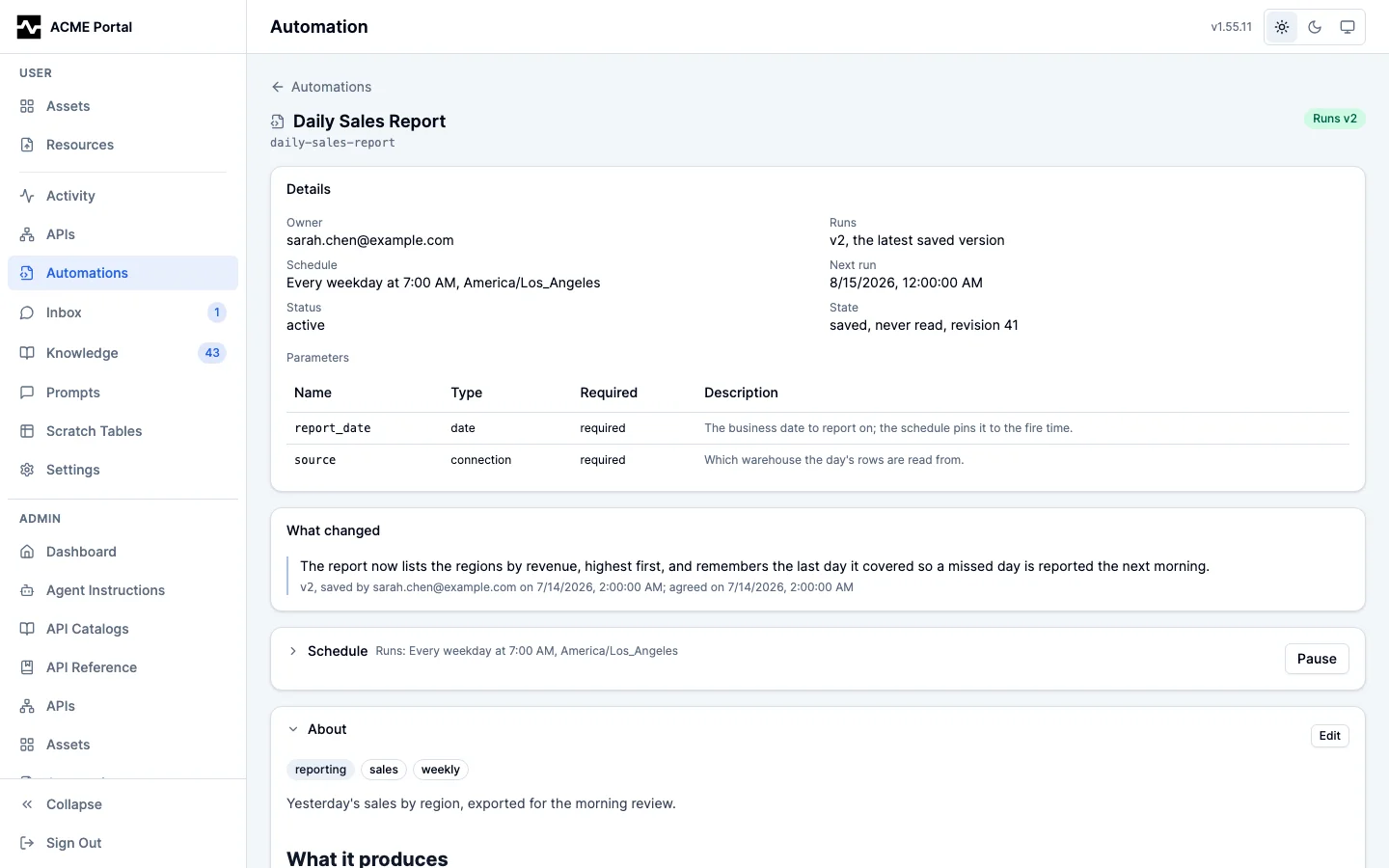
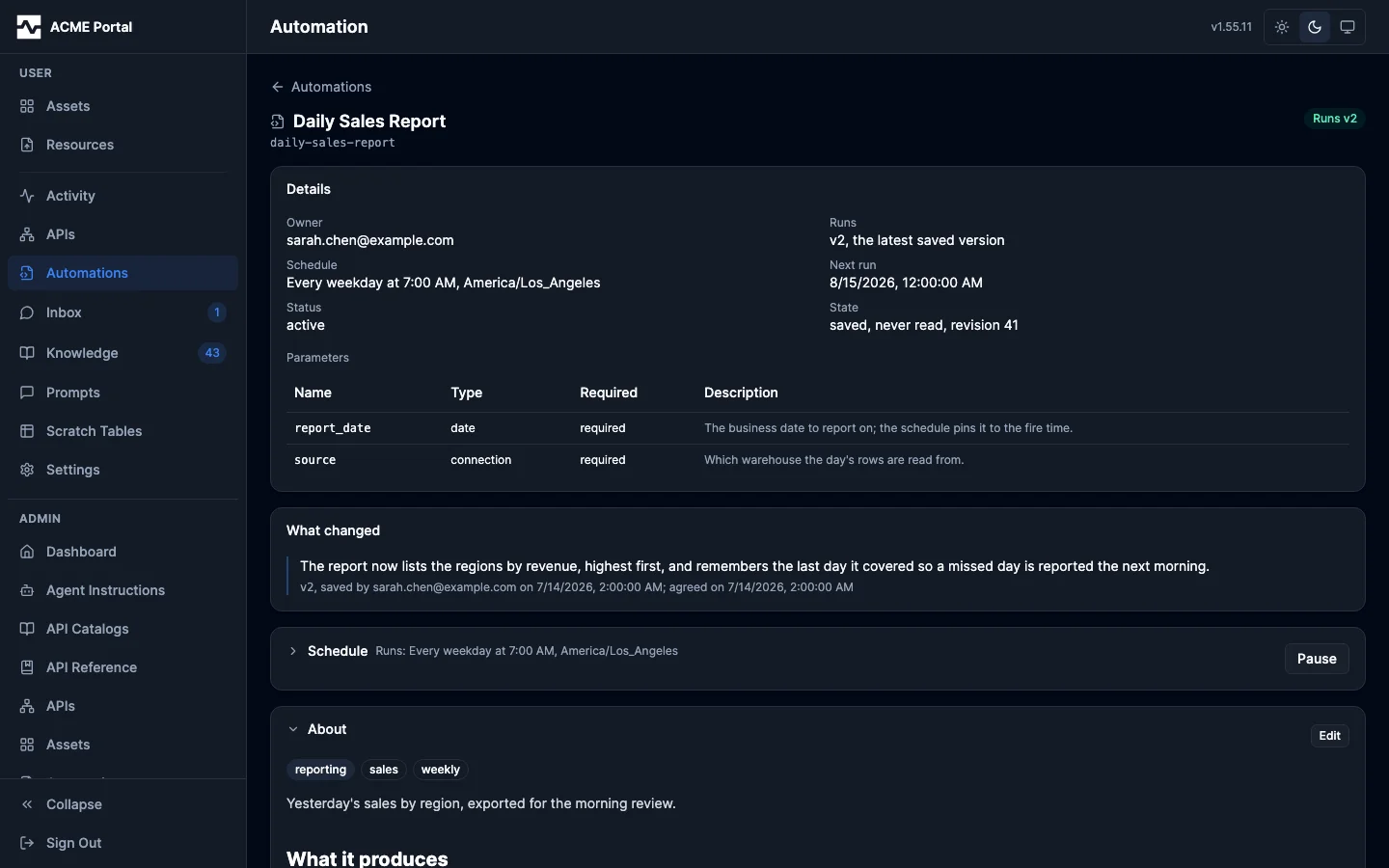
lists the differences and asks for the summary. The script's page lists every
version's summary under What changed, with who saved it and when it was
agreed, for anyone reading the automation: no code, diff, lint output or test
result is shown there.
Libraries
A library is a script with no main(): pure code other scripts load, so the
pagination, date windows, response handling and table shaping many scripts
repeat is written once (#1941). It is created with manage_script create like
any script, and a source with no main() is saved as a library. It is held to
the same checks as a script: one format, the rules above, and tests reaching
80% of its statements. Its tests call its functions directly:
def last_week(day):
    """The seven days before day."""
    return {"from": date.add_days(day, -7), "to": date.add_days(day, -1)}

def test_last_week():
    """Checks a Monday's week."""
    week = last_week("2026-09-28")
    assert.eq(week["from"], "2026-09-21")
    assert.eq(week["to"], "2026-09-27")
A library names neither platform nor run, and a save naming either is
refused on the line that does (library-effect). A library shapes data; the
script that loads it makes the calls, so validate on that script still
reports everything it reaches.
A script loads one version of a library at its top level:
load("lib:date-windows@2", "last_week")

def main():
    """Exports last week's net sales."""
    week = last_week(date.of(run.fire_time))
    rows = platform.query(
        "SELECT region, SUM(net) AS net FROM sales WHERE day BETWEEN DATE :from AND DATE :to GROUP BY region",
        connection = "warehouse",
        params = week,
    )["rows"]
    platform.export(name = "weekly-net", rows = rows, format = "csv")
- The version is required. Every save of a library is a new version, and a saved version never changes, so a new version of a library changes no script until that script names it. A run, a draft, a test and the replay a save compares versions with all run the version named.
- A library may load another library the same way. A load of a library or a version that does not exist is refused on save, and so is a load cycle. Since a load can only name a version already saved, two libraries cannot come to load each other.
- Anyone may load any library. A library reaches nothing, so loading one grants nothing, and a library's name is unique across the platform, whoever owns it. A library and another person's script may share a name: a load resolves among libraries only.
- A library is never run or scheduled.
run_script,run_draftand a schedule refuse it. It cannot be deleted while a script's current source loads it; the refusal names those scripts. - A script and a library do not turn into each other. A script keeps its
main(), and a new version of a library cannot add one.
validate reports library: true for a library and libraries for the
library versions a script loads. The script's contract, the document a
mcp:script: reference resolves to, says the same, and for a library lists the
scripts using it. In the portal, Automations marks a library with a
Library badge and filters All, Automations or Libraries
(GET /api/v1/portal/scripts?kind=library), and a library's page shows how it
is loaded and the automations that use it, under Used by, in place of
running and scheduling it.
Automations saved before tests
A script saved before lint and tests were required keeps running and saving
as it did. Administrators see the ones that still have lint findings or no
tests on the Saved before tests tab of Admin > Automations, with the
count of each; a row opens the script. Bringing a script's findings to zero
and giving it a test takes it off the list. The same view is
GET /api/v1/admin/scripts/legacy, which reports how many such scripts it
examined (examined, at most one page) and how many there are
(pre_harness).
Checking an edit before saving it
The editor offers the same two checks manage_script offers an agent, on the
page the author is already looking at — worth doing before every save, since
the save is the version that runs.
Validate (POST /api/v1/portal/scripts/{id}/validate) parses the edited
source and reports the capabilities, connections and destinations it would
reach, with a correction for every finding. It executes nothing and stores
nothing. Where a list is known to be incomplete — a platform.query call that
computes its connection rather than naming one — the report says so, because a
list that silently omitted a computed name would be a false statement.
Validate also checks each destination the source names literally against the
set this deployment declares, and reports the ones it cannot serve in the
words the run itself would use. Destinations are resolved by name at run time,
so the declared set changes underneath a stored script with no script edit;
validate is where an operator finds the affected scripts without running each
one. A destination the source computes is not readable from the source and is
reported by dynamic_destinations instead. A save is deliberately not checked
this way: refusing it would take away the edit that fixes the script.
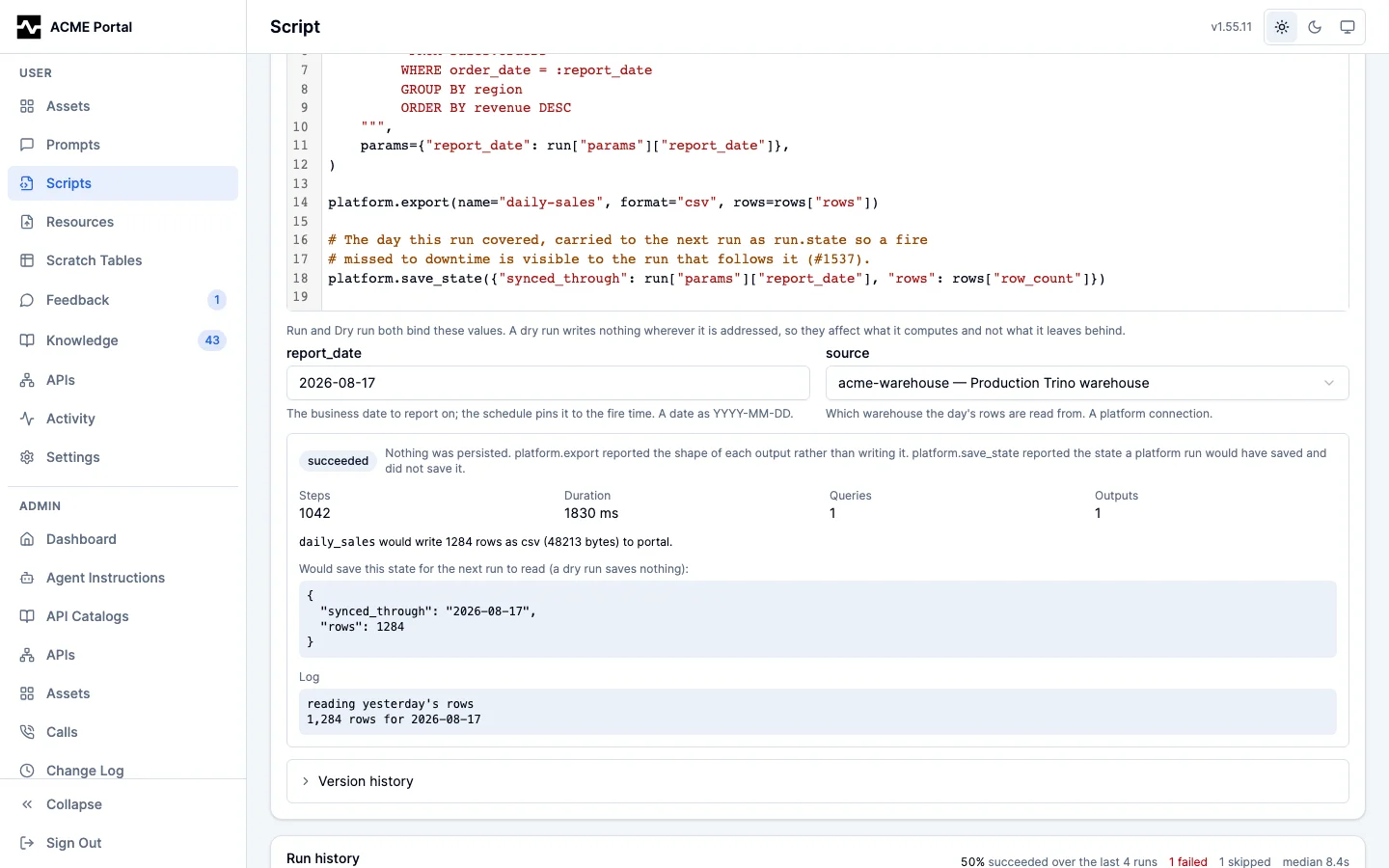
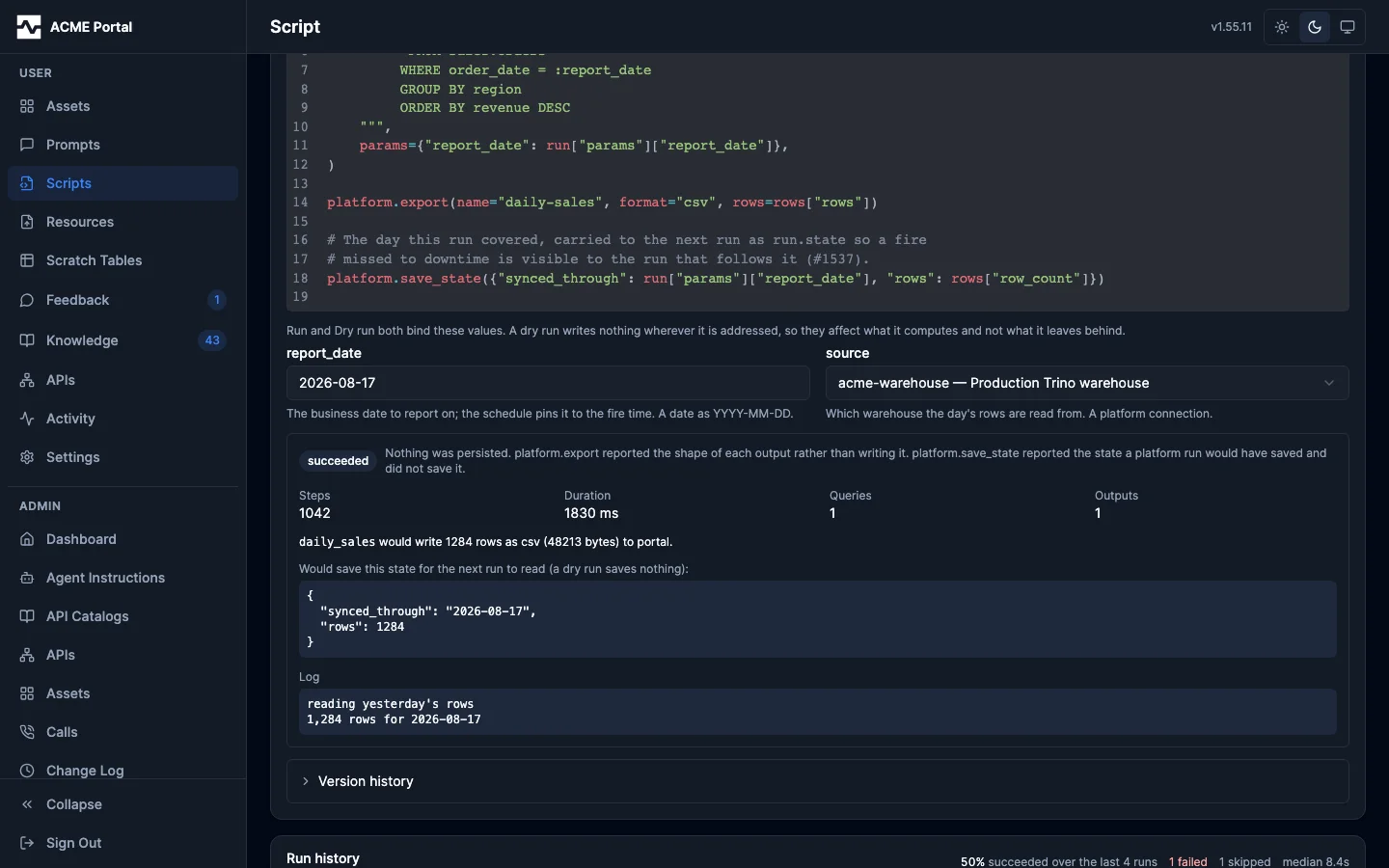
Dry run (POST /api/v1/portal/scripts/{id}/dry-run) executes the edit
under the author's own identity and persona, with the draft limits, persisting
nothing: platform.export reports the shape and size of each output instead of
writing it, no asset is versioned, and no object is delivered. A write reached
through platform.call is refused rather than made, and the response names the
call that ended the run in refused_write — the point of a draft is to
exercise a landing pipeline without landing (#1664). It is the same execution
manage_script command=run_draft performs, through one implementation
(internal/platform/scriptdraft), so neither surface can drift from the other.
Writing for real. A pipeline whose next step reads what the last one
created cannot be rehearsed without the create, so both surfaces take
allow_writes: manage_script command=run_draft allow_writes=true, and the
editor's "Write for real" control beside the Dry run button. The run then
writes as the caller — the authority it already had — and the response lists
every call that persisted under writes. platform.export writes too, through
the same writer a platform run uses (#1822): the record comes back with
preview false and the reference, uri and version of what it wrote, and a
register= argument makes its table, so an export-then-register-then-query
pipeline runs end to end in a draft. A library output lands in the caller's
library, and a portal output becomes a version of the script's own asset, with
the version's change summary naming it a draft. platform.save_state still
reports the state rather than saving it. The control clears itself after each
run, because writing for real is a decision about one run.
A script that is not saved yet. manage_script command=run_draft also
runs source sent under a name the caller has no script by, as the script it
would be saved as: params declares its contract, args binds values against
it, it reads the empty state a script that has never run reads, and nothing is
saved. The response carries saved: false. With allow_writes it can write to
resources and to a bucket destination; a portal output belongs to a saved
script's own asset, so it is refused until the script is saved. The editor's
dry run always runs a saved script, because the editor edits one.
Which calls count is decided by a declared table (internal/toolwrite), and it
is deny-by-default: a tool no rule names is treated as one that persists.
api_invoke_endpoint is classified by the HTTP method it sends, resolving an
operation_id through the api gateway's catalog; graphql_query by whether the
operation that will execute is a mutation; and a tool the platform did not
define, such as anything an MCP gateway connection proxies, by the upstream's
own readOnlyHint.
A verb whose class depends on a second argument is classified by both:
manage_script command=state reads unless its state_action is set or
clear, so a watchdog that reports another script's state can be dry-run
without allow_writes (#1821), and manage_resource get and list read
while its create, replace_content and delete write. Every verb an action
tool's schema admits is named as a read or a write, and a structural test fails
on one that is named as neither (#1827), so a verb added to a tool cannot be
refused in a draft without somebody deciding that it writes.
Both surfaces execute the source sent with the call, which is the whole point:
a save is immediately the version run_script executes and a schedule fires,
so a dry run is the only way to try a change without making it live. Sending no
source runs the saved version, which is how a script nobody has edited is
dry-run. The static read runs first either way, so a source that cannot parse,
one carrying an inline credential, or one naming an undeclared destination is
refused before the interpreter starts.
Neither introduces authority. A dry run is the caller's own session: it is authenticated, authorized, rate limited and audited exactly as the same calls typed by that person directly would be, and there is nothing reachable through it that its caller could not already reach. Values bind against the live record's contract, which is what the code beside them was written against.
A replica runs a small fixed number of drafts at once, because an interpreter's
heap cannot be capped and how many are running is what bounds it. A request that
cannot get a slot within a few seconds is answered as busy — a 503 saying to
try again — rather than held open.
The account kept. Each dry run is recorded as an account of itself: who ran it, when, how it ended, what it printed, and the shape of the outputs it would have written. The account is keyed by the SOURCE that executed, so it attaches to whichever version later carries that exact code — which is the order authors work in, since an edit is dry-run before it is saved. A version with no account is code that first executes unattended, and the version detail states that plainly.
An author's accounts are trimmed to the most recent handful per script, so the table is bounded by the authoring loop rather than by how many times somebody pressed the button.
Who sets a cadence
The owner of a script sets its cadence, and so does an administrator: it is the same rule reading and editing answer to. A cadence carries no authority of its own — the run gate and the persona filter are re-read at every fire — so re-timing a script reaches nothing the script could not already reach.
The portal asks for a cadence in the terms a person has it in — hourly, daily,
weekdays, chosen days, a day of the month, a time, a zone — and derives the cron
expression from that, showing it rather than asking for it. An expression the
builder cannot express is still settable, through its Custom field, and an
expression an agent wrote through manage_script opens there as itself rather
than being rewritten into something near it.
The same three actions are on the portal, on the pages the owner already reads
their script on: GET and PUT /api/v1/portal/scripts/{id}/schedule, and POST
/api/v1/portal/scripts/{id}/schedule/enable and .../disable, restricted to
the script's owner and to administrators and answering "not yours" exactly as
they answer "no such script". See
Automations in the portal.
A cadence on a disabled or retired script saves and stays inert — which both the tool and the page say plainly rather than leaving an owner waiting on an automation that was never going to run.
Every run the platform executes is also measured: script_runs_total,
script_run_duration_seconds, script_runs_running, and
script_missed_fires_total, labeled by script and trigger. They are what the
admin portal's Runs tab draws, and they answer what the run table cannot — a
missed fire is a run that does not exist. See
Observability.
${fire_date}, and why the date is not computed in the script
A schedule's bound values may contain one token, ${fire_date}, which expands
at the moment the fire is materialized to the date of that fire in the
schedule's own timezone. The expanded value is what the run row stores.
That is the whole reason the token exists. A script that computed today's date itself would produce a different answer every time it ran, and a run nobody can reproduce is not a governed run. With the date pinned onto the run, re-running it later with the same parameters asks the same question. Anything else a date needs — the previous day, a month boundary — is arithmetic the script does on this value through the date module, where a reader can see it.
The bound values are checked against the script's parameter contract when the schedule is set, not at the first fire: a schedule that could never bind is refused while somebody is still looking at it.
Seeing every schedule at once
The scripts page has a Schedules tab, between Scripts and Runs, that draws when every scheduled script fires. It answers questions that otherwise mean opening each script: whether ten hourly jobs all land on the same minute, or what runs overnight.
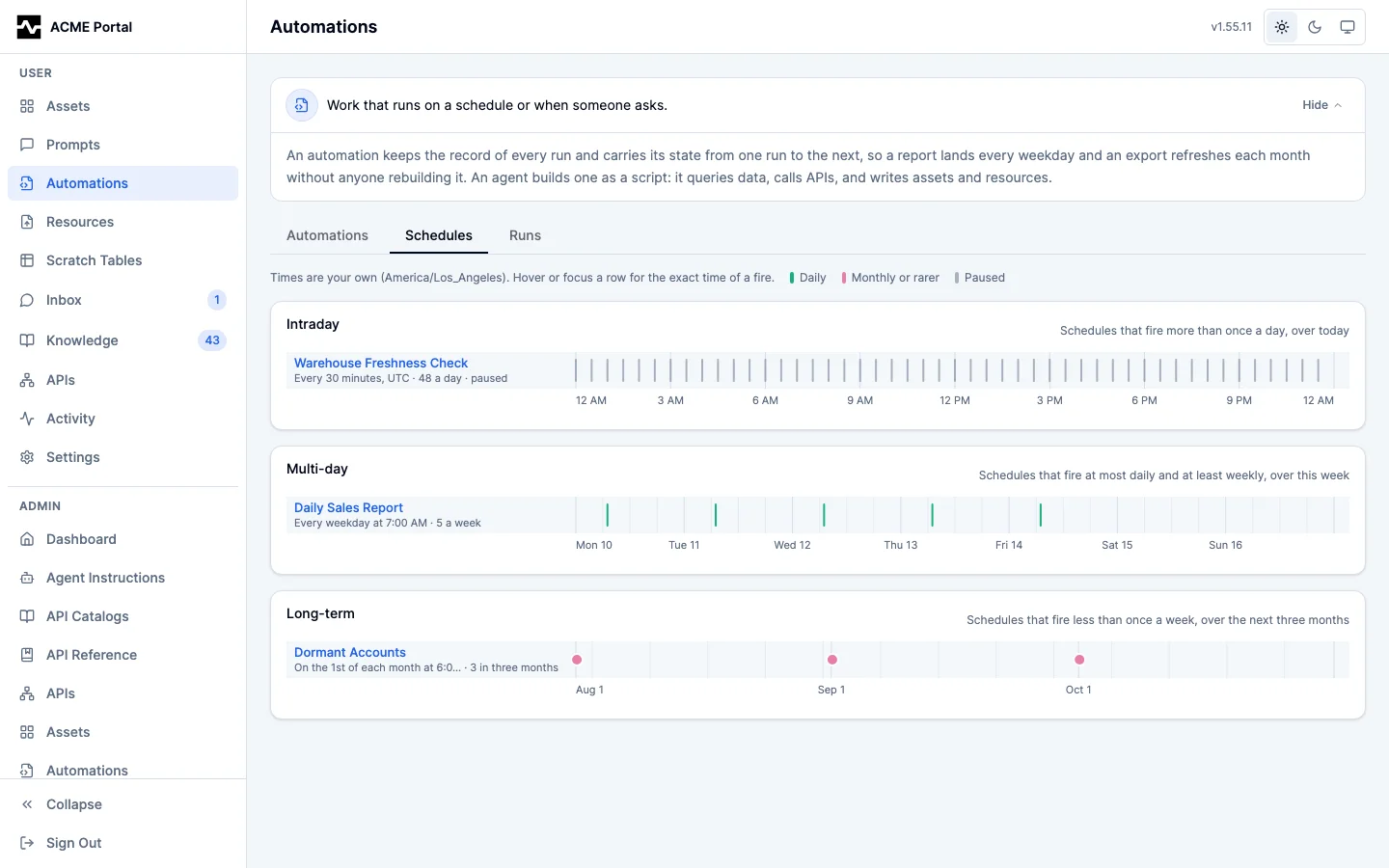
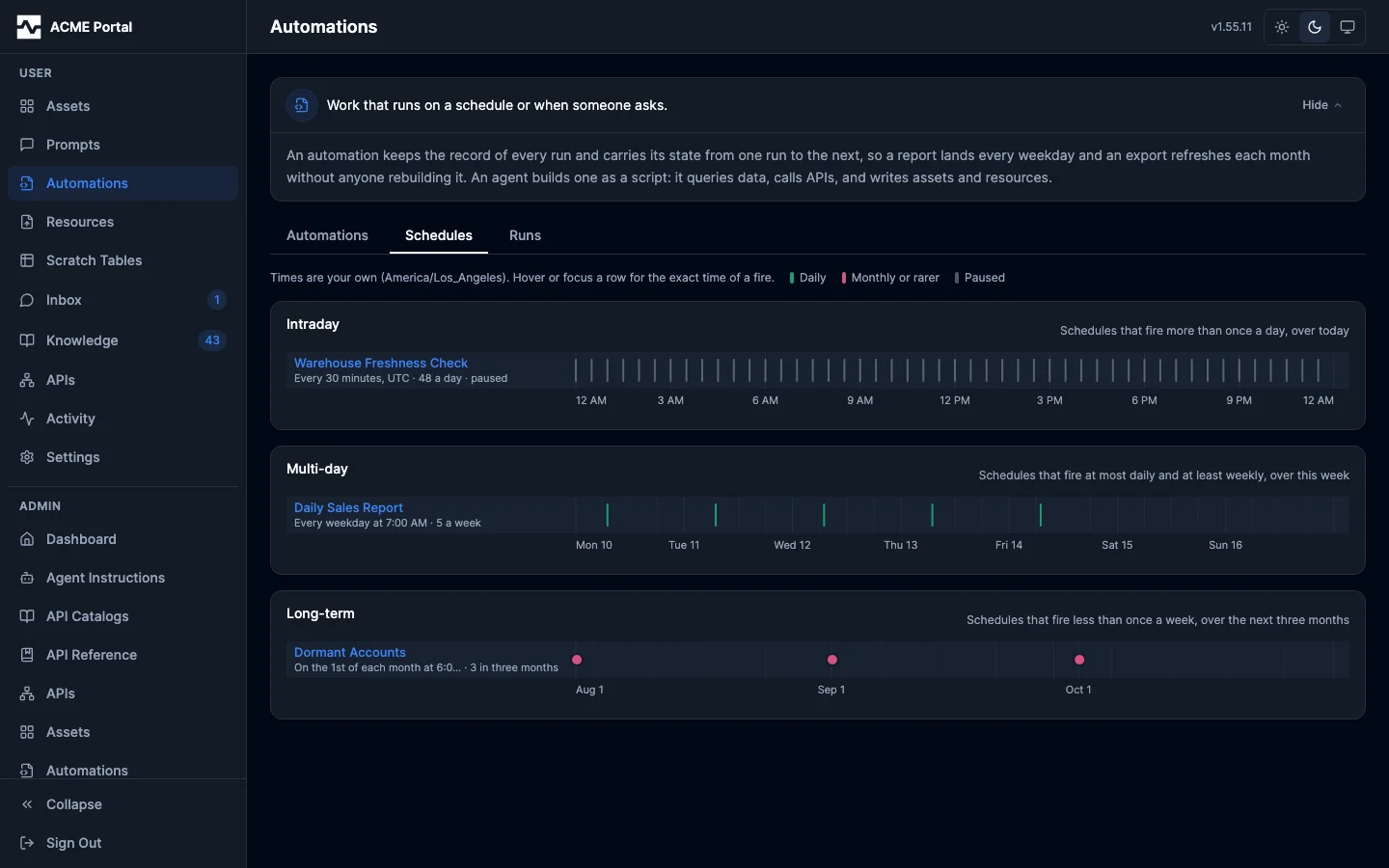
Each scheduled script is one row, labeled with its name, its schedule in words and how many times it fires in the window. A mark stands at each fire. Schedules fire at rates too different for one time axis, so each is drawn on one of three:
| Section | Axis | Holds the schedules that fire |
|---|---|---|
| Intraday | today, 12 AM to 12 AM | more than once a day (*/5 * * * *, 35 * * * *, 0 */6 * * *) |
| Multi-day | this week, Monday to Sunday | at most once a day and at least once a week (daily, weekdays, weekly) |
| Long-term | three months from the first of this month | less than once a week (monthly, quarterly) |
A schedule's section is chosen by how many times it fires over four weeks: more than 28 is Intraday, at least four is Multi-day, and fewer is Long-term. The rate is measured over four weeks rather than over the week drawn, so a monthly job whose fire lands this week is still filed as monthly. A section with no schedule is not drawn, and with nothing scheduled the tab says so and points to the Automations tab.
A row's color says what kind of schedule it is, read from the typical gap between its fires: every few minutes, hourly, daily, weekly, or monthly or rarer. A paused schedule is drawn muted and labeled paused, and keeps its marks, which are the fires it makes once resumed. A row with a hundred fires or more is drawn with thinner ticks, so a five-minute job reads as a band, and a row with a few fires at irregular times is drawn with dots.
Every fire is expanded by the server with the same parser the scheduler fires from, and in the schedule's own timezone. The axes are the viewer's, so a 7 AM New York job and a 7 AM Los Angeles job are drawn three hours apart. Hovering or focusing a row states the exact time of a fire in both zones. The arrow keys step through a row's fires, and a click or Enter opens the script. An owner sees their own schedules and an administrator sees every schedule, on the same tab of the administrator's scripts page.
The tab reads GET /api/v1/portal/scripts/fires?tz=<IANA zone>. It returns
the three windows cut in that zone, each with its rows, and each row's fires
capped at 500. fire_count is every fire in the window, and truncated says
when fires holds fewer; a truncated row also carries last_fire, the window's
last fire, and the tab draws it as one band from its first fire to that one, so
an every-minute schedule reads as running all day rather than stopping where
the list does. A schedule the server cannot parse is listed under
unreadable with the reason, rather than left off.
Overlap, misfires, and what a schedule guarantees
One fire, one run, however many replicas. Every worker replica materializes due schedules, with no leader and no election. Several notice the same fire at the same moment, they all try to write the run, and a unique index on (schedule, fire time) means exactly one of those writes survives.
Overlap policy: skip if the previous run is still going. A fire arriving
while the schedule's previous run is still pending or running does not queue
behind it. It is recorded as a skipped_overlap run — a terminal row nothing
ever claims — so the skip appears in the run history rather than as silence.
Misfire policy: fire once, for the latest. After a gap the platform was not
materializing through — a stopped worker deployment, a restored database — one
run materializes, for the most recent fire that has come due, and the fires
before it are counted on the schedule's missed_fires. A catch-up burst the
moment the platform recovers is worse than a visible gap: each of those runs
would compute a date nobody is waiting on any more, all at once, against the
warehouse.
What that gap costs depends on how the script finds its window. A job that
computes its window from run.fire_time (the previous day, the previous hour)
leaves the missed fires uncovered, and a backfill is a run_script call per
missing window with the parameters that name it. A job written against its own
state needs none of that: it reads
run.state["synced_through"], pulls from there to the fire time, and saves the
new mark, so the fire after downtime covers everything the missed fires would
have. Backfill still exists for a job that wants a specific window.
A script that reads events an external system posts to an
inbound webhook source reads the source's table like
any other, on its own schedule; the patterns for a daily read and for a
landed_at watermark are in
Reading the data.
A failed scheduled run is mailed to the person accountable for it — the
script's owner — carrying the run id, the failure, and the tail of what the
script printed. Failures of runs
requested through run_script are not mailed: that failure is already in the
response its caller is reading. Like every other notification, it needs the
email substrate configured, and a recipient can turn their own mail off.
A schedule that is paused resumes on the fire it was parked on, which the misfire policy then collapses to one run — a pause is downtime, and gets the same treatment. While it is paused it reports no next run: the stored due time is what it will resume on, not a fire anything is going to produce.
Where runs execute
Every replica runs the queue worker by default, so the single-binary deployment executes what it enqueues and needs no configuration at all. One switch changes that:
A replica with the worker off still serves MCP and portal traffic, still
registers run_script, still validates and enqueues a run, and still waits for
the result. It simply never claims: the run is executed by a separate deployment
of the same binary with the worker on, reading the same queue, and the waiting
call picks the result up on its next poll of the run row.
The same switch decides where schedules are materialized. A worker-off replica serves the schedule commands and the admin routes — setting a cadence is a write to a table — but never turns a due schedule into a run, because a replica that will not claim gains nothing by producing rows for one that will. A deployment whose workers are all off therefore stores schedules that nothing fires, which is the same shape as a deployment whose workers are all off storing runs that nothing executes.
Splitting them is worth doing when script execution starts to matter. The interpreter has no hard memory cap (see the security model), so a pathological script pushes on the memory of whatever pod runs it; keeping that pod out of the serving path means the worst case is a restarted worker rather than a degraded agent session. It also lets the two scale on their own axes — serving on connections, execution on queue depth.
The two deployments are the same image and the same configuration bar that one key; the deployment guide has the manifests.
A worker shutting down stops claiming at once, gives the run it is holding a short window out of the shutdown budget to finish, and releases whatever does not finish back onto the queue rather than failing it — a shutdown decides nothing about a run. A released run is claimable immediately, so a rolling deploy costs a run at most the time it had already spent, not a wait for its lease to expire.
How many runs a replica executes at once
A run spends most of its life waiting on a query engine or an upstream API, so
what limits a replica is its free memory and CPU rather than a count. By
default the worker is adaptive (#1843): before each claim it reads the
process's memory against the container's memory limit (or GOMEMLIMIT) and
its CPU time over the last second against the container's CPU quota, and it
claims another run only while both are under their thresholds. When either is
over, it stops claiming. Nothing is refused and nothing fails: the runs stay
queued, and this replica or another one claims them when there is headroom.
The worker checks again when a run finishes and at every poll.
Two bounds keep that honest. It always admits at least min_concurrency runs,
whatever the load, so a replica never stops making progress, and never more
than max_concurrency, whatever headroom it reports. A measurement the
platform cannot take never refuses: with no container memory limit and no
GOMEMLIMIT, memory is not measured, and on Windows CPU is not measured, so
the ceiling is the only bound there.
Admission only decides new claims. A run admitted when memory was low can grow
afterwards, and the interpreter cannot attribute heap to one run. The gap
between max_memory_percent and shed_memory_percent is the headroom for
that. Past shed_memory_percent, the worker stops the most recently started
run (it has the least work to lose) and puts it back on the queue with "the
worker was under memory pressure". That is a platform fault, not a script
failure, so it spends the platform's retry budget, never the script's.
The last run is different (#1861). With one run executing and memory still past
shed_memory_percent, requeueing it would rebuild the same heap wherever it ran
next, and leaving it would let the kernel kill the container with every session
on it. The worker stops it and fails it with cause memory instead; it is not
retried. This applies under a fixed concurrency as well as adaptive
admission, and never where memory cannot be measured.
scripts:
  worker:
    concurrency: adaptive     # the default; a whole number fixes it, and 1 is one run at a time
    max_concurrency: 16       # adaptive: never more than this
    min_concurrency: 1        # adaptive: always at least this many, whatever the load
    max_memory_percent: 70    # of the container memory limit; no new claims above it
    max_cpu_percent: 75       # of the container CPU quota; no new claims above it
    shed_memory_percent: 90   # stop and requeue the newest run above it
    run_timeout: 15m          # wall-clock cap for one platform run
    max_steps: 20000000       # interpreter steps for one platform run
    max_query_rows: 20000     # rows one platform.query may return
    max_run_memory: 50%       # what one run may hold: a share of the memory limit, a size, or unlimited
    max_reclaims: 2           # take-overs from a dead worker before the run is failed
Every value is optional; zero or a negative number takes the default, and a
concurrency that is neither adaptive nor a whole number fails at startup.
A fixed number claims exactly that many at once and ignores the load; 1 is
the one-run-at-a-time worker of earlier releases, for an operator who wants
that memory guarantee.
run_timeout, max_steps and max_query_rows are a platform run's ceilings,
and manage_script help reports the values in force under limits. Drafts
keep their own tighter limits. A tool a run calls keeps its own ceiling as
well: a trino_export or api_export inside a run is bounded by that tool's
timeout, so a larger result than max_query_rows allows goes through
trino_export. The claim lease is derived from the timeout (run_timeout plus
five minutes), so a longer run is never claimed a second time while it is still
executing.
How much memory one run may hold
A run is measured, not trusted (#1861). At every host call (platform.query,
platform.call, platform.export and the rest) the platform checks what the
run holds against its budget, and adds the result the call is about to hand
back. Sizing the Starlark values the script can still reach, from its frames and
its globals, is a walk of everything it holds, so it is done at most once a
second, and between walks the estimate is the last walk plus the results
handed since. What the script builds itself between calls is not in that
estimate, so the platform also reads how much the process has allocated since
the last walk: a script cannot have come to hold more than was allocated, so
while the last walk plus that growth fits the budget the run is inside it, and
once it does not the platform walks at that call, however fast the run grew
(#1867). A run holding more than scripts.worker.max_run_memory fails there,
not retried, with cause memory and an error naming the budget, what it held,
and the tool results it had been handed:
in platform.call: the run exceeded its 256 MiB memory budget, holding about 301 MiB
of values after 7 api_invoke_endpoint results. ...
max_run_memory is a size (300MiB, 1GiB, 500MB), a share of the
container's memory limit (40%), or unlimited. Left unset it is half the
limit the replica runs under (the smaller of the cgroup limit and GOMEMLIMIT);
a replica with neither sets no budget.
That default is only safe with a soft memory limit in force. Without one the Go
collector lets the heap grow to about twice what is live before it collects, so
a run holding half the container's limit could take the process past all of it
and the kernel would kill the replica with every run on it (#1871). When
GOMEMLIMIT is not set and a container memory limit is found, the platform
therefore sets the runtime's soft limit to 90% of the container's limit at
startup and logs it (GOMEMLIMIT is not set; set the runtime soft memory limit
to 90% of the container memory limit, with soft_limit_bytes). A GOMEMLIMIT
the deployment sets is left alone, and the default budget becomes half of the
soft limit. A draft on the same replica meets the
same budget. Every run is measured whether or not there is a budget, and the
peak is recorded as metrics.peak_memory_bytes on the run and as
peak_memory_bytes on a run_draft answer, so an author sees how close a
draft came before a scheduled run does. The peak is only ever a measurement --
a walk, the pages an appended output holds, or what the script ended holding --
never the running estimate between walks, which can only overstate.
A run is measured once more when it ends: what its globals hold after its last
host call. A run that ends over its budget fails with cause memory, in the
same words, naming the code after its last host call as where it was
measured, rather than succeeding with a peak above the budget. Its appended
outputs are not written and its state is not saved, as for any failed run;
what it exported at an earlier call stays written.
The measure is an estimate of the interpreter's heap, calibrated against the Go runtime: it matches the live heap of values a script builds, and a page of rows decoded from a tool result measured about 1.65 times its live heap, which errs toward stopping a run early. Values built between two host calls are measured at the next one, or when the run ends.
What the budget exists to catch is holding a whole dataset at once. A page of
JSON rows costs several times its wire size once decoded: measured, a 9 MB page
allocates about 14 times its size while it is decoded and holds about 4.5 times
it afterwards. Page the work and write each page as it arrives with
platform.export(..., append=True), keeping only
what the next page needs.
A worker that dies
A worker killed mid-run (an out-of-memory kill, a lost node) leaves its run
marked running under a lease nobody renews. When the lease expires the next
claim takes the run over and executes it again from the top; the outputs the
dead attempt already recorded are not written twice. A run that killed its
worker usually kills the next one the same way, so take-overs are capped
(#1860): once a run has been taken over scripts.worker.max_reclaims times
(default 2) and its lease expires again, no claim takes it, and any worker's
loop fails it with cause worker_lost and an error naming the last holder:
the worker executing this run stopped without reporting a result 3 times (last held by
worker-7f3a91c2d4e5b608 until 2026-09-23T10:14:00Z); it is not run again, ...
Until then the run never reads as plainly running. get_run, runs, the
portal's run detail and manage_script get report its liveness
(executing, unresponsive when its worker has not reported for 30 seconds,
lease_expired), the holder (locked_by), locked_until, heartbeat_at,
attempt, reclaims, and attempts: how each ended attempt ended
(finished, retried, released at shutdown, shed, lease_expired,
unresponsive). manage_script get and the script's page list the runs that
have not ended (live_runs, and a Running now panel), so a run whose
worker died is visible without knowing its id, and stopping it ends it at once.
Four series show whether capacity or load is what holds work back:
script_runs_running (runs executing on each replica),
script_run_admission_refusals_total by reason (ceiling, memory, cpu,
counted when the queue held work the replica declined),
script_run_queue_wait_seconds (how long a run waited between becoming due and
being claimed), and script_run_reclaims_total by outcome (reexecuted when
another worker took a dead worker's run over, failed when its take-overs were
spent). A rising failed count is a run that kills its worker.
What a run produces
platform.export writes an output to the destination it names, resolved
against the deployment's configuration at run time.
By default that destination is the portal, and output identity there is stable: the pair of (script, output name) maps to one asset, and each run writes a new version of it. A daily report therefore keeps its identity, its shares, and its history instead of producing a new asset every morning, and a year of runs leaves one asset with a year of versions.
Who the output belongs to
The asset belongs to the person who owns the script. It sits in their Assets
page and in their manage_asset action=list beside the ones they saved
themselves, search finds it, fetch resolves its mcp:asset: reference, and
they open, rename, retag, share, register a table over and delete it with no
administrator. A second person reaches it only through a share, as with any
other asset of theirs.
The row itself records two identifiers, and both are the truth about it. Its
owner_id is the run's principal (script:<name>) — that is what keeps one
asset per (script, output) and what the stored object key is built from — and
its owner_email is the script owner's address at the moment the row was
inserted. A PERSON is judged on either, which is why the principal on the row is
not a fact anybody has to work around; a person's own saved asset carries their
address in the same column, so the same rule answers for both.
A RUN is judged on the address alone, because script:<name> names a script
only within its owner and two people who each keep a daily-sales present the
same principal: judged on it, a run of one person's script would own the outputs
of the other's (#1579). Nothing is lost by dropping it, since a run's own writes
record the address beside the principal.
What a run ENUMERATES is neither identifier. manage_asset action=list,
search over assets and the collection listing scope a run by the PRODUCER the
platform recorded for its writes (content_producers), which names the script
by id: unique, unaffected by a rename, and unaffected by a transfer. The owner
columns are none of those. A transfer rewrites the address on the assets and
collections the script created only when it is asked to (outputs: move,
above); asked to keep them, it leaves those rows with the previous owner's
address, and they stay that person's while the new owner's runs go on writing
new versions into them, since an output keeps its identity across a transfer.
Either way the inventory is unchanged: what the script produced is recorded by
the producer relation, not by the owner columns.
A table registered over an output, or over a managed resource the script
refreshes with manage_resource replace_content, follows the file unless it
was registered with follow=false: the version the run writes moves the table
onto it before the write returns, so a query against the table reads the new
contents from then on with no second call. What the write did to each table is
reported on the export record (table_changes) and on the tool result, and
printed into the run log as table_changes: <output>: <sentence>, so a run
that left a pinned table behind says so in its history. Each version of an
output is stored as content.<ext> in a directory of its own run,
scripts/<script>/<asset>/<run>/, so a table pinned with follow=false keeps
returning the version it was registered over after later runs, and an output
with any number of versions can be registered (#1851). See
Registered Tables.
Finding an output again
platform.export takes two optional arguments that identify an output beyond
its name:
```python fragment platform.export("sales", rows, format="csv", tags=["report:sales", "tenant:" + run.params["tenant"]], metadata={"region": "west", "period": run.params["period"]})
The tags are added to the asset's own (`script` and the script's name). The
metadata is a small JSON object stored on the version the run writes, beside
what the platform records itself: `run_id`, `script`, `script_version` and
`requested_by`. The asset carries the metadata of its latest version that set
any.

Three ways to find outputs again:

- `GET /api/v1/portal/assets?tag=report:sales&tag=tenant:x&metadata.region=west`
  lists the caller's assets carrying every named tag and every named metadata
  value.
- `GET /api/v1/portal/scripts/runs/outputs` lists the outputs of the runs the
  caller requested, across scripts, newest first, whoever owns the scripts: a
  key granted a script (see [Letting others run it](#letting-others-run-it))
  reads back what its runs wrote. It takes `script_id`, repeated `tag` and
  `metadata.<key>=<value>`, and each output carries the run's parameters and a
  signed download link.
- `GET /api/v1/portal/assets/{id}/content-url?ttl=300` mints an expiring,
  signed URL for one version (the current one, or `version=N`) for a caller who
  can view the asset. Anybody holding it downloads that exact version without a
  session until it expires (at most 24 hours), and gets 403 afterwards. The
  links are signed with a key derived from `auth.browser_session.signing_key`;
  a deployment without one serves neither route.

### Tables and documents

`rows` carries the output's content in one of three shapes, and the declared
format decides which are valid:

- **A list of dicts**, serialized in the declared format. `csv`, `json`,
  `jsonl` and `parquet` accept only this shape, so a data feed another system
  parses stays well-formed by construction.
- **A string body, written verbatim**, so a script can compose a document: an
  HTML or JSX dashboard, a prose report, a hand-assembled markdown page. `html`
  and `jsx` accept only this shape — they have no tabular serialization — and
  `markdown` and `text` accept either. The body lands byte for byte, under the
  content type the portal already stores and renders for that kind of saved
  asset, so a script-published dashboard is patchable and shareable like any
  other document asset.
- **A dict of sheets**, for `xlsx`, which accepts only this shape: an Excel
  workbook described as data. See [Excel workbooks](#excel-workbooks).

```python
def main():
    """Writes the revenue dashboard as an HTML document."""
    platform.export(
        name = "revenue-dashboard",
        rows = "<html><body><h1>Revenue</h1>...</body></html>",
        format = "html",
    )
A document keeps everything a table gets: the same name-to-asset identity and
versioning, the same destinations, the same draft-run preview (the body is
measured, nothing is persisted), the same size ceiling, and the same provenance
capture. An empty body is refused rather than published, so a conditionally
assembled document that ends up blank fails the run loudly instead of silently
replacing the current version of a shared dashboard. Object keys carry the
extension the platform assigns the document's content type — .md, .txt,
.html, and .html for jsx too, the platform-wide key spelling for
text/jsx objects.
Excel workbooks
format="xlsx" writes an Excel workbook with several sheets, typed cells, a
bold header row, column widths, frozen panes and an optional title row (#1849).
The body describes the workbook as data; it is not a styling API.
```python fragment platform.export("sales", { "sheets": [ {"name": "Summary", "title": "Sales by region", "columns": ["region", "sales", "net"], "rows": rows, "column_types": {"net": "currency", "sales": "integer"}, "freeze": "A3", "widths": {"region": 30}}, {"name": "By day", "rows": daily}, ], }, format="xlsx")
- **Sheets.** `name` is required: 1 to 31 characters, none of `[]:*?/\`, not
  beginning or ending with an apostrophe, and unique ignoring case. A workbook
  holds at most 255 sheets and 2,000,000 cells.
- **Columns and rows.** A row is a dict, projected onto `columns` (a key the
  columns do not name is not written), or a list, positional against them.
  `columns` defaults to the rows' keys in the order the script wrote them. A
  `None` value is an empty cell.
- **Column types.** `column_types` maps a column to `string`, `integer`,
  `decimal`, `currency`, `date`, `datetime` or `percent`. A column with no
  declared type is written as its values are: text as text, a number as a
  number, a bool as a bool, a list or dict as its JSON text.

  | Type | Accepts | Shown as |
  |------|---------|----------|
  | `string` | any value, written as its text | as written |
  | `integer` | an integer, a whole float, or its text | `#,##0` |
  | `decimal` | a number or its exact decimal text | as written |
  | `currency` | the exact decimal text (`"1234.50"`) or integer cents (`123450`) | `#,##0.00` |
  | `percent` | the fraction, as a number or decimal text (`0.125`) | `0.00%` |
  | `date` | `"YYYY-MM-DD"` | `yyyy-mm-dd` |
  | `datetime` | `"YYYY-MM-DDTHH:MM:SS"` (a space for the `T`, a fraction and a zone accepted) | `yyyy-mm-dd hh:mm:ss` |

- **Currency is exact.** The decimal text the script computed is written into
  the cell's value as it is, so the file holds `1234.50`, not the float nearest
  to it; integer cents are turned into that text in integer arithmetic. A
  float is refused for a currency column, because it is already not the amount
  the script meant. A number with more than 15 significant digits is refused
  in a number column, because Excel keeps 15 and would change it on opening;
  declare the column `string` to keep every digit.
- **Dates.** A date is the day the script wrote; a datetime's zone is read and
  dropped, since a cell has none, so the cell shows the clock time written.
  Dates before 1900-03-01 are refused: Excel's 1900 date system counts a
  February 29 that never was, and an earlier serial does not name the same day
  in every reader.
- **Presentation.** The header row is bold. `title` adds a larger bold row
  above it, across the columns. `freeze` names the first cell that scrolls
  (`"A2"` keeps the header row in view, `"B3"` also the first column and a
  title row). `widths` maps a column to a width in Excel's character units,
  above 0 and at most 255.
- **Limits.** A control character other than tab, line feed and carriage
  return in any text (a value, a column name, a title, a sheet name), text
  longer than the 32,767 characters a cell holds, or a workbook over the
  output ceiling fails the export, naming the sheet, row and column, rather
  than writing a file Excel would repair or refuse. An unknown key in the body
  or a sheet is refused, so a misspelled `column_type` is not ignored.

The export record carries `sheets`, each sheet's `name` and data `rows`, and
`row_count` is the data rows across every sheet; a draft reports the same with
the `bytes` a platform run would write. The file is stored as
`application/vnd.openxmlformats-officedocument.spreadsheetml.sheet` with an
`.xlsx` key, and the portal offers it for download. An `xlsx` output cannot be
registered as a table (`register=` takes `jsonl`, `parquet` or `csv`). A logo
in the header through an `mcp://` reference is not supported.

### Refreshing a dashboard's data region

A semi-dynamic dashboard is a presentation that stays put while its data tracks
a schedule: one portal asset at one URL, authored once as an HTML, JSX, or
markdown document with real visualizations, whose numbers a script refreshes on
a cadence.

A script produces a document in one of two shapes, and the choice is made
before the first line of it is written. Compose the whole document in the
script when each run is its own kept document (a dated archive series), when
the structure varies with the data (a section that appears only if a threshold
trips), or when nobody will hand-edit the presentation; the cost is that every
fire overwrites the current version wholesale, so a layout edit made in the
portal is destroyed by the next scheduled run, and changing a chart color or a
heading means editing the script. Publish the document once and refresh only
its data region when there is one stable-named asset at one URL whose layout a
person may edit and whose numbers alone move per run; the cost is that the
structure is fixed by the document's author, so a report whose sections have to
appear and disappear with the data leaves a data region the markup cannot
render.

The second shape is the semi-dynamic dashboard: the template stays in the
asset, where a layout change is an ordinary document edit that survives the
schedule, and the data stays in the script. `platform.publish_data` is that
split:

```python
def main():
    """Refreshes the data region of the revenue dashboard."""
    data = {"regions": platform.query(connection = "warehouse", sql = "SELECT ...")["rows"]}
    platform.publish_data("revenue-dashboard", data)
nameresolves through the same output identityplatform.exportuses: one (script, output name) pair is one asset. The asset must already exist and be anhtml,jsx, ormarkdowndocument — this call refreshes a region of a presentation and can never create one. Publish the dashboard once withplatform.export(name, body, format="html")(or"jsx", or"markdown"), then let the schedule refresh only the numbers.- The document marks its data region: exactly one element with
id="data", conventionally<script type="application/json" id="data">...</script>, whose text content is the JSON the dashboard's own code reads and renders. The platform serializesdata(a dict or a list) as JSON and structurally replaces that element's interior — through the same anchored-editing enginemanage_assetpatch uses — leaving every other byte of the document exactly as its author wrote it. In a JSX document the payload is spliced as a template-literal expression child, so the module still compiles and the element's rendered text is still the JSON. A markdown document carries the island as a raw-HTML block, which is legal markdown; anid="data"occurrence quoted inside a fenced code block is example text, and a refresh that would land there is refused rather than spliced into the fence. - The write is an ordinary new version of the asset, with the same provenance an export gets, so each version is a faithful as-of snapshot: a public share works with no auth or view-time fetch, and an old version still shows exactly the data it showed.
- A document without the marked region — or with more than one — fails the run with a message naming what is missing, rather than writing anywhere else. A document of the wrong kind (a CSV, a plain-text page) is refused the same way.
- The zero-rows case is yours, as with any export: publish the empty structure
or
fail("why"). - In a draft run nothing is written; the call reports the payload size it would splice. Whether the target asset carries the region is checked by the run that writes, because the asset's content changes independently of the script.
The dashboard reads its own island at view time:
<script type="application/json" id="data">{"regions": []}</script>
<script>
  const data = JSON.parse(document.getElementById("data").textContent);
  // render from data
</script>
Delivering to an external system
Some output exists to be consumed elsewhere — the weekly CSV another system
picks up. A bucket destination the deployment declares in
scripts.destinations receives the same bytes instead:
def main():
    """Refreshes the weekly sales asset and delivers the same file to a bucket."""
    rows = platform.query(connection = "warehouse", sql = "SELECT ...")["rows"]

    # The dashboard's asset, refreshed: a new version of one asset.
    platform.export(name = "weekly-sales", rows = rows, format = "csv")

    # The same result, delivered for another system to read.
    platform.export(
        name = "weekly-sales",
        rows = rows,
        format = "csv",
        destination = "acme-drop",
        key = "2026/08/sales.csv",
    )
The script names a destination and nothing else. The connection, the bucket,
and the prefix come from the deployment's scripts.destinations declaration,
so a script supplies no endpoint, no credential, and no bucket of its own — see
the security model's
delivery section.
destinationdefaults toportal. A destination the configuration does not declare is refused inside the interpreter, before anything is issued.keyis the object key beneath the destination's configured prefix. It defaults to the output name plus the format's extension (weekly-sales.csv), and a key that could climb out of the prefix is refused rather than cleaned up. The portal takes no key: it stores its own objects, and the output name is the identity there.destinationandkeymust be passed by name; onlyname,rows, andformatmay be positional. A destination passed by position would be invisible to the static read that reports where a script writes, and a report that is quietly wrong is worse than one that is refused.- Two outputs may not land on one object. Distinct names can produce one key — and one key can simply be named twice — and the second write would replace the first in a bucket the platform cannot read back, so it fails instead.
- One output name may be written once per destination in a run, which is what lets the example above send one result to both places. A second write to the same destination fails rather than silently keeping one of the two.
- A run reclaimed after a worker died does not deliver twice: each output is recorded as it lands, and a reclaimed run skips what it already wrote.
Each delivery is recorded on the run — destination, bucket, key, and bytes — and audited under the script's own principal like every other capability call.
Keeping a file in the resource library current
The portal destination gives an output an identity only the script can name. When
the output is a data file other things read — a table registered over it, an
asset that references it, a second script — the destination is resources, the
platform's managed-resource library, and the file's
identity is its path:
def main():
    """Writes the orders file to its path in the resource library."""
    rows = platform.query(connection = "warehouse", sql = "SELECT ...")["rows"]

    out = platform.export(
        name = "ACME orders",
        rows = rows,
        format = "csv",
        destination = "resources",
        key = "datasets/acme/orders.csv",
    )
    print(out["reference"], out["uri"], out["version"])
resourcesis built in, likeportal: the platform owns where its own library is, so it is never declared inscripts.destinationsand needs no configuration.- The
keyis required here and is the file's path: a folder chain and a filename. It is the identity across runs, so the same key next run records the next version of that same file rather than making a second one, and everything referencing the file follows without being re-pointed. - The record the call returns carries
resource_id,reference,uriandversion, so a run can cite the file it just wrote. The first three are the same every run. - The file lands in the library of the person the run acts for — the version's
author — and
nameis its display name there. It is the same library the author's own session files in: a user library is keyed by the subject a person authenticates as, the platform records that subject for the author's address whenever they authenticate, and the run reads it when it opens its session (#1677). A file a run filed under the address before the platform had seen the author's subject is folded into the subject-keyed library the next time either the author authenticates or a run of theirs executes, keeping its id and leaving its old address resolving, so a scheduled script keeps its rolling file. Writing to the persona or global library is an explicit scope, whichplatform.call("api_export", ...)andmanage_resourcetake and this destination does not. - What the write did to the tables registered over the file is printed into the run log, one line per table, whether or not the script prints the result.
- A draft run previews it like every other output: the content is serialized to
measure it and nothing is written. A draft run with
allow_writeswrites it, into the caller's library.
Paging into one output
platform.export(..., append=True) adds a page of rows to an output the run
builds across calls (#1861), so a paged API or a large query becomes one file,
and one registered table, without the script holding every page:
def main():
    """Pages through the invoices API into one registered file."""
    cursor = None
    for _ in range(200):
        page = platform.call("api_invoke_endpoint", {
            "connection": "billing",
            "method": "GET",
            "path": "/v1/invoices",
            "query_params": {"limit": 5000, "cursor": cursor},
        })
        if page["status"] != 200:
            platform.progress("stopped at HTTP %d" % page["status"])
            break
        platform.export(
            name = "Invoices",
            rows = page["body"]["data"],
            format = "jsonl",
            destination = "resources",
            key = "billing/invoices.jsonl",
            register = {"connection": "scratch", "table_name": "invoices"},
            append = True,
        )
        cursor = page["body"].get("next_cursor")
        if not cursor:
            break
Each page is serialized when it arrives and only the bytes are kept, so the
Starlark values of a page are the script's to drop before the next one. The
first call to a name and destination starts the output and fixes its key,
register=, tags= and metadata=; every later call passes append=True and
adds rows. It takes csv or jsonl: a CSV keeps its first page's header, and a
later page with a column the header lacks fails the call. Each call returns the
rows and bytes the output holds so far, with appending: True.
The output is written once, when the script finishes, as one version and one recorded output, and its table is registered then. A run that fails part-way writes none of it, because a partial file under a registered table is a dataset that silently lost its tail. The output ceiling applies to the whole file, and a draft measures it as it measures any output.
From rows to a table a query can read
A script that loads API results into a warehouse table writes the rows to a
file, registers the file as a table, and runs INSERT ... SELECT from it with
platform.execute, binding the table by the record the export returned. One
call does the first two steps:
```python fragment out = platform.export( name="ACME tickets staging", rows=tickets, format="jsonl", destination="resources", key="staging/acme/tickets.jsonl", register={"connection": "warehouse", "table_name": "acme_tickets_stage"}, ) platform.execute( "INSERT INTO lake.support.tickets SELECT id, subject, body FROM :stage", connection="warehouse", params={"stage": out["table"]}, )
- `format="jsonl"` brings values back exactly. Every string survives the table
  as it was written, including line breaks (LF, CR and CRLF), backslashes,
  quotes, a leading `=`, `+`, `-` or `@`, tabs, emoji and private-use
  characters, and a null reads back as NULL rather than an empty string. The
  table types each column from its values: all integers `BIGINT`, any number
  with a fraction `DOUBLE`, all booleans `BOOLEAN`, anything else `VARCHAR`
  ([the rules](../server/registered-tables.md#json-lines)). A list or dict
  value is written as its JSON text, which `json_parse` reads back in SQL. A
  string that is not valid UTF-8 fails the export rather than being altered.
- `format="parquet"` writes a typed, compressed Parquet file, each column's
  type inferred from its values by the same rules, with a dict written as a
  `ROW` and a list as an `ARRAY`, so the registered table reads every value
  back as its type with no `CAST`. A key holding a dict in one row and a list
  or a number in another fails the export, naming the key.
- `format="csv"` also registers, with two losses: a value holding a line break
  is refused unless the registration repairs the file, and repair joins the
  value's lines with single spaces; a null reads back as an empty string. No
  other character is altered.
- `register` takes `connection` (required), `table_name` (defaults to a slug of
  the file's name; either way the persona prefix is added) and `follow`
  (defaults to true, so the next run's export moves the table onto its new
  version). It needs `jsonl`, `parquet` or `csv` and the `resources` or `portal`
  destination, and is refused before anything is written otherwise.
- It is `manage_table register` over the file the export just wrote, made over
  the run's own session, so it is authorized and audited as that call is and
  `validate` reports `manage_table` and the connection it names. The record the
  export returns carries `table`, with the `query_table` to select from, its
  `columns`, and each column's declared type in `column_types`, a list of
  `{"name": ..., "type": ...}` entries -- the same shape `manage_table`, a
  search hit and a fetched document carry under that key. A registration that
  fails fails the run, naming the output, because the next step would query a
  table that is not there.
- In a draft without `allow_writes` nothing is written, so `table` reports the
  registration it would make, with `preview` true and no `query_table`.

A later step reads the table back by binding that record in `params` (#1948).
It binds as the table's name, each part of `catalog.schema.table` quoted, so the
SQL is never built by concatenation, which a save refuses
(`sql-built-from-values`):

```python
COUNT_SQL = "SELECT count(*) AS n FROM :orders"

def main():
    """Registers the day's orders as a table and reports how many it holds."""
    out = platform.export(
        name = "orders",
        rows = [{"id": 1}, {"id": 2}],
        format = "jsonl",
        destination = "resources",
        key = "daily/orders.jsonl",
        register = {"connection": "scratch", "table_name": "orders"},
    )
    counted = platform.query(COUNT_SQL, connection = "scratch", params = {"orders": out["table"]})
    platform.result({"orders": counted["rows"][0]["n"]})
A dict binds only as such a record. One with no query_table (the preview a
draft reports) is refused, naming why.
A report that shows a logo
A document names a managed resource or another asset by its reference, and the viewing surfaces rewrite a reference into a working URL only when the asset declares it (Asset References). The export that writes the document declares it:
LOGO = "mcp://global/brand/logo.svg"

def main():
    """Writes the weekly sales report with the brand logo."""
    html = "<html><body><img src='" + LOGO + "' alt='ACME'><h1>Weekly sales</h1>...</body></html>"
    platform.export(name = "weekly-sales", rows = html, format = "html", references = [LOGO])
referencestakes each managed resource'smcp://URI and each asset'smcp:asset:<id>reference. It ismanage_asset updateon the asset the export wrote, made over the run's own session, so only something the script's author can read may be declared, and declaring it lets everyone the asset is shared with load it, including anyone holding a public link.validatereportsmanage_assetintools.- An empty list removes the asset's references, and leaving the argument out leaves whatever the asset already declares alone.
- It takes a string body in
html,jsx,markdownortextwritten toportal, and is refused before anything is written otherwise. A refusal of the declaration itself (a URI naming nothing, or a file the author cannot read) fails the run naming the output; the version was already written. - Every export of a portal document reports the references its body names that
referencesdid not list, asundeclared_referenceson the record and as anundeclared_references:line in the run log, whether or notreferenceswas passed.validatewarns about each literal reference string in the source that no export declares. Both read the defaultmcpresource scheme only. - In a draft without
allow_writesnothing is written, so the record reportsreferencesas the declaration it would make, unchecked.
Each run records what it did — status, timings, interpreter steps, the queries it issued, the outputs it wrote, and the log the script printed — and that record is readable through the tool:
| Command | Answers |
|---|---|
manage_script command=runs name=daily-sales |
What has this script done lately? |
manage_script command=get_run run_id=… |
What did this run do, and what did it print? |
manage_script command=state name=daily-sales |
What will the next run read as run.state, and who wrote it? |
manage_script command=versions name=daily-sales |
Who wrote each version of this script, and with what authority? |
State: what a run carries to the next
A script has one JSON object of state, kept by the platform. A run reads it as
run.state and writes it with platform.save_state(obj); nothing in the
platform knows or cares what the keys mean. A watermark is
state["synced_through"], a cursor is state["cursor"], a set of ids already
handled is a list, a count of consecutive empty pulls is a number. It is bounded
at 64 KiB because state is a cursor or a summary, not a dataset: a script that
wants to keep a table keeps a resource.
def main():
    """Exports the orders changed since the last run and moves the watermark."""
    since = run.state.get("synced_through", "1970-01-01T00:00:00Z")
    until = run.fire_time
    rows = platform.query(connection = "primary", sql = """
        SELECT order_id, region, amount, updated_at
          FROM sales.orders
         WHERE updated_at > from_iso8601_timestamp(:since)
           AND updated_at <= from_iso8601_timestamp(:until)
    """, params = {"since": since, "until": until})["rows"]
    if rows:
        platform.export(name = "orders-delta-" + until, rows = rows, format = "csv")
    platform.save_state({"synced_through": until, "last_delta_rows": len(rows)})
manage_script get name=example-incremental-sync returns this as a worked
example.
What a run reads. run.state is the state as it stood when the run was
created, a frozen dict, {} for a script that has never saved any. It is
read once, at creation, with the state's revision, and both are recorded on
the run row beside params (state_revision, state_read). The state read
is an input of the run exactly as the parameters are, so the determinism
contract reads:
same script version + same parameters + same state read + same underlying data => same output
When the write lands. save_state replaces the whole object, and calling
it twice stages the last value: the run's write is one write. It is applied
when the run succeeds, in the same transaction that marks it succeeded,
with a compare-and-set on the revision the run read. A failed run leaves the
state where it was, so a watermark never moves past work that did not happen.
On success the run row records the state as written and the revision that
produced (state_written, state_revision_written), so get_run explains
the run from its own row.
Two runs, one revision. The schedule overlap policy already keeps two fires
of one schedule from running at once. A run_script call during a scheduled
run, or a reclaimed run whose predecessor is still winding down, can both read
revision N. One of them writes N+1; the other fails at its write with a message
naming the run that wrote, and its outputs stand, since they were produced
from the state it read. The failure is what makes the interleaving visible
instead of silently losing one of the two writes. It holds across replicas
because it is a row predicate, not a lock.
Resetting it. A wrong watermark is otherwise stuck, and "clear it and let
the next run start over" is the recovery. The owner and an administrator read,
replace and clear the state with manage_script command=state and
state_action get, set (with state, the whole object) or clear, and
on the script's portal page under State. A reset moves the revision and is
recorded with who did it, and a run in flight that read the old revision fails
at its write, which is correct: the reset was after its premise. Neither
set nor clear is admitted from inside a run, whose one way to write state
is save_state under the compare-and-set.
What a draft does with it. A draft run reads the live state and previews
the write: run_draft and the portal's dry run report the state the source
would have saved (state) beside the outputs it would have written, and
persist neither. The dry-run account keeps it, so a reviewer reads what the
code would have carried forward.
What a reader learns. validate reports reads_state and saves_state
from the source, and the contract every reference resolves to carries a state
block: whether the script reads or saves state, the revision, and when it last
changed. A script that never calls save_state has run rows with no state
written and a contract that says it keeps none.
State belongs to the script, not to a version of it: it survives a version save, a disable and an ownership transfer, and it is deleted with the script.
Failures
A failed run carries its cause and whether it is retryable, meaning whether
running it again unchanged is expected to succeed (#1859). The owner's failure
email says the same thing in words.
| Cause | What failed | Retryable |
|---|---|---|
script |
The script: an evaluation error, fail(), an argument a binding refused, a step or time limit |
no |
upstream |
A service the script called: it timed out, dropped the connection, could not be reached, or answered the script's last call with a 5xx or 429 just before the script failed | yes |
transient |
The script declared its own failure temporary with fail(msg, retryable=True) |
yes |
memory |
The run held more than its budget, or more than its replica had with it the only run executing | no |
worker_lost |
Its workers kept stopping without a result until its take-overs were spent | no |
platform |
The run's session or its script could not be opened or read, past the attempt budget | no |
state_conflict |
Another run of the script saved its state first; the outputs stand | yes |
The platform never re-executes a failed run on its own, whatever the cause: a run that already queried or wrote must not be replayed on the chance that its last call was a transient fault. A retryable failure is one the next scheduled fire, or whoever runs it again, is expected to get past.
A script failure names where the failure was raised, not that it will repeat.
A script reads the outside world, so the same version on the same inputs can
fail once and succeed on its next run (#1935). Two rules keep a failure that
was outside the script from reading as the script's:
- A failure straight after an upstream failure is the upstream's. The api
gateway hands a script a 5xx as data. A script that checks the status and
calls
fail(), or that fails reading a body that is not there, fails because of that answer. When the script's most recent tool call was answered with a 5xx or a 429 (after the host's own retries), the run is recorded asupstream, and its log says so:
the script failed straight after api_invoke_endpoint answered 500 Internal Server Error; recorded as an upstream failure
A call that got through after the failed one clears it: the rule is the call
made last, so a script that handled a 500 earlier and later fails on its own
mistake is recorded as script.
- A script can say its failure is temporary. fail(msg, retryable=True)
records the run as transient, for a condition outside the script that the
next run may not meet, such as a feed that has not published yet. Without
retryable=, fail is Starlark's own.
The owner's failure email follows the same reading. One script failure says
the next scheduled run may succeed; when three or more runs in a row
have failed ending on the same error line, it says the script needs
correcting.
An upstream's own refusals are handled before they fail anything. When
api_invoke_endpoint or api_export is answered with a 429, or with a 502, 503
or 504 to a GET or HEAD, the result carries upstream_retryable: true and the interval the
upstream asked for in retry_after_seconds. Inside a run the host waits that
interval (1s, 2s, then 4s when the upstream named none) and issues the call
again, at most three times and never past the run's deadline, writing each wait
to the log:
After that the script has the upstream's last answer as data and decides what
to do with it. api_export into a managed resource answers a non-2xx upstream
with the status, the upstream's headers and resource_unchanged: true rather
than an error: the resource keeps its previous version, and a script can record
a bad day and carry on with the next item. Only an upstream that did not answer
at all fails the call, and the run, with cause upstream.
The rate limit is not a script failure either. Every call a script makes crosses the tool-call rate limiter, and a loop that issues calls faster than the limiter admits them runs into it. What happens then depends on who the run is.
A platform run calls as the script principal, and the limiter queues it rather
than refusing it: a call over the rate is held until the sustained rate refills
a token, then admitted. The script sees the admitted call's result and nothing
else, the run's log carries no line for it, and the sustained rate governs the
run's throughput, which is why a run's duration can exceed what its calls
account for. Each held call counts in mcp_rate_limit_queued_total and is
logged under the run id, so an operator can see that a deployment's scripts are
running against the limit and raise it. A run canceled or reaching its
deadline while a call is held ends then, not at the next refill.
A draft run calls as its author and shares their bucket, so a loop past the
burst is refused with rate_limited as the author's own calls would be. The
script has no clock and no way to catch an error, both by design; the host has
a clock. When a call is refused with that code, the host waits the interval the
refusal's retry_after_seconds names, bounded by the run's deadline, and issues
the same call again. The script sees the result of the admitted call and
nothing else, and the interpreter's step count does not advance while the host
waits, so a paced run consumes the steps an unlimited one would. Each wait is
written to the run's log as a line naming the tool and the seconds waited. A
run whose deadline arrives while it is waiting fails as a timeout, exactly as
one whose query took too long, and is not re-queued. No other refusal is
retried.
Platform faults are different: a run whose session could not be opened, or whose script could not be read, goes back on the queue with an exponential backoff and a small attempt budget. The boundary is deliberately drawn by where the failure happened rather than by reading error text — see the security model's note on retry classification.
A worker that dies mid-run does not strand it. Each claim carries a lease; when the lease expires the run becomes claimable again, and the worker that lost it can no longer write to it. An output the lost run had already written is not written twice: the run records each output as it lands, and a reclaimed run skips what it already produced. How many times a run is taken over is capped; see a worker that dies.
Seeing what happened
The portal's Automations page is the human view of all of this: every script you can see, its owner where that is not you, its cadence and next fire, and how its last run went.
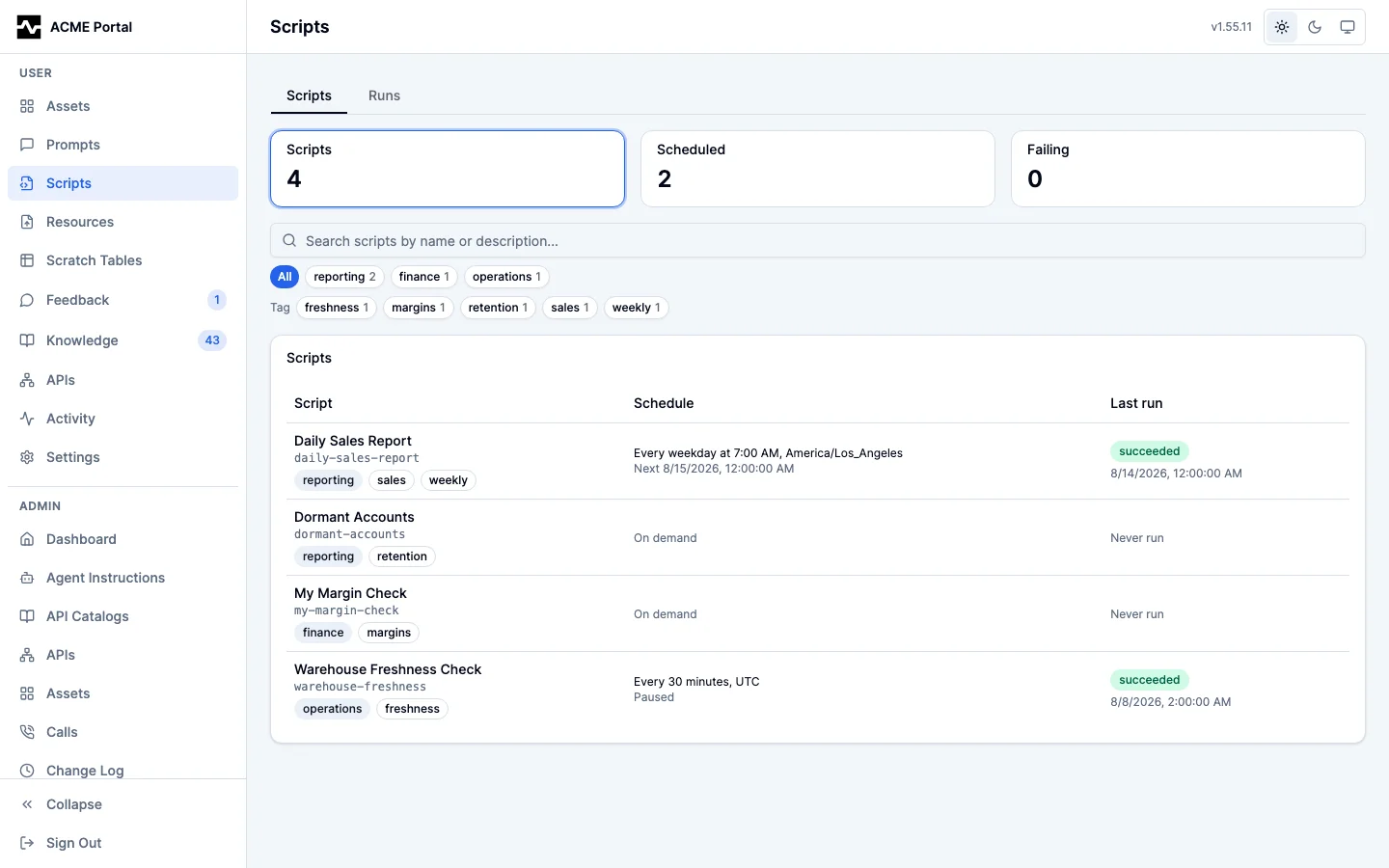
 Opening one shows its contract, and — for a script you own — its version
history with each version's author and the roles a run of it presents, and its
run history with each run's trigger, duration, outputs, the result it handed
back, and the log it printed, and, for a run still in flight, how far it has got
and a control to stop it. A failed run says whether it is expected to succeed
when run again; a running run whose worker stopped reporting reads worker not
responding or worker gone rather than running, and opening it shows the
holder, the lease, the last report and how each earlier attempt ended. Runs
that have not ended are listed under Running now at the top.
See the portal guide.
Opening one shows its contract, and — for a script you own — its version
history with each version's author and the roles a run of it presents, and its
run history with each run's trigger, duration, outputs, the result it handed
back, and the log it printed, and, for a run still in flight, how far it has got
and a control to stop it. A failed run says whether it is expected to succeed
when run again; a running run whose worker stopped reporting reads worker not
responding or worker gone rather than running, and opening it shows the
holder, the lease, the last report and how each earlier attempt ended. Runs
that have not ended are listed under Running now at the top.
See the portal guide.
A run is the owner's and the administrator's to read, plus whoever requested
that particular run. Asking an agent to show you your scripts opens the same
pages through the presentation-only show_scripts tool; every script operation
an agent performs for its own work uses manage_script, which renders nothing.
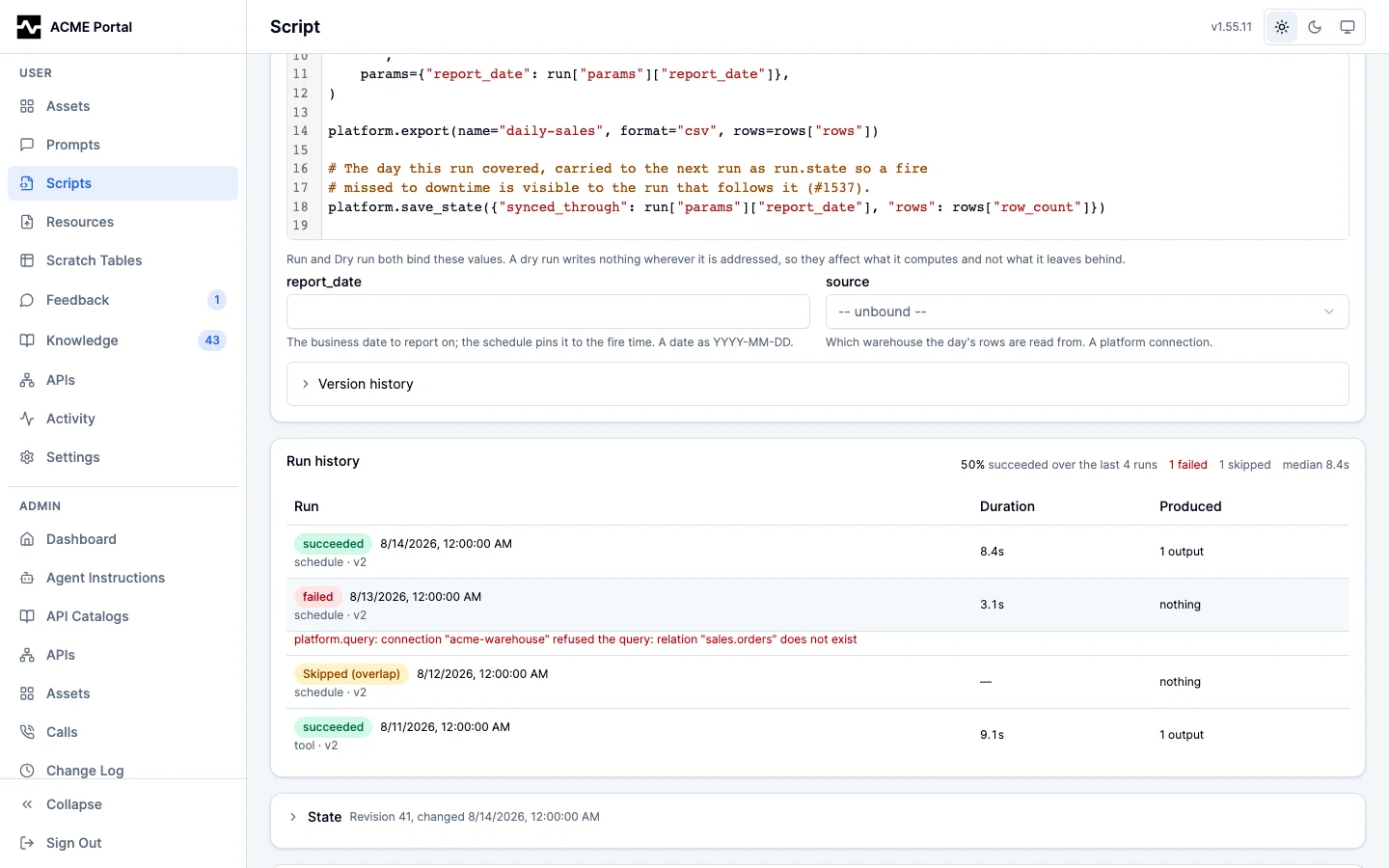
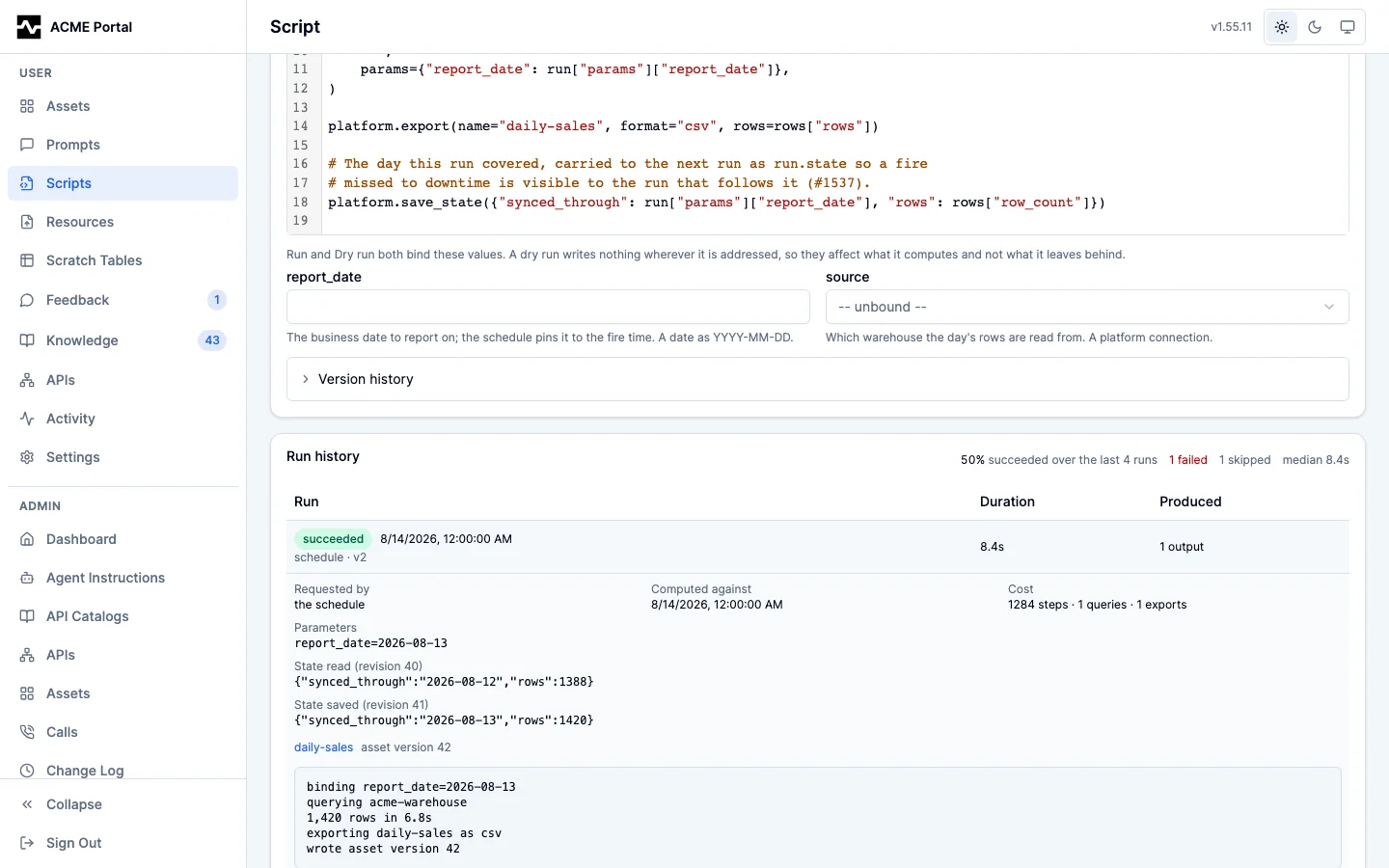
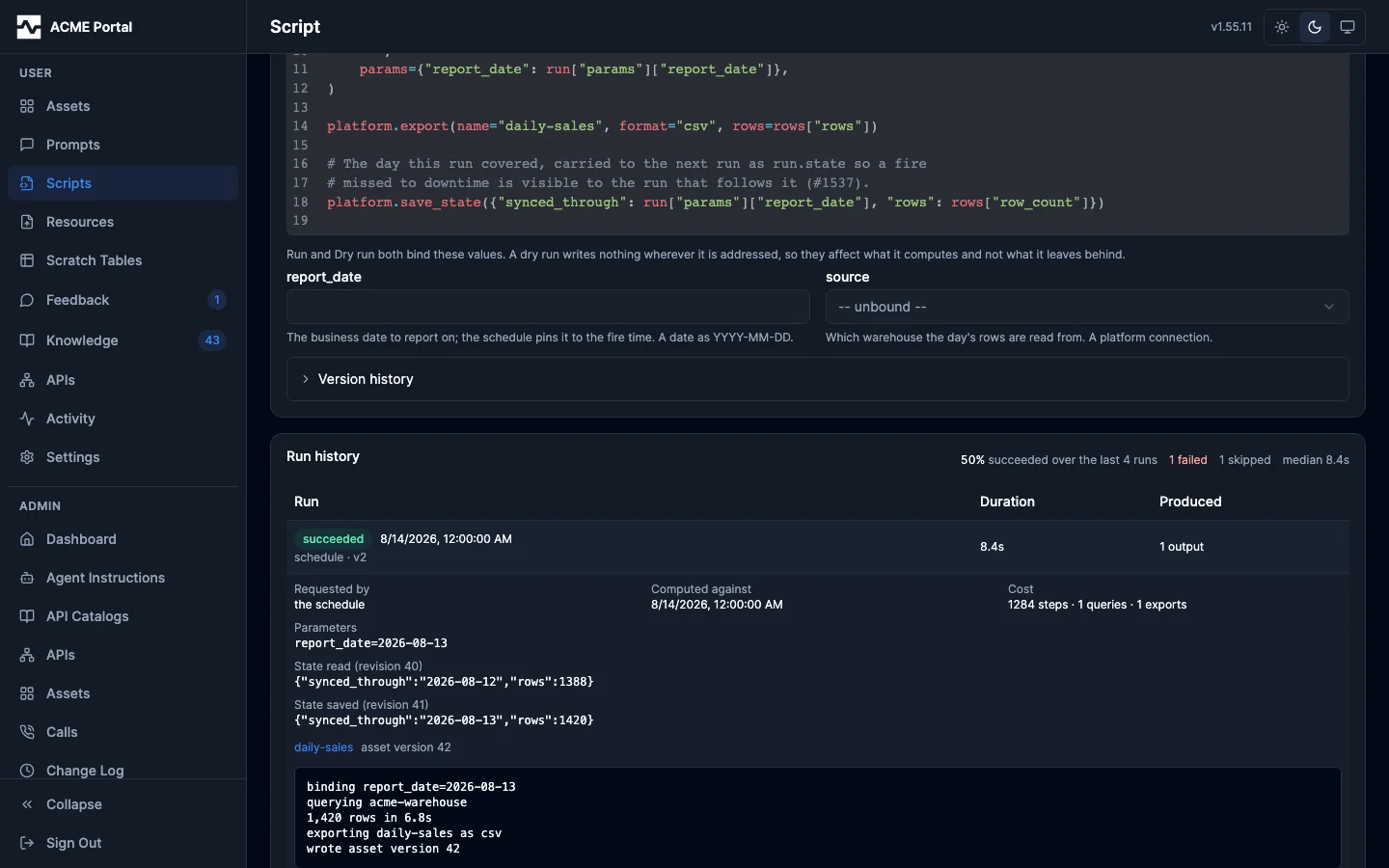
A run's calls are audited, not cataloged
Every data call a run makes is written to the audit log under the run's own
principal, with source: script and the run id as its session, so the run and
its calls join on one key and an operator can see exactly what a schedule
reached.
None of them are written to the call catalog. The catalog answers "is this call worth running again", and a scheduled run is by construction the re-run: its statement is the script's source, its outputs are on the run and in the provenance of the assets it wrote, and nobody fetches one of its calls to run it again. On one deployment 76% of the catalog was the six calls a single hourly schedule made, every one embedded, every one with a reuse count of zero.
There is no setting for this. calls.exclude_personas names personas that are
machinery, and a run has no persona of its own -- it presents the roles and the
persona of the person who wrote the script -- so the calls a schedule makes
every hour are indistinguishable by persona from that person's own. The rule is
keyed on how the call arrived instead. A deployment that wants a run's calls
cataloged has no such case: the run record and the produced asset already hold
them.
What this changes for an author:
- A tool result inside a run carries no
call_reference. The reference names a catalog record, and there is none to name. - An asset a run writes still records the calls that fed it. Provenance capture
reads audit rows, not catalog rows, so
save_assetfrom inside a run captures the run's own calls through its session window. - A person's call in the same persona, made in an ordinary session, is cataloged and searchable exactly as before.
Run history retention
Run rows are history as much as queue bookkeeping — a scheduled report's run history is its refresh history — so they are kept far longer than a delivery queue's rows and the retention is configurable:
scripts:
  # How long a finished run is kept. Defaults to 365 days; a run still pending
  # or running is never swept, however old it is.
  run_retention_days: 365
The sweep deletes only terminal rows (succeeded, failed, skipped_overlap)
whose finished_at is older than the window, and it runs at most hourly, on the
replicas that run a worker (internal/platform/scriptstore/runs.go,
PurgeRuns).
Recordings (script_recordings) are swept in the same pass at the same
retention, except a recording a test in the script's latest version names: the
test needs it, so it is kept until a later version stops naming it. A recording
holds upstream rows and responses, so it is read under the rules run history
is, by the script's current owner and administrators, and a draft's also by
the person who ran it. One run's recording holds at most
8 MiB compressed; a run past that keeps its history and no recording, and says
why.
What is kept is not what a page shows. The store caps any run listing at 50
rows (defaultRunListLimit), and each surface asks for what it can display and
states the cap when the answer fills it:
| Surface | Shows |
|---|---|
| A script's run history in the portal | The 25 most recent runs of that script |
| The portal Runs tab | The 50 most recent runs across the scripts the caller owns, or across every script for an administrator; script_id narrows it to one script |
| The admin Runs tab | The 50 most recent runs across every script |
manage_script runs |
The limit the call names, 20 when it names none, clamped to 50 |
A script's contract (fetch, a prompt reference, the detail page) |
One run: the last SUCCESSFUL one |
| The script listing | One run per script: the most recent, whatever its state |
Older history is still in the table until retention sweeps it, reachable by narrowing the listing (by status, or one script at a time). The metric series are the other way to read the same period — they are aggregates rather than rows, so they answer rates and percentiles over the whole window and cannot name a particular run.
What a deployment needs
| Capability | Requirement |
|---|---|
Authoring (manage_script) |
A database |
| Reading and editing scripts in the portal | A database and the portal |
Running (run_script) |
The above; the tool is not registered where there is no run queue |
| Executing what was queued | At least one replica with scripts.worker.enabled left on, which is the default |
| Firing schedules | The same replicas; scheduling needs no configuration of its own |
| Mailing a failed scheduled run | The email substrate (notifications, and an admin-configured mail server) |
| Writing portal outputs | A configured portal asset store and object storage; without them an export to the portal fails the run, which is the honest report for a scheduled asset that never appeared |
| Delivering to a bucket | A destination declared in scripts.destinations, over an S3 connection the platform is configured with, not read-only, reachable by the persona the run's roles resolve to. It needs no portal: a run that only delivers writes nothing the platform keeps |
Calling any other tool (platform.call) |
Nothing of its own. The tool has to be registered on the deployment and allowed by the persona the run's roles resolve to, which is the same requirement an interactive caller has |