Tool Filtering
Tool filtering controls which MCP tools are available to each persona. Rules use wildcard patterns to allow or deny tools by name.
Two levels of tool filtering
Persona tool filtering (this page) is a security boundary. It controls which tools a user can call via tools/call based on their persona. Unauthorized calls are rejected.
Global tool visibility (configured via the top-level tools: block) is a token optimization. It controls which tools appear in tools/list responses to reduce LLM context usage. It does not block tools/call. See Tool Visibility Configuration for details.
Rule Structure
Each persona has allow and deny lists:
tools:
  allow:
    - "trino_*"           # Allow all trino tools
    - "datahub_search"    # Allow specific tool
  deny:
    - "*_delete_*"        # Deny any tool with delete in name
Evaluation Order
- Deny rules are checked first - If a tool matches any deny pattern, it's blocked
- Allow rules are checked second - Tool must match at least one allow pattern
- No match = denied - Tools not matching any allow pattern are blocked
graph TD
    A[Tool Request] --> B{Matches Deny?}
    B -->|Yes| C[Blocked]
    B -->|No| D{Matches Allow?}
    D -->|Yes| E[Allowed]
    D -->|No| C
Wildcard Patterns
| Pattern | Matches |
|---|---|
* |
Everything |
trino_* |
trino_query, trino_execute, trino_explain, trino_browse, trino_export, etc. |
*_list_* |
trino_list_connections, datahub_list_connections (does not match s3_list, which has nothing after list, nor trino_browse or datahub_browse) |
datahub_get_* |
datahub_get_lineage (the one remaining datahub_get_ tool) |
s3_* |
Both S3 tools, s3_list and s3_object |
trino_query |
Exact match only |
Wildcards match zero or more characters.
Common Patterns
Full Access
Read-Only Access
tools:
  allow:
    - "trino_query"
    - "trino_explain"
    - "trino_browse"
    - "trino_describe_*"
    - "trino_list_connections"
    - "datahub_*"
    - "s3_list"
    - "s3_object"
  deny:
    - "trino_execute"
Whether this persona may write objects is not a tool rule: reading and writing
an object are actions of the one s3_object tool, so denying it withholds the
reads too. Point the persona at connections configured read_only: true
(under toolkits.s3) to make its object access read-only.
Metadata Only (No Queries)
tools:
  allow:
    - "datahub_*"
    - "trino_browse"
    - "trino_describe_*"
    - "trino_list_connections"
  deny:
    - "trino_query"
    - "trino_execute"
    - "trino_explain"
Data Exploration
S3 Read-Only
tools:
  allow:
    - "s3_list"
    - "s3_object"
connections:
  allow:
    - "archive"   # an S3 connection configured read_only: true
s3_object refuses put, copy and delete on a read-only connection and
names the connection in the refusal; get, metadata and presign still
work. The read-only decision lives on the connection, not in the tool list.
Tool Names Reference
Use these exact names in your patterns:
Trino Tools:
- trino_query (read-only)
- trino_execute (read-write)
- trino_explain
- trino_browse
- trino_describe_table
- trino_export (requires portal; exports query results to asset)
- trino_list_connections
DataHub Tools:
- datahub_get_lineage
- datahub_browse
- datahub_create (if not read-only)
- datahub_update (if not read-only)
- datahub_delete (if not read-only)
- datahub_list_connections
S3 Tools:
- s3_list (buckets, or one bucket's objects)
- s3_object (get, metadata, put, copy, delete, presign; the writing actions are refused on a read_only connection)
Before #1591 these were eight tools, one per noun-verb pair (list buckets, list
objects, get, get metadata, presign, put, copy, delete). The old names are not
aliases: an entry naming one grants or denies nothing. Persona definitions
stored in the database are rewritten by migration 000138: the two listing
names and the s3_list_* glob become s3_list; the six object names and the
verb globs s3_get_*, s3_put_*, s3_copy_*, s3_delete_*, s3_presign_*
become s3_object; duplicates collapse to the first position. A deny of a former write tool
becomes a deny of s3_object, which withholds the read actions too (the
migration fails closed); move that decision to the connection's read_only
flag. Personas defined in YAML are edited by hand along the same mapping.
API Gateway Tools:
- api_discover (the specs of a multi-spec catalog, the operations of a spec or a query, or one operation's schema, chosen by the arguments)
- api_invoke_endpoint
- api_export (requires portal; streams a response into an asset)
Before #1592 discovery was three tools, one per depth (the specs of a
catalog, the operations of a spec, one operation's schema). The old names are
not aliases: an entry naming one grants or denies nothing. Persona definitions
stored in the database are rewritten by migration 000139: the three names and
the verb globs api_list_*, api_get_* become api_discover; duplicates
collapse to the first position. A deny of any one depth becomes a deny of
api_discover, which withholds the other depths too (the migration fails
closed). Personas defined in YAML are edited by hand along the same mapping.
Examples
Analyst Persona
Analysts can query and explore, but not modify:
Prefer allow: ["*"] with a targeted deny over an enumerated allow-list: an
enumeration has to name every tool the persona will ever hold, so it silently
loses each tool a later upgrade adds. Enumerate only for a persona that is
deliberately confined to a short, fixed list, as data_steward and viewer are
below — and when you do, keep both halves of every pair (search with fetch).
See Some tools are a unit.
Data Steward Persona
Data stewards can view metadata but not execute queries:
data_steward:
  tools:
    allow:
      - "platform_info"
      - "search"
      - "fetch"
      - "list_connections"
      - "datahub_*"
      - "trino_browse"
      - "trino_describe_*"
    deny:
      - "trino_query"
      - "trino_execute"
      - "trino_explain"
ETL Service Persona
ETL services need full access:
Viewer Persona
Viewers can only search and browse:
viewer:
  tools:
    allow:
      - "platform_info"
      - "search"
      - "fetch"
      - "datahub_browse"
      - "trino_browse"
    deny:
      - "trino_query"
      - "trino_execute"
      - "trino_explain"
      - "trino_describe_*"
      - "s3_*"
Gateway Tools
Tools proxied through the gateway toolkit appear in tools/list under a connection-namespaced name: <connection_name>__<remote_tool_name>. Persona rules match these names with the same wildcard syntax as native tools, so a single persona can grant or deny access to a third-party MCP at any level of granularity:
personas:
  marketer:
    roles: ["marketing_team"]
    tools:
      allow:
        - "platform_info"
        - "search"                # Required: the search-first gate refuses
        - "fetch"                 #   trino_query until search has been called
        - "trino_query"           # Native: read warehouse data
        - "datahub_get_*"         # Native: look up metadata
        - "vendor__list_*"        # Gateway: read vendor objects
        - "vendor__send_*"        # Gateway: trigger vendor sends
      deny:
        - "vendor__delete_*"      # Block destructive vendor calls
    connections:
      allow: ["*"]
The double-underscore separator (__) is a deliberate marker — it makes "gateway tool" visually obvious in audit logs, persona configs, and tool-list responses, and it never collides with the single-underscore separators used by native toolkits (trino_query, datahub_search, s3_object).
Composite personas
A composite persona combines native and gateway access for a single role. The example above gives the marketer role read access to the warehouse plus action access to a third-party MCP wired through the gateway. The same audit log captures every tool call, regardless of whether it landed on Trino, DataHub, S3, or a proxied vendor.
Deny Takes Precedence
Deny rules always win over allow rules:
Result: datahub_browse ✓, datahub_delete ✗
Testing Rules
To verify your rules work as expected, check which tools are available for each persona:
- Authenticate as a user with the persona's roles
- Ask Claude to list available tools
- Verify the expected tools are present/absent
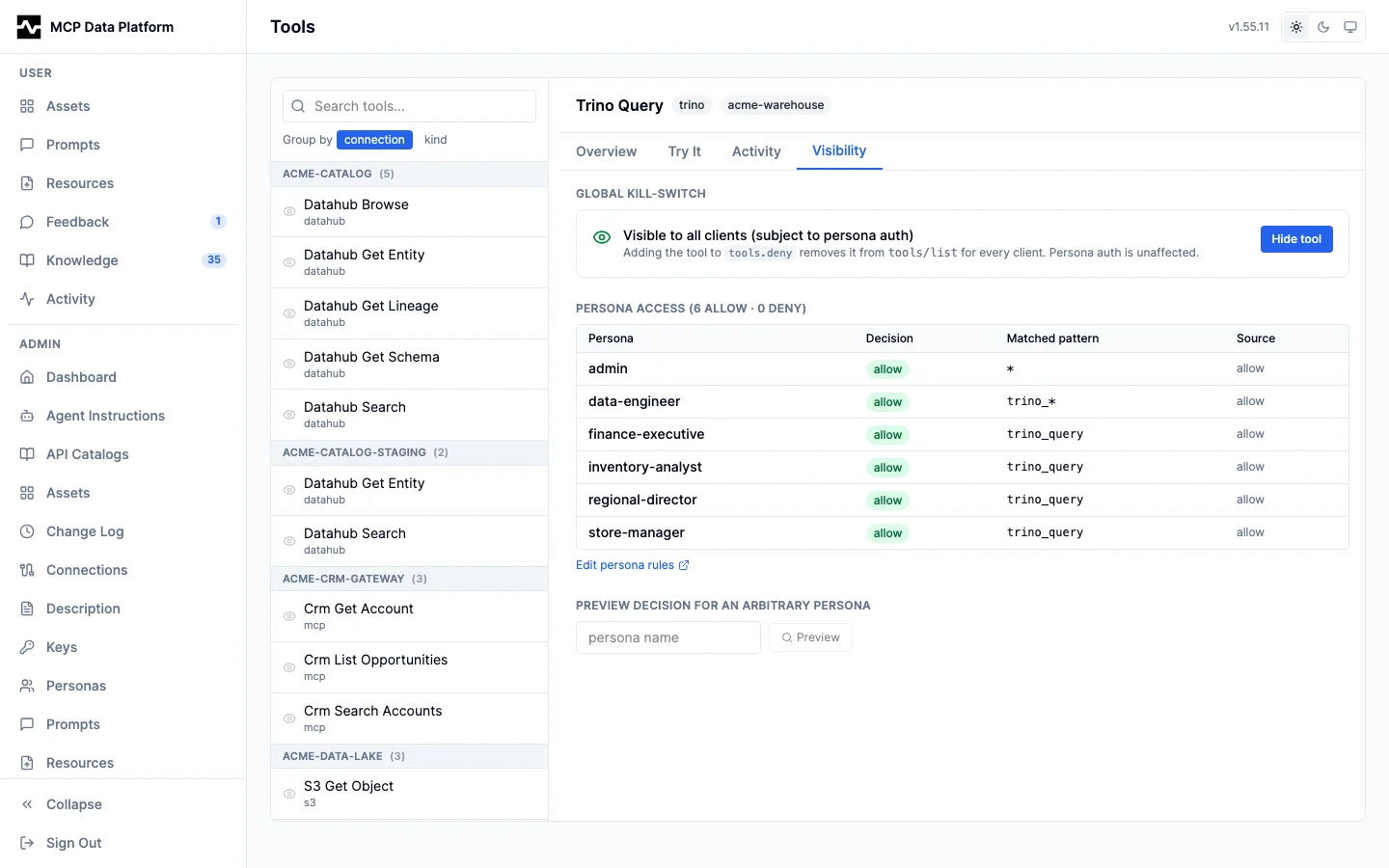
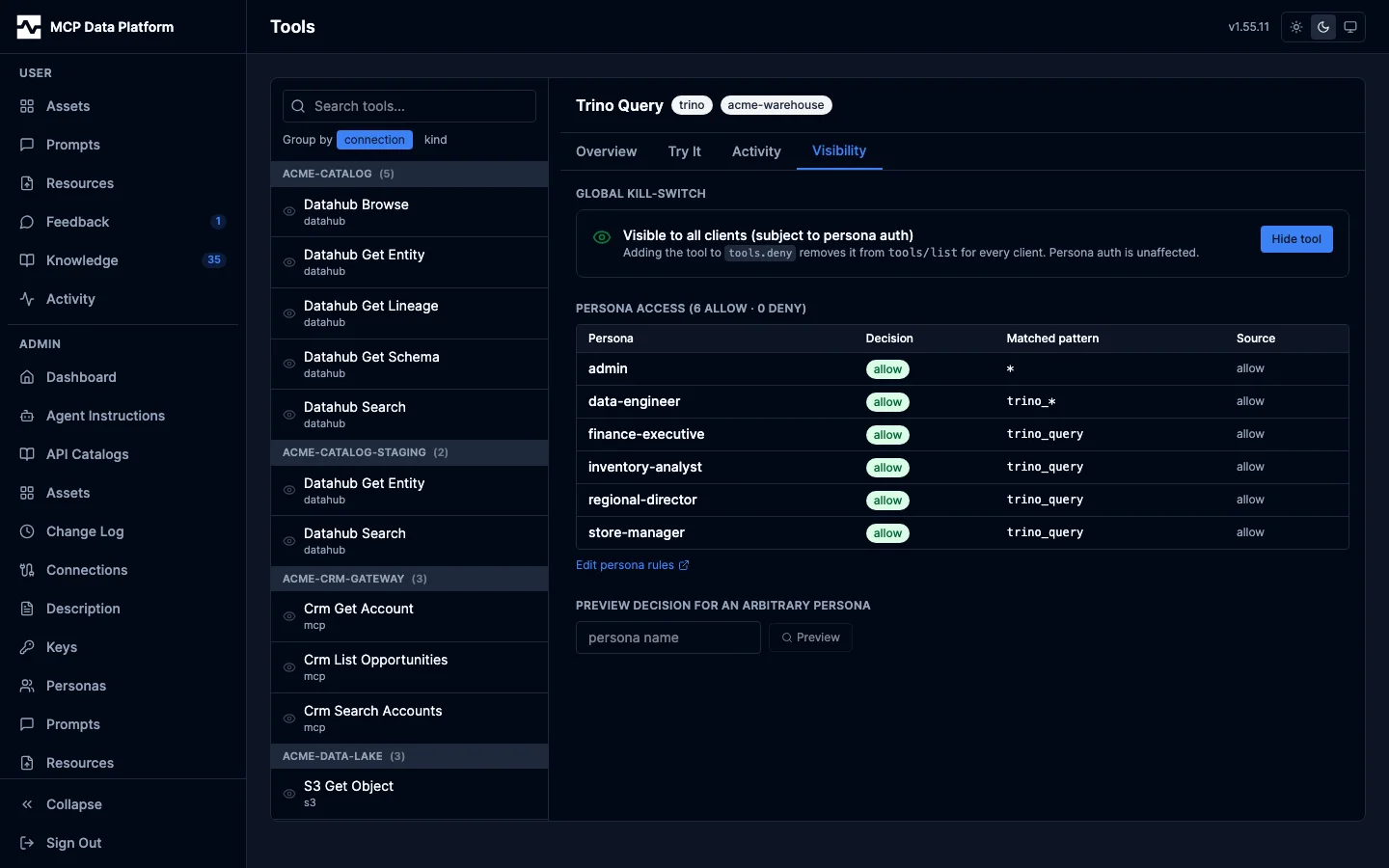
The portal answers the same question without a client: Admin > Tools > Visibility previews a given persona's decision for the selected tool before any rule is changed, and Admin > Tools > Overview carries that tool's full per-persona matrix with the pattern that matched.
Or test programmatically by checking the tool filter logic:
p := &persona.Persona{
    Name: "analyst",
    Tools: persona.ToolRules{
        Allow: []string{"trino_*"},
        Deny:  []string{"trino_query"},
    },
}
filter := persona.NewToolFilter(nil)

filter.IsAllowed(p, "trino_browse")         // true
filter.IsAllowed(p, "trino_describe_table") // true
filter.IsAllowed(p, "trino_query")          // false — deny wins
filter.IsAllowed(p, "search")               // false — no allow pattern matches
WhyAllowed returns the same decision with the pattern that produced it and
which clause it came from (allow, deny, or the fail-closed default), which
is what the admin Tools page renders.
To check a persona for the tool pairs that must be granted together, pass the tools the deployment registered:
for _, f := range persona.CheckCoherence(p, registry.AllTools()) {
    log.Printf("%s grants %s without %s: %s", f.Persona, f.Granted, f.Missing, f.Remedy)
}
The platform runs this at startup for every persona and on each persona write through the admin API; see Some tools are a unit.
Next Steps
- Role Mapping - Map roles to personas
- Authentication - Configure user authentication