Knowledge and Memory
The Knowledge page is the single home for the Memory to Insight to Knowledge lifecycle. A short header teaches the model so a first-time reader can state what each stage is and how one becomes the next:
Everything the platform learns is a Memory. Most memories are personal or operational and stay yours. When a memory asserts something true about the business or the data that others would benefit from, it becomes an Insight, a proposal awaiting review. Whoever holds the
apply_knowledgecapability reviews insights and promotes the good ones into Knowledge: shared, trusted, and canonical. Business and domain facts become knowledge pages; technical and entity facts go to the DataHub catalog.
The page has three tabs. Review and promote affordances appear only when your persona grants the apply_knowledge tool (a capability check, not an admin role).
Knowledge pages are facts to be searched and synthesized into new answers. A file you wrote and want reproduced verbatim belongs in Resources instead, where its bytes and formatting survive; the knowledge pages empty state says so.
Knowledge (default)
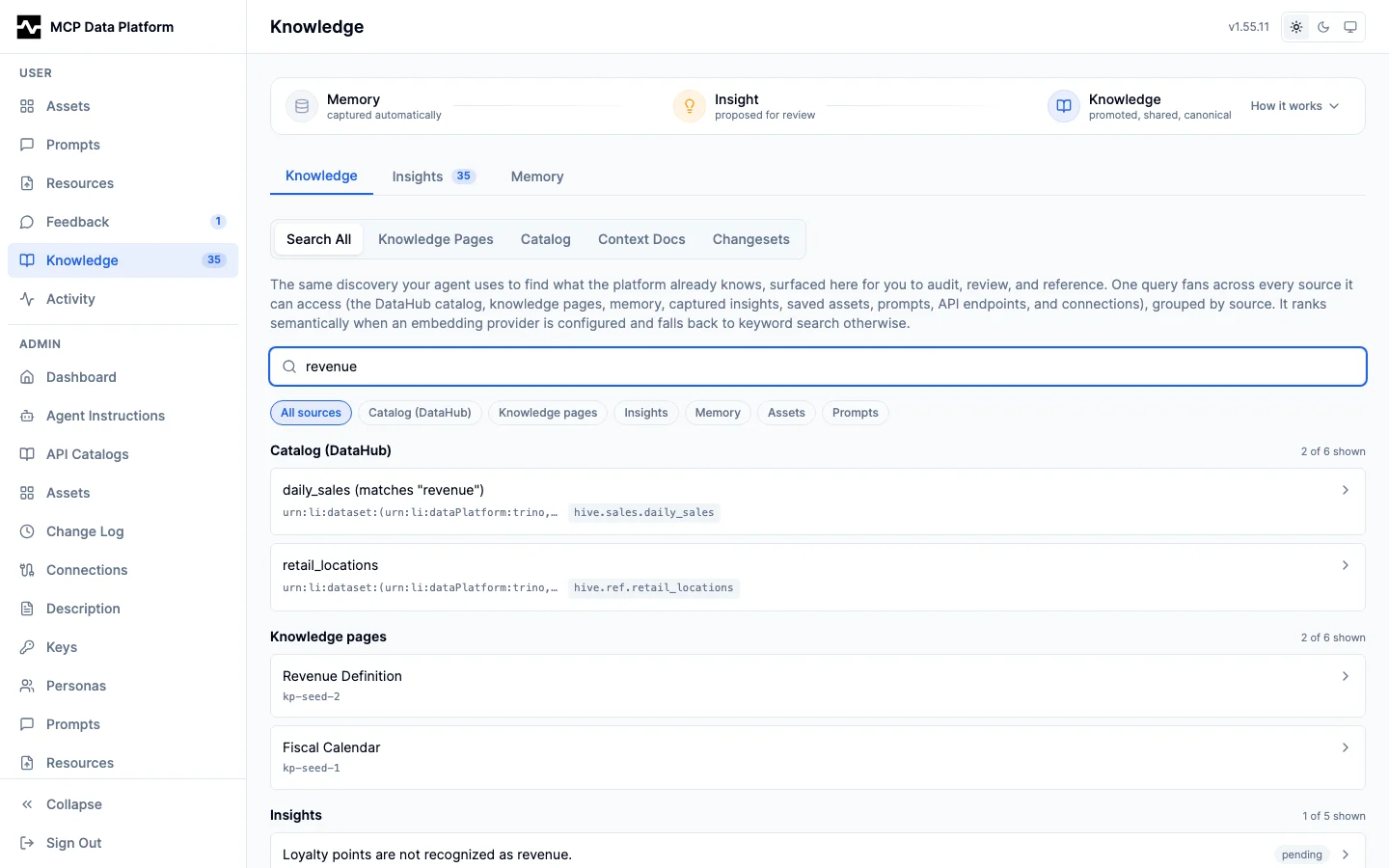
- Unified search - One query fans across every source you can access (the DataHub catalog, canonical knowledge pages, your memory, captured insights, saved assets, uploaded resources, prompts, managed scripts, API endpoints, and connections) and returns results grouped by source with a coverage summary. It is the same federation behind the
searchtool, exposed overGET /api/v1/portal/search. It ranks semantically when an embedding provider is configured and degrades to lexical search otherwise - Browse - With the search box empty, the tab browses the canonical knowledge pages. Personas with
apply_knowledgecan create, edit, and remove pages - Changesets (
apply_knowledgeholders) - The record of insights promoted into knowledge: the catalog and knowledge-page changes applied when your agent runsapply_knowledge, with rollback to undo a changeset's writes. They live here, with the promoted knowledge, rather than with the unpromoted insights in the review pipeline
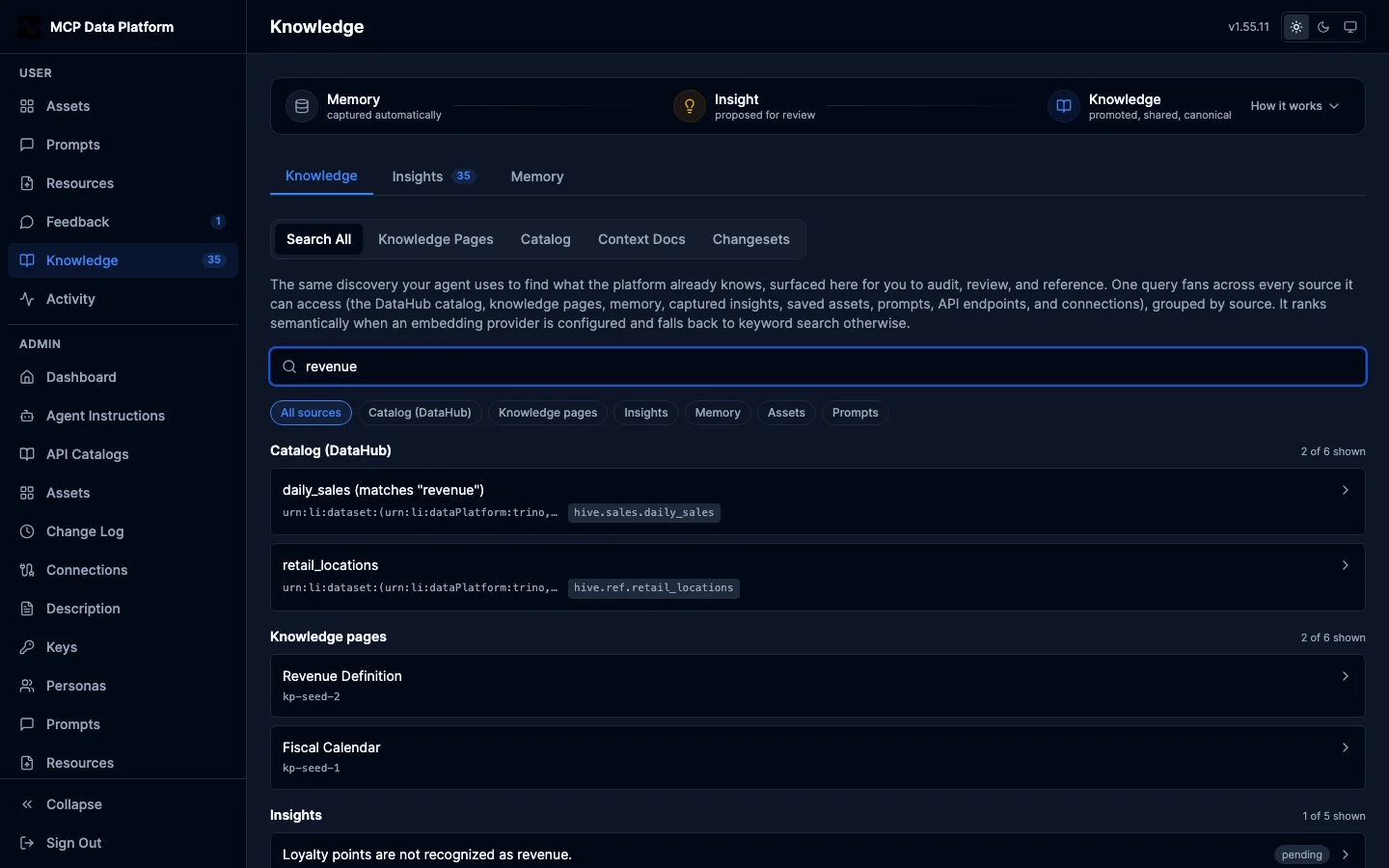
One query returns results grouped by source (catalog, knowledge pages, insights, memory, assets, prompts) with a per-source coverage summary and source filter chips. The coverage line reads "3 of 14 shown"; a source with more matches than the search ranked reads "3 of 25+ shown", because the count is a floor rather than a total and a bare 25 would say the list on screen is the whole of it.
Built-in pages
The platform ships a set of its own knowledge pages — the rationale behind the advanced features that is not readable from tool schemas: writing managed scripts (the Starlark dialect's deliberate absences, DECIMAL columns arriving as strings, the save being the version that runs), script outputs and export identity (a stable name is a refresh, a dated name is an archive), the semi-dynamic dashboard pattern (platform.publish_data and the data region), asset references and the refresh loop (naming a file from an asset's content instead of carrying it, and refreshing that file without re-saving the document), provenance, call references, and the capture loop, the media type every stored file carries, and writing a document that fits the reader's screen (the viewport declaration an HTML asset owes, rows that wrap, and the one place a wide table may scroll). Each page states its mechanism as a mermaid diagram as well as in prose, rendered in the portal and read as a labeled graph by an agent that fetches the page. They are embedded in the binary and reconciled into the knowledge-page store at startup, so a release that changes them updates every deployment on its next start. Once reconciled they are ordinary pages: search ranks them, fetch dereferences them (by the page's slug as well as by its id, which is how the platform's own instruction baseline and manage_script help can name a page whose row id differs on every deployment), the portal renders them, and feedback threads work on them.
Each carries a Built-in badge and is read-only where people edit: the portal offers no Edit, and the update paths refuse a change that the next start would overwrite anyway. A deployment that wants its own version of a topic hides the built-in page (Hide, the same action Remove is on an ordinary page) and writes its own — the startup reconcile respects the hide instead of resurrecting the page, and a deployment page holding the topic's slug is left alone. Hiding is not a one-way door: Restore built-in on the Knowledge list (apply_knowledge access, also POST /api/v1/portal/knowledge-pages/restore-builtin) brings hidden built-in pages back, refreshed to the running release; a hidden page whose topic a deployment page has since taken stays hidden, since that page owns the slug. An unchanged release touches nothing, so a page's version history records exactly the releases that changed it, and a page a release stops shipping is retired everywhere — which, unlike a hide, does not survive the page being shipped again later.
Cards and graph
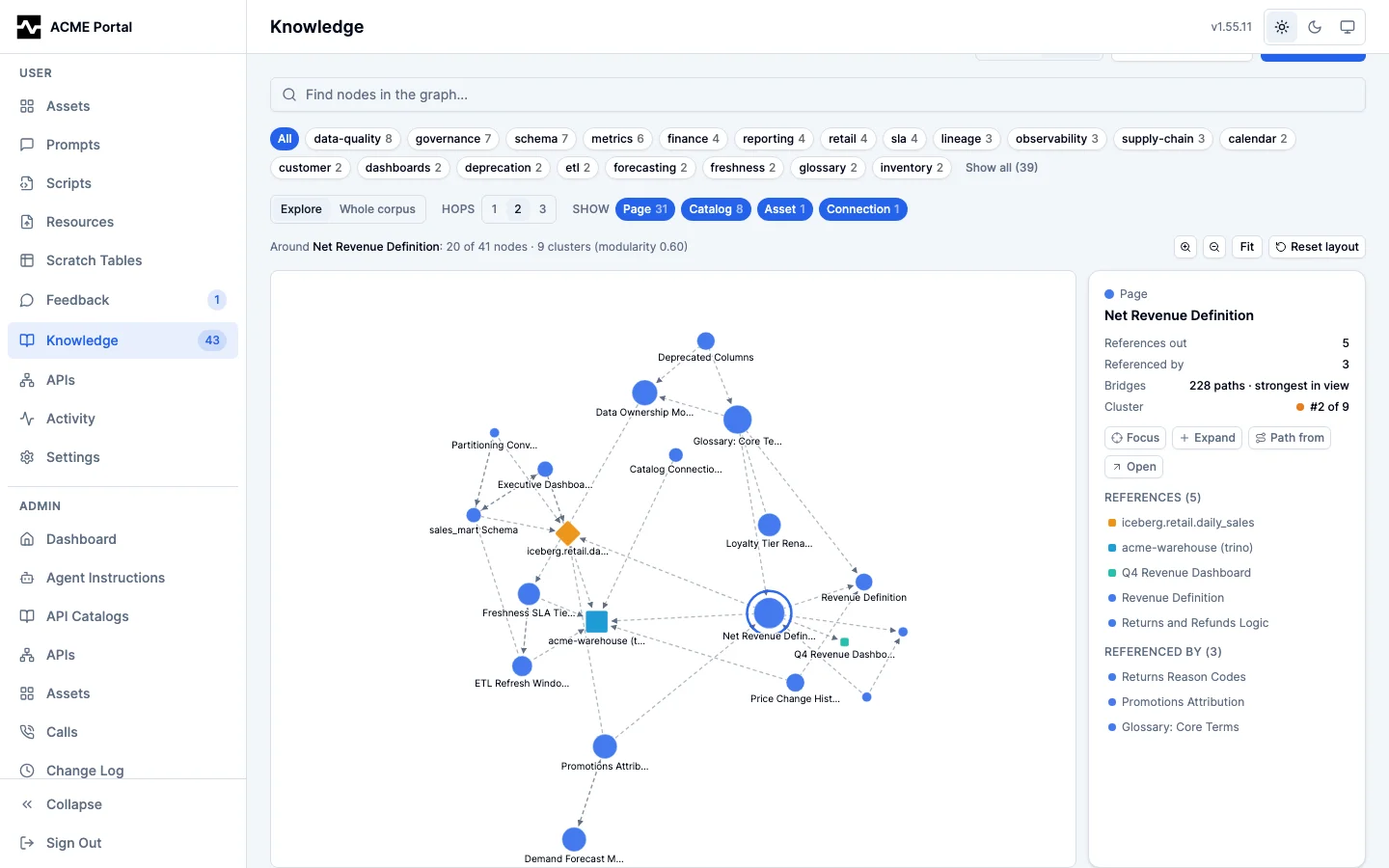
The Knowledge Pages sub-tab offers two layouts of the same corpus, switched with the Cards/Graph toggle. Cards is the browse list. Graph draws the corpus as its reference network: every page is a node, so is every entity the pages reference (assets, prompts, collections, connections, managed scripts, catalog URNs, and other pages), and every edge is a stored reference, drawn as an arrow from the page to what it cites. A cited script also draws what its runs produced (#1985): an arrow from the script to each asset, collection or resource it wrote that you can open. The outputs you cannot open are not drawn or named; the inspector counts them on the script ("2 more outputs you cannot open"). Both cover the script's 50 most recent outputs, and the inspector says so when it wrote older ones too. Selecting a script lists its outputs under Produced, and selecting a file lists the script that wrote it under Produced by, apart from the pages that cite it.
It opens on one node, not the whole corpus. A whole-corpus force layout is a hairball that answers nothing, so the view starts at the corpus's strongest bridge — the node the most shortest paths run through — and shows its neighbourhood. Hops widens that neighbourhood one step at a time, and Whole corpus drops back to the overview when you want the shape of the entire knowledgebase.
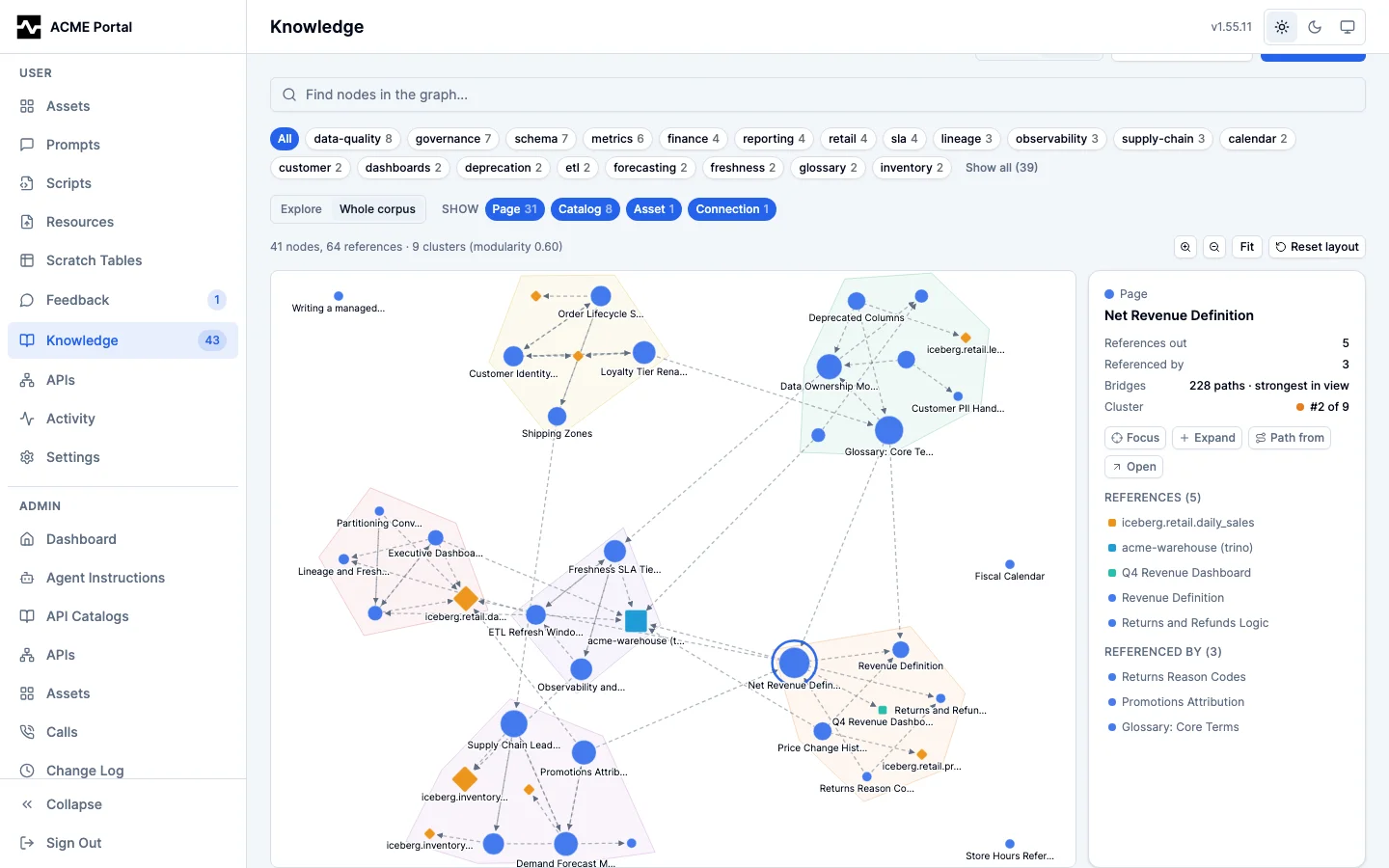
The structure is measured, not just drawn. The corpus is partitioned into clusters (Louvain community detection) and each node is scored for how much of the graph it bridges (betweenness centrality). Node size is that bridge score, so the entities holding otherwise separate topics together are the largest marks on screen; node shape and colour stay with the type. In the whole-corpus overview each substantial cluster is tinted as a region behind its members, and the layout pulls a cluster's members together so those regions are actually distinct. The summary line states how many clusters were found and the partition's modularity, so you can tell whether the corpus really has topic structure rather than inferring it from a picture.
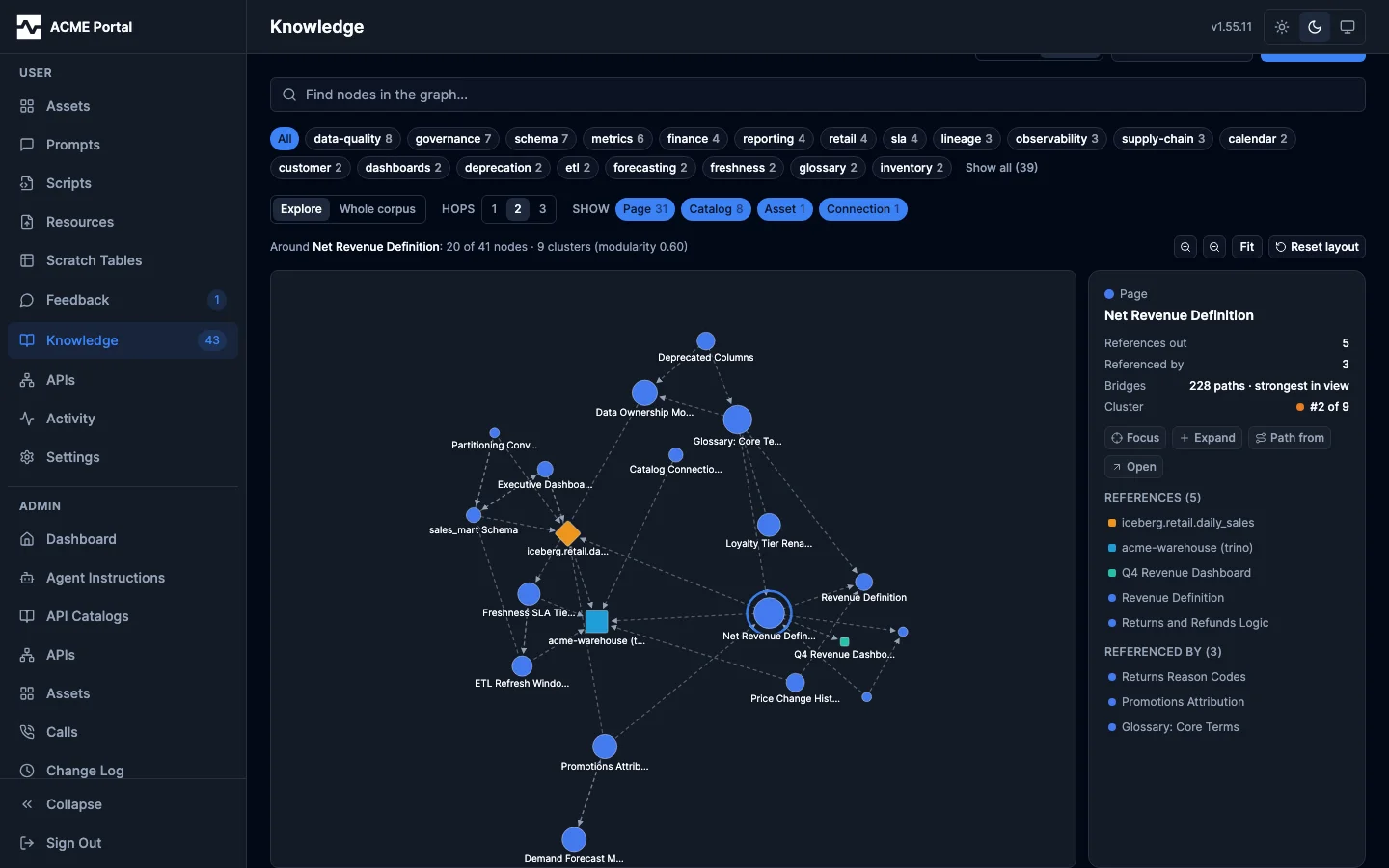
Clicking a node inspects it rather than navigating away. The inspector reports how many references run each way, the node's bridge score and its rank among everything that bridges anything, and its cluster; it lists both directions of references, each selectable in place so you can walk the corpus without a single page load. For anything that is not a knowledge page it also shows the reference's URN — the identifier the node's label is derived from, and the only string you can search or act on elsewhere. Its actions are Focus (re-centre the view here), Expand (pull in this node's neighbours), Path from (then click any other node to trace the shortest chain of references between them, highlighted on the canvas and listed hop by hop), and Open, which is the only thing that leaves the graph. A connection has no per-instance portal page, and a reference whose target has been removed has nothing left to open, so neither offers Open.
Selecting a catalog node looks the dataset up in the DataHub catalog and shows what is actually there — its description, domain, owners, and tags — naming the connection it queried. When the catalog does not have it, the inspector says so: a knowledge page citing a dataset that is not in your catalog is a real gap, not an ordinary node, and the graph states it rather than drawing it as if it resolved. Open deep-links the entity in the Knowledge > Catalog tab (/knowledge/catalog?urn=...), which is also what a catalog reference chip links to anywhere else in the portal.
Hovering a node lights its immediate neighbourhood and dims the rest; dragging pulls a cluster apart and it stays where you drop it (Reset layout releases every pin). Scroll to zoom and drag the canvas to pan. The Show chips filter by node type — knowledge pages are always shown, since they are the corpus the view is of — the tag facet narrows which pages are in the graph at all, and the search box focuses matching nodes rather than removing the rest. Switching between Cards and Graph preserves both the search text and the tag filter.
Entities you cannot access are absent from the graph entirely — neither node nor edge — which is the same visibility rule the per-page reference list applies; a script's outputs follow the same rule, counted rather than named. A very large corpus is capped, and the cap is always stated in a notice above the canvas rather than applied silently.
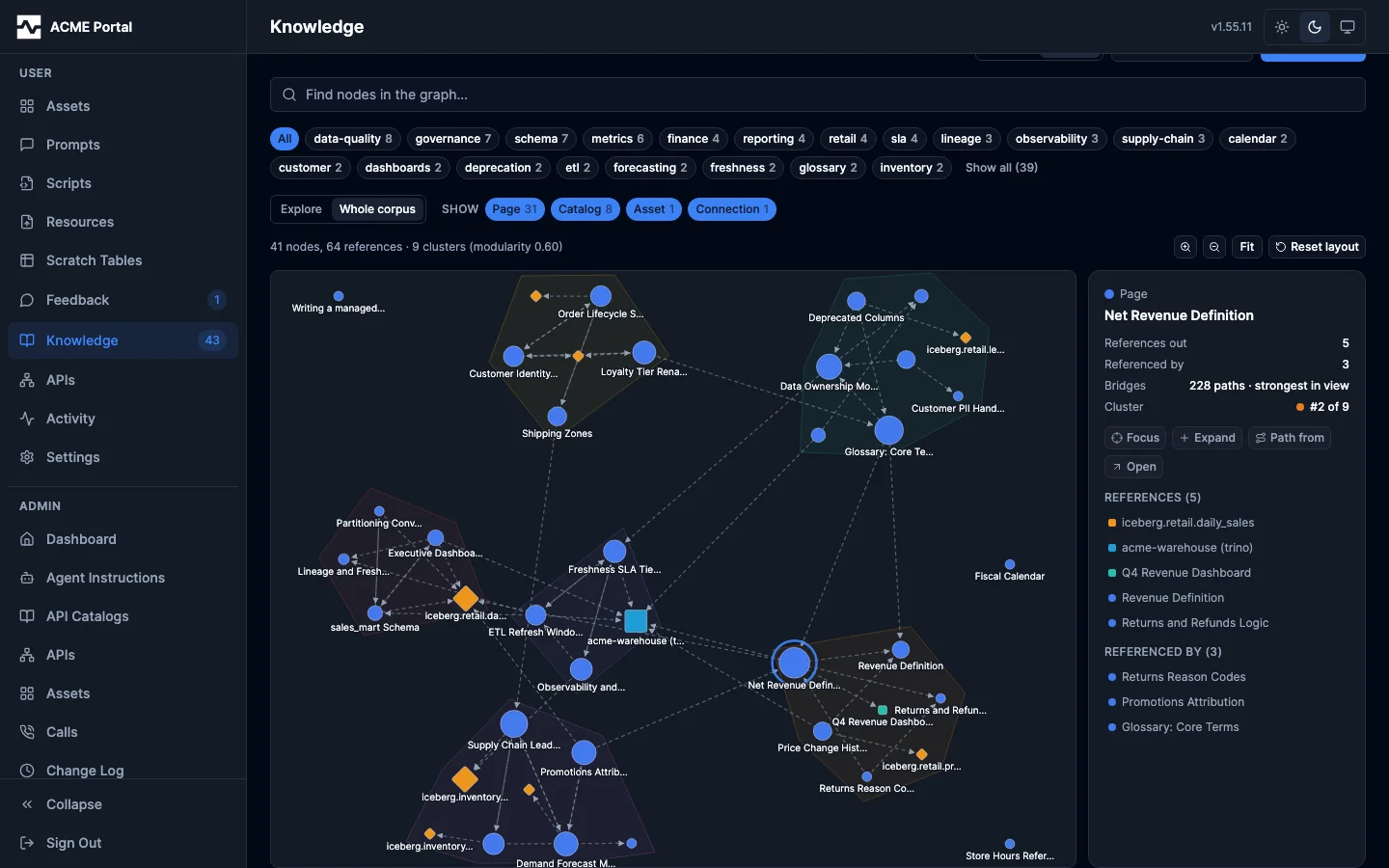
The whole-corpus overview, with the detected clusters drawn as regions:
What a page links to
A knowledge page's Manual references panel is where an editor states what the page is about. It searches the portal's own entities — assets, collections, pages, prompts — and, when a DataHub connection is configured, the catalog's governance vocabularies: glossary terms, tags, and domains. Every type is searched by display name, so attaching the term Net Revenue never means typing the URN DataHub generated for it; picking a catalog type also asks which connection to search, since a governance entity belongs to one catalog and the portal's own entities belong to none. A deployment with no DataHub connection is offered only the four portal types, rather than three that could never return a match.
An attached reference renders as a named chip in the Related panel and links to where that entity is managed: a glossary term to the Glossary tab, a tag to Tags, a domain to Domains, a table to Tables. The names are resolved from the catalog itself, because the key inside a governance URN is not a name — DataHub generates one for anything created without an explicit id — so a chip built from the URN alone would read as 8f3c1a94 where the page meant Net Revenue. When the catalog cannot be reached, the chip falls back to that key rather than failing the page. Resolving a name is a catalog read, so it is gated the same way the Catalog tab is: a persona granted no DataHub tool sees the URN-derived label, since a name it could not look up there should not arrive here instead.
A page can also cite a managed script (mcp:script:<id>), which is how a page that says which script keeps a dataset current names the script rather than describing it in prose. A script's definition is readable by everyone signed in (#2027), so every reader sees the citation in Related and as a chip in the body, linking to the script's page. Deleting the script removes the citation. Scripts are cited through apply_knowledge (page.references, or the reference written in the body); the Manual references picker does not search scripts.
The link runs both ways: each governance detail page lists the knowledge pages that reference its entity, so a steward reading a term sees what has been written about it. References you cannot access are omitted from both directions.
Catalog
The Catalog sub-tab is the whole of your data catalog inside the portal, and the second of the two knowledge sinks. Everything under Catalog is DataHub; anything the portal's own database backs — knowledge pages, changesets — stays outside it. That rule is what keeps the top row at four tabs while the catalog surfaces grow underneath.
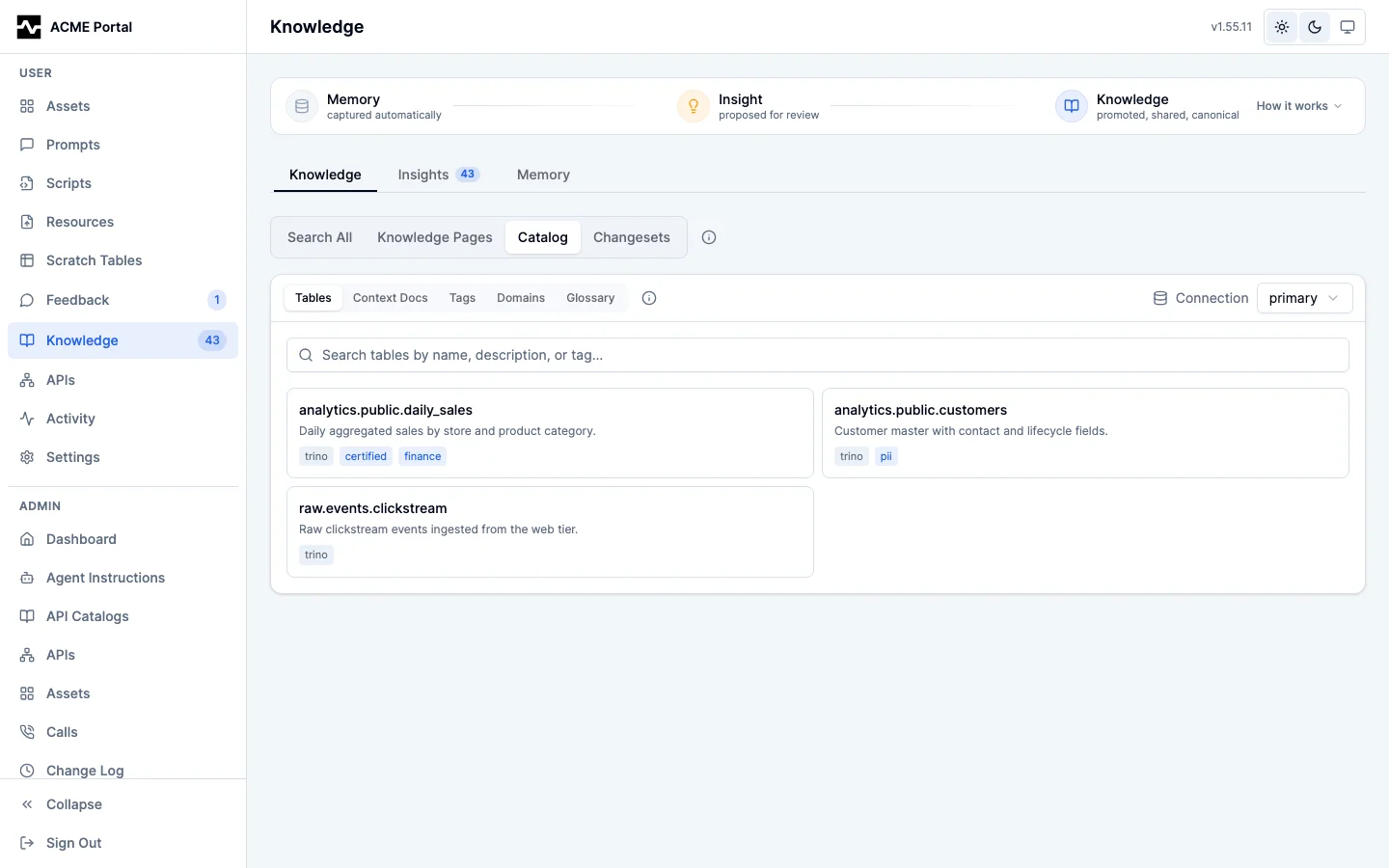
Catalog holds its own inner tabs: Tables, Context Docs, Tags, Domains, and Glossary — the described things first, the vocabularies that describe them second. The DataHub connection is picked once, at the top of the section, and applies to every inner tab; switching it returns each tab to its list, since an open table, document, tag, domain, or glossary entity belongs to the connection it was read from. The section is URL-addressable at /knowledge/catalog, and the inner tab is carried in the hash (/knowledge/catalog#tags), so a refresh and browser back/forward land where you were. A single entity stays addressable at /knowledge/catalog?urn=..., which is what a catalog reference links to from anywhere in the portal; the link names the tab that manages that kind of entity (?urn=urn:li:glossaryTerm:...#glossary), because Tables cannot show a term at all. Each tab claims only its own kinds, so a stale or hand-edited link opens the list rather than a read that could not succeed. Going back from a deep-linked entity drops the ?urn= so a refresh does not reopen what you just left.
Tables
The Tables tab browses or searches the tables the connection catalogs, and opens one to see its description, tags, owners, glossary terms, domain, and columns. When your persona grants datahub_update and the connection is write-enabled, each metadata facet is editable inline (description, tags, owners, glossary terms, domain); otherwise the view is read-only with no edit controls. Tags, glossary terms, and domains are chosen through name-search pickers: type a display name (e.g. Reven) and select Revenue, and the URN is resolved for you. Table and column descriptions are markdown: the entity view renders them formatted, and the description editor is the same split source/preview markdown editor used for knowledge pages and prompts. Owners are entered as a DataHub user or group URN (urn:li:corpuser:<name> or urn:li:corpGroup:<name>); an invalid value is rejected with a clearly visible inline error rather than silently failing. DataHub has no table create or delete (tables originate in source systems), so this is metadata editing, not table lifecycle.
Context Docs
The Context Docs tab manages DataHub context documents: markdown notes attached to a dataset, glossary term, glossary node, or container. Browse or search, open a document to read its rendered markdown, and, with the matching datahub_create / datahub_update / datahub_delete grant on a write-enabled connection, create, edit, and delete documents through a markdown editor. A document can attach only to the supported entity types; the create form rejects any other type.
Tags
The Tags tab manages the tag vocabulary itself, rather than the tags carried by one table. List the connection's tags with their descriptions, filter by name, and open a tag to see what it means and which tables carry it; each of those tables links straight into the Tables tab's entity editor. With the matching grant on a write-enabled connection you can create a tag (datahub_create), edit its description (datahub_update), and retire one (datahub_delete); without those grants the same read surfaces appear with no editing controls. A tag description is plain text, not markdown, and this is the one deliberate exception among the Catalog vocabularies: DataHub's own tag page renders the field as plain text, so formatting authored here would show as raw source everywhere else in the catalog. An open tag also lists the knowledge pages that reference it, so the prose written about a tag is one click from the tag itself; a tag no page cites shows no such list. Deleting states its blast radius first — how many tables in the connection carry the tag — so retiring an unused tag and retiring one the warehouse depends on do not look identical. DataHub indexes new tags asynchronously, so a tag you just created may take a moment to appear in the list.
Domains
The Domains tab manages the business areas the catalog is grouped into, rather than the domain carried by one table. List the connection's domains with their descriptions, filter by name, and open a domain to see what it covers and which tables are in it; each of those tables links straight into the Tables tab's entity editor. With the matching grant on a write-enabled connection you can create a domain (datahub_create), edit its description (datahub_update), retire one (datahub_delete), and move tables in and out of it (datahub_update); without those grants the same read surfaces appear with no editing controls. Domain descriptions are markdown: the domain view renders them formatted, and the description editor is the same split source/preview markdown editor used for table descriptions, knowledge pages, and prompts.
An open domain also lists the knowledge pages that reference it, the same reverse lookup the tag and term views offer.
Two limits the tab states rather than hides. The domain list is capped at 100 by DataHub itself — its listDomains query asks for that many and the lookup endpoint takes no limit — so a full list means there are domains this page cannot reach, and it says so. A table has at most one domain, so adding a table that is already in another domain moves it rather than giving it a second; the add form says so before you pick.
Deleting states its blast radius first — how many tables in the connection are in the domain — and what it does with them: the delete removes the domain definition from DataHub and leaves those tables without a domain, since it touches no table. As with tags, DataHub indexes new domains asynchronously, so a domain you just created may take a moment to appear in the list.
Glossary
The Glossary tab manages the business glossary itself: the terms your organization defines and the nodes that organize them, rather than the terms carried by one table. It is a tree, so it is walked one branch at a time — the root shows the nodes and the terms with no parent, and opening a node shows what is inside it. A node is both a place in the tree and an entity of its own, so browsing into one is its detail view: its definition, its attached documents, and its children on the one screen.
Opening a term shows five things: its definition, where it sits (a breadcrumb built from DataHub's parent chain, so it is the same wherever you reached the term from), the context documents attached to it, the knowledge pages that reference it, and the tables annotated with it. Each of those tables links straight into the Tables tab's entity editor, and the ones where a column rather than the table carries the term are marked. That distinction takes two reads: DataHub's glossaryTerms search filter matches a table annotated at either level, and only fieldGlossaryTerms isolates the column-level ones, so listing the first alone would report every carrier as a column carrier.
With the matching grant on a write-enabled connection you can create a term or a node (datahub_create), edit either's definition (datahub_update), and retire a term or an empty node (datahub_delete); without those grants the same read surfaces appear with no editing controls. Term and node definitions are markdown: both views render them formatted, and the definition editor is the same split source/preview markdown editor used for table descriptions, knowledge pages, and prompts — so a definition can carry a heading, a list of the cases it includes and excludes, and a worked example. A new term or node lands in the branch you have open, and the form says which one that is before you submit.
A node that still holds entries is not offered a delete at all. DataHub takes the node without taking what is inside it, so the honest options are to empty it first or leave it, and the tab says which — a confirmation that cannot state the outcome would be worse than no button. Deleting a term does state its blast radius: how many tables in the connection are annotated with it, and that the delete removes the term definition without removing the annotation from those tables, since it touches no table. As with tags and domains, DataHub indexes the glossary asynchronously, so what you create may take a moment to appear in the branch.
One glossary backs both surfaces: a term defined here is immediately what the Tables tab's glossary picker offers, as it is in DataHub.
These tabs are backed by the portal DataHub REST API at /api/v1/portal/datahub/{connection}/.... Reads require DataHub access on your persona; a write is permitted only when your persona grants the matching MCP tool and the target connection is write-enabled (read_only: false). Both checks are enforced server-side regardless of what the UI shows, and every write is recorded in the audit log. Tag and glossary-term edits are applied as batched add/remove sets so concurrent edits do not clobber one another. The pickers are backed by name-search lookup endpoints (catalog/lookup/tags, catalog/lookup/glossary-terms, catalog/lookup/domains). A malformed metadata value is rejected with 400 Bad Request; a URN the catalog has never ingested is 404 Not Found, which is how the portal can say a cited dataset is not in this catalog rather than that the read failed; 503 Service Unavailable is reserved for genuine upstream DataHub failures, carrying the failure in its problem body (a CDN in front of a deployment replaces the body of an origin 502 or 504, so neither is used).
Tag endpoints
Managing the tag vocabulary adds two routes, because the reads it needs already exist. Listing and name-filtering tags is GET catalog/lookup/tags, the same read behind the tag picker; the datasets carrying a tag are GET catalog/search?q=*&tags=<urn>, through the catalog search's tag filter; and a tag's description is edited with PUT catalog/entity/description, which takes any entity URN.
| Endpoint | Behavior |
|---|---|
POST catalog/tags |
Creates a tag from {name, description} and returns the URN DataHub assigned it, 201. Gated on datahub_create and a write-enabled connection. |
DELETE catalog/tags?urn= |
Retires a tag definition. Gated on datahub_delete and a write-enabled connection. The URN is a query parameter rather than a path segment because a tag URN is itself colon-delimited. |
A URN that is not a tag is a 400 before the call reaches DataHub, rather than a forwarded call surfacing as a misleading 503. A newly created tag is not immediately listable: the list read is served from DataHub's search index, which is populated asynchronously, so the returned URN is authoritative until the index catches up.
Domain endpoints
Managing domains adds two routes, for the same reason tags did: everything else it needs already exists. Listing domains with their descriptions is GET catalog/lookup/domains, the same read behind the domain picker; the tables in a domain are GET catalog/search?q=*&domain=<urn>, through the catalog search's domain filter; a domain's description is edited with PUT catalog/entity/description; and moving a table into or out of a domain is PUT catalog/entity/domain, the same write the per-table entity editor makes, aimed at the table rather than at the domain.
| Endpoint | Behavior |
|---|---|
POST catalog/domains |
Creates a domain from {name, description} and returns the URN DataHub assigned it, 201. Gated on datahub_create and a write-enabled connection. |
DELETE catalog/domains?urn= |
Retires a domain definition. Gated on datahub_delete and a write-enabled connection. The URN is a query parameter rather than a path segment because a domain URN is itself colon-delimited. |
A URN that is not a domain is a 400 before the call reaches DataHub. GET catalog/lookup/domains returns at most 100 domains because the upstream listDomains query is fixed at that count; the portal reports a full list as capped rather than as complete.
Glossary endpoints
The business glossary is a tree — nodes containing sub-nodes and terms — and the name-search picker above flattens it. These endpoints expose the structure itself, so a client can browse and maintain the glossary rather than only search it. They require mcp-datahub v1.15.0 or later.
| Endpoint | Behavior |
|---|---|
GET catalog/glossary/roots |
The top of the tree: the nodes and the terms with no parent. Nodes and terms carry separate totals (nodes_total, terms_total) because DataHub pages the two independently. |
GET catalog/glossary/children?urn= |
One page of the nodes and terms directly under a glossary node. DataHub pages a node's children as one mixed collection, so start, count, and total describe the combined page rather than either slice. |
GET catalog/glossary/parents?urn= |
The ancestor nodes of a glossary term or node, direct parent first, so a client can render a breadcrumb without walking the tree. Each node carries its own parent URN, the next link up. |
GET catalog/glossary/term?urn= |
One term by URN: its name and its definition. It is what opens a term a knowledge page cites — a citation carries only the URN, which neither the name-search picker nor the hierarchy reads can start from. There is no node counterpart because upstream has no by-URN node read; a node is reached by browsing the tree. A term the catalog does not hold is a 404. |
POST catalog/glossary/nodes |
Creates a node from {name, definition, parent_node} and returns its URN. An empty parent_node creates it at the root. Gated on datahub_create and a write-enabled connection. |
POST catalog/glossary/terms |
Creates a term from the same body, and is the same handler: a term and a node differ only in which upstream call runs. Gated on datahub_create and a write-enabled connection. |
DELETE catalog/glossary/entity?urn= |
Retires a glossary term or node. One route for both kinds because upstream is one call. Gated on datahub_delete and a write-enabled connection. |
GET catalog/entity/documents?urn= |
The context documents attached to one catalog entity — a dataset, a glossary term, or a glossary node. The corpus-wide documents/browse and documents/search cannot express it: neither is scoped to what a given entity carries. |
Two things the glossary needs are not routes of their own, because they already exist. A term's or node's definition is edited with PUT catalog/entity/description, which takes any entity URN: DataHub stores a glossary entity's text in the glossaryTermInfo / glossaryNodeInfo aspect's definition field, and the platform routes the write there by entity type. And the tables a term is applied to come from the catalog search's glossary filters: GET catalog/search?q=*&glossary_term=<urn> for every table annotated with it, and &column_glossary_term=<urn> for those where a column carries it. The two are distinct because DataHub's glossaryTerms index folds column-level annotations into the table's, and only fieldGlossaryTerms isolates them; there is no table-level-only filter field.
Each node in a read carries terms_count and nodes_count, DataHub's own tally of its direct children, so a browser can render an expandable branch without first fetching it.
A URN of the wrong kind is a 400 — children hang off a node only, while a parent chain and a delete accept either kind of glossary entity — and a node DataHub does not know is a 404, not a 503.
Deleting a node does not delete what is inside it, and deleting a term does not remove the term from the tables annotated with it: upstream DeleteGlossaryEntity touches only the entity named. That is why the portal shows a node's children and a term's usage before offering the delete.
A node's children come from DataHub's graph index, which is populated asynchronously: a term or node created moments earlier may not appear under its parent yet. The parent chain reads the entity itself and is immediately consistent, so it is the reliable way to confirm a just-written parent.
Insights
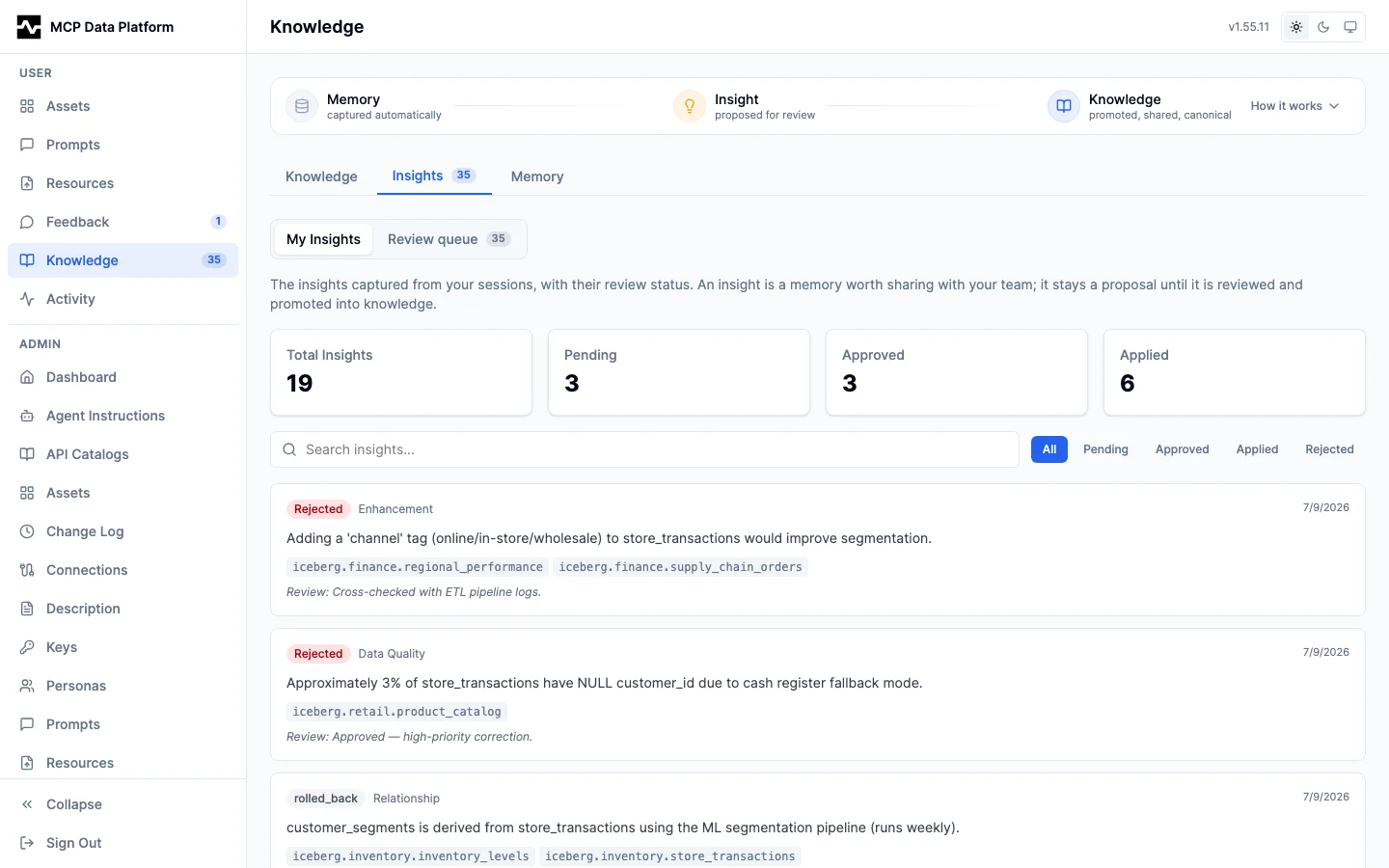
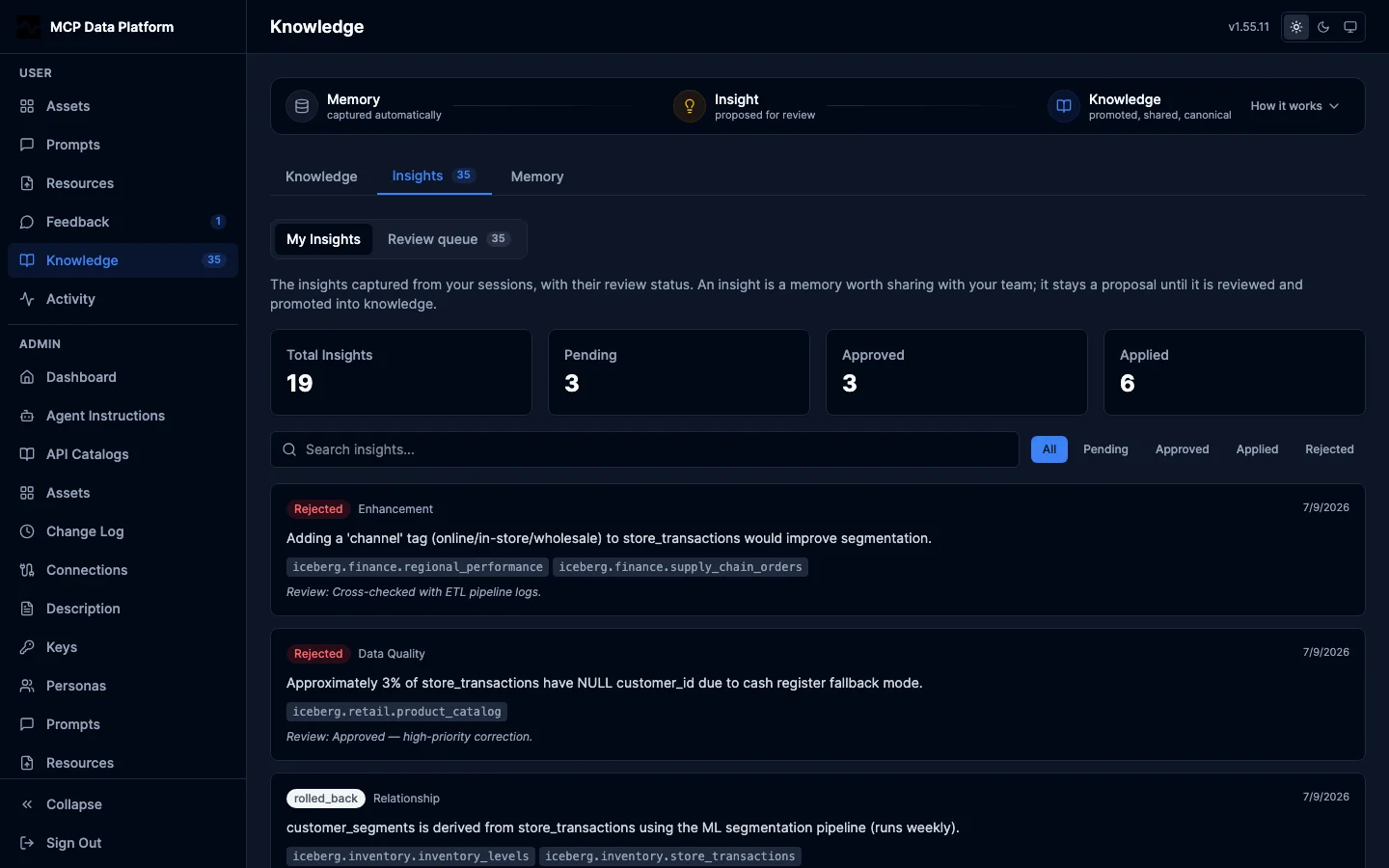
The review pipeline for insights, which are the only memories that cross between users. A pending-review count is badged on the sidebar Knowledge item and the Insights tab so reviewers notice work without opening it.
- Your insights - The insights captured from your sessions, with status (pending, approved, applied, rejected) and relevance search
- Review queue (
apply_knowledgeholders) - Every user's captured insights. Approving and rejecting curates which insights are worth promoting; the actual promotion into durable knowledge happens when you ask your agent to runapply_knowledge, whose synthesize step gathers the approved insights and writes business and domain facts to knowledge pages and technical and entity facts to the DataHub catalog
Memory
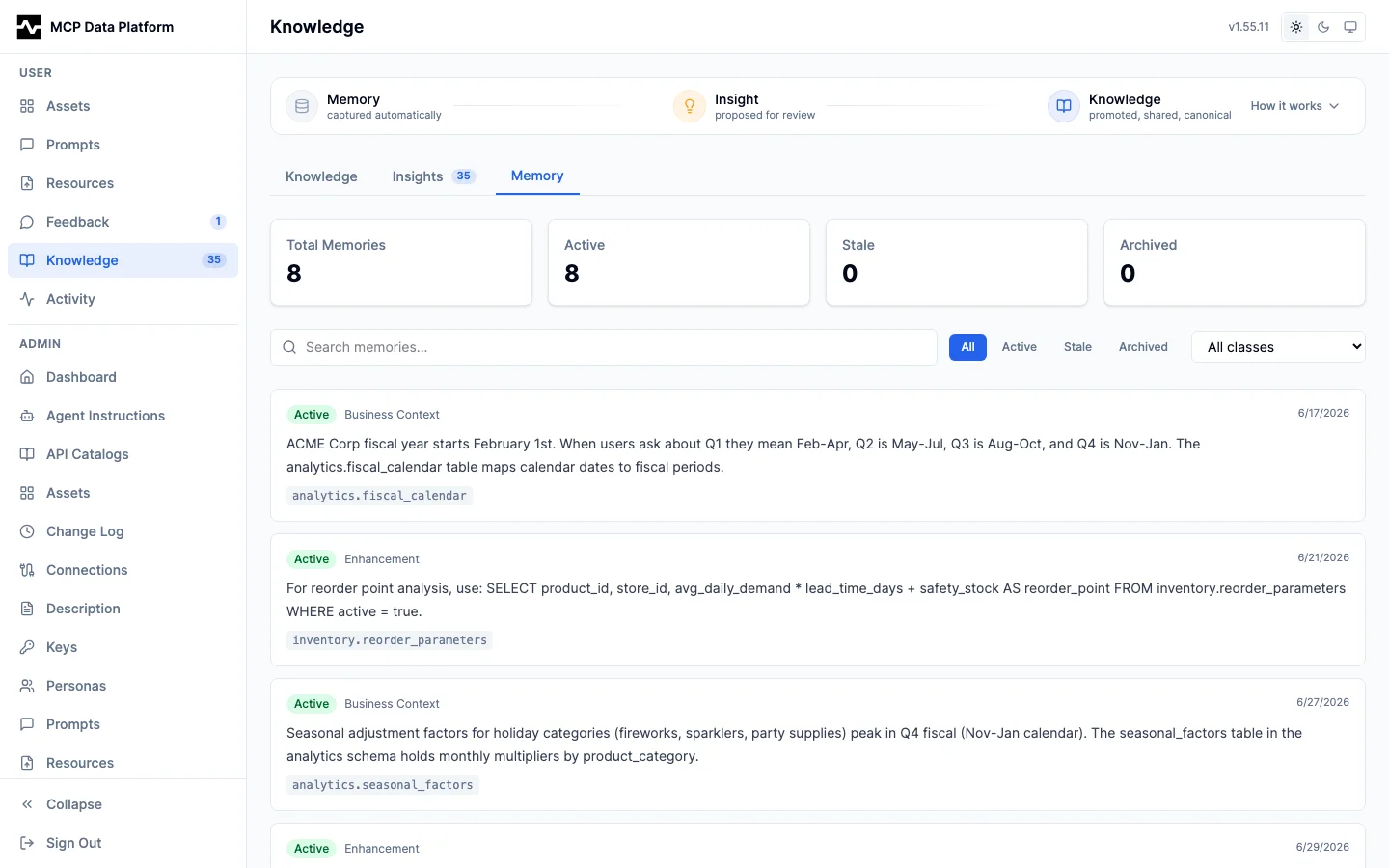
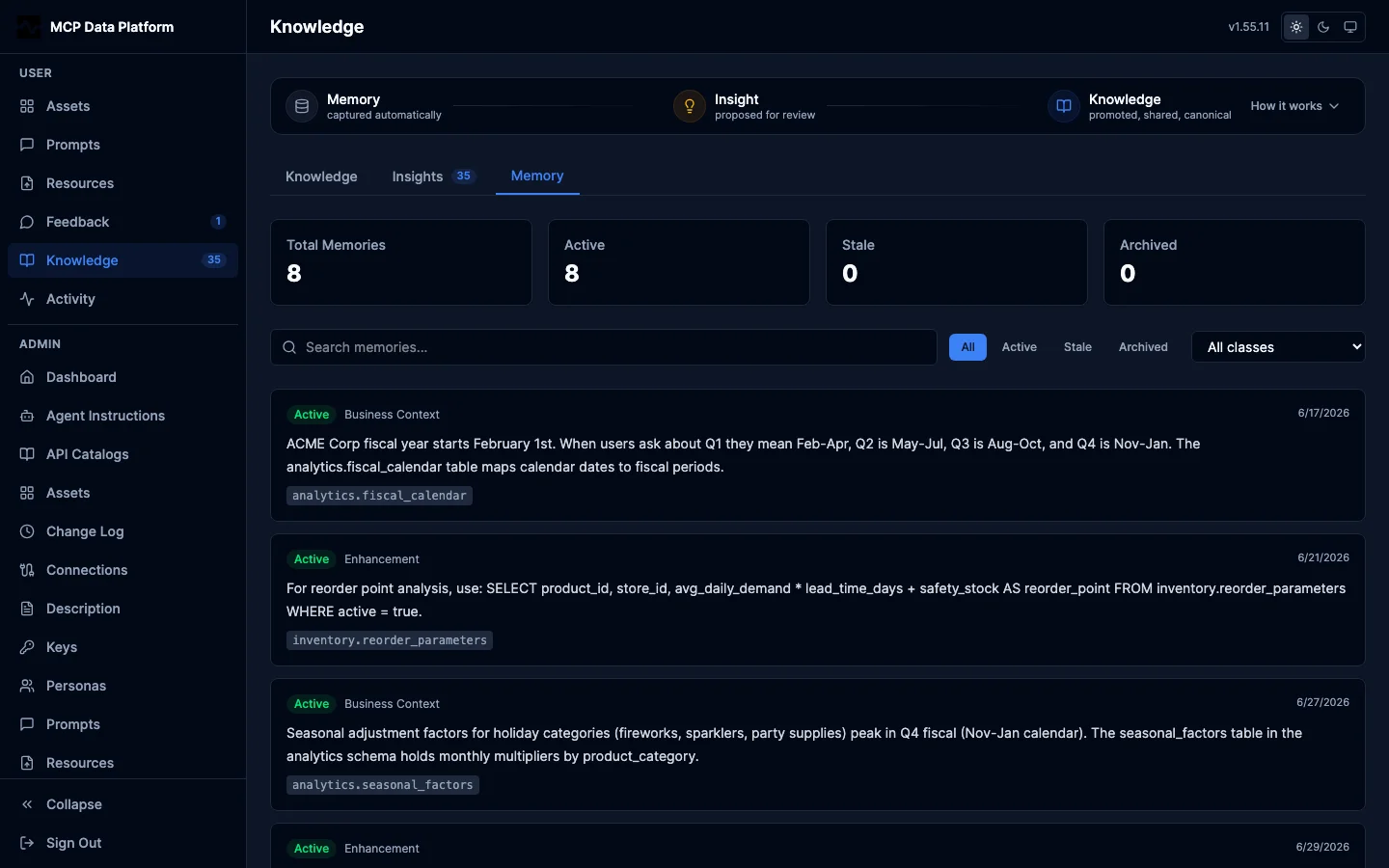
Memory is personal: this tab is scoped to your own records. The only memory that crosses to other users is an insight, reviewed in the Insights tab, and it crosses when it is applied: applying an insight writes it to a canonical sink and makes it findable by everyone through search, attributed to whoever captured it. An insight that is still pending or approved stays yours alone.
- Your memory - The raw substrate captured from your sessions, classified by lifecycle class (
sink_class): Preference, Event, Business knowledge, Operational rule, and Schema/entity. The class is why something is "just memory" versus a candidate for promotion
The former Knowledge Pages, Knowledge & Memory, and admin Knowledge & Memory routes now redirect into this one page.
See Knowledge Capture and Memory Layer for how these are created during sessions.