API Catalogs
OpenAPI specs describe the API, not the credential pointed at it. An organization with a Salesforce sandbox and a Salesforce production org has two connections, one set of credentials each, but both talk to the same sObjects, query, and bulk-job endpoints. Pasting the same documentation into both connection records is duplication that drifts.
An API catalog is a versioned, globally-owned bundle of component OpenAPI 3.x specs. Each (name, version) pair is its own catalog row. Connections of kind api reference one catalog by id via config.catalog_id; the toolkit resolves connection, catalog, and specs at runtime and exposes the merged operation index through api_discover.
To read what a catalog exposes without opening the spec text, use the operation browser.
What's in a catalog
A catalog has:
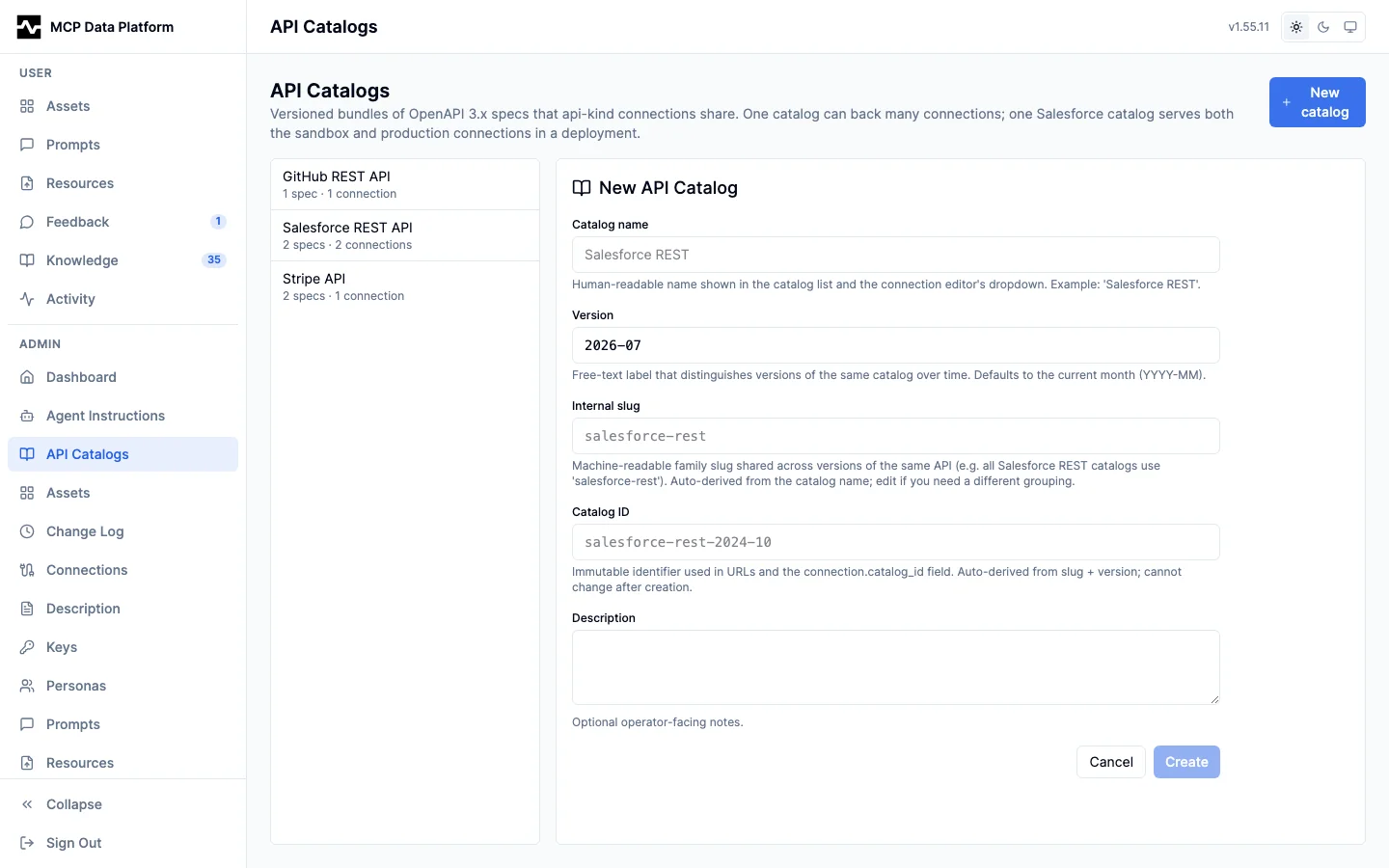
- id: operator-chosen slug (lowercase alphanumeric + hyphens, 1 to 100 chars). Immutable after creation. Referenced by
connection_instances.config.catalog_id. - name: vendor/product slug, e.g.
salesforce-rest. Free-text. - version: optional free-text label, e.g.
2024-10. Two catalogs may share a name but their(name, version)pair must be unique. - display_name: operator-facing label in the portal.
- description: optional operator notes.
- A list of component specs, each with:
- spec_name: slug surfaced to the model in
OperationSummary.specto disambiguate operations across components. - content: the document the operator supplied, in the format
spec_formatnames. - spec_format:
openapi(the default),wsdlorgraphql— whatcontentis, which is a different question from how it arrived. A WSDL is converted to OpenAPI at save time and the conversion kept beside the operator's document. A GraphQL schema is SDL and is converted to nothing: it is served tokind: graphqlconnections referencing this catalog, not to the HTTP API gateway, which skips it. - source_kind:
inline,upload,url, orembedded.embeddedis reserved for the built-inplatform-admincatalog, whose content comes from the OpenAPI document embedded in the binary (see Self-Configuration); operators cannot createembeddedspecs through the admin API. - source_url / etag / last_fetched_at: populated when
source_kindisurl. - base_path: optional operator override for the URL path segment prepended to every operation in the spec. Empty derives the prefix from the spec's
servers[0].url. See Base paths and shared specs for how the prefix interacts with each connection'sbase_url. - title / description: optional operator overrides for the per-spec summary shown at
api_discover's specs level. Empty derives them from the spec'sinfo.title/info.description. Validated on write: trimmed, no embedded CR/LF/NUL, capped at 200 / 2000 characters.
Multiple connections can reference the same catalog. Editing a spec inside a catalog fans out to every referencing connection: the toolkit rebuilds each connection's parsed-doc state in place so api_discover reflects the new content without a process restart. A kind: graphql connection on the catalog re-reads the schema in the same fan-out.
A GraphQL schema as a catalogued spec
A catalog holding a spec whose spec_format is graphql is the schema every kind: graphql connection referencing that catalog answers with, instead of introspecting its own endpoint (#1745). What that buys is what a catalog already gives an OpenAPI endpoint:
- A schema registered from a URL. An SDL published at a stable address — a schema registry, a build artifact, a
schema.graphqlin a repository — is fetched and refreshed on itsetagthrough the same path an OpenAPI document uses. An endpoint that disables introspection no longer has to be re-pasted by hand on every upstream change. - One schema serving several connections. A read-only and a read-write connection against one endpoint, or prod and sandbox, reference one catalog, so the schema is stored, hashed and embedded once rather than once each. Operation embeddings are keyed on
(catalog_id, spec_name, operation_id)like every other catalogued operation's. - A schema that is an inventoried object. It is listed, versioned, browsed operation by operation and given embedding-job status beside every other spec, rather than being reachable only through the connection that owns it. The operations browser renders either format in one pane: the operation kind is the method and the dotted id the path, and where an OpenAPI operation shows parameters, a request body and per-status responses, a GraphQL one shows its arguments, the input types they reference, the shape it returns and a document that already calls it.
list_connectionsreports a GraphQL connection'scatalog_idand operation count the way it reports a REST one's.
The content must be SDL. An introspection result is refused with a message naming where SDL comes from — graphql_export writes it, as does a schema registry.
A catalog carries at most one GraphQL schema. A connection pointed at a catalog holding two is refused by name rather than served one chosen by map order.
A connection referencing a catalog never introspects, and the Schema card offers no upload for it: an upload would be replaced by the catalog on the next read, and would differ from what every other connection on the catalog serves. The platform refuses one for the same reason, naming the catalog to edit instead. Clearing catalog_id returns the connection to reading its own endpoint.
Base paths and shared specs
Every operation's full path is the spec's base path plus the operation's spec-relative path, and that full path is joined onto the connection's base_url at call time. The base path is resolved per connection, at registration:
- The spec's
base_pathoverride, when the operator set one. - Otherwise, the path component of the spec's
servers[0].url— host and scheme are ignored, because the connection'sbase_urlis the operator's authoritative choice of host.
The resolved prefix is then dropped when the connection's own base_url path already ends with a path the spec declares, so a base_url pointed straight at the documented base does not get that base glued on twice.
When one curated spec backs several connections that speak the identical API — a Kansas and a Missouri deployment of the same ArcGIS feature server, a sandbox and a production tenant — declare each deployment under servers:
servers:
  - url: https://kanplan.example.gov/adaptor/rest/services/AADT/FeatureServer
  - url: https://geo.example.gov/server/rest/services/Hosted/HPMS_MO/FeatureServer
Every entry is a candidate for the drop rule, so each connection resolves against the server that is its own. Declaring only the first deployment leaves the others with that first deployment's path prefixed onto their own base_url, which produces a path concatenating two deployments and an upstream 400 that says nothing about the cause. Two other shapes avoid the prefix entirely: omit servers from the shared spec, or set base_path per spec. base_path is authoritative and singular — when it is set, the spec's servers entries are not consulted.
api_discover's specs level reports the resolved prefix for each spec as base_path, and api_invoke_endpoint reports the path an operation_id call resolved to as resolved_path. Between them the effective routing for a connection is readable without inspecting the spec.
Use cases
- Google Workspace publishes Drive, Calendar, Gmail, and Admin SDK as separate API specs. Create one catalog
google-workspace-2024-10, add each as a component spec (drive,calendar,gmail,admin), and point every Google Workspace connection at it. - Salesforce REST is a single large spec, one component named
default. The dev sandbox connection and the production connection both reference the same catalog. - A bumpy upstream: when the vendor releases an incompatible schema change, clone the catalog to a new version (
salesforce-rest-2025-01) and update the spec content. Move connections to the new catalog when ready; the old catalog remains for connections that haven't migrated.
Managing catalogs in the portal
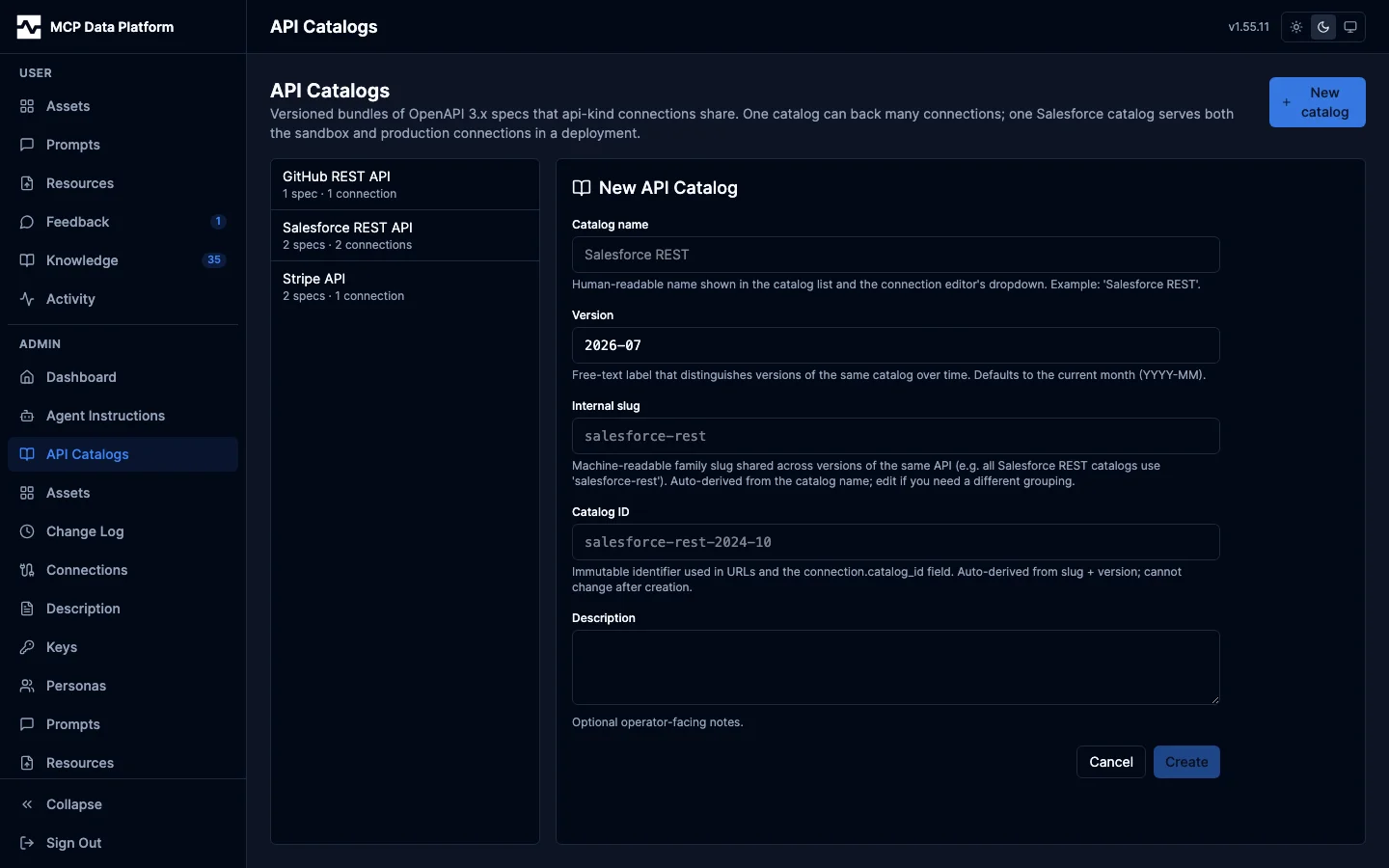
The API Catalogs page lives in the admin sidebar alongside Connections. It shows every catalog grouped by name with each version listed underneath. Selecting a catalog opens an editor that lets you rename, update the display name and description, clone to a new version, or delete (delete is refused while any connection still references the catalog).
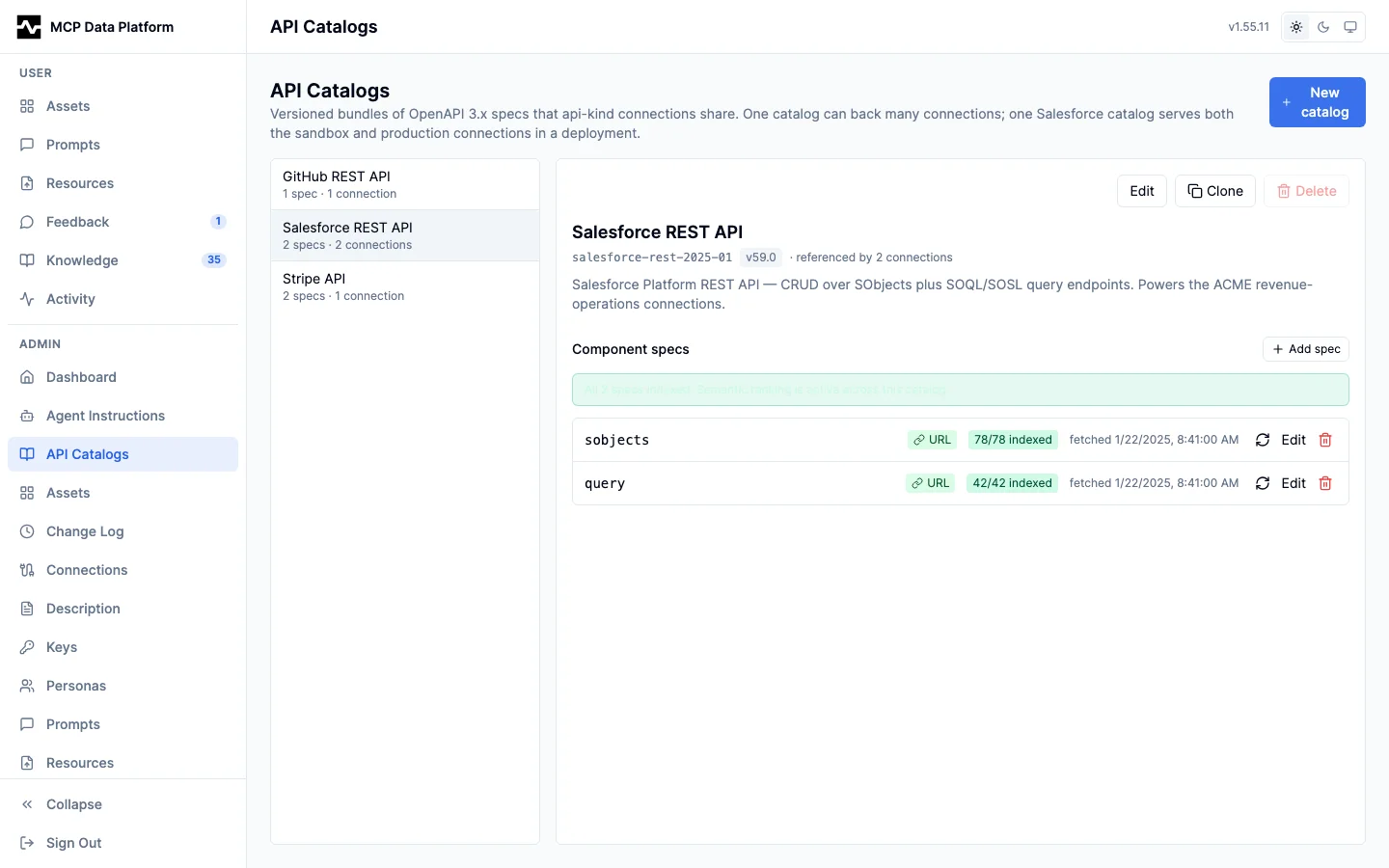
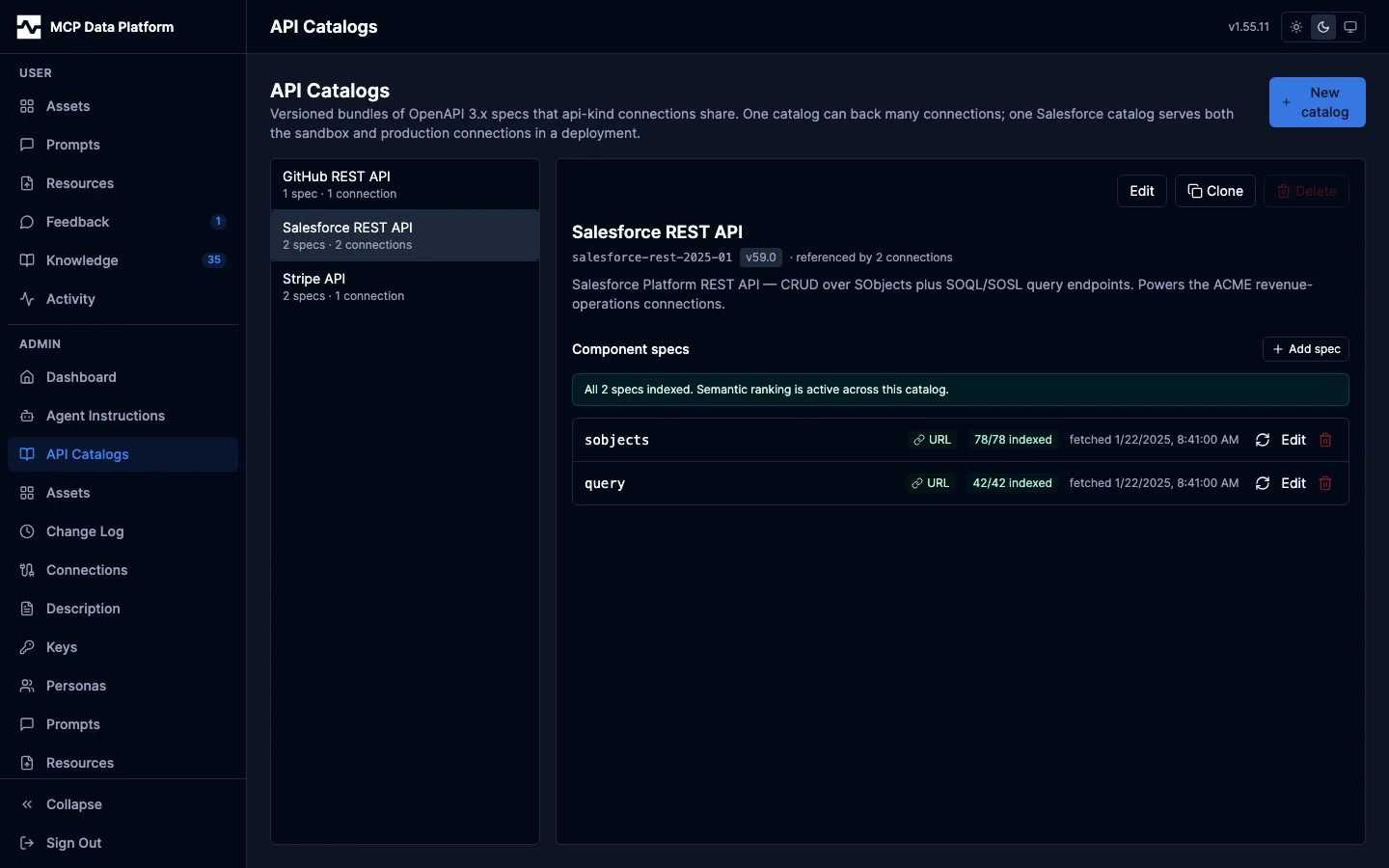
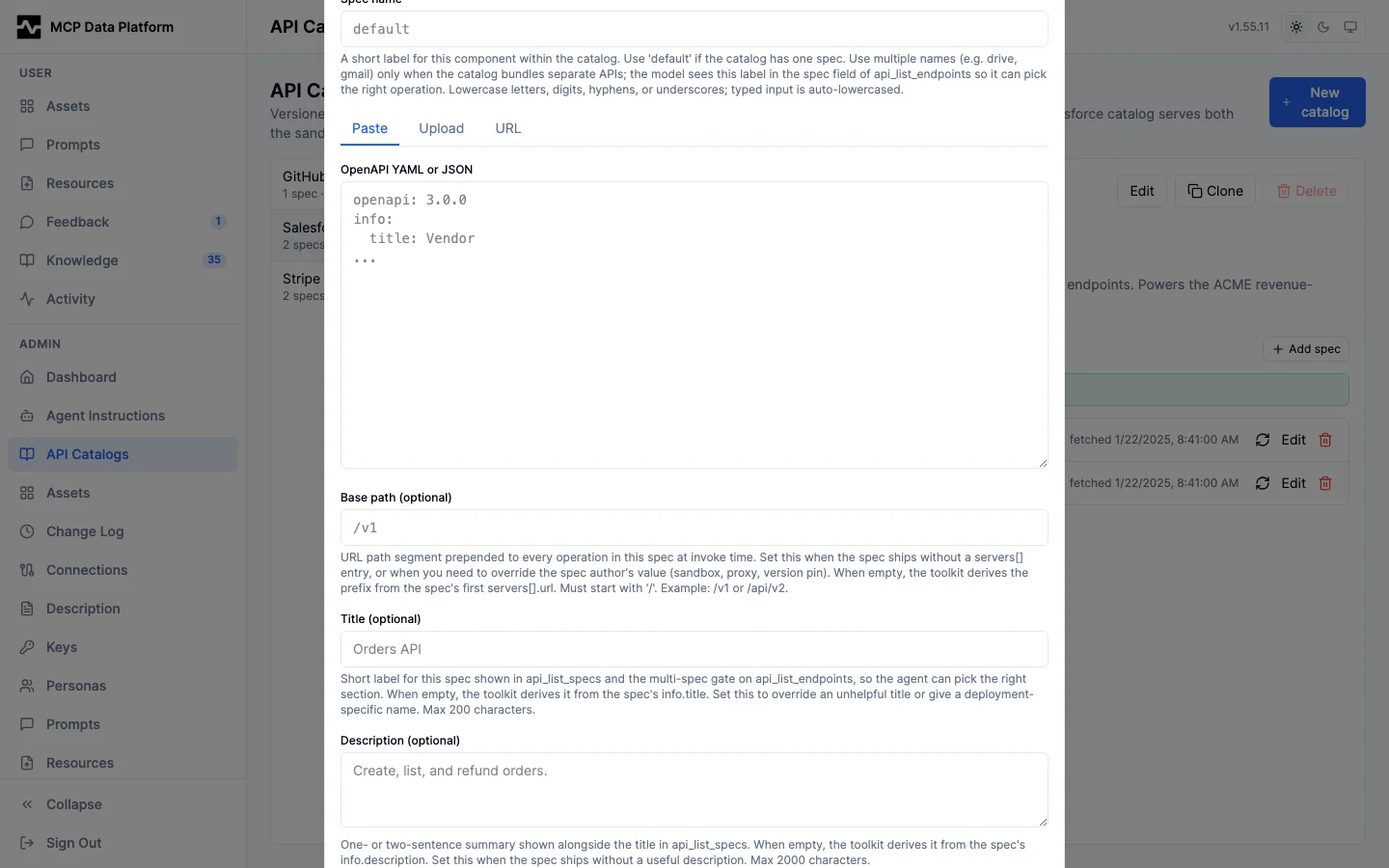
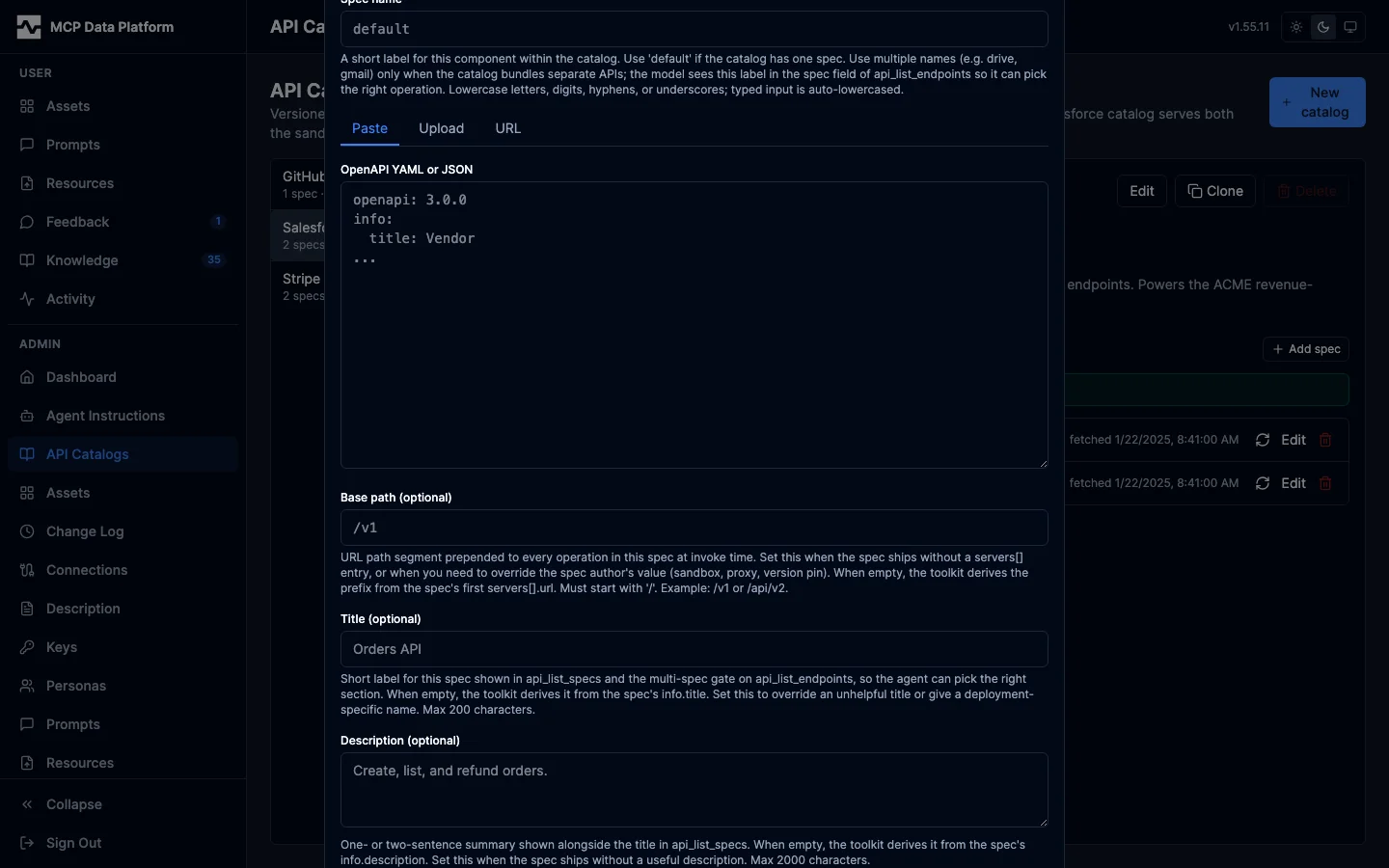
Inside the editor, the Component specs section lists each spec in the catalog. Click Add spec to open a modal with three tabs:
- Paste — paste YAML or JSON directly into the textarea. The server validates the content as OpenAPI 3.x before saving; a bad spec returns an error inline.
- Upload — pick a
.yaml/.yml/.jsonfile. Max 10 MB. Same validation step. - URL — paste a public HTTPS URL. The server fetches once at save time, captures the ETag, and stores the content. Click Refresh on the spec row later to re-fetch.
URL-fetch enforces strict SSRF guards: HTTPS only, private/loopback/link-local/CGNAT IP ranges blocked (with a dial-time recheck to defeat DNS rebinding), 10 MB body cap, redirects refused. A public URL like https://petstore3.swagger.io/api/v3/openapi.json works; private-network URLs are rejected.
What "validates as OpenAPI 3.x" means
Structural validation runs in full: the document must be parseable JSON or YAML, openapi must be 3.x, info.title/version must be present, operation IDs must be unique within a spec, $ref targets must resolve inside the document, and parameter / request body / response shapes must be well-formed. Vendor specs that fail any of these are rejected with an inline message pointing at the offending path.
Three categories of strict-validation checks are intentionally relaxed, matching what production OpenAPI consumers (Swagger UI, Postman, Insomnia) accept:
- Example vs schema drift. A property declared
type: objectmay carry string examples like"Blue"or an ISO timestamp. Examples are documentation hints, not part of the wire contract. - Regex patterns Go does not support. Specs that use ECMA constructs like lookahead (
(?=...)) parse instead of failing. - Default-value drift. Same documentation-only role as examples.
External $ref resolution stays disabled at the parser regardless of source (paste / upload / URL), so a malicious spec cannot trigger an SSRF at parse time by referencing a private-network URL.
Wiring a connection to a catalog
Open a kind: api connection in the Connections page. The OpenAPI Catalog dropdown lists every catalog known to the platform; pick one and save. A kind: graphql connection has the same dropdown under Schema and documents, named Schema catalog, and leaving it empty is what makes the connection read its own endpoint. The model immediately sees the catalog's operations the next time it calls api_discover against that connection.
A connection with no catalog selected (or an empty catalog_id) still works — the model can call api_invoke_endpoint with an explicit method and path. It just won't have discovery or schema retrieval via api_discover.
The legacy openapi_spec JSONB key (inline-only, per-connection) is no longer read by the toolkit. Connections that still carry it surface a banner in the editor prompting the operator to move the content into a catalog.
REST API
The admin REST API matches the portal one-to-one. All routes require admin auth.
| Method | Path | Purpose |
|---|---|---|
GET |
/api/v1/admin/api-catalogs |
List catalogs (with spec_count and ref_count) |
POST |
/api/v1/admin/api-catalogs |
Create catalog header |
GET |
/api/v1/admin/api-catalogs/{id} |
Catalog detail |
PUT |
/api/v1/admin/api-catalogs/{id} |
Partial update (name, version, display_name, description) |
DELETE |
/api/v1/admin/api-catalogs/{id} |
Delete catalog (refused if referenced by any connection) |
POST |
/api/v1/admin/api-catalogs/{id}/clone |
Clone catalog and all specs to a new id/version |
GET |
/api/v1/admin/api-catalogs/{id}/specs |
List component specs (metadata only) |
GET |
/api/v1/admin/api-catalogs/{id}/specs/{spec} |
Get one spec with content |
GET |
/api/v1/admin/api-catalogs/{id}/specs/{spec}/operations |
List the operations a spec exposes, in either format |
GET |
/api/v1/admin/api-catalogs/{id}/specs/{spec}/operations/{operationId} |
One operation's parameters, body and responses; for a GraphQL spec, its arguments, input types, return shape and a document that calls it |
PUT |
/api/v1/admin/api-catalogs/{id}/specs/{spec} |
Upsert spec (inline or URL source) |
PUT |
/api/v1/admin/api-catalogs/{id}/specs/{spec}/upload |
Multipart upload of a spec file |
POST |
/api/v1/admin/api-catalogs/{id}/specs/{spec}/refresh |
Re-fetch a URL-sourced spec |
POST |
/api/v1/admin/api-catalogs/{id}/specs/{spec}/reembed |
Recompute and persist per-operation embeddings for the spec |
DELETE |
/api/v1/admin/api-catalogs/{id}/specs/{spec} |
Delete one spec |
Persisted operation embeddings
Semantic and hybrid ranking on api_discover need a vector per operation. The toolkit stores these in PostgreSQL (api_catalog_operation_embeddings, migration 000044) keyed on (catalog_id, spec_name, operation_id) with a 768-dimensional pgvector column. Embeddings persist across pod restarts and are shared by every connection that mounts the same catalog, including a kind: graphql connection reading a catalogued schema — its item ids are the dotted operation ids the namespace descent produces, which is what such a connection ranks by.
Embedding job queue
Embedding work runs through a Postgres-backed job queue. As of migration 000051 this is the shared, source-kind-agnostic index_jobs queue (pkg/indexjobs); api-catalog work uses it with source_kind = 'api_catalog' and a source_id that packs (catalog_id, spec_name). (The earlier per-toolkit api_catalog_embedding_jobs table, migration 000045, is dropped by migration 000052 — its job rows were transient and the reconciler rebuilds any pending work on the next boot.) Spec writes enqueue a job atomically with the spec row; worker goroutines across every running pod race for the next job via SELECT ... FOR UPDATE SKIP LOCKED, take a time-bounded lease, compute embeddings off the request path, and write vectors. The model is the standard pattern Postgres has supported since 9.5: idempotent producers, multi-replica safe workers, exponential backoff on retry.
The admin contract is unchanged: the /api/v1/admin/api-catalogs/{id}/embedding-status, embedding-health, and embedding-jobs endpoints return the same shapes, now backed by a join of index_jobs (filtered to source_kind = 'api_catalog') against the api-catalog tables. The api-catalog vector table (api_catalog_operation_embeddings) is untouched and keeps its ON DELETE CASCADE to api_catalog_specs.
Four components run alongside the admin server:
- Producer — every spec write (
upsert,upload,refresh,clone) and the manual-retry admin action insert a row intoindex_jobs. A partial unique index on(source_kind, source_id) WHERE status IN ('pending','running')makes duplicate enqueues a no-op, so a spec edited twice in quick succession does not stack redundant work. - Worker claims one job per iteration, looks up the source kind's
Source+Sinkin the registry, loads the unit's items, runs the embedding provider, persists vectors, marks the job succeeded. Lease default is 10 minutes; a pod that crashes mid-embed leaves its row in status=running and the reaper recovers it. Each pod runsapigateway.embed_jobs.workersgoroutines (default 1) that share the queue; the SKIP LOCKED predicate plus the lease guarantee mean two goroutines (in the same pod or across pods) never pick the same job. During a long embed the worker publishesitems_doneat every chunk boundary so the catalog status endpoint can render incremental progress before the final atomic upsert commitsembedding_count. - Reaper — sweeps every 30 seconds: any row in status=running with
lease_expires_at <= NOW()flips back to pending. Multiple pods, fast lease recovery. - Reconciler — periodic gap detector. Walks every registered kind's
Sink.FindGaps; for api-catalog that comparesapi_catalog_specs.operation_count(set at write time) against the actual count of rows inapi_catalog_operation_embeddingsand enqueues jobs for any spec where they disagree. Runs once on pod boot and every 5 minutes thereafter. This is the convergence backstop: a spec written before an embedder was configured, vectors lost to a partial restore, or any other gap is filled in without operator action.
Failure handling: retryable provider errors back off exponentially (5s, 10s, 20s, 40s, 80s) up to 5 attempts. After that the job moves to failed with the last error message on the row; the catalog editor surfaces this with a red "failed" badge and an explicit Retry button that enqueues a fresh job. Notification of newly enqueued work flows over LISTEN/NOTIFY on the index_jobs channel; workers also poll at 30s intervals as a backstop for missed notifications.
Operator view
The catalog editor renders the job queue's state directly:
- Per-spec badge.
47/47 indexed(green) when fully embedded,indexing N/47(blue) while a worker is processing where N is the chunk-progress counter that ticks up during the run,queued(amber) while waiting for a worker,failed(red, tooltip carries the last error) after retries are exhausted. - Catalog header summary — one-line roll-up:
All N specs indexed(green) orK indexed / M total (2 running, 1 failed)(amber/red). - Retry button — visible only on failed rows; enqueues a
manual_retryjob. The reconciler's automatic path is the default; this is the escape hatch for "model changed externally."
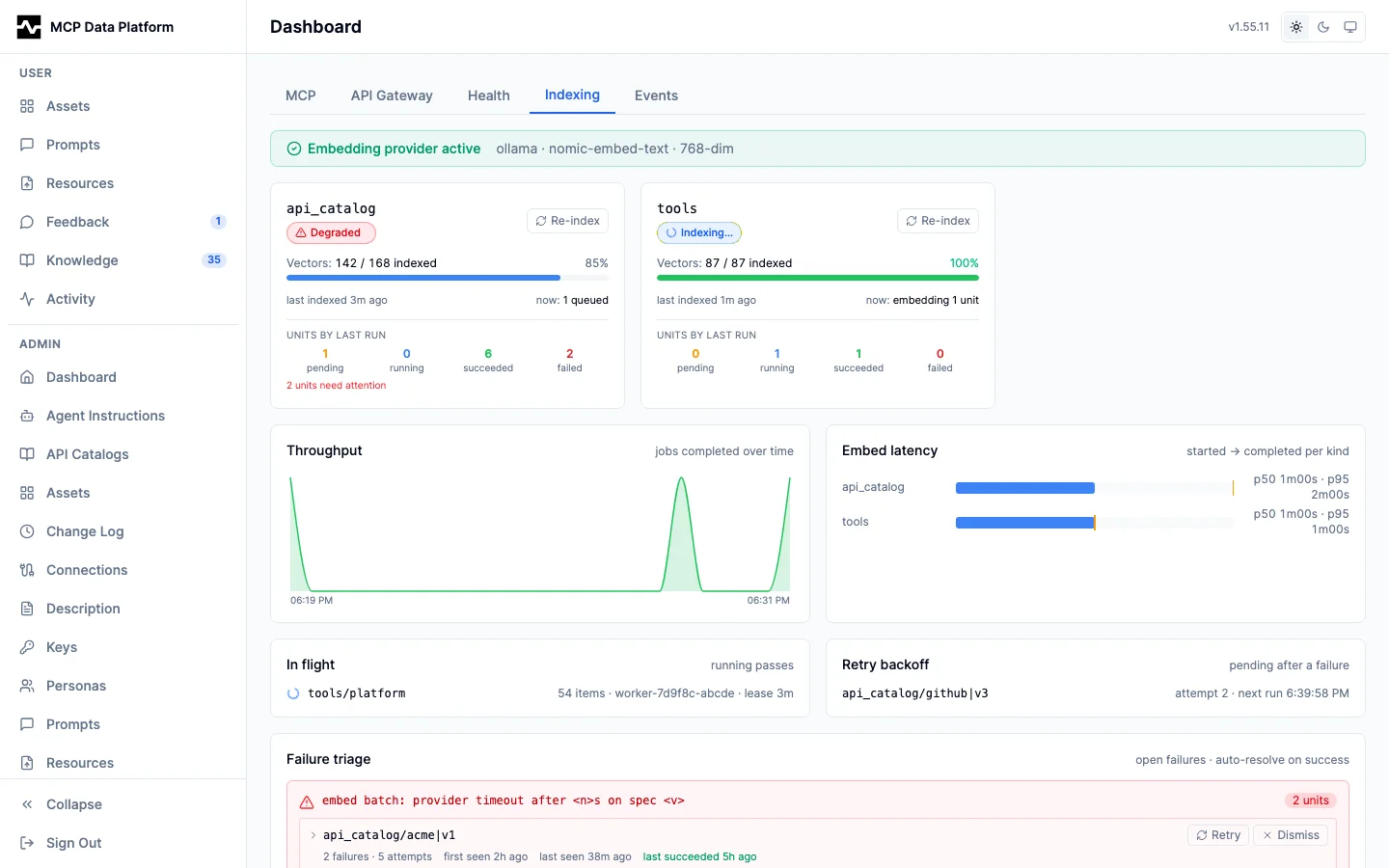
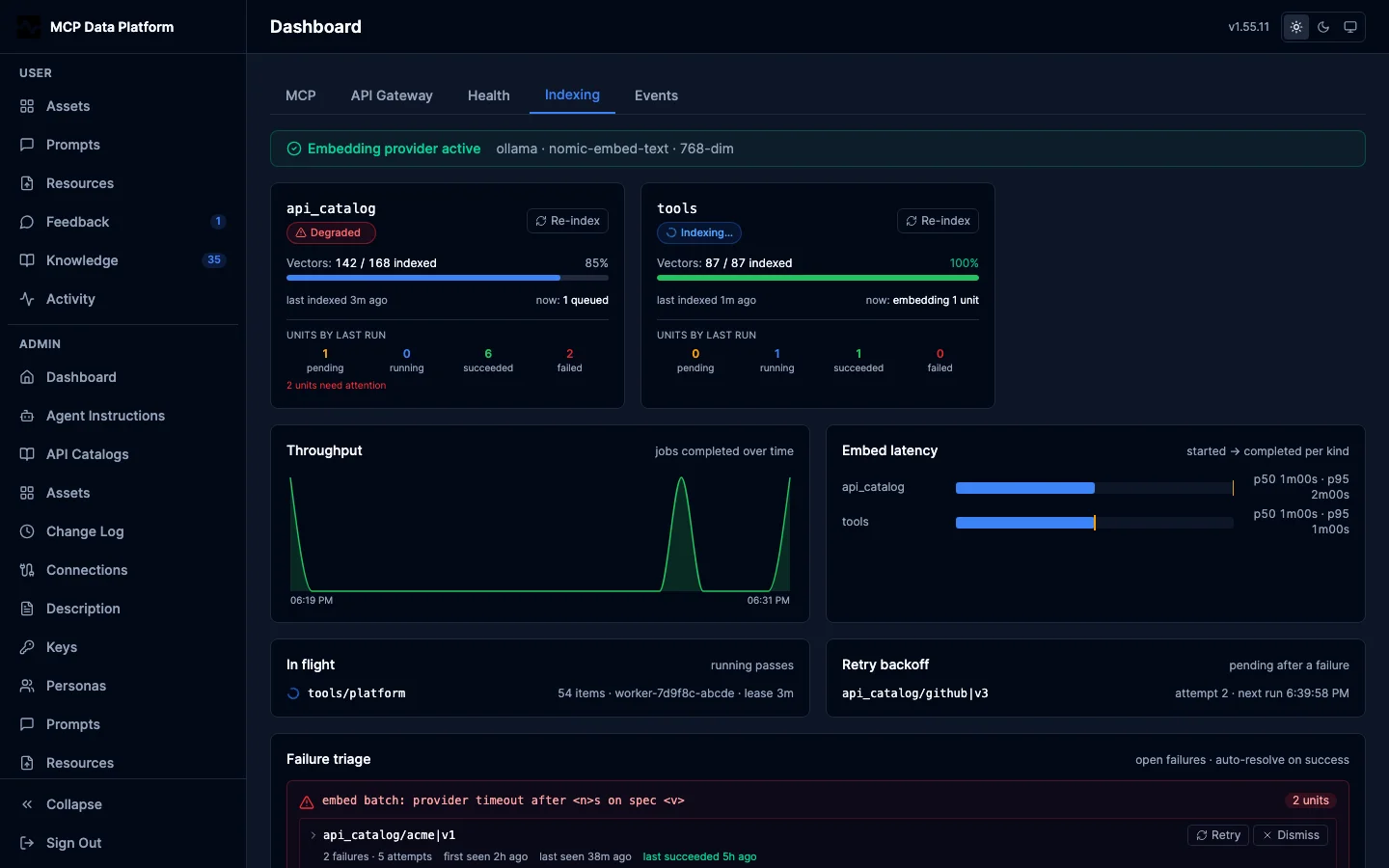
Admin > Dashboard > Indexing is the cross-kind view of the same queue,
covering every consumer of index_jobs rather than one catalog.
The /api/v1/admin/api-catalogs/{id}/embedding-health and /api/v1/admin/api-catalogs/{id}/embedding-status endpoints expose the same data for programmatic consumers. Polling them every 5 seconds is sufficient; the worker is the source of truth.
What the queue replaces
Earlier revisions of this toolkit ran the embedding pass synchronously inside the admin spec-write HTTP handler. That design had three production-grade problems the queue fixes:
- A slow embedding provider (Ollama at ~200ms/op, a 300-op spec is 60 seconds) timed out at ingress before the embed completed; the operator saw a failed request but the server-side work may have committed or rolled back, with no way to tell.
- A pod restart mid-embed lost progress because there was no checkpoint. The operator had to click "Re-embed" again, which then raced N other operators doing the same on other specs.
- Multiple operators or multiple replicas racing to embed the same catalog blocked each other on the embedding provider's per-host concurrency, multiplying the latency for every involved operator.
The queue model collapses all three to a single design: enqueue is fast and synchronous, work is async and observable, retries are automatic, multi-replica is free.
WebDAV operations (x-webdav-method)
WebDAV verbs (PROPFIND, MKCOL, MOVE, COPY) are not representable as OpenAPI PathItem methods, which are limited to GET, POST, PUT, DELETE, PATCH, and HEAD. To document a WebDAV operation, declare it under an unused carrier method sharing the same path and add an x-webdav-method extension naming the real verb. A caller then invokes with the real verb via api_invoke_endpoint (e.g. method: PROPFIND), which the gateway forwards upstream unchanged.
paths:
  /remote.php/dav/files/{username}/{path}:
    get:    { operationId: webdav-download-file, ... }   # real GET, no extension
    put:    { operationId: webdav-upload-file, ... }     # real PUT, no extension
    delete: { operationId: webdav-delete, ... }          # real DELETE, no extension
    post:                                                # POST carries PROPFIND
      operationId: webdav-propfind
      x-webdav-method: PROPFIND
    patch:                                               # PATCH carries MKCOL
      operationId: webdav-mkcol
      x-webdav-method: MKCOL
    head:                                                # HEAD carries MOVE and COPY
      operationId: webdav-move-copy
      x-webdav-method: MOVE or COPY
The x-webdav-method value is free text: a single verb (PROPFIND) or several in one string (MOVE or COPY); any recognized WebDAV verb token is honored, and a YAML/JSON sequence ([MOVE, COPY]) works too. GET, PUT, and DELETE WebDAV operations use their own standard method and need no extension.
Two things resolve WebDAV requests against these operations: the inbound-metrics operation_id label (so REST-shim WebDAV traffic is attributed to webdav-propfind rather than unknown) and invoke-time Content-Type negotiation. Both honor the x-webdav-method carrier mapping and match a slash-bearing subpath against the trailing {path} variable, so a nested resource path (.../{username}/reports/2026/report.pdf) resolves the same as a single-segment one. A path genuinely absent from the catalog still resolves to unknown; nested matching applies only to WebDAV-flavored path items.
Model-facing surface
From the model's perspective, catalogs are invisible. Two tools see them through the connection:
api_discoverwalks the catalog at the depth its arguments select. A bare call on a catalog that bundles more than one component spec returns one summary per spec:name,title,description,operation_count, andbase_path, so the model browses the sections (e.g.drive,calendar,gmail) before asking for one section's operations, and never pulls every operation across every section in one oversized response. A call withspec,query, or both returns oneOperationSummaryper matching operation; each carries aspecfield set to the component spec name (e.g.constituent,gift) so the model can tell which spec defined the operation when names collide. A bare call on a single-spec catalog lists operations directly. A call withoperation_idreturns parameters, request body, and per-status response schemas for that operation, strippingsecurity,securitySchemes,servers, and auth-vendor extensions (x-amazon-*,x-google-*,x-azure-*,x-apigateway-*) — the connection is pre-authenticated and the model has no business choosing auth. When anoperation_idis defined by more than one component spec, the refusal names the candidate specs; the model retries withspecset. A connection with no catalog returns a note pointing at directapi_invoke_endpoint.api_invoke_endpointtakes anoperation_id(withspecfor a collision) or explicitmethod+path— the catalog only feeds discovery and id resolution.
Per-call response size is capped at ~50 KB after marshal; deeper schemas truncate with a note field explaining the cap. The model can always fall back to api_invoke_endpoint to probe shape directly.