Asset References
An asset's content can name a managed resource by its mcp:// URI, or another asset by its mcp:asset:<id> reference, instead of carrying the bytes. The stored content keeps the reference; every surface that serves the asset to a reader rewrites it into a URL that resolves to the target.
The rule
Write the reference where the content loads the file (an img src, a fetch) and declare it in the same call. The asset stores a reference, not a copy. A reference loads a file; it is not a link.
Why an asset should not carry the bytes
Before references, the only way to put a logo, a photograph, or a design element in a report was to write it into the markup: an SVG inlined in full, an image as a data: URI. The cost is paid four times. The agent spends output tokens emitting bytes it read from somewhere else, the asset stores them, every retained version stores them again, and every read carries them. A report refreshed hourly by a scheduled script re-emits the same logo on every run and keeps a copy in every version it retains.
The material is already in the platform. A managed resource is a stored file with a content type, a scope, a permission model, and a stable URI. Another asset is a stored file too, with content that changes when its author or a scheduled job rewrites it. A reference is how an asset names either.
What each kind is for
A resource reference names material a person uploaded: a logo, a photograph, a design element, a data dictionary. It changes when somebody replaces the file.
An asset reference names something the platform produces. It resolves to the referenced asset's current content on every read, which is what makes a refresh loop expressible: a scheduled script rewrites a CSV or JSON asset hourly, and a dashboard asset that names it renders the new numbers without being re-saved and without an agent spending output tokens carrying the data across.
Both kinds are one mechanism. They share a declaration, a token, a serving route, and a rewrite; what differs is which store the target is read from and which permission admitted the declaration.
Declaring a reference
save_asset and manage_asset (the update and patch actions) take a references list. Each entry is a managed resource's mcp:// URI or an asset's mcp:asset:<id> reference — the same reference string a search hit carries and fetch dereferences.
{
  "name": "Q4 Revenue Report",
  "content_type": "text/html",
  "content": "<h1>Q4 Revenue</h1><img src=\"mcp://global/brand/logo.png\" alt=\"ACME\"><script>fetch(\"mcp:asset:ast_7c1e\").then((r) => r.text())</script>",
  "references": ["mcp://global/brand/logo.png", "mcp:asset:ast_7c1e"]
}
The reference appears twice on purpose. In the markup it is what the reader's browser will load; in references it is the declaration, and only a declared reference is ever rewritten. A reference string that appears in the content but was never declared is served exactly as written and resolves to nothing, so the grant is always the declaration and never a string that happens to appear in the body.
The rewrite is a whole-document replacement over textual content rather than an attribute rewrite, so a reference resolves wherever it is written: an img src, a <link> href, a fetch() inside a <script> block, a CSS url(), a markdown image.
The same three calls report the references the content names and the asset does not declare once the call is done, as undeclared_references in the result, with a sentence on the message saying each is served as written and resolves to nothing. "Declared once the call is done" is the references the call passed, or, on an update or patch that passed none, the asset's existing declaration. The report reads the default mcp resource scheme only, as the script path's does.
A reference is not a link
The rewrite produces a URL that serves the target's bytes. That is what an img, a stylesheet or a fetch needs, and it is not something a reader can follow: the frame an HTML or JSX asset renders in is sandbox="allow-scripts", which blocks top navigation, popups and downloads, and a file's raw bytes are not a page. The platform has no link between assets.
A write that uses a reference as a link target is refused, naming each reference, and nothing is written:
| Content type | Refused |
|---|---|
| HTML, XHTML, JSX, SVG | an <a> or <area> whose href (or SVG xlink:href) is a reference, including JSX href={"..."} |
| Markdown | the above in embedded markup, an inline link whose destination is a reference, and an autolink wrapping one; fenced code and inline code are not read |
A markdown image whose source is a reference loads the file and is accepted. To point a reader at another asset, name it in text. A patch is judged on the body the patch produces, dry runs included, so a patch that removes such a link from an older asset is accepted.
On manage_asset, references replaces whatever the asset referenced before:
references |
Effect |
|---|---|
| absent | the asset's references are left alone |
["mcp://...", "mcp:asset:..."] |
the asset now references exactly these |
[] |
every reference is removed |
At most 20 references per asset by default, of both kinds together. A deployment sets its own cap, from 1 to 100, with portal.asset_refs.max, and save_asset and manage_asset advertise that number in references.maxItems. A save above the cap is refused and the refusal states the number.
From a managed script
A managed script that publishes a document declares its references in the same call that writes it: platform.export(name, html, format="html", references=["mcp://global/brand/logo.png"]). The declaration is manage_asset update on the asset the export wrote, issued over the run's own session, so the author-can-read check, the table above and the grant notice are the ones an agent's save gets. Because it lives in the script's source, a new script's first run renders the logo, and a renamed script's new output asset carries it too.
An export also reports every mcp:// URI and mcp:asset: reference its body names that references= did not list, on the export record as undeclared_references and in the run log, and validate warns about each literal one the source writes. The detector reads the default mcp resource scheme only; on a deployment that sets resources.managed.uri_scheme, declaration works and the warnings stay quiet.
What declaring one gives away
A declaration is checked once, against the author, at the moment of the save: they must be able to reach the target, and a save naming one they cannot is refused with the reference named and nothing created. The refusal names only the URI the author wrote, and nothing about the target behind it.
"Reach" is the same question every other surface asks about a file the caller names. A resource is checked on the caller's visible scopes, or current write authority over the library it sits in, or the uploader arm — the rule the resource detail, content, thumbnail and replace paths all resolve through. An asset is checked through ownership and shares, which likewise admits an administrator. Library membership alone is the rule for enumeration — a resource listing, a search — because that hands a caller material they did not name; a declaration names one, so it is not enumeration. Before this, an administrator could read a file's bytes, replace them, register it as a table and move it between libraries, and was refused a reference to it whenever it sat in a persona library they did not belong to, which is where shared reference material naturally lives.
From then on the reference carries the referencing asset's audience. Anyone who can open that asset can load the target through it, including an anonymous viewer of a public share link. This is the grant model a managed script already uses, where a run acts as its version author rather than as its caller. The tool response states it when the reference is made:
Anyone this asset is shared with can load these files through it, including anyone holding a public link, now and later.
The rule is the same for a referenced asset as for a resource, and is deliberately not the referenced asset's own shares. The reference is served to a reader with no session — inside a sandboxed frame, or on a public link — so there is no reader identity to resolve those shares against. What protects the referenced asset is that the author had to be able to read it, and that the notice states the consequence before the reference is made.
A resource or an asset that must not reach a wider audience does not belong in an asset that has one.
The URL a reader follows
Each viewing surface rewrites the declared URIs in the content it serves into an absolute URL under /portal/refs/{asset_id}/{reference_token}. The rewrite runs on the portal's asset and version content reads, the public share and collection-item reads, and the admin console's content reads. Every one of them produces the same URL.
The route takes no session. That is not a convenience: an HTML or JSX asset renders inside an iframe with an opaque origin, and a public share is read by someone with no account at all, so a URL that depended on the reader's own credentials would resolve for neither. The token in the path is the whole authorization. It is 256 random bits, it is minted per (asset, target) pair, it reaches a reader only inside content they were already allowed to open, and it resolves to nothing on any other asset's path — the same capability model a public share link already uses.
A referenced asset is served through its own reference list, so a referenced page renders with its pictures rather than with dead reference strings. That is one level and never a walk: the rewrite writes URLs, and following one is the reader's next request rather than the platform's recursion. A cycle — two assets referencing each other, or an asset referencing itself — is therefore answered with content each time instead of being followed. The portal refuses a self-reference at the moment it is made, because it resolves to the very content it was written in.
A reference that survives a save keeps its token, so a URL already rendered into a reader's open page does not break every time the author saves.
The tile a referencing artifact gets
An asset's thumbnail is drawn by the platform, in the headless renderer beside it (#1787). The page it is drawn from runs the artifact in a frame under the same policy the viewer's frame does, from the same definition, and the platform answers the frame's requests for the reference route itself, from the same routes a reader's browser reaches, so a reference resolves while the tile is drawn exactly as it resolves for a reader. A referencing artifact drawn with its references blocked would render the branch it draws when a file is missing, and that picture — a valid image of an error — is what would be stored and shown on every card.
The frame reports what it could not load, so a document in which a referenced file was refused or answered an error is recorded as not drawable, with that reason, rather than stored. A font is the exception (#2062): a page whose referenced font did not load is drawn completely in its fallback face, so its picture is of the page and not of an error branch, and it is stored. Migration 000182 cleared the failures recorded before that, so those documents are drawn again with no action by their owners. The Thumbnail panel in the metadata sidebar shows the reason, and Try again asks for another attempt without waiting for the asset's version to move.
The reference route is rate-limited per client (see portal.rate_limit), and the renderer's requests are the platform's own: they are answered in-process and not counted. Counted, every file of every document the renderer draws would come out of one client's budget, and a document drawn after that budget ran out would be recorded as not drawable although every file it names exists.
Managing references from the portal
An asset's viewer sidebar carries a References panel listing what the asset depends on. A resource row names the file, its scope and its content type; an asset row is marked as one and names the asset, its content type and its owner. Every row shows a picture: an image as itself, and anything else as the tile the platform drew for it — a referenced PDF shows its first page. Both load through the reference's own URL rather than through the target's own route, so they render for a reader who was only ever shown the asset: the tile is asked for by adding ?thumbnail=1 to that URL, which is the same token and so the same grant, reading a 400×300 picture of a file the token already serves in full. A target with no tile drawn — too large, still queued, or one the renderer refused — answers 404 and the row falls back to its content-type icon. Before this the row showed a picture only when the type began with image/, so a referenced PDF was blank even once it had a tile.
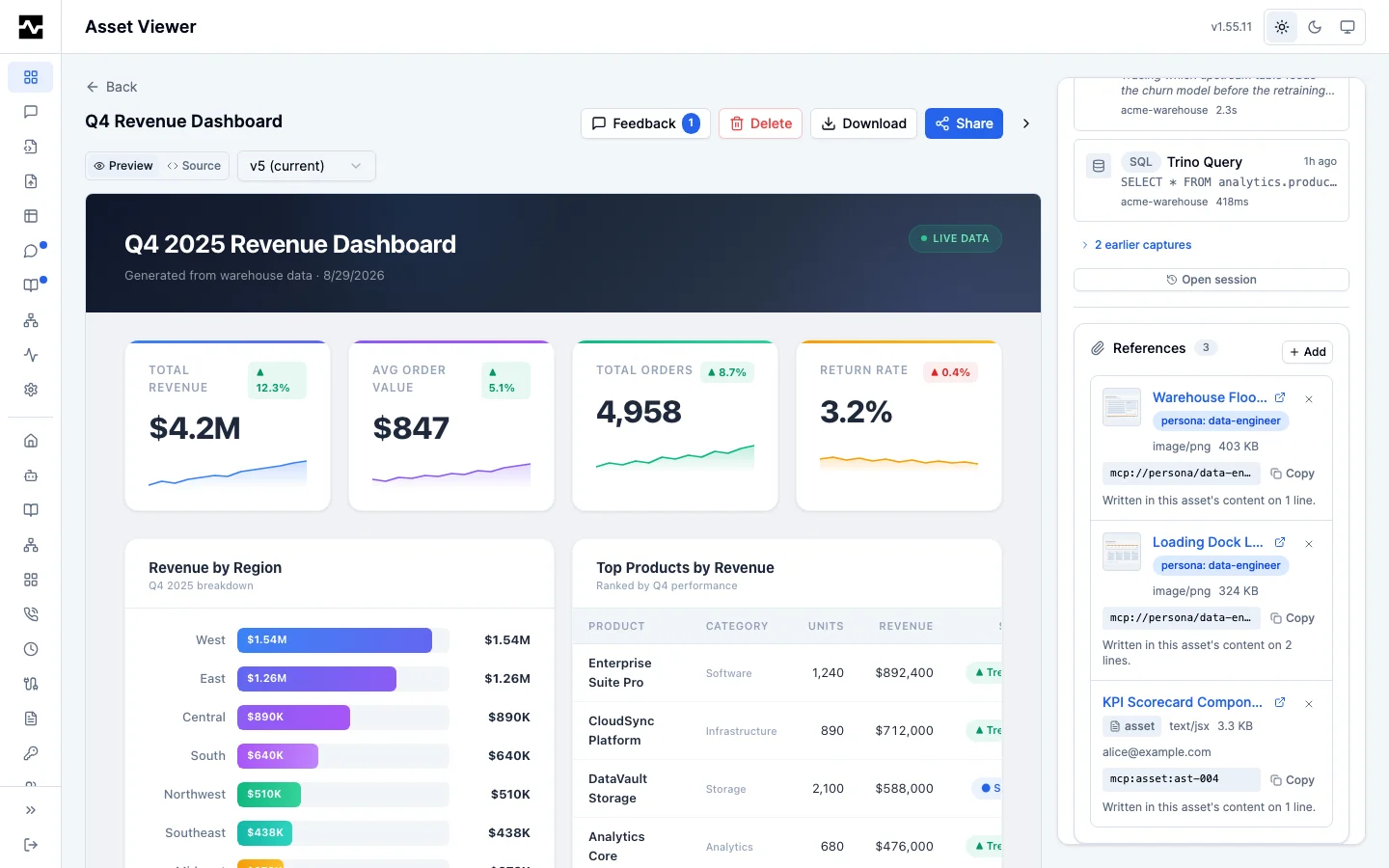
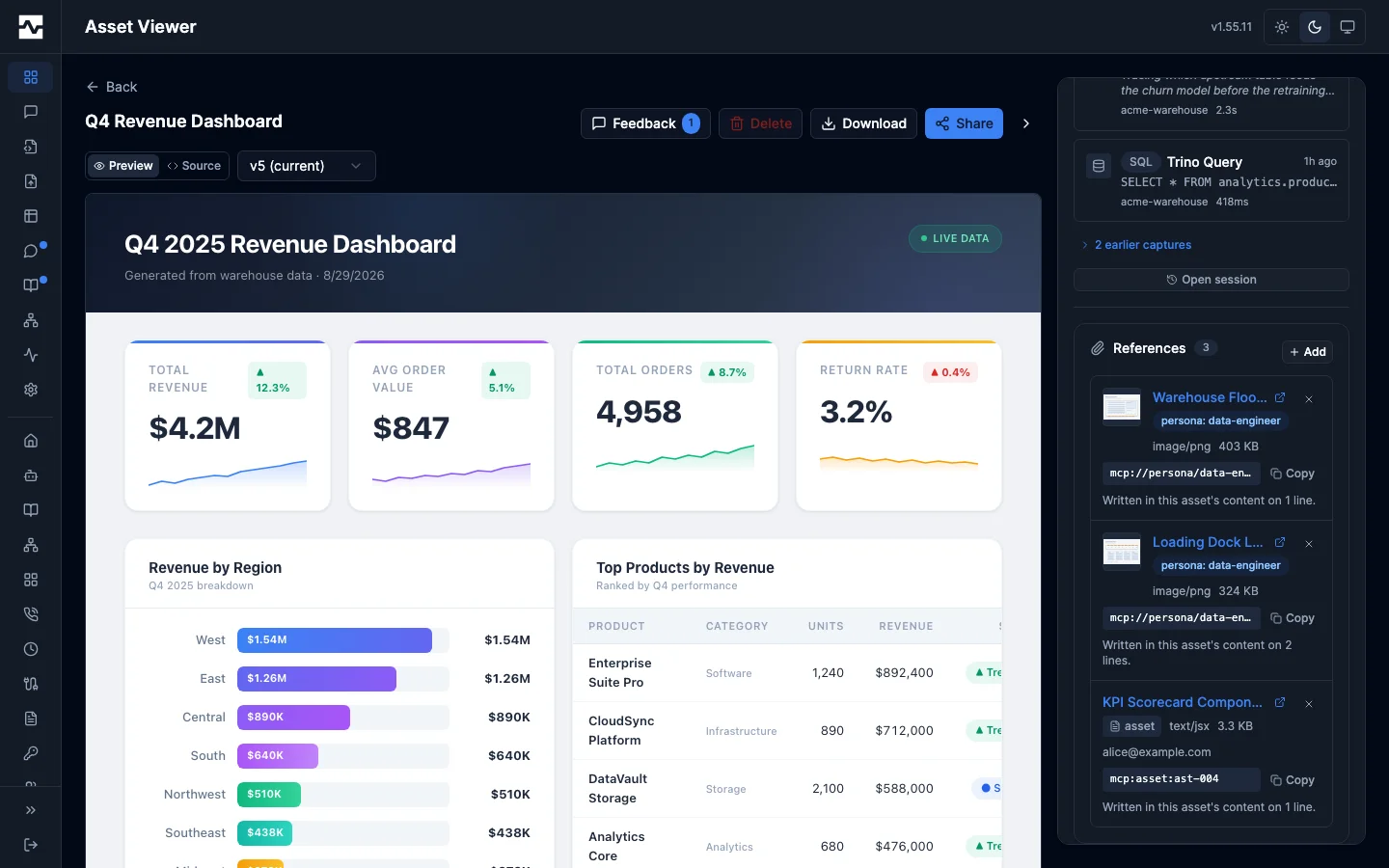
Every row carries the reference string with a copy control. That is the point of the panel rather than a detail of it: adding a reference does not change the asset's content, and the markup has to name the reference for the target to load.
An owner, an editor on a shared asset, and an administrator can add a reference through a picker with a tab for each kind — the resources they can reach, and the assets they can open — and remove one. The picker states what the reference gives away and names the asset's current audience before anything is added — a public link, people it is shared with, or neither yet. A reader with no edit authority sees the list and is offered neither control.
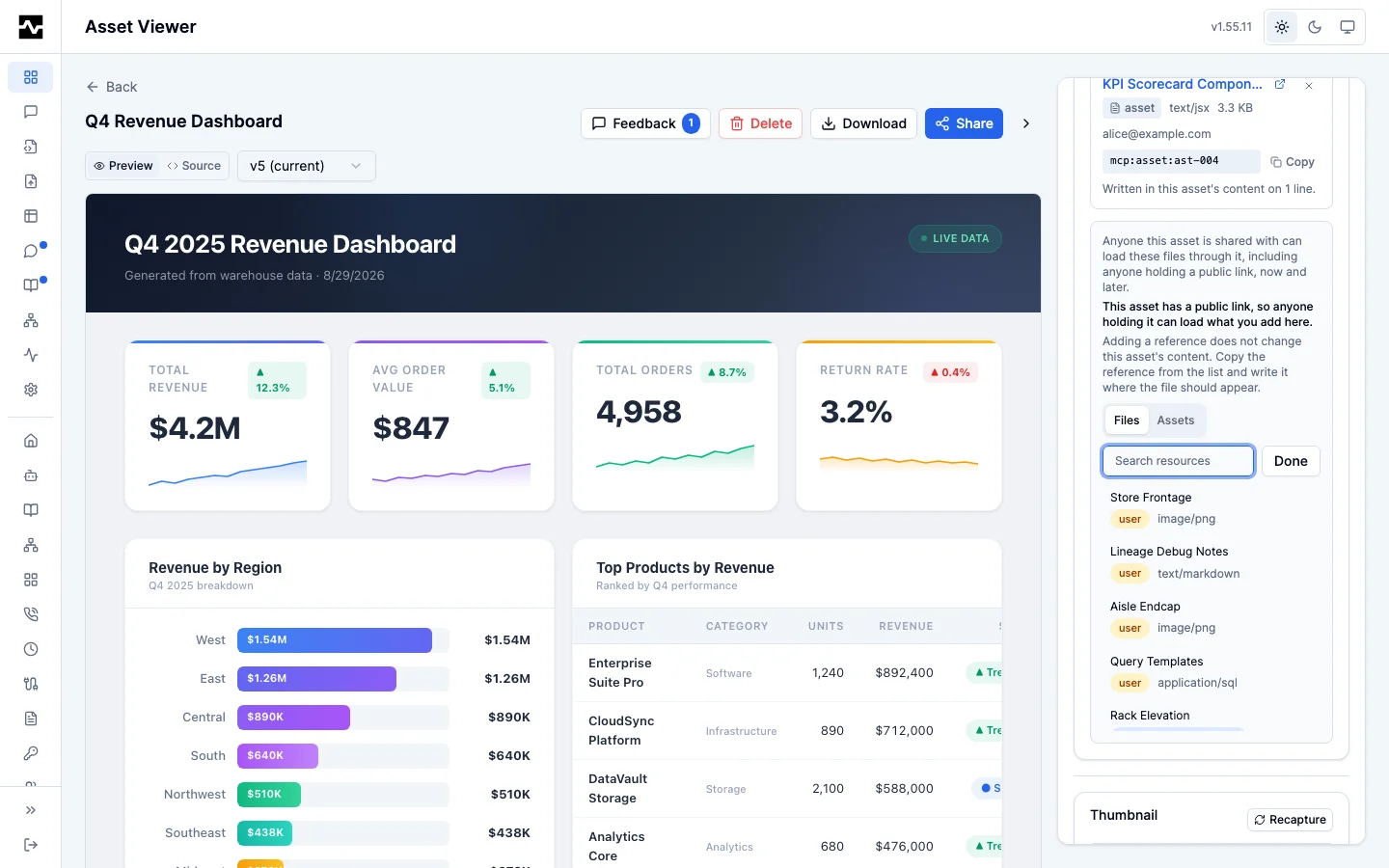
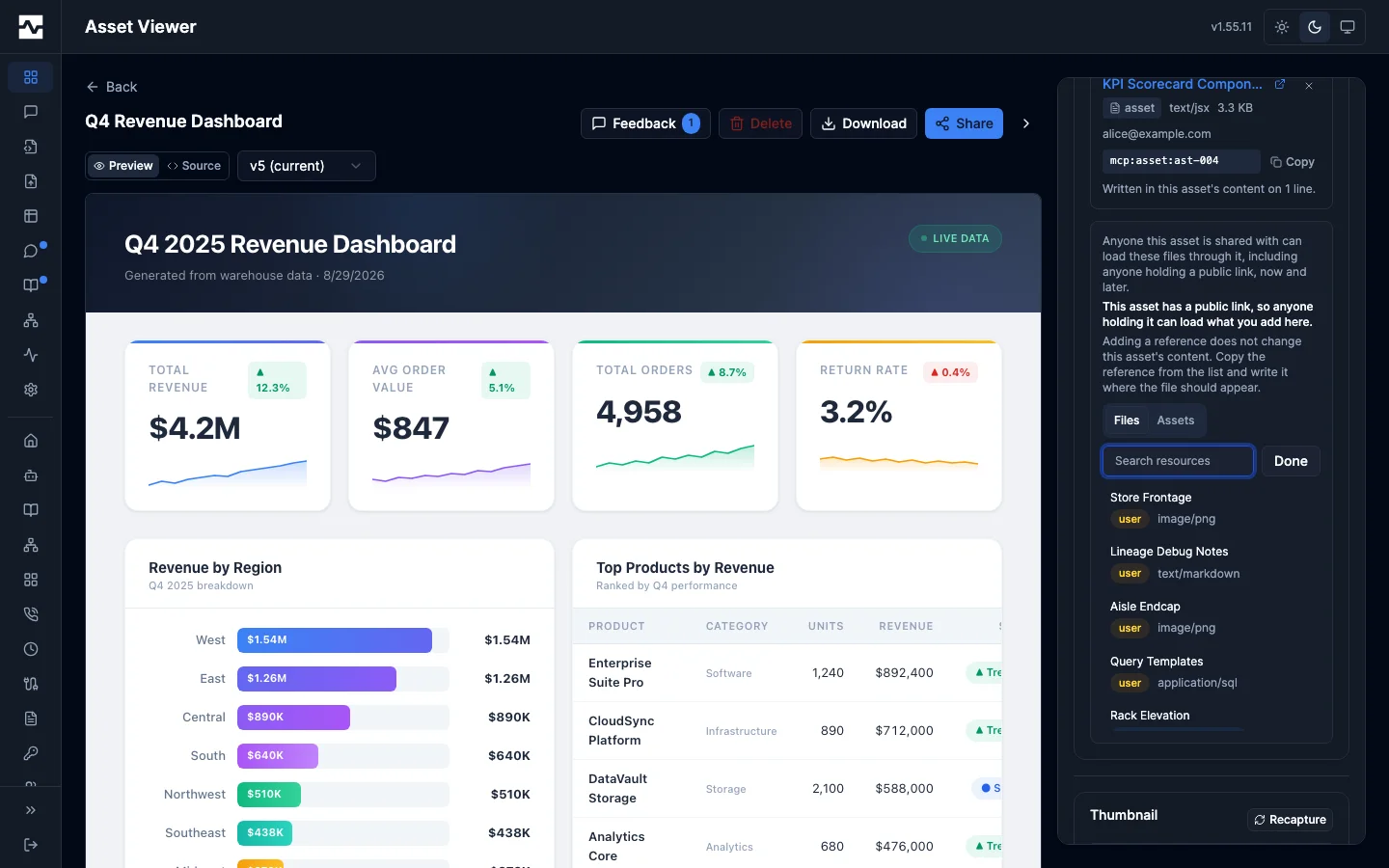
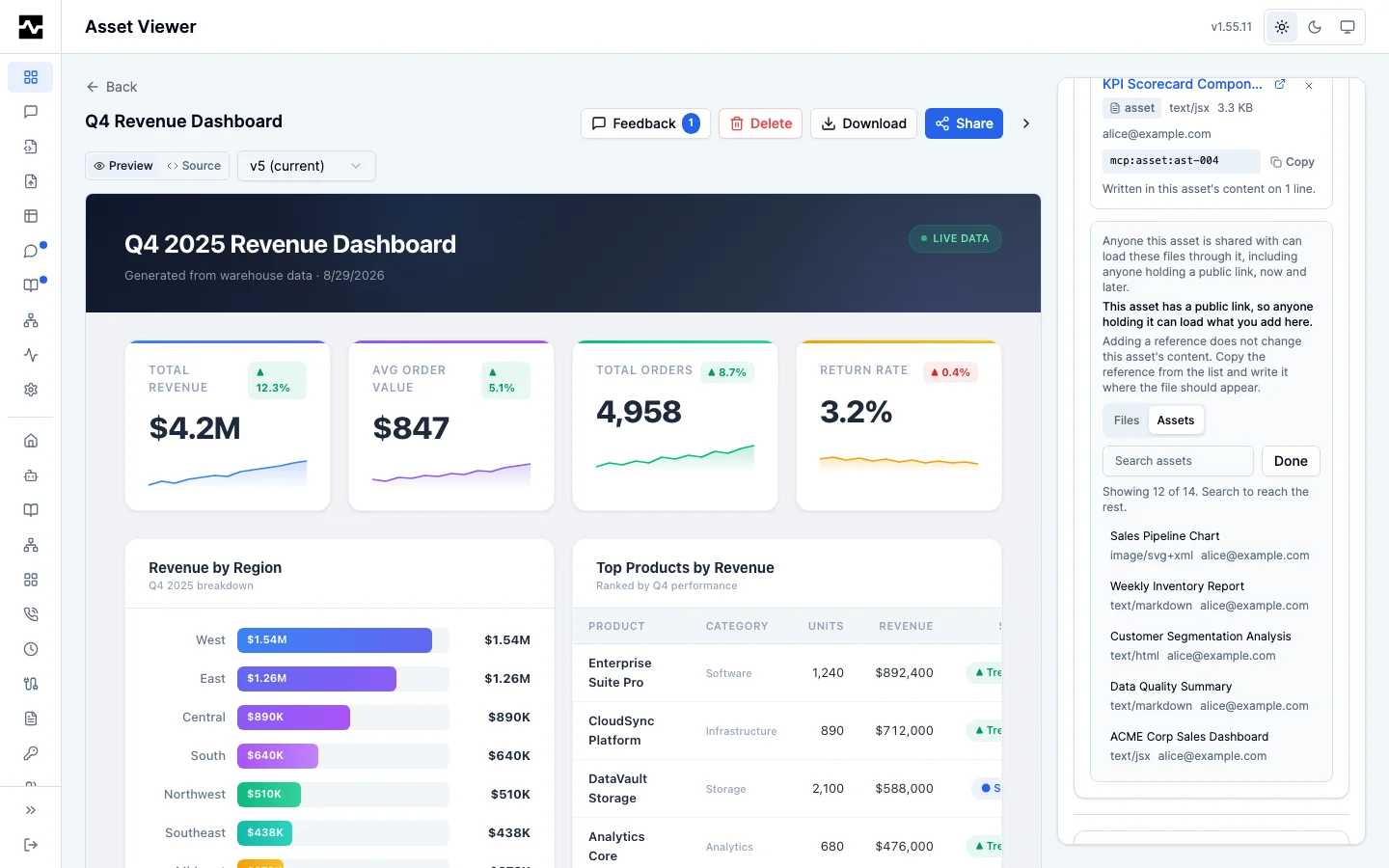
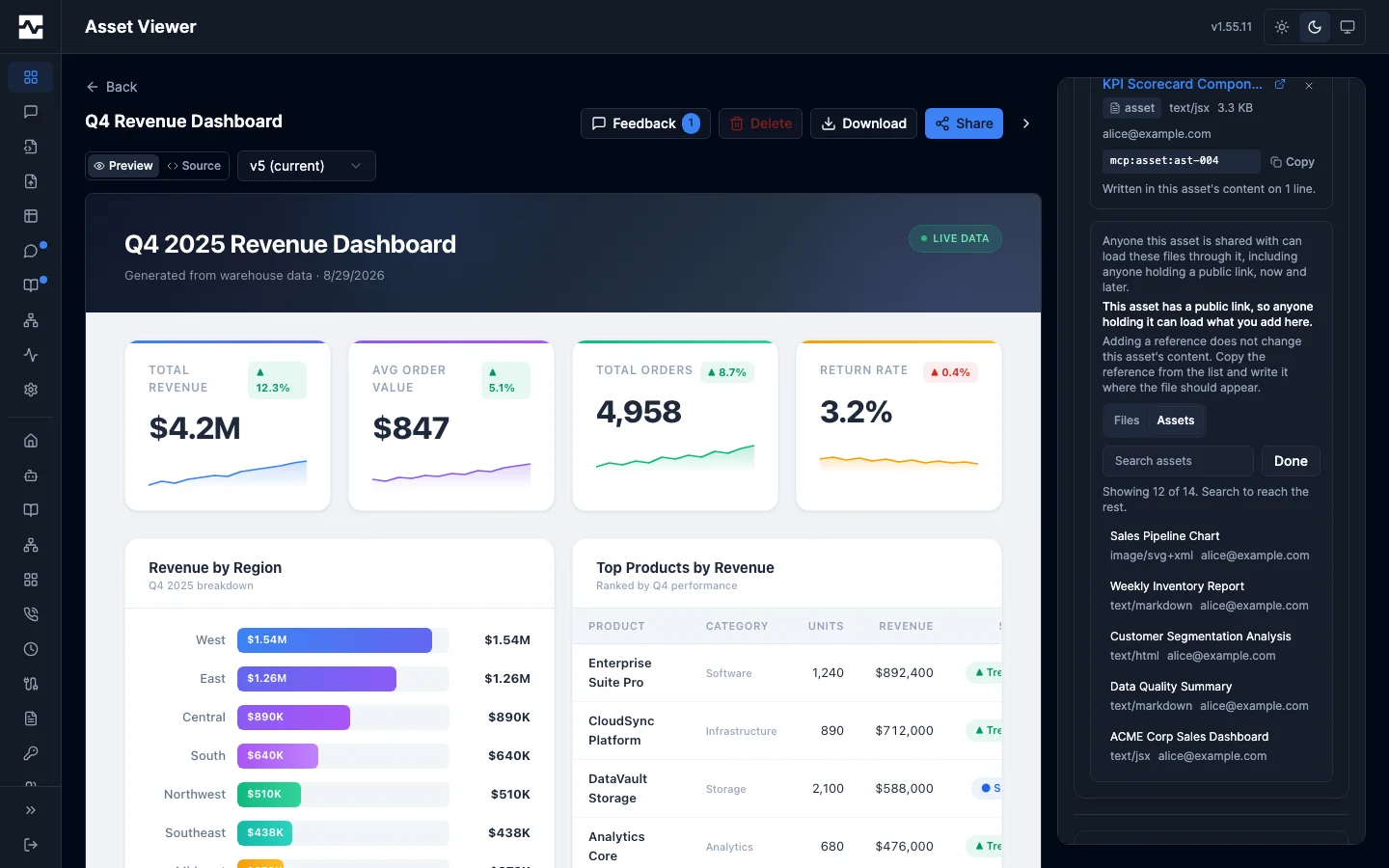
A row whose target has been deleted is flagged rather than dropped. It names the target id, which is what the owner needs in order to clean it up, and it is the only place they learn the report is now serving without it.
Removing one the content still names
The panel reads the asset's stored content and reports which lines write each reference's URI. Removing a reference the content still names warns first, naming those lines, and proceeds on confirmation: the declaration and the markup are two things the author keeps in step, and being unable to withdraw a grant until a document had been edited would be worse than leaving one URI resolving to nothing.
The check does not always run. A binary asset, one larger than 2 MB, or a storage fault leaves it with nothing to report, and the response says which it was. That distinction is the point rather than a detail: "the content does not name this file" makes a removal safe, "we could not look" does not, and the two produce an identical empty list. A removal is confirmed whenever the check did not run, and the confirmation says the content could not be checked rather than claiming the URI is absent from it.
Each reference made through the panel is logged as asset_reference.granted and each removal as asset_reference.revoked, carrying the target's kind as well as its id, and matching the record a save writes when an agent declares one. An operator's log covers both doors or it covers half the grants and looks complete.
The reverse view
A resource's own detail page carries a Used by section beside the one listing the prompts that attach it, naming the assets whose content references it. An asset's viewer sidebar carries the same section, answering the same question about the asset itself: which reports read this one's content. An asset carrying a public link is flagged in both, because that is the reference that widens the target's audience furthest. Referencing assets the reader cannot open are counted but not named — someone deciding whether to delete something has to know the list is not the whole of what would break.
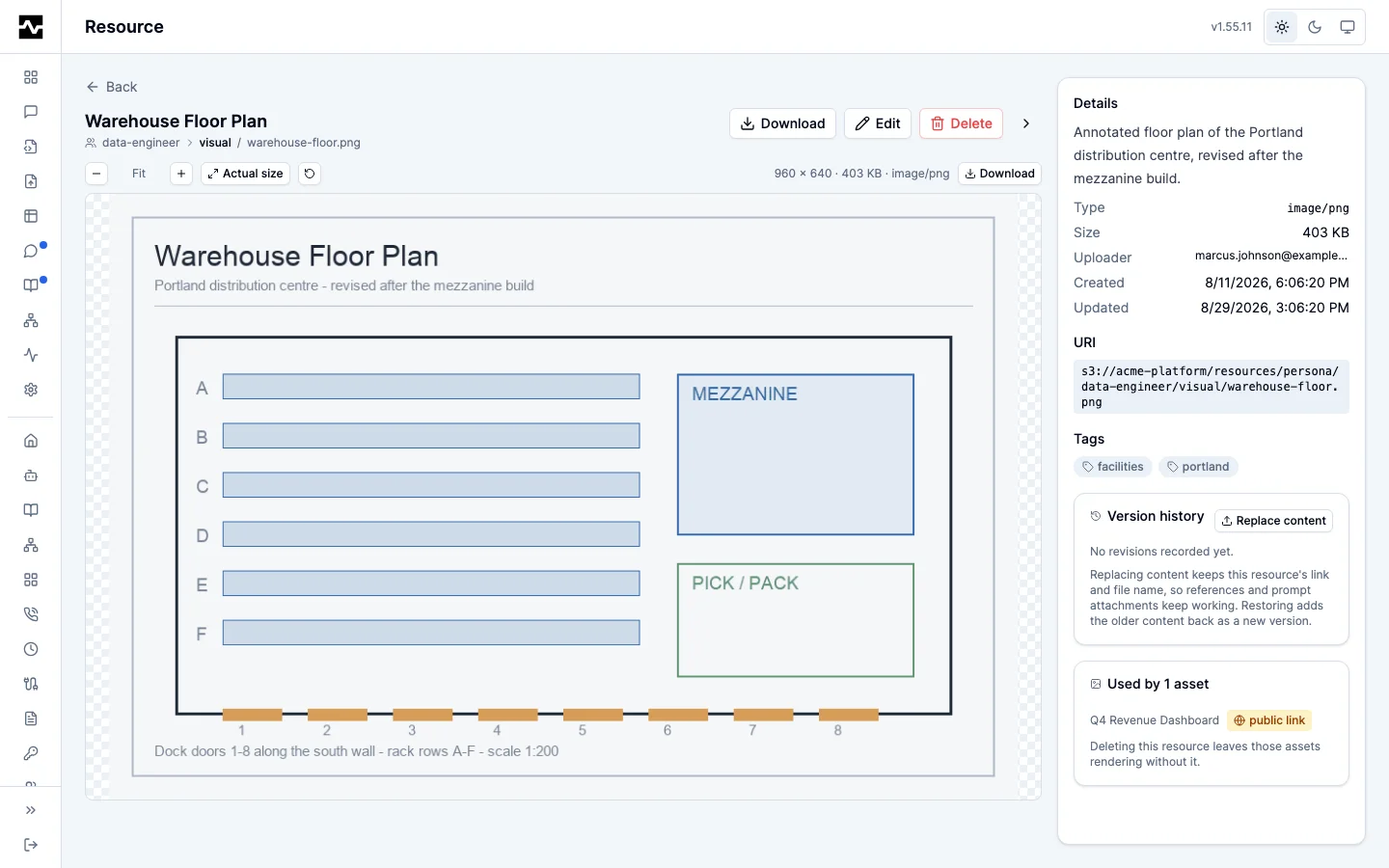
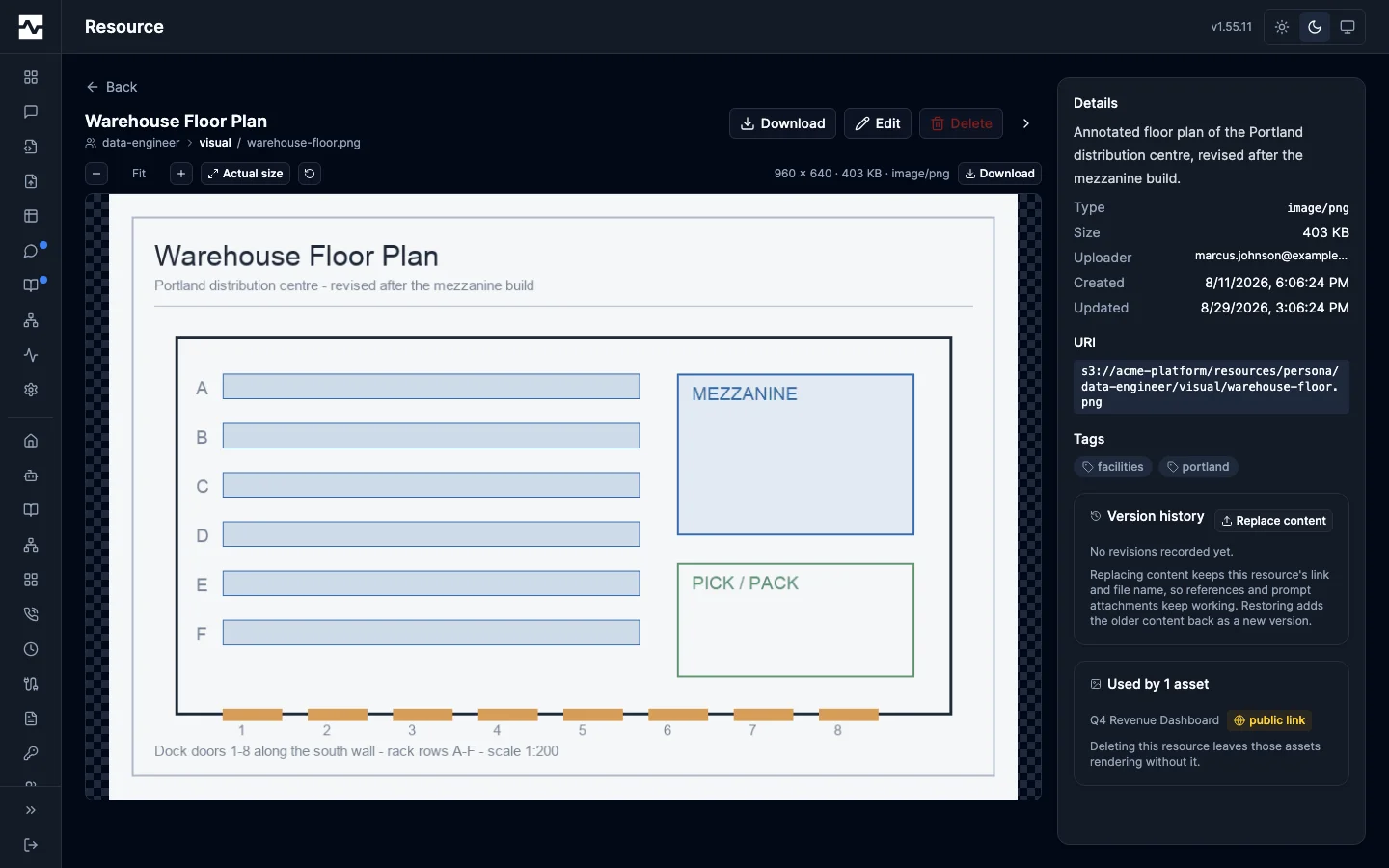
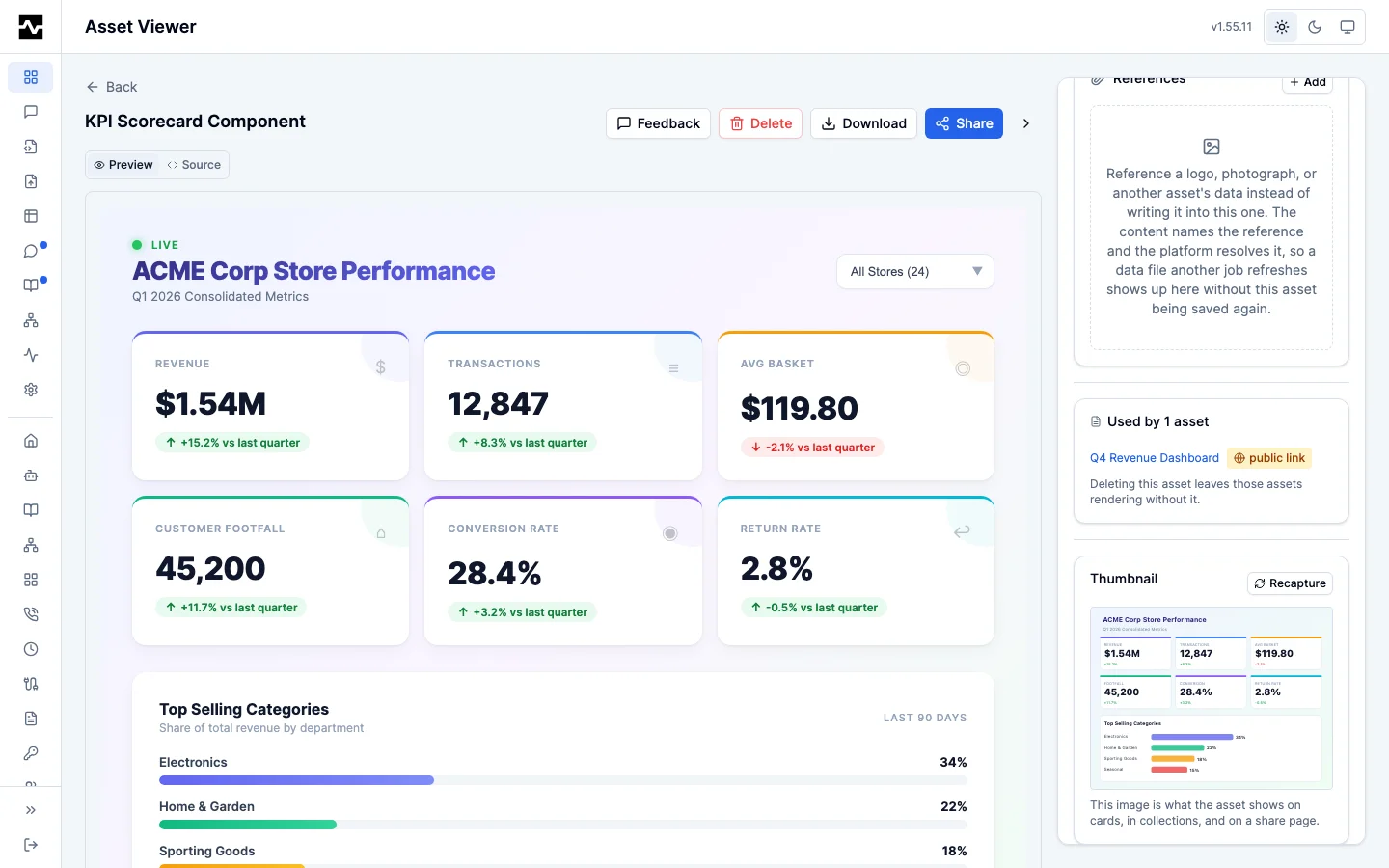
The asset's own section is refused to a reader who cannot open the asset: who reads an asset is part of the asset, not public knowledge about it.
The answer is bounded at 50, and says so when the bound cut it. Narrowing the list to the assets a given reader may open costs a share lookup per asset, so an unbounded read of a file every asset in a deployment references would turn one page view into a query per asset. A cut answer reads as "at least n" rather than as a total, on the same principle the hidden count follows.
Deleting a resource that assets reference warns and names them first, on the same terms. The delete button stays disabled until that check answers, and says so if the check itself fails — a dialog that armed its destructive control while the answer was in flight would let a fast click skip the warning it exists for.
What the agent reads
manage_asset get_content is not rewritten. It returns the stored content with its declared references intact, because that is what the agent reads before it patches: an agent handed a rewritten URL would write a platform-internal path back into the asset on its next patch, and the reference would be gone. A patch round trip through get_content leaves references intact.
Refreshing what the asset reads
The referenced target is not fixed at the moment the asset was written, in either kind, and the reference URL a rendered page fetches is unchanged by a refresh. The route's response carries Cache-Control: private with no max-age, so a page refetching on a timer revalidates rather than being served a pinned copy.
A resource is refreshed by manage_resource action=replace_content, which writes new bytes over an existing managed resource, keeping its id, its canonical mcp:// URI and its file name. Every replacement lands in the resource's version history with its author and the reason it changed, and the version before it stays restorable. See manage_resource.
An asset is refreshed by writing it: manage_asset action=update or a patch, from an agent or from a scheduled script through platform.call. The referencing asset is untouched and the next read of the reference URL serves the new content.
That is what makes a referencing asset's data half refreshable by the platform rather than only by a person at an upload form. A script rewrites the CSV a dashboard reads, on a schedule, under its version author's permissions, and the dashboard is never re-saved.
When things change
The target is deleted. The reference row survives, the URL answers 404, and the asset still renders with that one thing missing. This is the rule prompt attachments already follow: losing the evidence that a report is now incomplete is worse than a broken image. A soft-deleted asset is treated as absent, so a reference cannot resurrect deleted content into a page that outlives it.
The reference store is unreachable. Content is served exactly as stored, with its references unresolved. The images go off the page; the page does not.
The asset is copied. A copy carries only the references its new owner can read for themselves, each under a fresh token — the two assets are separate grants from that point on. A resource is re-checked against the copier's own claims and an asset against their own view of it. A reference the copier cannot read is dropped rather than refusing the copy, so they get the report with that one thing missing. A copy never carries a grant its new owner did not earn.
A version is read. Version history is rewritten against the asset's current references, because the references belong to the asset rather than to any one version. An old version naming a resource the asset no longer references renders that image missing.
A reference is declared or removed on an asset a reader already has open. The body every viewing surface serves depends on the references as well as the stored content, and a references change moves neither the content nor its version. Every route that serves rewritten content therefore answers Cache-Control: private, no-cache with an ETag taken over the bytes it served and no Last-Modified, so a browser asks before reusing its copy: an unchanged body revalidates to a 304 with nothing transferred, and a changed one comes back in full. The portal's own reference controls refetch the open content and version bodies when they change a reference.
Deployment
Nothing configures this. References are available wherever there is a database; a resource reference additionally needs a managed-resource layer, and a deployment without one refuses an mcp:// URI with that reason rather than accepting it and recording nothing, while still recording asset references. The route carries its own rate limit sized so one page load can fetch everything the asset declared.
/portal/refs/ is mounted at the composition root as a prefix of its own, beside /portal/view/. The portal UI claims /portal/, which matches the reference path as well, so without a mount of its own every reference URL is answered by the SPA's index.html and an image element receives a document. A deployment with no managed-resource layer answers the prefix as not-found rather than letting it reach the authenticated routes, since the path takes no session by design.
The portal panel and the resource-side view are registered on the same condition and answer nothing where the reference store is absent.